> ## Documentation Index
> Fetch the complete documentation index at: https://docs.dodopayments.com/llms.txt
> Use this file to discover all available pages before exploring further.
# 세그먼트
> Dodo Payments 이벤트를 세그먼트로 전송하여 분석 및 고객 데이터 플랫폼 통합을 수행합니다.
## 소개
세그먼트에서 결제 이벤트를 추적하여 분석, 마케팅 자동화 및 고객 데이터 플랫폼을 강화하세요. 결제, 구독 및 고객 생애 주기 이벤트를 300개 이상의 하위 도구로 자동으로 전송합니다.
이 통합을 사용하려면 Segment 작업공간의 Segment 쓰기 키가 필요합니다.
## 시작하기
Dodo Payments 대시보드에서 Webhooks → + Add Endpoint로 이동하고 통합 드롭다운을 확장합니다.
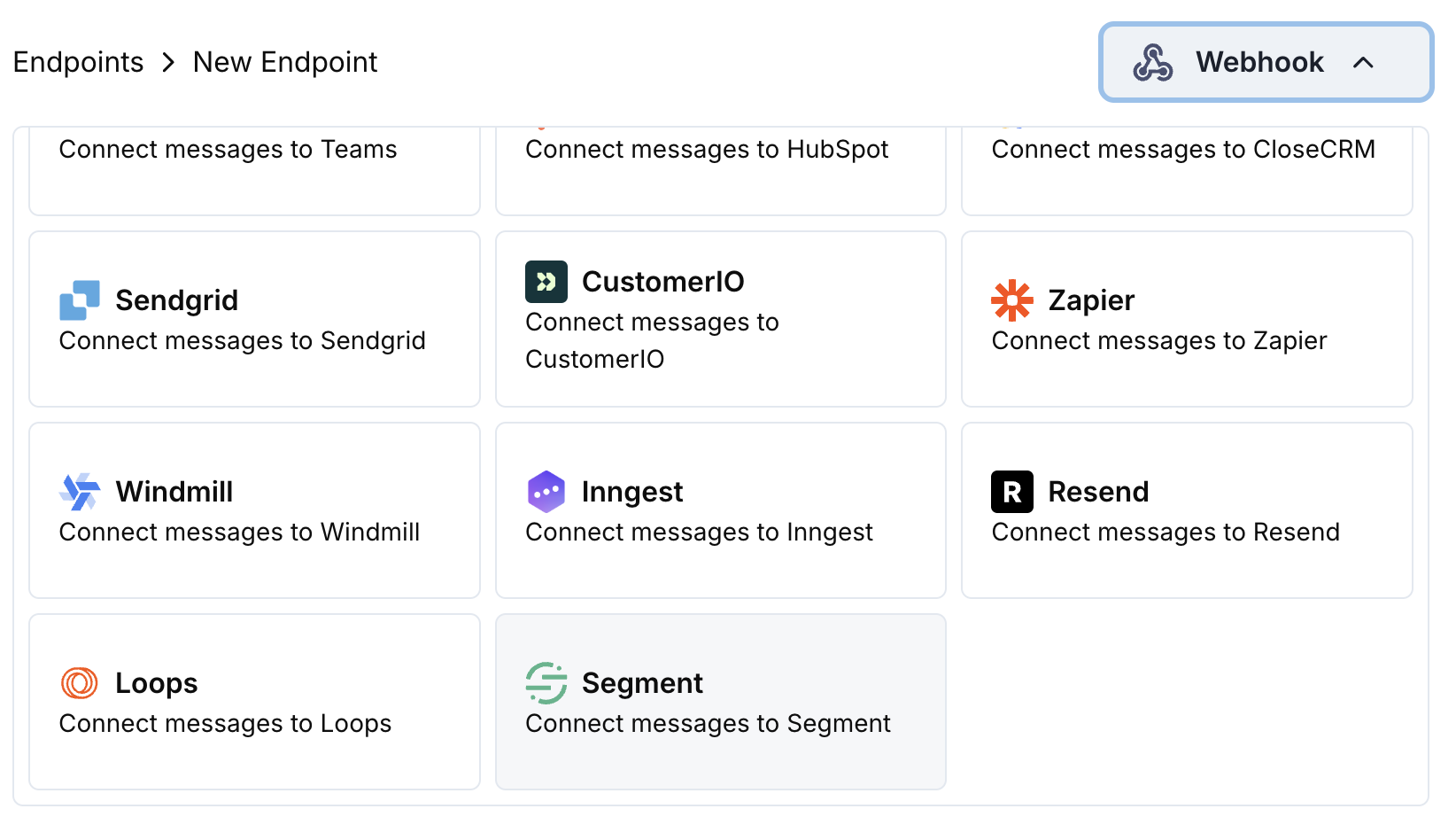 Segment 통합 카드를 선택합니다.
설정에서 Segment 쓰기 키를 입력합니다.
이벤트를 Segment의 Track API 형식으로 맞추도록 변환 코드를 수정합니다.
샘플 페이로드로 테스트한 뒤 Create을 클릭하여 동기화를 활성화합니다.
🎉 이제 결제 이벤트가 Segment에서 추적되어 연결된 도구로 전송됩니다.
## 변환 코드 예제
### 결제 이벤트 추적
```javascript track_payments.js icon="js" expandable theme={null}
function handler(webhook) {
if (webhook.eventType === "payment.succeeded") {
const p = webhook.payload.data;
webhook.url = "https://api.segment.io/v1/track";
webhook.payload = {
userId: p.customer.customer_id,
event: "Payment Completed",
properties: {
amount: (p.total_amount / 100).toFixed(2),
currency: p.currency || "USD",
payment_method: p.payment_method || "unknown",
payment_id: p.payment_id,
customer_email: p.customer.email,
customer_name: p.customer.name
},
timestamp: webhook.payload.timestamp
};
}
return webhook;
}
```
### 구독 생애 주기 추적
```javascript track_subscriptions.js icon="js" expandable theme={null}
function handler(webhook) {
const s = webhook.payload.data;
switch (webhook.eventType) {
case "subscription.active":
webhook.url = "https://api.segment.io/v1/track";
webhook.payload = {
userId: s.customer.customer_id,
event: "Subscription Started",
properties: {
subscription_id: s.subscription_id,
product_id: s.product_id,
amount: (s.recurring_pre_tax_amount / 100).toFixed(2),
frequency: s.payment_frequency_interval,
next_billing: s.next_billing_date,
customer_email: s.customer.email
},
timestamp: webhook.payload.timestamp
};
break;
case "subscription.cancelled":
webhook.url = "https://api.segment.io/v1/track";
webhook.payload = {
userId: s.customer.customer_id,
event: "Subscription Cancelled",
properties: {
subscription_id: s.subscription_id,
product_id: s.product_id,
cancelled_at: s.cancelled_at,
cancel_at_next_billing: s.cancel_at_next_billing_date,
customer_email: s.customer.email
},
timestamp: webhook.payload.timestamp
};
break;
}
return webhook;
}
```
### 고객 속성 식별
```javascript identify_customer.js icon="js" expandable theme={null}
function handler(webhook) {
if (webhook.eventType === "payment.succeeded") {
const p = webhook.payload.data;
webhook.url = "https://api.segment.io/v1/identify";
webhook.payload = {
userId: p.customer.customer_id,
traits: {
email: p.customer.email,
name: p.customer.name,
total_spent: (p.total_amount / 100).toFixed(2),
payment_method: p.payment_method || "unknown",
last_payment_date: webhook.payload.timestamp,
customer_since: webhook.payload.timestamp
}
};
}
return webhook;
}
```
## 팁
* 통합 전반에 걸쳐 일관된 이벤트 이름 사용
* 분석 및 세분화를 위한 관련 속성 포함
* 정확한 이벤트 추적을 위한 적절한 타임스탬프 설정
* 적절한 사용자 식별을 위해 customer ID를 userId로 사용
## 문제 해결
* 쓰기 키가 정확하고 활성화되어 있는지 확인합니다
* 이벤트 이름이 Segment 명명 규칙을 따르는지 확인합니다
* 사용자 식별을 위해 userId가 적절히 설정되었는지 확인합니다
* Segment API 속도 제한을 검토합니다
* JSON 구조가 Segment API 형식과 일치하는지 검증합니다
* 모든 필수 필드가 포함되어 있는지 확인합니다
* 이벤트 이름이 객체가 아닌 문자열인지 확인합니다
Segment 통합 카드를 선택합니다.
설정에서 Segment 쓰기 키를 입력합니다.
이벤트를 Segment의 Track API 형식으로 맞추도록 변환 코드를 수정합니다.
샘플 페이로드로 테스트한 뒤 Create을 클릭하여 동기화를 활성화합니다.
🎉 이제 결제 이벤트가 Segment에서 추적되어 연결된 도구로 전송됩니다.
## 변환 코드 예제
### 결제 이벤트 추적
```javascript track_payments.js icon="js" expandable theme={null}
function handler(webhook) {
if (webhook.eventType === "payment.succeeded") {
const p = webhook.payload.data;
webhook.url = "https://api.segment.io/v1/track";
webhook.payload = {
userId: p.customer.customer_id,
event: "Payment Completed",
properties: {
amount: (p.total_amount / 100).toFixed(2),
currency: p.currency || "USD",
payment_method: p.payment_method || "unknown",
payment_id: p.payment_id,
customer_email: p.customer.email,
customer_name: p.customer.name
},
timestamp: webhook.payload.timestamp
};
}
return webhook;
}
```
### 구독 생애 주기 추적
```javascript track_subscriptions.js icon="js" expandable theme={null}
function handler(webhook) {
const s = webhook.payload.data;
switch (webhook.eventType) {
case "subscription.active":
webhook.url = "https://api.segment.io/v1/track";
webhook.payload = {
userId: s.customer.customer_id,
event: "Subscription Started",
properties: {
subscription_id: s.subscription_id,
product_id: s.product_id,
amount: (s.recurring_pre_tax_amount / 100).toFixed(2),
frequency: s.payment_frequency_interval,
next_billing: s.next_billing_date,
customer_email: s.customer.email
},
timestamp: webhook.payload.timestamp
};
break;
case "subscription.cancelled":
webhook.url = "https://api.segment.io/v1/track";
webhook.payload = {
userId: s.customer.customer_id,
event: "Subscription Cancelled",
properties: {
subscription_id: s.subscription_id,
product_id: s.product_id,
cancelled_at: s.cancelled_at,
cancel_at_next_billing: s.cancel_at_next_billing_date,
customer_email: s.customer.email
},
timestamp: webhook.payload.timestamp
};
break;
}
return webhook;
}
```
### 고객 속성 식별
```javascript identify_customer.js icon="js" expandable theme={null}
function handler(webhook) {
if (webhook.eventType === "payment.succeeded") {
const p = webhook.payload.data;
webhook.url = "https://api.segment.io/v1/identify";
webhook.payload = {
userId: p.customer.customer_id,
traits: {
email: p.customer.email,
name: p.customer.name,
total_spent: (p.total_amount / 100).toFixed(2),
payment_method: p.payment_method || "unknown",
last_payment_date: webhook.payload.timestamp,
customer_since: webhook.payload.timestamp
}
};
}
return webhook;
}
```
## 팁
* 통합 전반에 걸쳐 일관된 이벤트 이름 사용
* 분석 및 세분화를 위한 관련 속성 포함
* 정확한 이벤트 추적을 위한 적절한 타임스탬프 설정
* 적절한 사용자 식별을 위해 customer ID를 userId로 사용
## 문제 해결
* 쓰기 키가 정확하고 활성화되어 있는지 확인합니다
* 이벤트 이름이 Segment 명명 규칙을 따르는지 확인합니다
* 사용자 식별을 위해 userId가 적절히 설정되었는지 확인합니다
* Segment API 속도 제한을 검토합니다
* JSON 구조가 Segment API 형식과 일치하는지 검증합니다
* 모든 필수 필드가 포함되어 있는지 확인합니다
* 이벤트 이름이 객체가 아닌 문자열인지 확인합니다