> ## Documentation Index
> Fetch the complete documentation index at: https://docs.dodopayments.com/llms.txt
> Use this file to discover all available pages before exploring further.
# HubSpot
> Dodo Payments 이벤트에서 HubSpot의 연락처, 회사 및 거래를 자동으로 생성하고 업데이트합니다.
## 소개
결제 데이터를 HubSpot CRM에 직접 동기화하세요. 성공적인 결제로부터 연락처를 생성하고, 구독 생애 주기를 추적하며, 포괄적인 고객 프로필을 구축하세요. 모든 작업은 Dodo Payments 이벤트에 의해 자동으로 트리거됩니다.
이 통합을 구성하려면 OAuth 범위 및 API 권한을 구성할 수 있는 HubSpot 관리자 액세스가 필요합니다.
## 시작하기
Dodo Payments 대시보드에서 Webhooks → + Add Endpoint로 이동하여 통합 드롭다운을 확장하십시오.
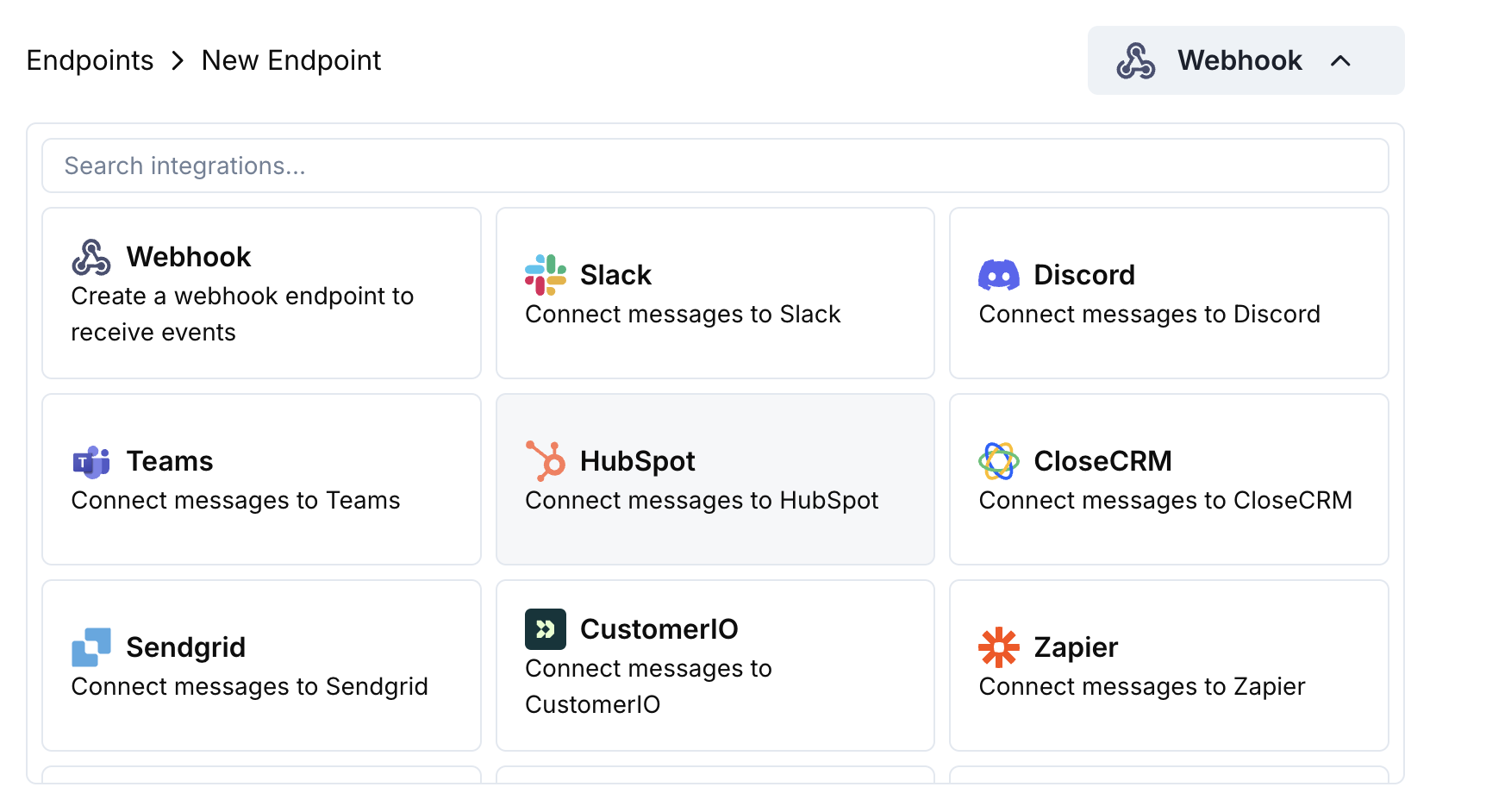 HubSpot 통합 카드를 선택합니다.
HubSpot에 연결을 클릭하고 필요한 OAuth 범위를 승인합니다.
변환 코드를 편집하여 결제 데이터를 HubSpot CRM 객체에 매핑합니다.
샘플 페이로드로 테스트하고 Create를 클릭하여 동기화를 활성화합니다.
🎉 결제 이벤트가 이제 HubSpot CRM에서 레코드를 자동으로 생성/업데이트합니다.
## 변환 코드 예제
### 결제에서 연락처 생성
```javascript create_contact.js icon="js" expandable theme={null}
function handler(webhook) {
if (webhook.eventType === "payment.succeeded") {
const p = webhook.payload.data;
webhook.url = "https://api.hubapi.com/crm/v3/objects/contacts";
webhook.payload = {
properties: {
email: p.customer.email,
firstname: p.customer.name.split(' ')[0] || '',
lastname: p.customer.name.split(' ').slice(1).join(' ') || '',
phone: p.customer.phone || '',
company: p.customer.company || '',
amount: (p.total_amount / 100).toString(),
payment_method: p.payment_method || '',
currency: p.currency || 'USD'
}
};
}
return webhook;
}
```
### 구독으로 연락처 업데이트
```javascript update_contact.js icon="js" expandable theme={null}
function handler(webhook) {
if (webhook.eventType === "subscription.active") {
const s = webhook.payload.data;
webhook.url = `https://api.hubapi.com/crm/v3/objects/contacts/${s.customer.customer_id}`;
webhook.method = "PATCH";
webhook.payload = {
properties: {
subscription_status: "active",
subscription_amount: (s.recurring_pre_tax_amount / 100).toString(),
subscription_frequency: s.payment_frequency_interval,
next_billing_date: s.next_billing_date,
product_id: s.product_id
}
};
}
return webhook;
}
```
### 결제에서 거래 생성
```javascript create_deal.js icon="js" expandable theme={null}
function handler(webhook) {
if (webhook.eventType === "payment.succeeded") {
const p = webhook.payload.data;
webhook.url = "https://api.hubapi.com/crm/v3/objects/deals";
webhook.payload = {
properties: {
dealname: `Payment - ${p.customer.email}`,
amount: (p.total_amount / 100).toString(),
dealstage: "closedwon",
closedate: new Date().toISOString(),
hs_currency: p.currency || "USD"
},
associations: [
{
to: {
id: p.customer.customer_id
},
types: [
{
associationCategory: "HUBSPOT_DEFINED",
associationTypeId: 3
}
]
}
]
};
}
return webhook;
}
```
## 팁
* HubSpot의 API 탐색기를 사용하여 객체 생성을 테스트하세요
* 결제 금액을 HubSpot 통화 필드에 매핑하세요
* 적절한 연관을 위해 고객 ID를 포함하세요
* 결제 상태에 따라 적절한 거래 단계를 설정하세요
## 문제 해결
* OAuth 범위에 쓰기 권한이 포함되어 있는지 확인합니다
* 필요한 HubSpot 속성이 존재하는지 확인합니다
* 고객 이메일이 유효하고 고유한지 확인합니다
* HubSpot API 속도 제한을 검토합니다
* JSON 구조가 HubSpot API 형식과 일치하는지 확인합니다
* 모든 필수 속성이 포함되어 있는지 확인합니다
* 속성 이름이 HubSpot 필드 이름과 정확히 일치하는지 확인합니다
HubSpot 통합 카드를 선택합니다.
HubSpot에 연결을 클릭하고 필요한 OAuth 범위를 승인합니다.
변환 코드를 편집하여 결제 데이터를 HubSpot CRM 객체에 매핑합니다.
샘플 페이로드로 테스트하고 Create를 클릭하여 동기화를 활성화합니다.
🎉 결제 이벤트가 이제 HubSpot CRM에서 레코드를 자동으로 생성/업데이트합니다.
## 변환 코드 예제
### 결제에서 연락처 생성
```javascript create_contact.js icon="js" expandable theme={null}
function handler(webhook) {
if (webhook.eventType === "payment.succeeded") {
const p = webhook.payload.data;
webhook.url = "https://api.hubapi.com/crm/v3/objects/contacts";
webhook.payload = {
properties: {
email: p.customer.email,
firstname: p.customer.name.split(' ')[0] || '',
lastname: p.customer.name.split(' ').slice(1).join(' ') || '',
phone: p.customer.phone || '',
company: p.customer.company || '',
amount: (p.total_amount / 100).toString(),
payment_method: p.payment_method || '',
currency: p.currency || 'USD'
}
};
}
return webhook;
}
```
### 구독으로 연락처 업데이트
```javascript update_contact.js icon="js" expandable theme={null}
function handler(webhook) {
if (webhook.eventType === "subscription.active") {
const s = webhook.payload.data;
webhook.url = `https://api.hubapi.com/crm/v3/objects/contacts/${s.customer.customer_id}`;
webhook.method = "PATCH";
webhook.payload = {
properties: {
subscription_status: "active",
subscription_amount: (s.recurring_pre_tax_amount / 100).toString(),
subscription_frequency: s.payment_frequency_interval,
next_billing_date: s.next_billing_date,
product_id: s.product_id
}
};
}
return webhook;
}
```
### 결제에서 거래 생성
```javascript create_deal.js icon="js" expandable theme={null}
function handler(webhook) {
if (webhook.eventType === "payment.succeeded") {
const p = webhook.payload.data;
webhook.url = "https://api.hubapi.com/crm/v3/objects/deals";
webhook.payload = {
properties: {
dealname: `Payment - ${p.customer.email}`,
amount: (p.total_amount / 100).toString(),
dealstage: "closedwon",
closedate: new Date().toISOString(),
hs_currency: p.currency || "USD"
},
associations: [
{
to: {
id: p.customer.customer_id
},
types: [
{
associationCategory: "HUBSPOT_DEFINED",
associationTypeId: 3
}
]
}
]
};
}
return webhook;
}
```
## 팁
* HubSpot의 API 탐색기를 사용하여 객체 생성을 테스트하세요
* 결제 금액을 HubSpot 통화 필드에 매핑하세요
* 적절한 연관을 위해 고객 ID를 포함하세요
* 결제 상태에 따라 적절한 거래 단계를 설정하세요
## 문제 해결
* OAuth 범위에 쓰기 권한이 포함되어 있는지 확인합니다
* 필요한 HubSpot 속성이 존재하는지 확인합니다
* 고객 이메일이 유효하고 고유한지 확인합니다
* HubSpot API 속도 제한을 검토합니다
* JSON 구조가 HubSpot API 형식과 일치하는지 확인합니다
* 모든 필수 속성이 포함되어 있는지 확인합니다
* 속성 이름이 HubSpot 필드 이름과 정확히 일치하는지 확인합니다