> ## Documentation Index
> Fetch the complete documentation index at: https://docs.dodopayments.com/llms.txt
> Use this file to discover all available pages before exploring further.
# Customer.io
> Dodo Payments 이벤트를 Customer.io에 전송하여 이메일 자동화 및 고객 여정을 트리거합니다.
## 소개
결제 이벤트를 기반으로 개인화된 이메일 캠페인 및 고객 여정을 트리거합니다. 새로운 고객을 위한 환영 이메일, 구독 업데이트 및 결제 실패 알림을 Customer.io를 통해 자동으로 전송합니다.
이 통합에는 Customer.io 사이트 ID 및 API 키가 필요합니다.
## 시작하기
Dodo Payments 대시보드에서 Webhooks → + Add Endpoint로 이동한 다음 통합 드롭다운을 확장합니다.
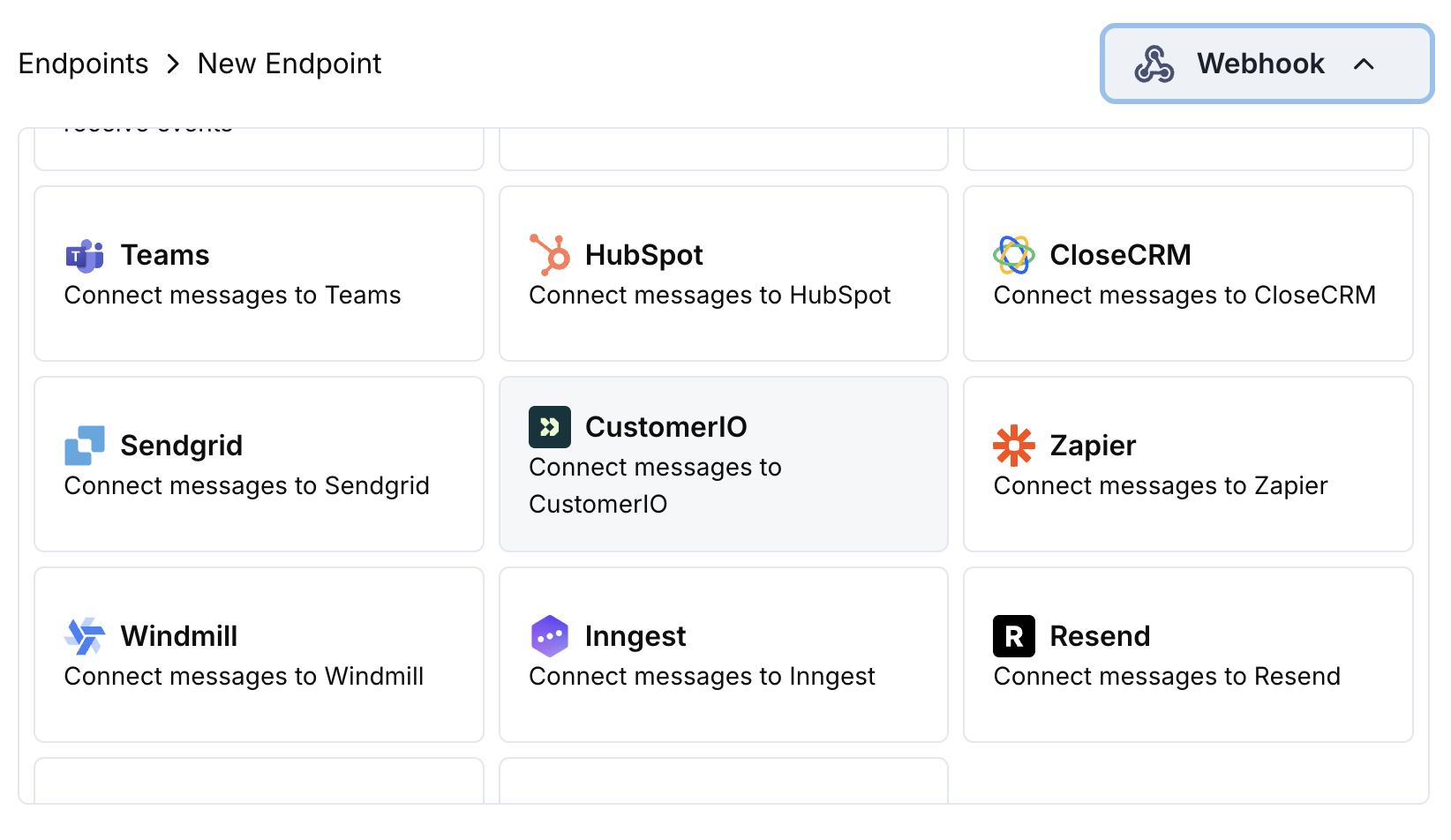 Customer.io 통합 카드를 선택하세요.
설정에서 Customer.io 사이트 ID 및 API 키를 입력하세요.
Customer.io의 Track API에 맞게 이벤트를 형식화하도록 변환 코드를 편집하세요.
샘플 페이로드로 테스트한 다음 Create을 클릭하여 동기화를 활성화하세요.
🎉 결제 이벤트가 이제 Customer.io 이메일 자동화 트리거를 실행합니다.
## 변환 코드 예제
### 결제 이벤트 추적
```javascript track_payments.js icon="js" expandable theme={null}
function handler(webhook) {
if (webhook.eventType === "payment.succeeded") {
const p = webhook.payload.data;
webhook.url = "https://track.customer.io/api/v2/entity";
webhook.payload = {
type: "person",
identifiers: {
id: p.customer.customer_id
},
action: "payment_completed",
name: "Payment Completed",
attributes: {
email: p.customer.email,
name: p.customer.name,
payment_amount: (p.total_amount / 100).toFixed(2),
payment_method: p.payment_method || "unknown",
payment_id: p.payment_id,
currency: p.currency || "USD"
}
};
}
return webhook;
}
```
### 구독 생애 주기 추적
```javascript track_subscriptions.js icon="js" expandable theme={null}
function handler(webhook) {
const s = webhook.payload.data;
switch (webhook.eventType) {
case "subscription.active":
webhook.url = "https://track.customer.io/api/v2/entity";
webhook.payload = {
type: "person",
identifiers: {
id: s.customer.customer_id
},
action: "subscription_started",
name: "Subscription Started",
attributes: {
email: s.customer.email,
subscription_id: s.subscription_id,
product_id: s.product_id,
amount: (s.recurring_pre_tax_amount / 100).toFixed(2),
frequency: s.payment_frequency_interval,
next_billing: s.next_billing_date
}
};
break;
case "subscription.cancelled":
webhook.url = "https://track.customer.io/api/v2/entity";
webhook.payload = {
type: "person",
identifiers: {
id: s.customer.customer_id
},
action: "subscription_cancelled",
name: "Subscription Cancelled",
attributes: {
email: s.customer.email,
subscription_id: s.subscription_id,
cancelled_at: s.cancelled_at,
cancel_at_next_billing: s.cancel_at_next_billing_date
}
};
break;
}
return webhook;
}
```
### 고객 속성 추적
```javascript track_attributes.js icon="js" expandable theme={null}
function handler(webhook) {
if (webhook.eventType === "payment.succeeded") {
const p = webhook.payload.data;
webhook.url = "https://track.customer.io/api/v2/entity";
webhook.payload = {
type: "person",
identifiers: {
id: p.customer.customer_id
},
action: "identify",
name: "Customer Identified",
attributes: {
email: p.customer.email,
name: p.customer.name,
total_spent: (p.total_amount / 100).toFixed(2),
payment_method: p.payment_method || "unknown",
last_payment_date: webhook.payload.timestamp,
customer_since: webhook.payload.timestamp
}
};
}
return webhook;
}
```
## 팁
* Customer.io 캠페인과 일치하는 일관된 이벤트 이름 사용
* 개인화를 위한 관련 속성 포함
* 정확한 추적을 위한 적절한 고객 식별자 설정
* 캠페인 트리거를 위한 의미 있는 이벤트 이름 사용
## 문제 해결
* 사이트 ID 및 API 키가 올바른지 확인하세요
* 이벤트 이름이 Customer.io 캠페인과 일치하는지 확인하세요
* 고객 식별자가 올바르게 설정되었는지 확인하세요
* Customer.io API 속도 제한을 검토하세요
* JSON 구조가 Customer.io API 형식과 일치하는지 검증하세요
* 모든 필수 필드가 있는지 확인하세요
* 이벤트 이름과 속성이 올바르게 형식화되었는지 확인하세요
Customer.io 통합 카드를 선택하세요.
설정에서 Customer.io 사이트 ID 및 API 키를 입력하세요.
Customer.io의 Track API에 맞게 이벤트를 형식화하도록 변환 코드를 편집하세요.
샘플 페이로드로 테스트한 다음 Create을 클릭하여 동기화를 활성화하세요.
🎉 결제 이벤트가 이제 Customer.io 이메일 자동화 트리거를 실행합니다.
## 변환 코드 예제
### 결제 이벤트 추적
```javascript track_payments.js icon="js" expandable theme={null}
function handler(webhook) {
if (webhook.eventType === "payment.succeeded") {
const p = webhook.payload.data;
webhook.url = "https://track.customer.io/api/v2/entity";
webhook.payload = {
type: "person",
identifiers: {
id: p.customer.customer_id
},
action: "payment_completed",
name: "Payment Completed",
attributes: {
email: p.customer.email,
name: p.customer.name,
payment_amount: (p.total_amount / 100).toFixed(2),
payment_method: p.payment_method || "unknown",
payment_id: p.payment_id,
currency: p.currency || "USD"
}
};
}
return webhook;
}
```
### 구독 생애 주기 추적
```javascript track_subscriptions.js icon="js" expandable theme={null}
function handler(webhook) {
const s = webhook.payload.data;
switch (webhook.eventType) {
case "subscription.active":
webhook.url = "https://track.customer.io/api/v2/entity";
webhook.payload = {
type: "person",
identifiers: {
id: s.customer.customer_id
},
action: "subscription_started",
name: "Subscription Started",
attributes: {
email: s.customer.email,
subscription_id: s.subscription_id,
product_id: s.product_id,
amount: (s.recurring_pre_tax_amount / 100).toFixed(2),
frequency: s.payment_frequency_interval,
next_billing: s.next_billing_date
}
};
break;
case "subscription.cancelled":
webhook.url = "https://track.customer.io/api/v2/entity";
webhook.payload = {
type: "person",
identifiers: {
id: s.customer.customer_id
},
action: "subscription_cancelled",
name: "Subscription Cancelled",
attributes: {
email: s.customer.email,
subscription_id: s.subscription_id,
cancelled_at: s.cancelled_at,
cancel_at_next_billing: s.cancel_at_next_billing_date
}
};
break;
}
return webhook;
}
```
### 고객 속성 추적
```javascript track_attributes.js icon="js" expandable theme={null}
function handler(webhook) {
if (webhook.eventType === "payment.succeeded") {
const p = webhook.payload.data;
webhook.url = "https://track.customer.io/api/v2/entity";
webhook.payload = {
type: "person",
identifiers: {
id: p.customer.customer_id
},
action: "identify",
name: "Customer Identified",
attributes: {
email: p.customer.email,
name: p.customer.name,
total_spent: (p.total_amount / 100).toFixed(2),
payment_method: p.payment_method || "unknown",
last_payment_date: webhook.payload.timestamp,
customer_since: webhook.payload.timestamp
}
};
}
return webhook;
}
```
## 팁
* Customer.io 캠페인과 일치하는 일관된 이벤트 이름 사용
* 개인화를 위한 관련 속성 포함
* 정확한 추적을 위한 적절한 고객 식별자 설정
* 캠페인 트리거를 위한 의미 있는 이벤트 이름 사용
## 문제 해결
* 사이트 ID 및 API 키가 올바른지 확인하세요
* 이벤트 이름이 Customer.io 캠페인과 일치하는지 확인하세요
* 고객 식별자가 올바르게 설정되었는지 확인하세요
* Customer.io API 속도 제한을 검토하세요
* JSON 구조가 Customer.io API 형식과 일치하는지 검증하세요
* 모든 필수 필드가 있는지 확인하세요
* 이벤트 이름과 속성이 올바르게 형식화되었는지 확인하세요