> ## Documentation Index
> Fetch the complete documentation index at: https://docs.dodopayments.com/llms.txt
> Use this file to discover all available pages before exploring further.
# 사용량 기반 청구
> 고객이 실제로 사용하는 것에 따라 요금을 부과하며 유연한 계량 및 자동 청구를 제공합니다.
사용량 기반 청구를 통해 고객이 실제로 사용하는 것에 대해 요금을 부과할 수 있습니다—API 호출, 저장소, AI 토큰 또는 정의한 모든 메트릭에 대해. 고객은 고정 요금이 아닌 소비에 대해 지불합니다.
**다음에 적합**: API, AI 서비스, 인프라 플랫폼 및 사용량에 따라 가치가 확장되는 모든 제품.
## 작동 방식
청구 가능한 작업이 발생할 때 애플리케이션에서 이벤트를 보냅니다.
```javascript theme={null}
{
"event_id": "evt_123",
"customer_id": "cus_abc",
"event_name": "api.call",
"metadata": { "endpoint": "/v1/users" }
}
```
미터는 Count, Sum, Max 또는 Last 집계를 사용하여 이벤트를 청구 가능한 수량으로 집계합니다.
단위당 가격과 무료 한도를 설정합니다. 고객에게는 매 사이클 자동으로 청구됩니다.
## 핵심 개념
### 이벤트
이벤트는 애플리케이션의 사용 작업을 나타냅니다. 각 이벤트에는 다음이 포함됩니다:
* **이벤트 이름**: 사용 유형 (예: `api.call`)
* **고객 ID**: 사용한 사람
* **메타데이터**: 집계를 위한 추가 속성
### 계량기
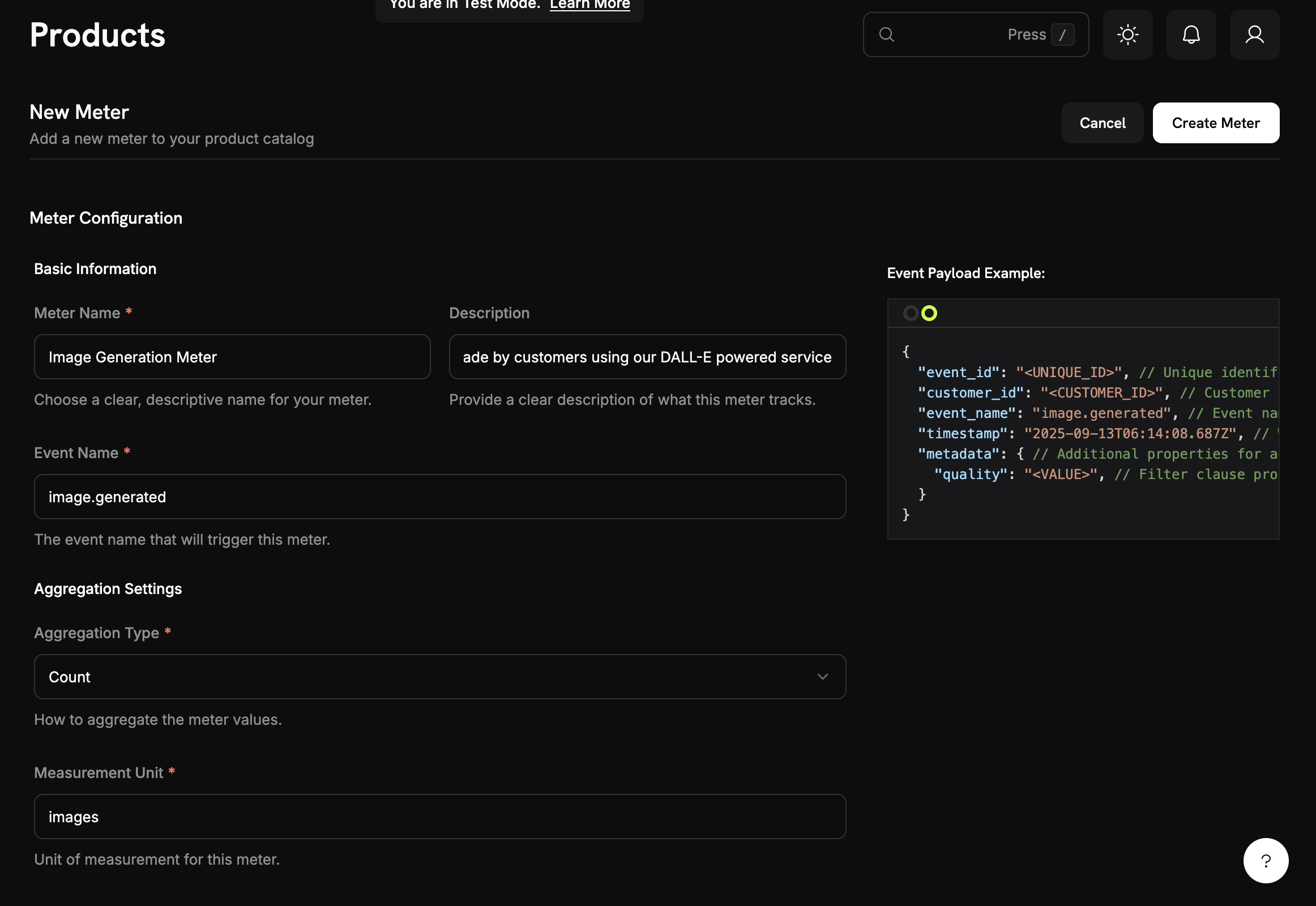
계량기는 이벤트를 청구 가능한 수량으로 집계합니다:
* **Count**: 총 이벤트 (API 호출)
* **Sum**: 값 추가 (총 바이트)
* **Max**: 최고 값 (최대 사용자 수)
* **Last**: 가장 최근 값
 ### 사용량 가격 책정이 있는 제품
단위당 가격과 선택적 무료 한도를 설정합니다:
### 사용량 가격 책정이 있는 제품
단위당 가격과 선택적 무료 한도를 설정합니다:
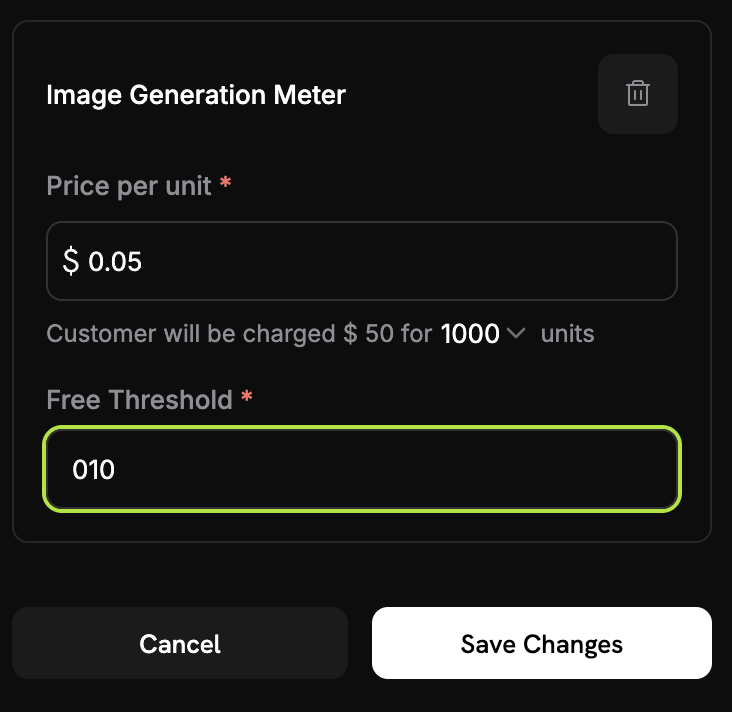 **예시**: 2,500 호출 - 1,000 무료 = 1,500 × $0.02 = $30.00
### 크레딧 기반 차감
단위당 달러로 청구하는 대신, 미터를 구성하여 고객의 [크레딧 잔액](/features/credit-based-billing)에서 차감하도록 설정할 수 있습니다. 크레딧은 각 청구 주기마다 새로 고쳐지며 초과 요금이 적용되기 전에 사용됩니다.
## 빠른 시작
대시보드에서: **Meters** → **Create Meter**
1. 이벤트 이름 설정 (예: `api.call`)
2. 집계 선택 (Count, Sum, Max, Last)
3. 선택적 필터 추가
제품에 가격을 포함한 미터 연결:
**예시**: 2,500 호출 - 1,000 무료 = 1,500 × $0.02 = $30.00
### 크레딧 기반 차감
단위당 달러로 청구하는 대신, 미터를 구성하여 고객의 [크레딧 잔액](/features/credit-based-billing)에서 차감하도록 설정할 수 있습니다. 크레딧은 각 청구 주기마다 새로 고쳐지며 초과 요금이 적용되기 전에 사용됩니다.
## 빠른 시작
대시보드에서: **Meters** → **Create Meter**
1. 이벤트 이름 설정 (예: `api.call`)
2. 집계 선택 (Count, Sum, Max, Last)
3. 선택적 필터 추가
제품에 가격을 포함한 미터 연결:
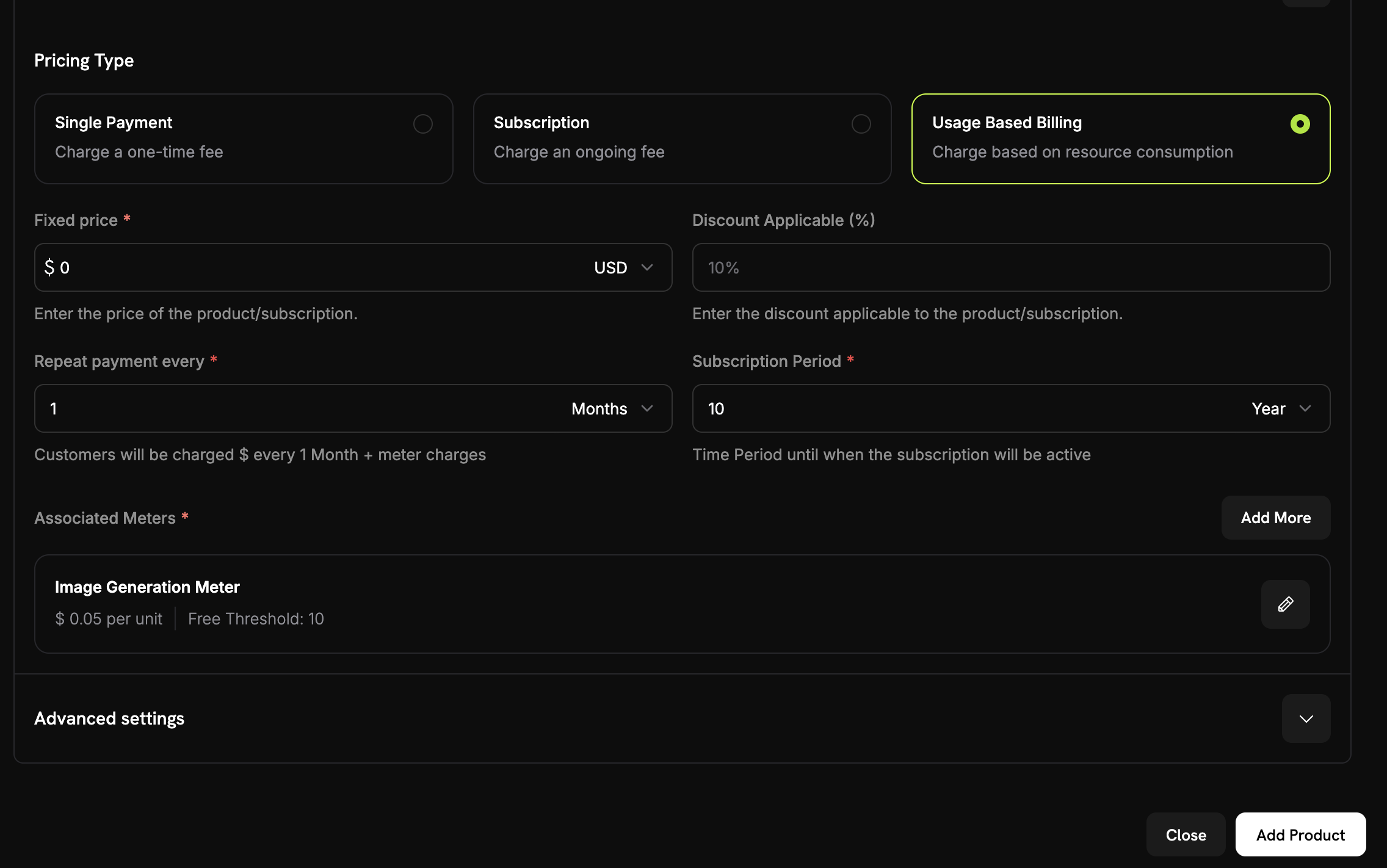 1. **사용량 기반 청구** 선택
2. 미터 선택
3. 단위당 가격과 무료 한도 설정
```javascript theme={null}
await fetch('https://test.dodopayments.com/events/ingest', {
method: 'POST',
headers: {
'Authorization': `Bearer ${process.env.DODO_PAYMENTS_API_KEY}`,
'Content-Type': 'application/json'
},
body: JSON.stringify({
events: [{
event_id: "unique_event_id",
customer_id: "cus_abc123",
event_name: "api.call",
metadata: { endpoint: "/v1/users" }
}]
})
});
```
1. **사용량 기반 청구** 선택
2. 미터 선택
3. 단위당 가격과 무료 한도 설정
```javascript theme={null}
await fetch('https://test.dodopayments.com/events/ingest', {
method: 'POST',
headers: {
'Authorization': `Bearer ${process.env.DODO_PAYMENTS_API_KEY}`,
'Content-Type': 'application/json'
},
body: JSON.stringify({
events: [{
event_id: "unique_event_id",
customer_id: "cus_abc123",
event_name: "api.call",
metadata: { endpoint: "/v1/users" }
}]
})
});
```
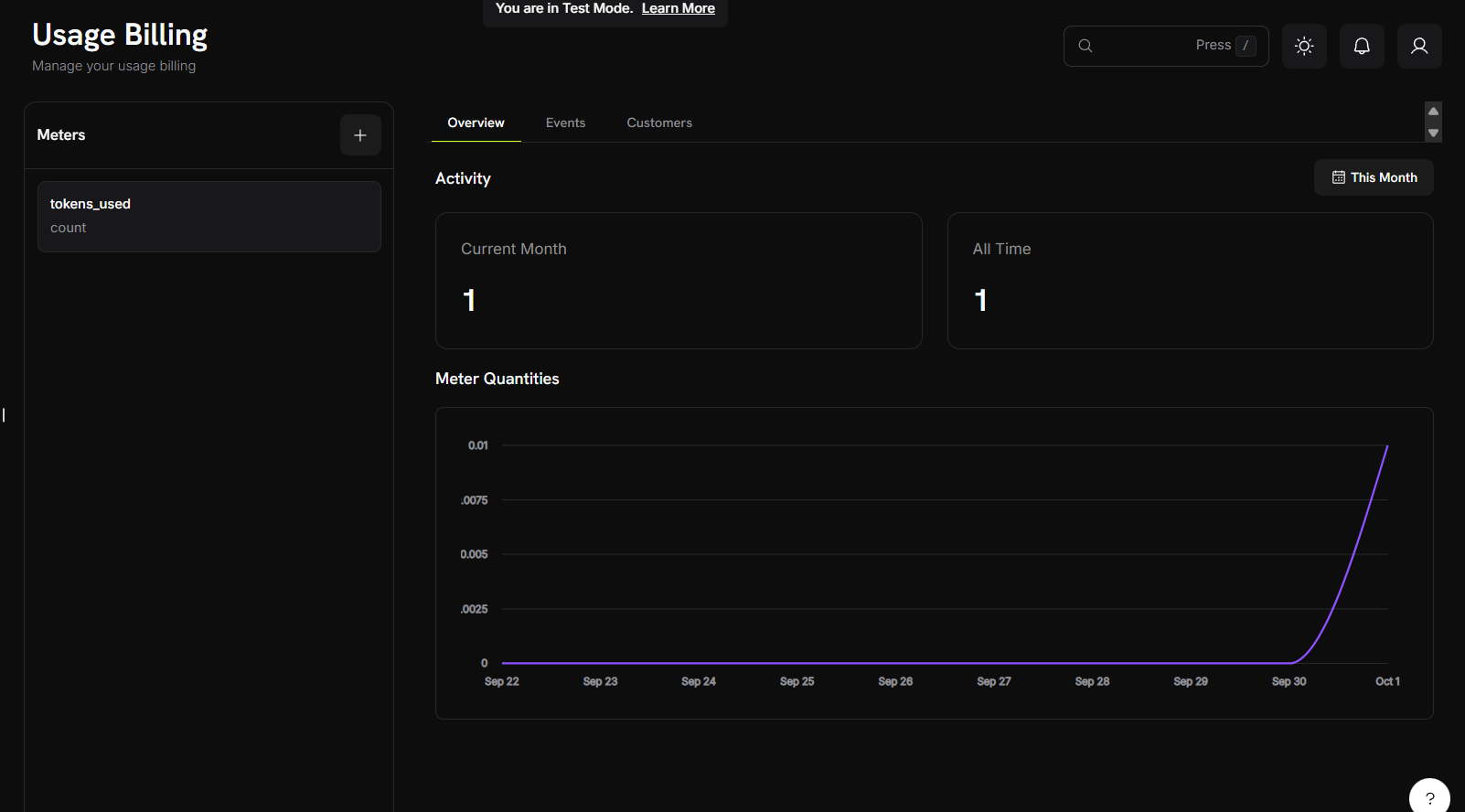 미터 대시보드에서 이벤트 및 사용량 집계를 확인하세요. 고객에게는 매 사이클 자동으로 청구됩니다.
## 사용 사례
API 호출, 연산 시간, 대역폭, 스토리지를 추적합니다. 예: 무료 10,000회 이후 호출당 \$0.001.
토큰, 생성, 처리 시간을 추적합니다. 예: 표준 이미지는 \$0.04, HD는 \$0.08.
처리한 데이터, 실행한 쿼리, 분석한 레코드로 청구합니다. 예: 무료 10GB 이후 GB당 \$5.
메시지 수, 분, 전송된 데이터량을 계산합니다. 예: 전송된 SMS당 \$0.01.
## 다음 단계
애플리케이션에서 사용 이벤트를 구성하고 전송하는 방법을 알아보세요.
미터 구성, 집계 유형 및 이벤트 필터링을 숙달하세요.
사용량 기반 청구를 사용하여 AI 이미지 생성기를 처음부터 구축하세요.
애플리케이션에 사용량 기반 청구를 구현하는 종합 가이드입니다.
미터 대시보드에서 이벤트 및 사용량 집계를 확인하세요. 고객에게는 매 사이클 자동으로 청구됩니다.
## 사용 사례
API 호출, 연산 시간, 대역폭, 스토리지를 추적합니다. 예: 무료 10,000회 이후 호출당 \$0.001.
토큰, 생성, 처리 시간을 추적합니다. 예: 표준 이미지는 \$0.04, HD는 \$0.08.
처리한 데이터, 실행한 쿼리, 분석한 레코드로 청구합니다. 예: 무료 10GB 이후 GB당 \$5.
메시지 수, 분, 전송된 데이터량을 계산합니다. 예: 전송된 SMS당 \$0.01.
## 다음 단계
애플리케이션에서 사용 이벤트를 구성하고 전송하는 방법을 알아보세요.
미터 구성, 집계 유형 및 이벤트 필터링을 숙달하세요.
사용량 기반 청구를 사용하여 AI 이미지 생성기를 처음부터 구축하세요.
애플리케이션에 사용량 기반 청구를 구현하는 종합 가이드입니다.