> ## Documentation Index
> Fetch the complete documentation index at: https://docs.dodopayments.com/llms.txt
> Use this file to discover all available pages before exploring further.
# Notion 권한
> 고객이 구매 시 Notion 템플릿을 작업 공간에 복제합니다.
Notion 권한은 준비한 템플릿을 결제 고객의 Notion 작업 공간에 복제합니다. 고객은 OAuth를 통해 권한을 부여하고 템플릿을 복사할 작업 공간을 선택하며, Dodo Payments가 복제를 처리합니다.
## 전달 내용
* 고객은 OAuth를 통해 자신의 Notion 작업 공간을 연결하라는 메시지를 받습니다.
* 권한이 부여되면, Dodo Payments가 구성된 템플릿을 그들이 선택한 작업 공간에 복제합니다.
* 취소 시, 복제된 템플릿은 고객의 작업 공간에 남아 있습니다 (Notion은 원격 삭제를 지원하지 않음). 기록 보관을 위해 권한이 `revoked`로 표시됩니다.
일반적인 사용 사례로는 유료 Notion 템플릿, 생산성 시스템, OS/CRM 템플릿 등이 있습니다.
## Notion 연결
Dodo Payments 대시보드에서 **Entitlements**로 이동하고 \*\*+\*\*를 클릭합니다.
**Notion Template**을 통합으로 선택합니다. 아직 Notion이 연결되지 않았다면, **Notion 연결**을 요청받습니다.
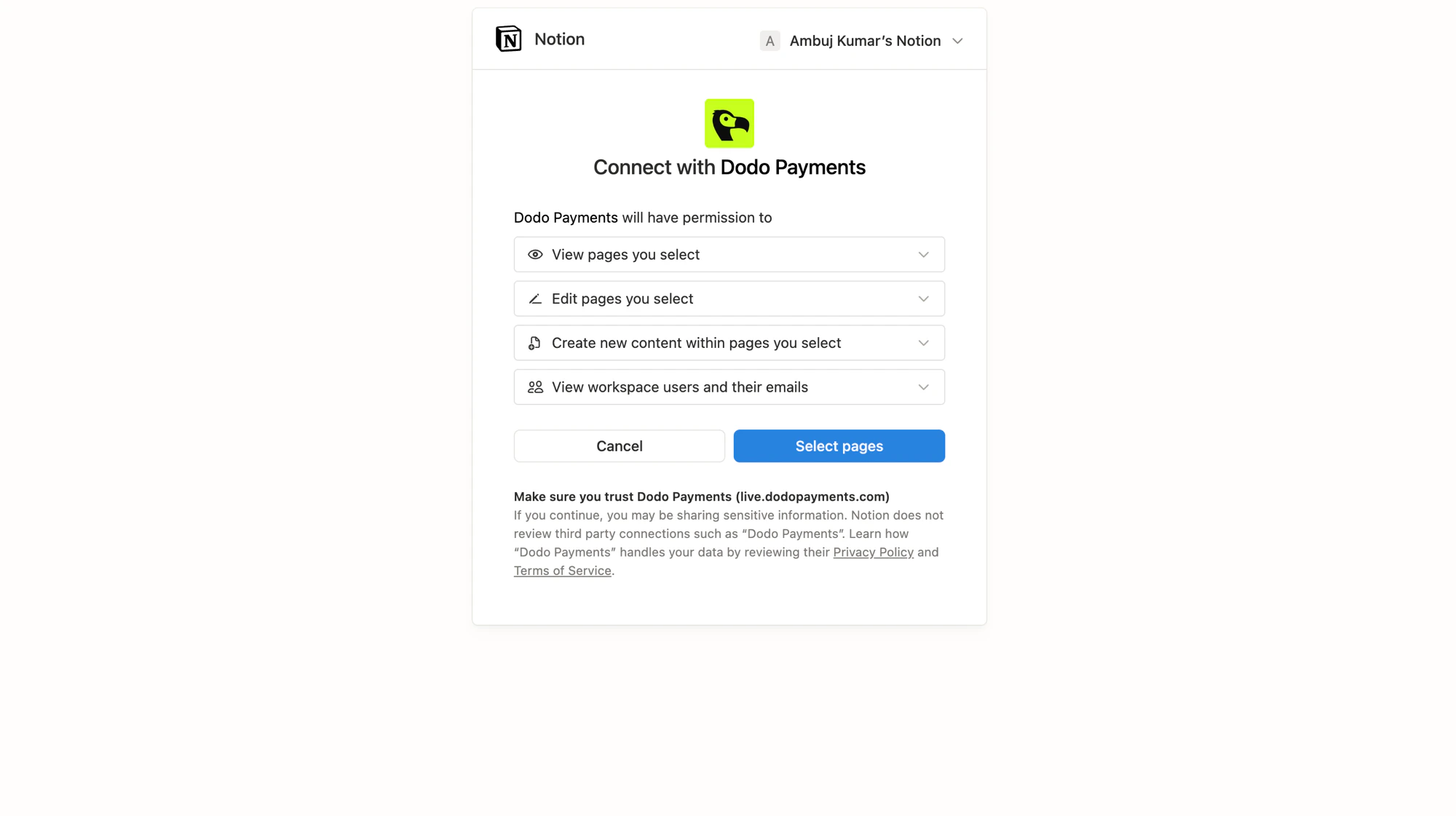
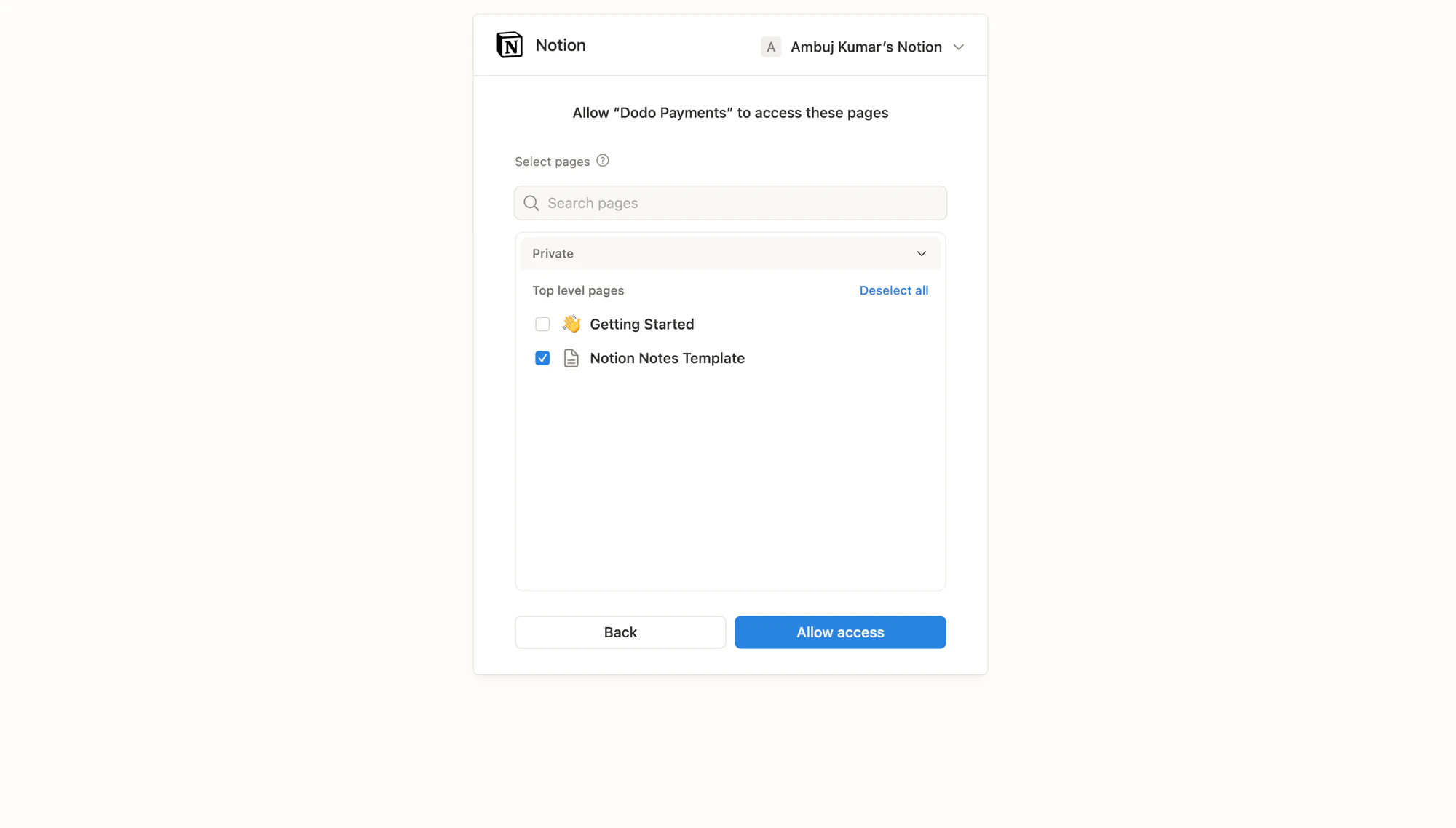
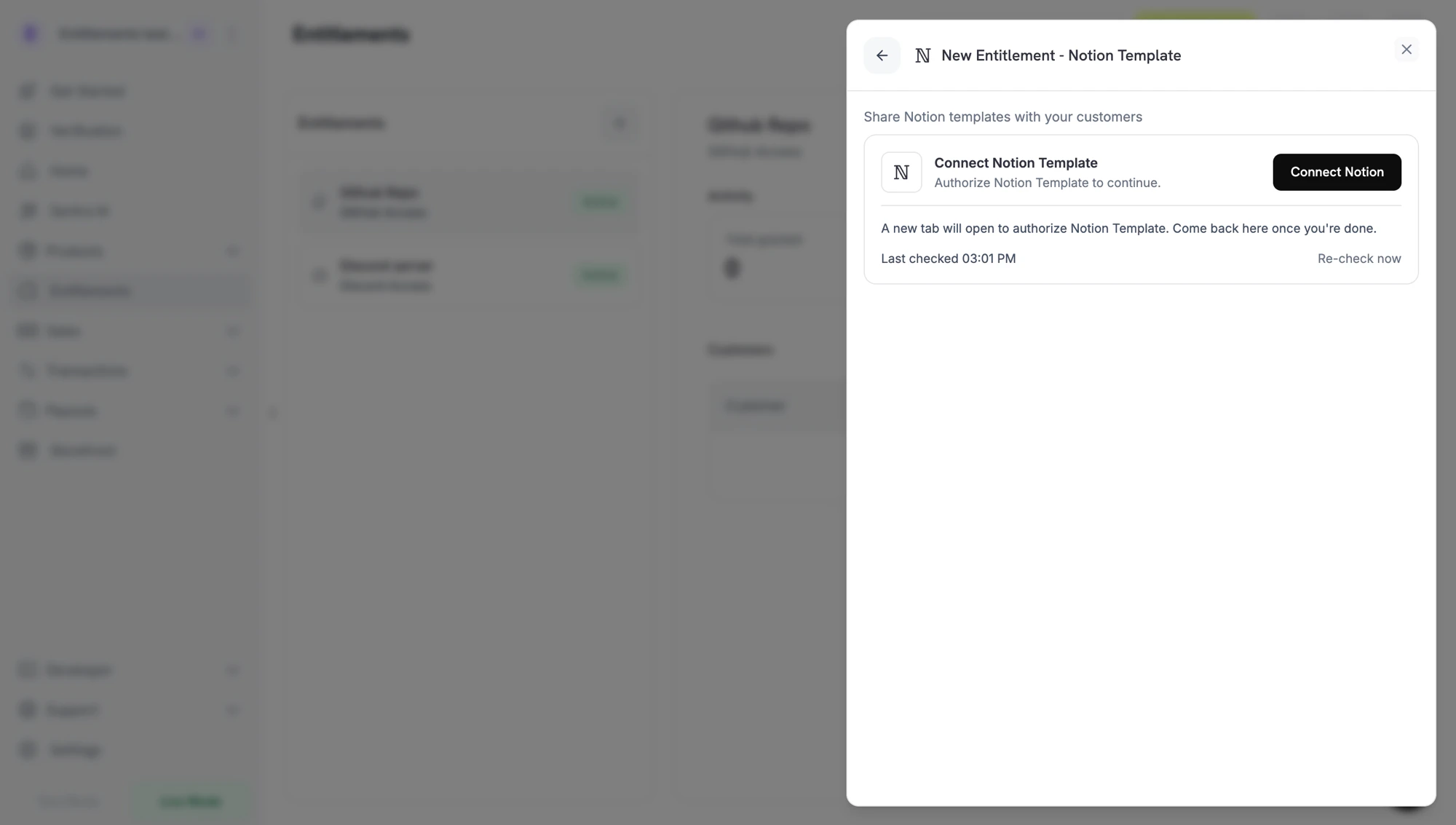 클릭하면 Notion이 새 탭에서 열립니다. 소스 템플릿을 소유한 작업 공간에 로그인하고, Dodo Payments가 요청하는 권한을 검토한 다음, 통합이 읽고 복제할 수 있는 페이지(템플릿)를 선택합니다.
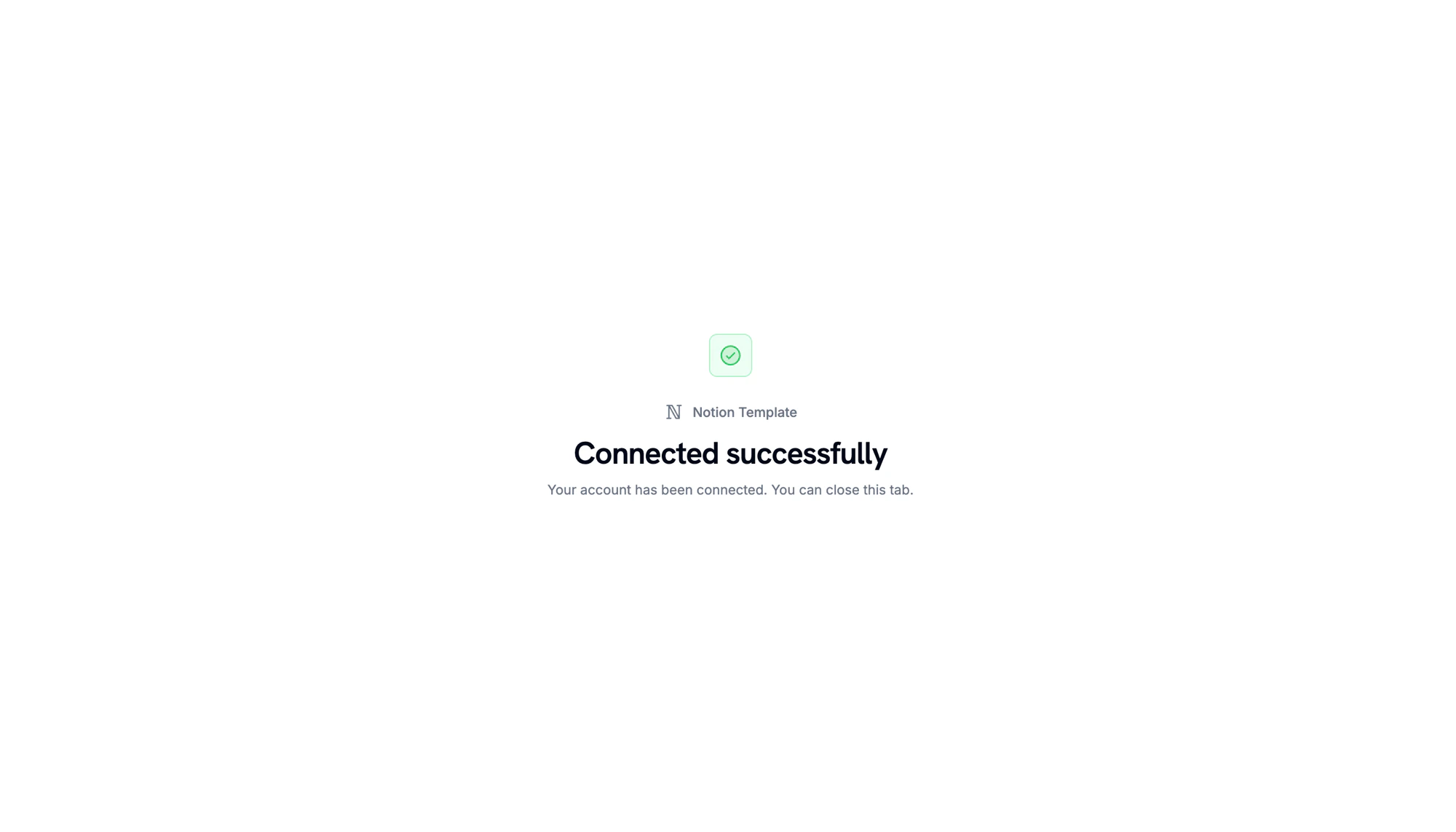
Notion이 다시 리디렉션되면, 작업 공간이 연결되었음을 확인할 수 있습니다.
클릭하면 Notion이 새 탭에서 열립니다. 소스 템플릿을 소유한 작업 공간에 로그인하고, Dodo Payments가 요청하는 권한을 검토한 다음, 통합이 읽고 복제할 수 있는 페이지(템플릿)를 선택합니다.
Notion이 다시 리디렉션되면, 작업 공간이 연결되었음을 확인할 수 있습니다.
 대시보드로 돌아가 template picker에서 복제할 **템플릿**을 선택합니다. 이전 단계에서 승인된 페이지만 여기에 나타납니다. 권한에 **이름**을 부여하고 **Create Entitlement**을 클릭합니다.
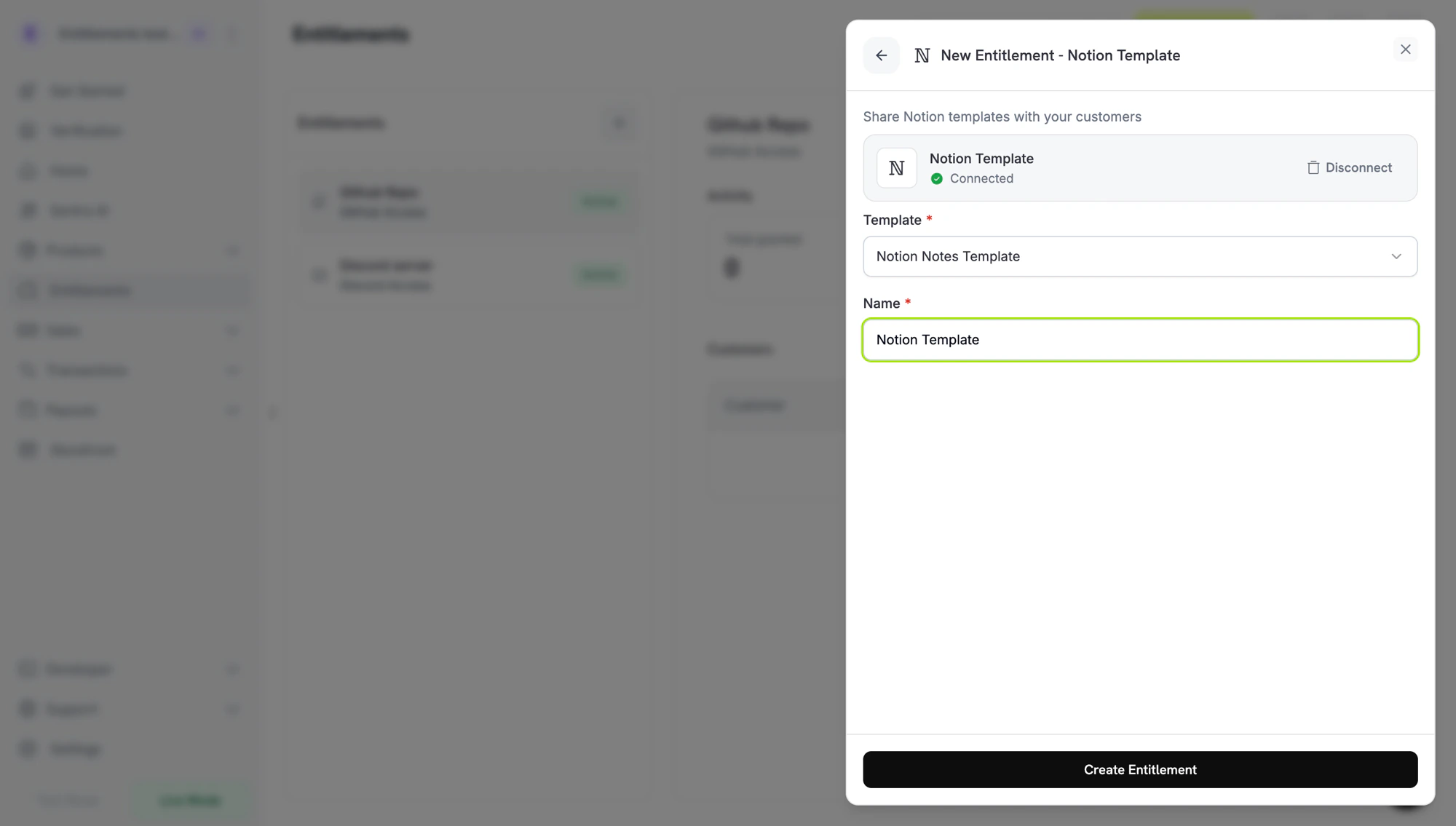 저장하고 모든 제품에 첨부합니다.
## 고객 흐름
1. 고객이 결제를 완료합니다.
2. Dodo Payments는 Notion 작업 공간을 연결하기 위한 고객용 Notion `oauth_url`와 함께 `pending` 상태로 권한을 생성합니다.
3. 고객은 이메일이나 고객 포털에서 링크를 통해 권한을 부여하고, 템플릿을 복제할 작업 공간을 선택합니다.
4. Dodo Payments는 템플릿을 복제합니다. 권한은 `delivered`로 넘어갑니다.
5. 취소 시, 권한이 `revoked`로 표시되며, 복제된 사본은 고객의 작업 공간에 남아 있습니다.
Notion은 복제된 페이지를 수신자의 자체 콘텐츠로 의도적으로 취급합니다. Dodo Payments는 취소 시 복사본을 삭제할 수 없습니다.
## 필수 구성
| Field | Required | Description |
| -------------------- | -------- | ------------------------------- |
| `notion_template_id` | Yes | 템플릿 ID입니다. 대시보드 선택기가 여기에 입력됩니다. |
## API를 통한 생성
```typescript TypeScript theme={null} theme={null}
const entitlement = await client.entitlements.create({
name: 'Study Notes',
integration_type: 'notion',
integration_config: {
notion_template_id: 'tmpl_abc123',
},
});
```
```python Python theme={null} theme={null}
client.entitlements.create(
name="Study Notes",
integration_type="notion",
integration_config={"notion_template_id": "tmpl_abc123"},
)
```
```go Go theme={null} theme={null}
client.Entitlements.New(ctx, dodopayments.EntitlementNewParams{
Name: dodopayments.F("Study Notes"),
IntegrationType: dodopayments.F(dodopayments.EntitlementIntegrationTypeNotion),
IntegrationConfig: dodopayments.F[dodopayments.IntegrationConfigUnionParam](
dodopayments.IntegrationConfigNotionConfigParam{
NotionTemplateID: dodopayments.F("tmpl_abc123"),
},
),
})
```
## Webhooks
[`entitlement_grant.*` webhook events](/developer-resources/webhooks/intents/entitlement-grant) 참고:
* `entitlement_grant.created`에는 Notion `oauth_url`가 포함되어 있습니다.
* 템플릿이 복제되면 `entitlement_grant.delivered`가 실행됩니다.
* 취소 시 `entitlement_grant.revoked`가 실행되며, 고객의 복사본은 그대로 남아 있습니다.
## 문제 해결
고객이 Notion OAuth를 완료할 때까지 권한은 `pending`로 남아 있습니다. 배달 이메일을 다시 보내세요; OAuth 링크는 1주일 후에 만료되며, 이후 권한을 취소하고 다시 생성할 수 있습니다.
소스 템플릿을 소유한 작업 공간과 함께 **Entitlements → Integrations → Notion**에서 Notion을 다시 연결하십시오.
Notion은 복제된 페이지의 원격 삭제를 허용하지 않습니다. 고객은 자신의 작업 공간에서 복사본을 삭제해야 합니다.
저장하고 모든 제품에 첨부합니다.
## 고객 흐름
1. 고객이 결제를 완료합니다.
2. Dodo Payments는 Notion 작업 공간을 연결하기 위한 고객용 Notion `oauth_url`와 함께 `pending` 상태로 권한을 생성합니다.
3. 고객은 이메일이나 고객 포털에서 링크를 통해 권한을 부여하고, 템플릿을 복제할 작업 공간을 선택합니다.
4. Dodo Payments는 템플릿을 복제합니다. 권한은 `delivered`로 넘어갑니다.
5. 취소 시, 권한이 `revoked`로 표시되며, 복제된 사본은 고객의 작업 공간에 남아 있습니다.
Notion은 복제된 페이지를 수신자의 자체 콘텐츠로 의도적으로 취급합니다. Dodo Payments는 취소 시 복사본을 삭제할 수 없습니다.
## 필수 구성
| Field | Required | Description |
| -------------------- | -------- | ------------------------------- |
| `notion_template_id` | Yes | 템플릿 ID입니다. 대시보드 선택기가 여기에 입력됩니다. |
## API를 통한 생성
```typescript TypeScript theme={null} theme={null}
const entitlement = await client.entitlements.create({
name: 'Study Notes',
integration_type: 'notion',
integration_config: {
notion_template_id: 'tmpl_abc123',
},
});
```
```python Python theme={null} theme={null}
client.entitlements.create(
name="Study Notes",
integration_type="notion",
integration_config={"notion_template_id": "tmpl_abc123"},
)
```
```go Go theme={null} theme={null}
client.Entitlements.New(ctx, dodopayments.EntitlementNewParams{
Name: dodopayments.F("Study Notes"),
IntegrationType: dodopayments.F(dodopayments.EntitlementIntegrationTypeNotion),
IntegrationConfig: dodopayments.F[dodopayments.IntegrationConfigUnionParam](
dodopayments.IntegrationConfigNotionConfigParam{
NotionTemplateID: dodopayments.F("tmpl_abc123"),
},
),
})
```
## Webhooks
[`entitlement_grant.*` webhook events](/developer-resources/webhooks/intents/entitlement-grant) 참고:
* `entitlement_grant.created`에는 Notion `oauth_url`가 포함되어 있습니다.
* 템플릿이 복제되면 `entitlement_grant.delivered`가 실행됩니다.
* 취소 시 `entitlement_grant.revoked`가 실행되며, 고객의 복사본은 그대로 남아 있습니다.
## 문제 해결
고객이 Notion OAuth를 완료할 때까지 권한은 `pending`로 남아 있습니다. 배달 이메일을 다시 보내세요; OAuth 링크는 1주일 후에 만료되며, 이후 권한을 취소하고 다시 생성할 수 있습니다.
소스 템플릿을 소유한 작업 공간과 함께 **Entitlements → Integrations → Notion**에서 Notion을 다시 연결하십시오.
Notion은 복제된 페이지의 원격 삭제를 허용하지 않습니다. 고객은 자신의 작업 공간에서 복사본을 삭제해야 합니다.