> ## Documentation Index
> Fetch the complete documentation index at: https://docs.dodopayments.com/llms.txt
> Use this file to discover all available pages before exploring further.
# SendGrid
> SendGridのMail Send APIを使用して、Dodo Paymentsのイベントに基づいてトランザクションメールを送信します。
## はじめに
SendGridを使用して、支払い確認、サブスクリプションの更新、重要な通知のためのトランザクションメールを自動的に送信します。支払いイベントに基づいて、動的コンテンツとプロフェッショナルなテンプレートを使用してパーソナライズされたメールをトリガーします。
この統合にはMail Send権限を持つSendGrid APIキーが必要です。
## 始め方
Dodo Payments ダッシュボードで、Webhooks → + Add Endpoint に移動し、統合ドロップダウンを展開します。
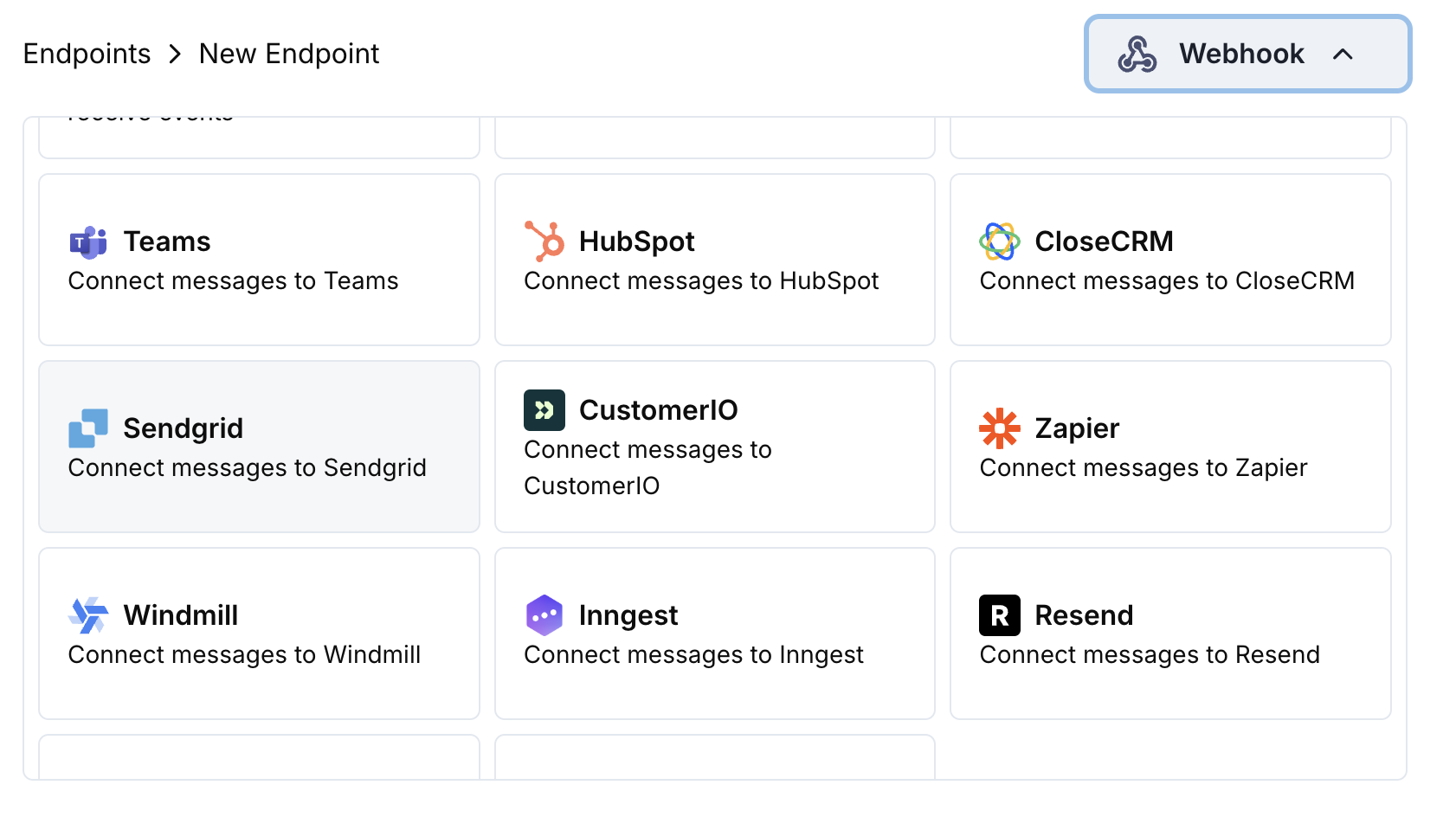 SendGrid統合カードを選択します。
設定でSendGrid APIキーを入力します。
SendGridのMail Send API用にメールをフォーマットするよう変換コードを編集します。
サンプルペイロードでテストし、Createをクリックしてメール送信を有効化します。
🎉 支払いイベントがSendGrid経由で自動的にトランザクションメールをトリガーします。
## 変換コードの例
### 支払い確認メール
```javascript payment_confirmation.js icon="js" expandable theme={null}
function handler(webhook) {
if (webhook.eventType === "payment.succeeded") {
const p = webhook.payload.data;
webhook.url = "https://api.sendgrid.com/v3/mail/send";
webhook.payload = {
personalizations: [
{
to: [{ email: p.customer.email }],
dynamic_template_data: {
customer_name: p.customer.name,
payment_amount: (p.total_amount / 100).toFixed(2),
payment_id: p.payment_id,
payment_date: new Date(webhook.payload.timestamp).toLocaleDateString(),
currency: p.currency || "USD"
}
}
],
from: {
email: "payments@yourdomain.com",
name: "Your Company"
},
template_id: "d-xxxxxxxxxxxxxxxxxxxxxxxxxxxxxxxx"
};
}
return webhook;
}
```
### サブスクリプションウェルカムメール
```javascript subscription_welcome.js icon="js" expandable theme={null}
function handler(webhook) {
if (webhook.eventType === "subscription.active") {
const s = webhook.payload.data;
webhook.url = "https://api.sendgrid.com/v3/mail/send";
webhook.payload = {
personalizations: [
{
to: [{ email: s.customer.email }],
dynamic_template_data: {
customer_name: s.customer.name,
subscription_id: s.subscription_id,
product_name: s.product_id,
amount: (s.recurring_pre_tax_amount / 100).toFixed(2),
frequency: s.payment_frequency_interval,
next_billing: new Date(s.next_billing_date).toLocaleDateString()
}
}
],
from: {
email: "welcome@yourdomain.com",
name: "Your Company"
},
template_id: "d-xxxxxxxxxxxxxxxxxxxxxxxxxxxxxxxx"
};
}
return webhook;
}
```
### 支払い失敗通知
```javascript payment_failure.js icon="js" expandable theme={null}
function handler(webhook) {
if (webhook.eventType === "payment.failed") {
const p = webhook.payload.data;
webhook.url = "https://api.sendgrid.com/v3/mail/send";
webhook.payload = {
personalizations: [
{
to: [{ email: p.customer.email }],
dynamic_template_data: {
customer_name: p.customer.name,
payment_amount: (p.total_amount / 100).toFixed(2),
error_message: p.error_message || "Payment processing failed",
payment_id: p.payment_id,
retry_link: `https://yourdomain.com/retry-payment/${p.payment_id}`
}
}
],
from: {
email: "support@yourdomain.com",
name: "Your Company Support"
},
template_id: "d-xxxxxxxxxxxxxxxxxxxxxxxxxxxxxxxx"
};
}
return webhook;
}
```
## ヒント
* SendGridの動的テンプレートを使用してパーソナライズされたコンテンツを作成
* テンプレート変数に関連する支払いデータを含める
* 適切な送信元アドレスと送信者名を設定
* 一貫したメールフォーマットのためにテンプレートIDを使用
* コンプライアンスのために配信停止リンクを含める
## トラブルシューティング
* APIキーがMail Send権限を持っていることを確認します
* テンプレートIDが有効かつアクティブであることを確認します
* 受信者のメールアドレスが有効であることを確認します
* SendGridの送信制限とクォータを確認します
* JSON構造がSendGrid API形式と一致していることを確認します
* 必須フィールドがすべて存在していることを確認します
* テンプレートデータ変数の書式が正しいことを確認します
* 送信元メールアドレスがSendGridで検証済みであることを確認します
SendGrid統合カードを選択します。
設定でSendGrid APIキーを入力します。
SendGridのMail Send API用にメールをフォーマットするよう変換コードを編集します。
サンプルペイロードでテストし、Createをクリックしてメール送信を有効化します。
🎉 支払いイベントがSendGrid経由で自動的にトランザクションメールをトリガーします。
## 変換コードの例
### 支払い確認メール
```javascript payment_confirmation.js icon="js" expandable theme={null}
function handler(webhook) {
if (webhook.eventType === "payment.succeeded") {
const p = webhook.payload.data;
webhook.url = "https://api.sendgrid.com/v3/mail/send";
webhook.payload = {
personalizations: [
{
to: [{ email: p.customer.email }],
dynamic_template_data: {
customer_name: p.customer.name,
payment_amount: (p.total_amount / 100).toFixed(2),
payment_id: p.payment_id,
payment_date: new Date(webhook.payload.timestamp).toLocaleDateString(),
currency: p.currency || "USD"
}
}
],
from: {
email: "payments@yourdomain.com",
name: "Your Company"
},
template_id: "d-xxxxxxxxxxxxxxxxxxxxxxxxxxxxxxxx"
};
}
return webhook;
}
```
### サブスクリプションウェルカムメール
```javascript subscription_welcome.js icon="js" expandable theme={null}
function handler(webhook) {
if (webhook.eventType === "subscription.active") {
const s = webhook.payload.data;
webhook.url = "https://api.sendgrid.com/v3/mail/send";
webhook.payload = {
personalizations: [
{
to: [{ email: s.customer.email }],
dynamic_template_data: {
customer_name: s.customer.name,
subscription_id: s.subscription_id,
product_name: s.product_id,
amount: (s.recurring_pre_tax_amount / 100).toFixed(2),
frequency: s.payment_frequency_interval,
next_billing: new Date(s.next_billing_date).toLocaleDateString()
}
}
],
from: {
email: "welcome@yourdomain.com",
name: "Your Company"
},
template_id: "d-xxxxxxxxxxxxxxxxxxxxxxxxxxxxxxxx"
};
}
return webhook;
}
```
### 支払い失敗通知
```javascript payment_failure.js icon="js" expandable theme={null}
function handler(webhook) {
if (webhook.eventType === "payment.failed") {
const p = webhook.payload.data;
webhook.url = "https://api.sendgrid.com/v3/mail/send";
webhook.payload = {
personalizations: [
{
to: [{ email: p.customer.email }],
dynamic_template_data: {
customer_name: p.customer.name,
payment_amount: (p.total_amount / 100).toFixed(2),
error_message: p.error_message || "Payment processing failed",
payment_id: p.payment_id,
retry_link: `https://yourdomain.com/retry-payment/${p.payment_id}`
}
}
],
from: {
email: "support@yourdomain.com",
name: "Your Company Support"
},
template_id: "d-xxxxxxxxxxxxxxxxxxxxxxxxxxxxxxxx"
};
}
return webhook;
}
```
## ヒント
* SendGridの動的テンプレートを使用してパーソナライズされたコンテンツを作成
* テンプレート変数に関連する支払いデータを含める
* 適切な送信元アドレスと送信者名を設定
* 一貫したメールフォーマットのためにテンプレートIDを使用
* コンプライアンスのために配信停止リンクを含める
## トラブルシューティング
* APIキーがMail Send権限を持っていることを確認します
* テンプレートIDが有効かつアクティブであることを確認します
* 受信者のメールアドレスが有効であることを確認します
* SendGridの送信制限とクォータを確認します
* JSON構造がSendGrid API形式と一致していることを確認します
* 必須フィールドがすべて存在していることを確認します
* テンプレートデータ変数の書式が正しいことを確認します
* 送信元メールアドレスがSendGridで検証済みであることを確認します