> ## Documentation Index
> Fetch the complete documentation index at: https://docs.dodopayments.com/llms.txt
> Use this file to discover all available pages before exploring further.
# HubSpot
> Dodo PaymentsのイベントからHubSpotで連絡先、会社、取引を自動的に作成および更新します。
## はじめに
支払いデータを直接HubSpot CRMに同期します。成功した支払いから連絡先を作成し、サブスクリプションライフサイクルを追跡し、包括的な顧客プロファイルを構築します。すべてはDodo Paymentsのイベントによって自動的にトリガーされます。
この統合を構成するには、OAuthスコープとAPI権限を設定するためにHubSpot管理者アクセスが必要です。
## 始め方
Dodo Payments ダッシュボードで、Webhooks → + エンドポイントを追加に移動し、統合のドロップダウンを展開します。
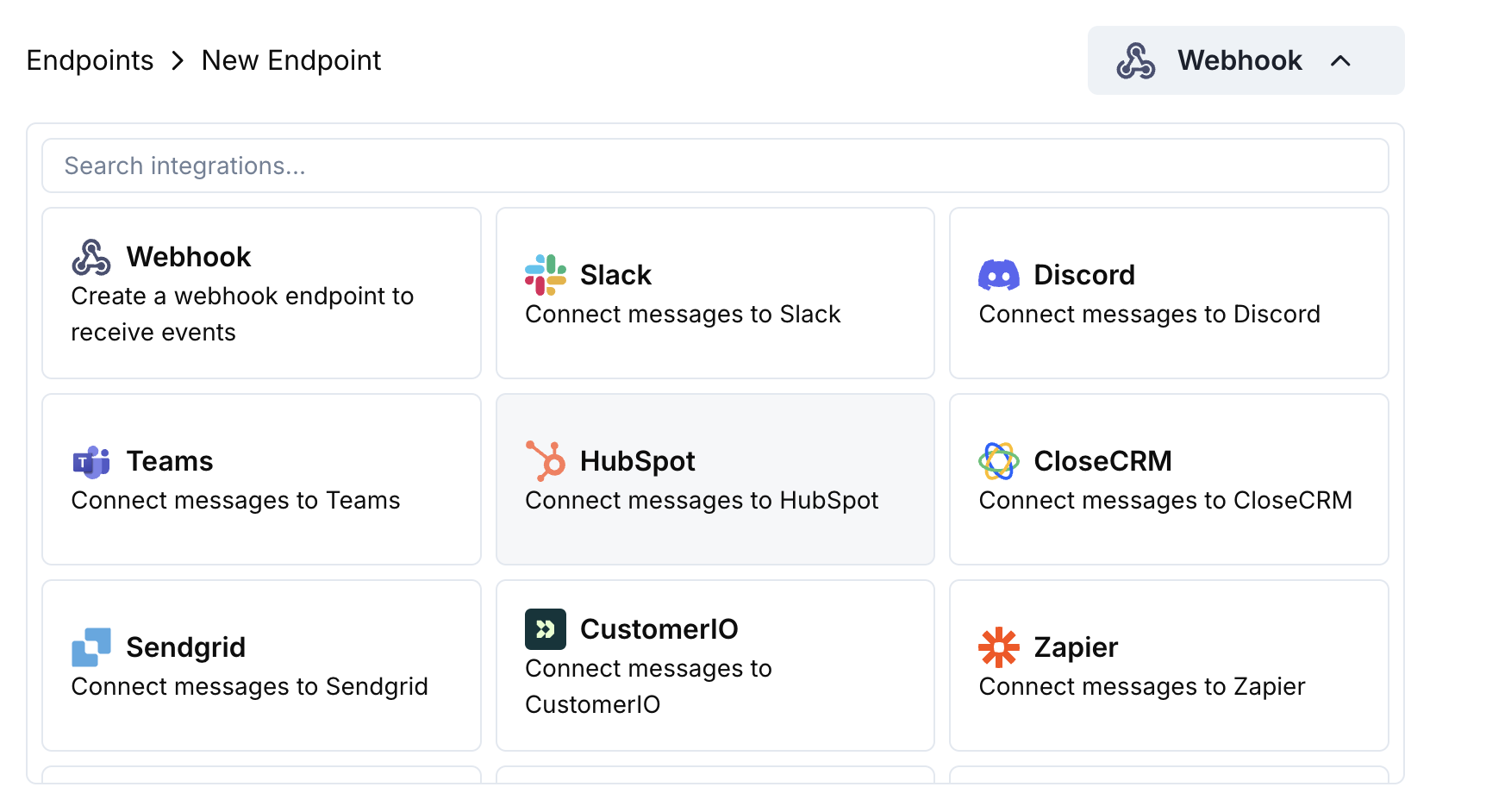 HubSpot 統合カードを選択します。
Connect to HubSpot をクリックし、必要なOAuthスコープを承認します。
変換コードを編集して、支払いデータをHubSpot CRMオブジェクトにマッピングします。
サンプルペイロードでテストし、Create をクリックして同期を有効化します。
🎉 支払いイベントはこれで自動的にHubSpot CRM内のレコードを作成/更新します。
## 変換コードの例
### 支払いから連絡先を作成
```javascript create_contact.js icon="js" expandable theme={null}
function handler(webhook) {
if (webhook.eventType === "payment.succeeded") {
const p = webhook.payload.data;
webhook.url = "https://api.hubapi.com/crm/v3/objects/contacts";
webhook.payload = {
properties: {
email: p.customer.email,
firstname: p.customer.name.split(' ')[0] || '',
lastname: p.customer.name.split(' ').slice(1).join(' ') || '',
phone: p.customer.phone || '',
company: p.customer.company || '',
amount: (p.total_amount / 100).toString(),
payment_method: p.payment_method || '',
currency: p.currency || 'USD'
}
};
}
return webhook;
}
```
### サブスクリプションで連絡先を更新
```javascript update_contact.js icon="js" expandable theme={null}
function handler(webhook) {
if (webhook.eventType === "subscription.active") {
const s = webhook.payload.data;
webhook.url = `https://api.hubapi.com/crm/v3/objects/contacts/${s.customer.customer_id}`;
webhook.method = "PATCH";
webhook.payload = {
properties: {
subscription_status: "active",
subscription_amount: (s.recurring_pre_tax_amount / 100).toString(),
subscription_frequency: s.payment_frequency_interval,
next_billing_date: s.next_billing_date,
product_id: s.product_id
}
};
}
return webhook;
}
```
### 支払いから取引を作成
```javascript create_deal.js icon="js" expandable theme={null}
function handler(webhook) {
if (webhook.eventType === "payment.succeeded") {
const p = webhook.payload.data;
webhook.url = "https://api.hubapi.com/crm/v3/objects/deals";
webhook.payload = {
properties: {
dealname: `Payment - ${p.customer.email}`,
amount: (p.total_amount / 100).toString(),
dealstage: "closedwon",
closedate: new Date().toISOString(),
hs_currency: p.currency || "USD"
},
associations: [
{
to: {
id: p.customer.customer_id
},
types: [
{
associationCategory: "HUBSPOT_DEFINED",
associationTypeId: 3
}
]
}
]
};
}
return webhook;
}
```
## ヒント
* HubSpotのAPIエクスプローラーを使用してオブジェクトの作成をテストする
* 支払い金額をHubSpotの通貨フィールドにマッピングする
* 適切な関連付けのために顧客IDを含める
* 支払い状況に基づいて適切な取引ステージを設定する
## トラブルシューティング
* OAuthスコープに書き込み権限が含まれていることを確認する
* 必要なHubSpotプロパティが存在するか確認する
* 顧客のメールが有効かつ一意であることを保証する
* HubSpot APIのレート制限を確認する
* JSON構造がHubSpot APIの形式と一致していることを検証する
* すべての必要なプロパティが含まれていることを確認する
* プロパティ名がHubSpotのフィールド名と正確に一致していることを保証する
HubSpot 統合カードを選択します。
Connect to HubSpot をクリックし、必要なOAuthスコープを承認します。
変換コードを編集して、支払いデータをHubSpot CRMオブジェクトにマッピングします。
サンプルペイロードでテストし、Create をクリックして同期を有効化します。
🎉 支払いイベントはこれで自動的にHubSpot CRM内のレコードを作成/更新します。
## 変換コードの例
### 支払いから連絡先を作成
```javascript create_contact.js icon="js" expandable theme={null}
function handler(webhook) {
if (webhook.eventType === "payment.succeeded") {
const p = webhook.payload.data;
webhook.url = "https://api.hubapi.com/crm/v3/objects/contacts";
webhook.payload = {
properties: {
email: p.customer.email,
firstname: p.customer.name.split(' ')[0] || '',
lastname: p.customer.name.split(' ').slice(1).join(' ') || '',
phone: p.customer.phone || '',
company: p.customer.company || '',
amount: (p.total_amount / 100).toString(),
payment_method: p.payment_method || '',
currency: p.currency || 'USD'
}
};
}
return webhook;
}
```
### サブスクリプションで連絡先を更新
```javascript update_contact.js icon="js" expandable theme={null}
function handler(webhook) {
if (webhook.eventType === "subscription.active") {
const s = webhook.payload.data;
webhook.url = `https://api.hubapi.com/crm/v3/objects/contacts/${s.customer.customer_id}`;
webhook.method = "PATCH";
webhook.payload = {
properties: {
subscription_status: "active",
subscription_amount: (s.recurring_pre_tax_amount / 100).toString(),
subscription_frequency: s.payment_frequency_interval,
next_billing_date: s.next_billing_date,
product_id: s.product_id
}
};
}
return webhook;
}
```
### 支払いから取引を作成
```javascript create_deal.js icon="js" expandable theme={null}
function handler(webhook) {
if (webhook.eventType === "payment.succeeded") {
const p = webhook.payload.data;
webhook.url = "https://api.hubapi.com/crm/v3/objects/deals";
webhook.payload = {
properties: {
dealname: `Payment - ${p.customer.email}`,
amount: (p.total_amount / 100).toString(),
dealstage: "closedwon",
closedate: new Date().toISOString(),
hs_currency: p.currency || "USD"
},
associations: [
{
to: {
id: p.customer.customer_id
},
types: [
{
associationCategory: "HUBSPOT_DEFINED",
associationTypeId: 3
}
]
}
]
};
}
return webhook;
}
```
## ヒント
* HubSpotのAPIエクスプローラーを使用してオブジェクトの作成をテストする
* 支払い金額をHubSpotの通貨フィールドにマッピングする
* 適切な関連付けのために顧客IDを含める
* 支払い状況に基づいて適切な取引ステージを設定する
## トラブルシューティング
* OAuthスコープに書き込み権限が含まれていることを確認する
* 必要なHubSpotプロパティが存在するか確認する
* 顧客のメールが有効かつ一意であることを保証する
* HubSpot APIのレート制限を確認する
* JSON構造がHubSpot APIの形式と一致していることを検証する
* すべての必要なプロパティが含まれていることを確認する
* プロパティ名がHubSpotのフィールド名と正確に一致していることを保証する