> ## Documentation Index
> Fetch the complete documentation index at: https://docs.dodopayments.com/llms.txt
> Use this file to discover all available pages before exploring further.
# 購買力平価
> Dodo Paymentsで購買力平価価格設定を使用して、国ごとの固定ローカル価格や、ParityDealsやEvendealsを通じた場所ベースの割引コードを使用したネイティブのLocalized Pricingを実行します。
購買力平価 (PPP) 価格設定は、各顧客の場所の購買力に合わせて請求額を調整します。Dodo Paymentsでそれを実行する方法は2つあります。
**推奨:** ネイティブの[Localized Pricing](/features/localized-pricing)を使用して、国ごとに固定ローカル価格を設定します。たとえば、インドでは20ドルのベース商品に対して₹999です。正確な数値を制御でき、一回限り、サブスクリプション、および使用量に基づく製品に適用され、バナーやスクリプトをインストールする必要がありません。
ネイティブで推奨されます。国ごとまたは通貨ごとに固定のローカル価格を設定し、サードパーティツールは不要です。
Dodo Paymentsダッシュボードで場所ベースの割引コードを作成および管理します。
## PPPを実行する2つの方法
| | ローカライズ価格(ネイティブ) | 場所ベースの割引コード |
| :------------ | :---------------------- | :-------------------------------------------------------------------------------------------------------------- |
| 動作方法 | 国/通貨ごとに固定価格を設定 | コードを通じてベース価格からの比率割引を適用 |
| ツール | Dodo Paymentsに組み込まれています | [ParityDeals](https://www.paritydeals.com/) / [Evendeals](https://www.evendeals.com/integrations/dodo-payments) |
| サイトのバナー/スクリプト | 必要なし | コードを表示するために必要 |
| 顧客が見る価格 | 設定した正確な金額 | 割引後のベース価格 |
| 最適な用途 | 完全に制御された市場調整価格 | プロモーションバナーおよび時間/休日ベースの取引 |
ネイティブ設定については、[Localized Pricing](/features/localized-pricing)をご覧ください。このページの残りは、ParityDealsおよびEvendealsを使用した場所ベースの割引コードのアプローチについて説明します。
***
## 場所ベースの割引コード
[ParityDeals](https://www.paritydeals.com/) および [Evendeals](https://www.evendeals.com/integrations/dodo-payments) は、顧客の地理的位置に基づいて割引コードを生成することで、価格の最適化を自動的に行うプラットフォームです。
Dodo Paymentsのストアフロントに割引バナーを直接埋め込むことはできませんが(カスタムスクリプトはサポートされていません)、これらのツールを自分のウェブサイトやアプリケーションで効果的に実装できます。
### 統合の選択
両方のプラットフォームはDodo Paymentsと直接統合され、割引コードを自動的に作成および管理します。以下の比較を使用して、ニーズに最適なツールを選択してください。
| 機能 | ParityDeals | Evendeals |
| :--------------- | :--------------------------------------------------: | :-----------------------------------------------: |
| PPP / 場所ベースの価格設定 | はい | はい |
| 休日 / 時間ベースの取引 | はい | いいえ |
| サブスクリプションのサポート | はい | はい |
| クーポン自動更新 | — | はい |
| バナーカスタマイズ | はい | いいえ |
| 価格 | [View Pricing](https://www.paritydeals.com/pricing/) | [View Pricing](https://www.evendeals.com/pricing) |
### ParityDeals
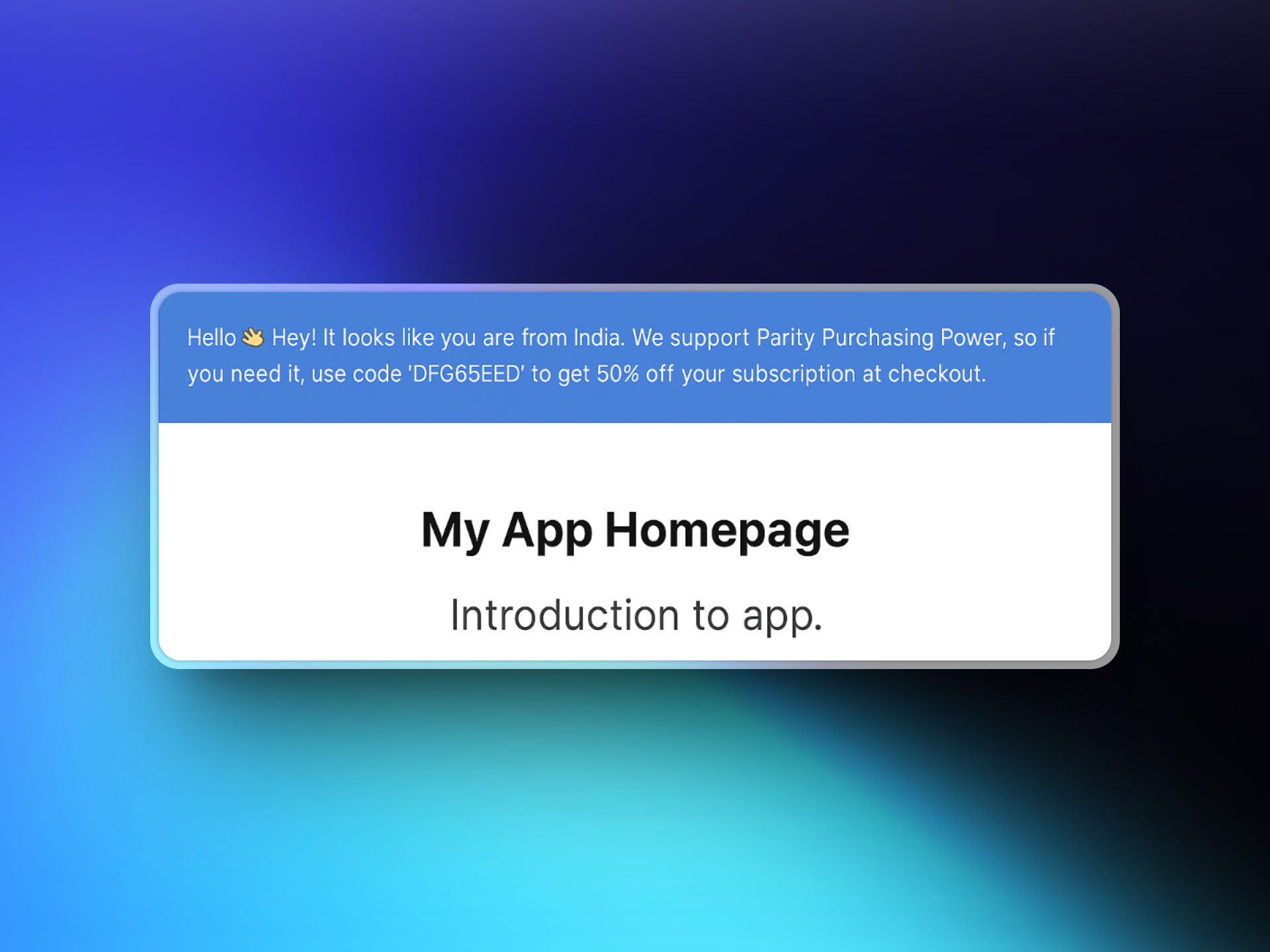
ParityDealsがあなたのウェブサイトに統合されると、適格な訪問者は、チェックアウト時に使用できる場所ベースの割引コードを含むバナーを見ることができます。これらの割引コードはParityDealsによって自動的に作成および管理され、**Dodo Paymentsダッシュボード**の **Sales → Discounts** に表示されます。
 #### セットアップ
[app.paritydeals.com](https://app.paritydeals.com/) にアクセスしてアカウントを作成します。
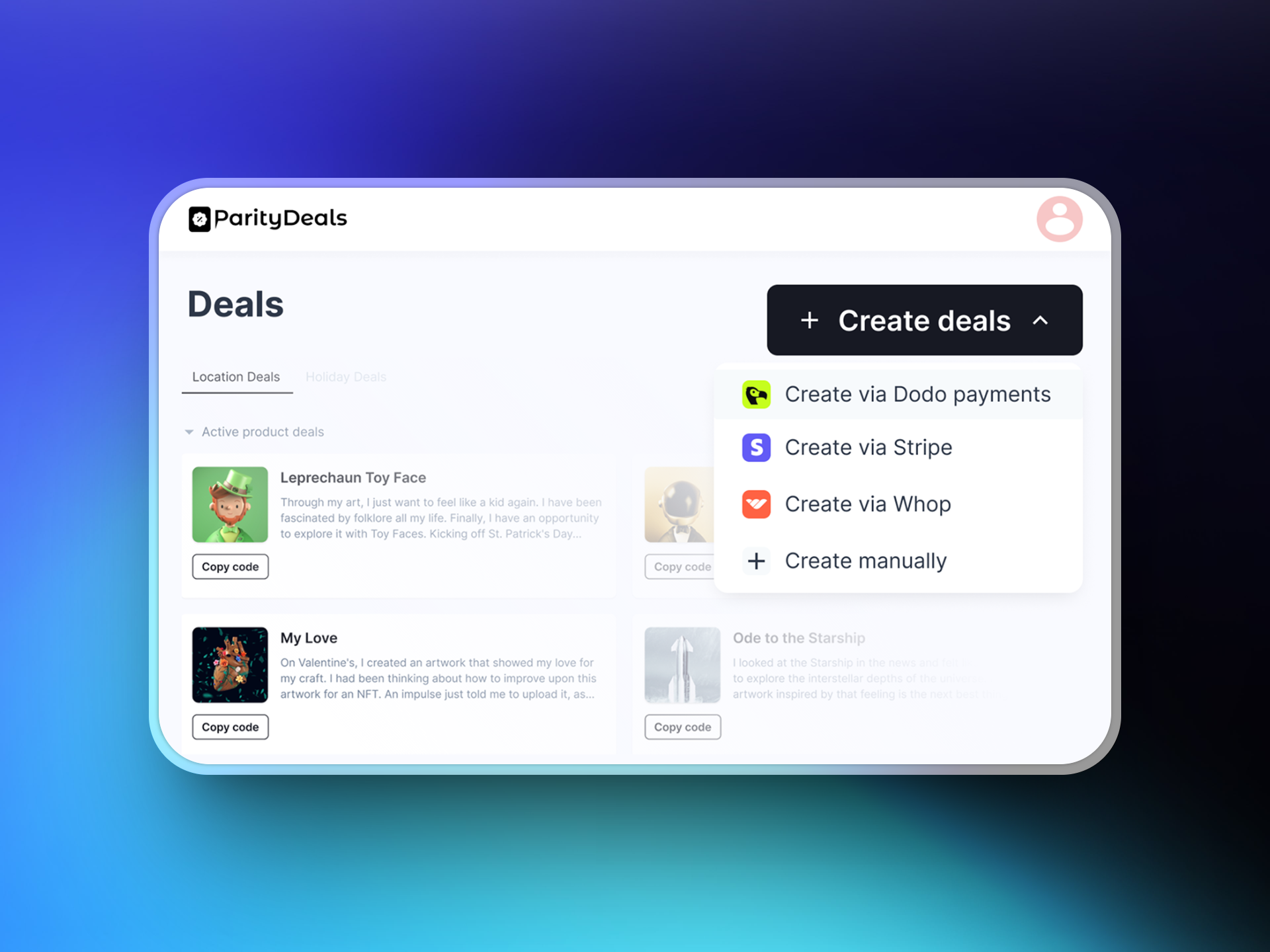
サインイン後、取引を作成するオプションを見つけます。ドロップダウンメニューから **"Create Deals via Dodo Payments"** を選択します。
#### セットアップ
[app.paritydeals.com](https://app.paritydeals.com/) にアクセスしてアカウントを作成します。
サインイン後、取引を作成するオプションを見つけます。ドロップダウンメニューから **"Create Deals via Dodo Payments"** を選択します。
 **Dodo Paymentsダッシュボード**にログインし、**Developers → API Keys** に移動します。**"Create New API"** をクリックします。
APIキーに説明的な名前を付けます(例: 'ParityDeals')。後で識別できるようにします。
**Dodo Paymentsダッシュボード**にログインし、**Developers → API Keys** に移動します。**"Create New API"** をクリックします。
APIキーに説明的な名前を付けます(例: 'ParityDeals')。後で識別できるようにします。
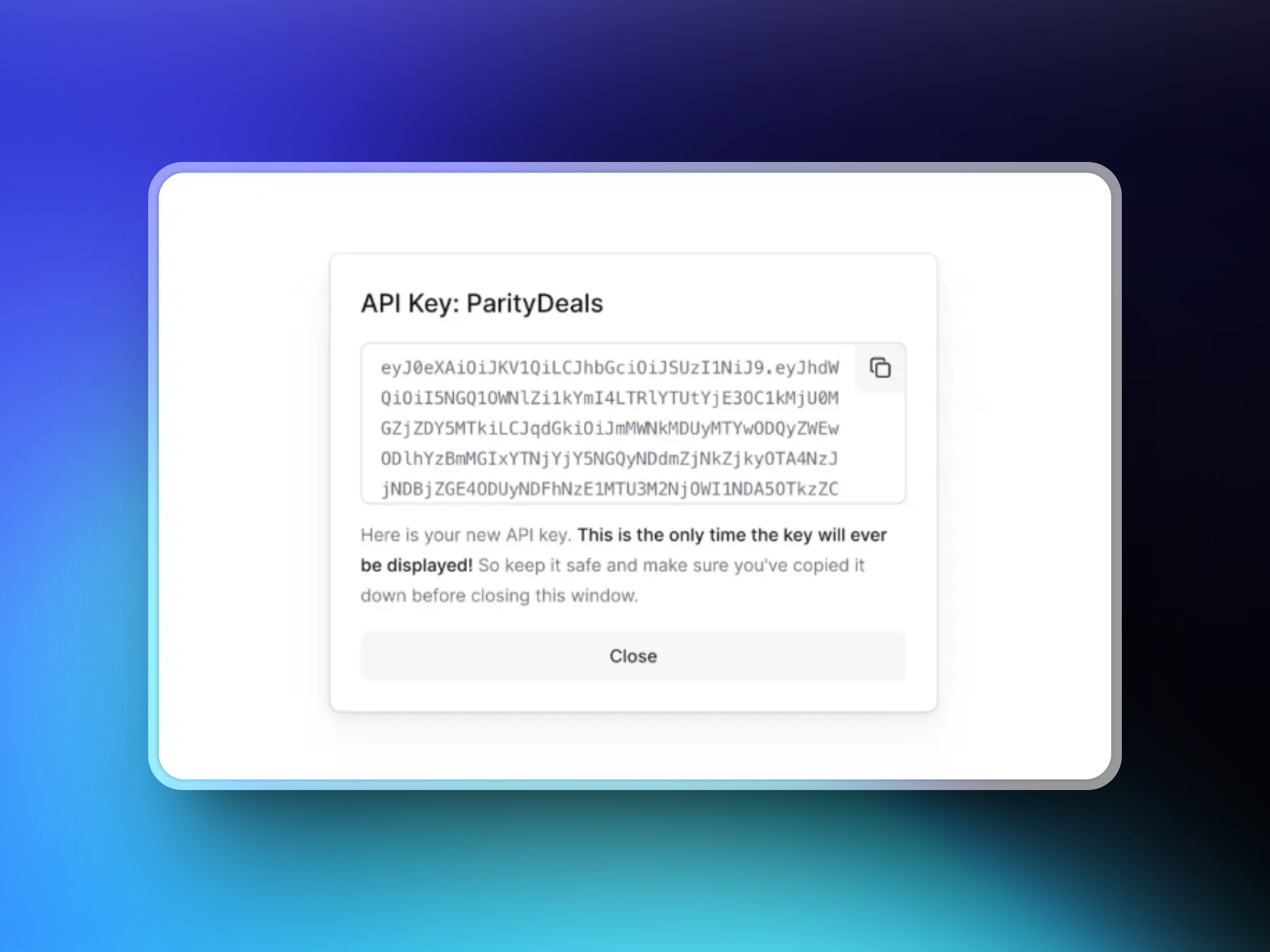 作成したAPIキーをコピーして、ParityDealsのインターフェースに貼り付け、Dodo Paymentsアカウントとの接続を確立します。
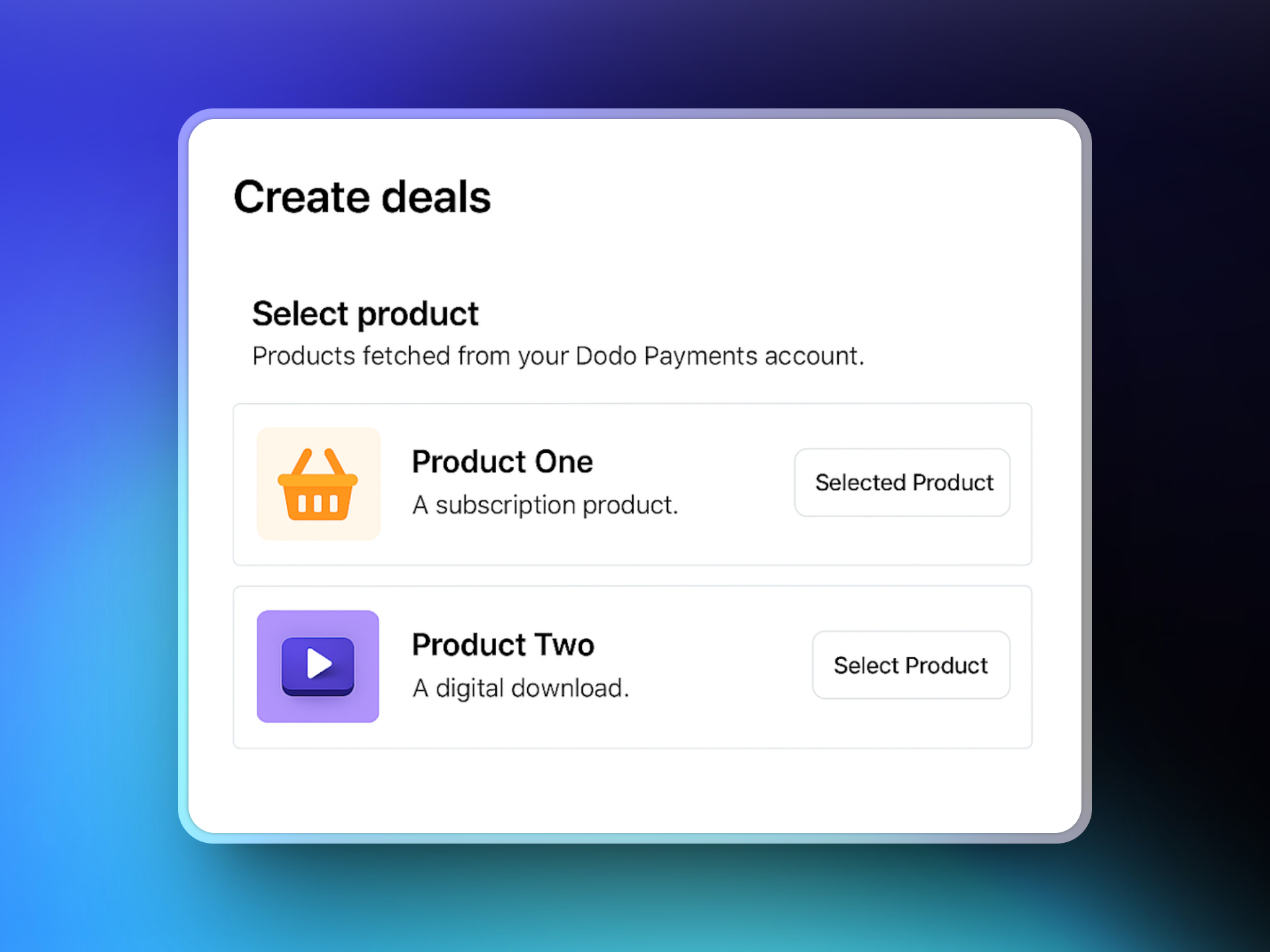
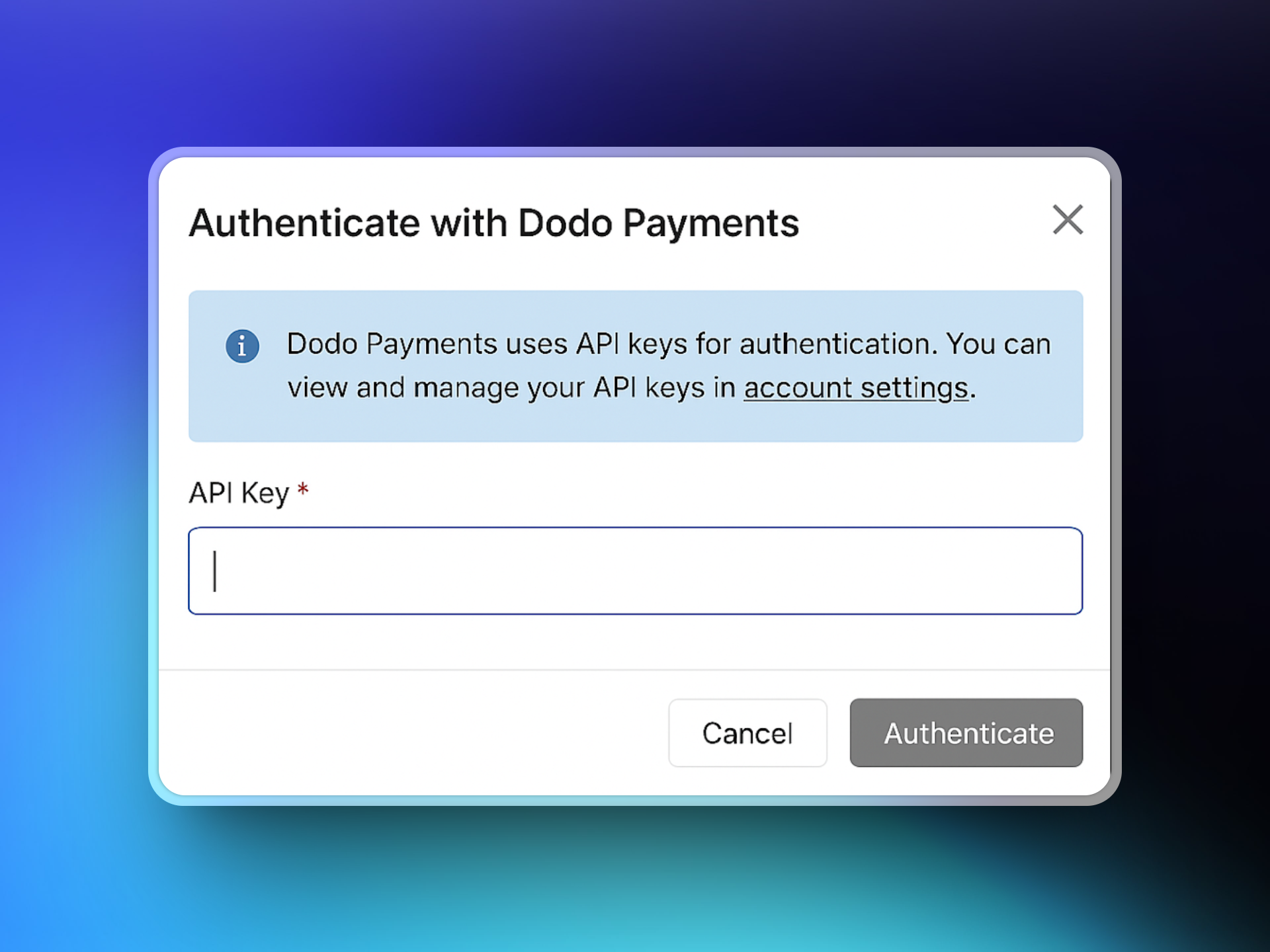 接続されると、ParityDealsはDodo Paymentsの製品カタログを取得します。取引に関連付ける製品を選択します。
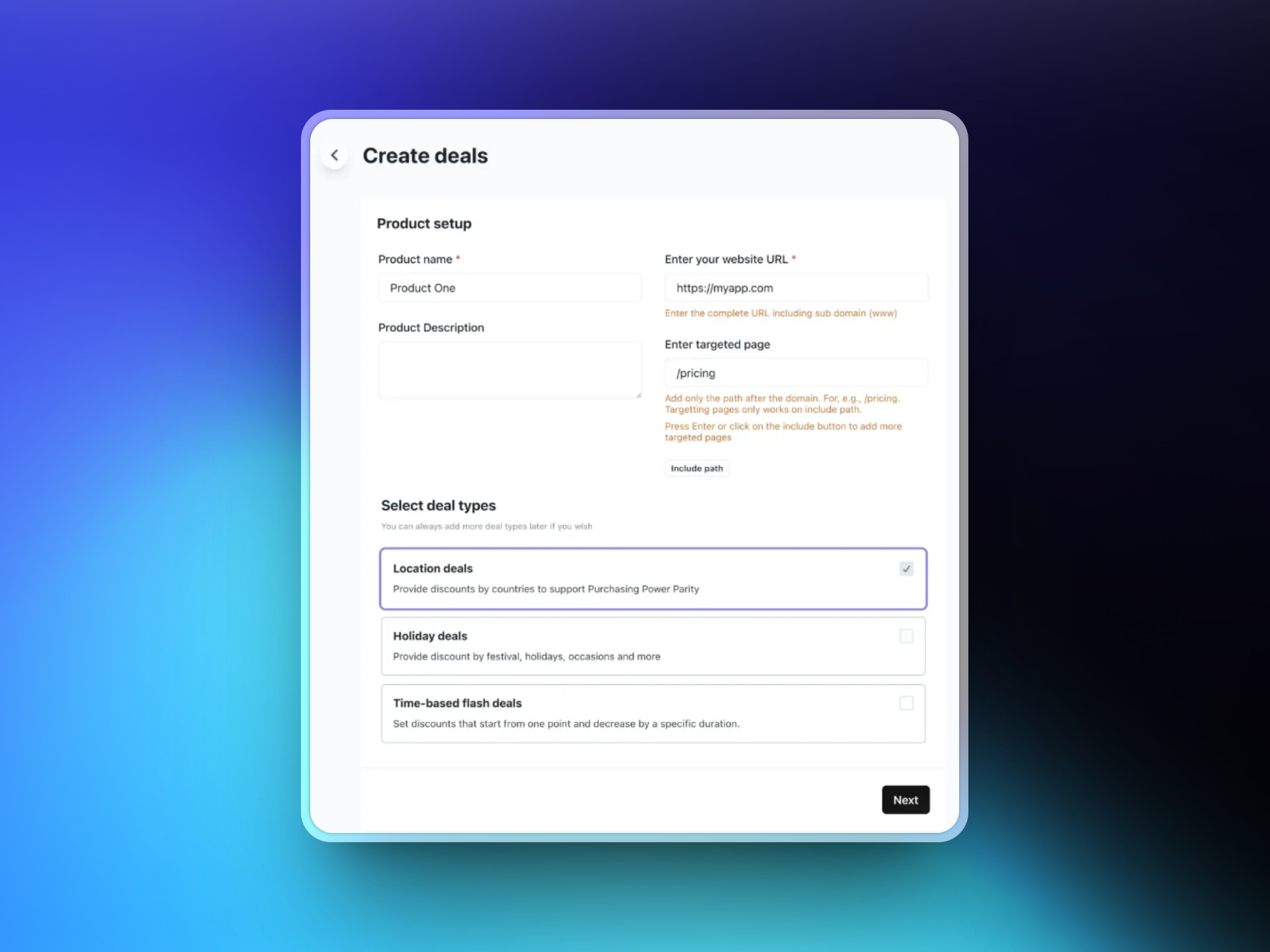
 ウェブサイトのURLを入力し、割引バナーを表示する特定のターゲットページを選択することができます。その後、希望する取引タイプを選択します:
* 位置ベースの取引
* 休日の取引
* 時間ベースのフラッシュ取引
ウェブサイトのURLを入力し、割引バナーを表示する特定のターゲットページを選択することができます。その後、希望する取引タイプを選択します:
* 位置ベースの取引
* 休日の取引
* 時間ベースのフラッシュ取引
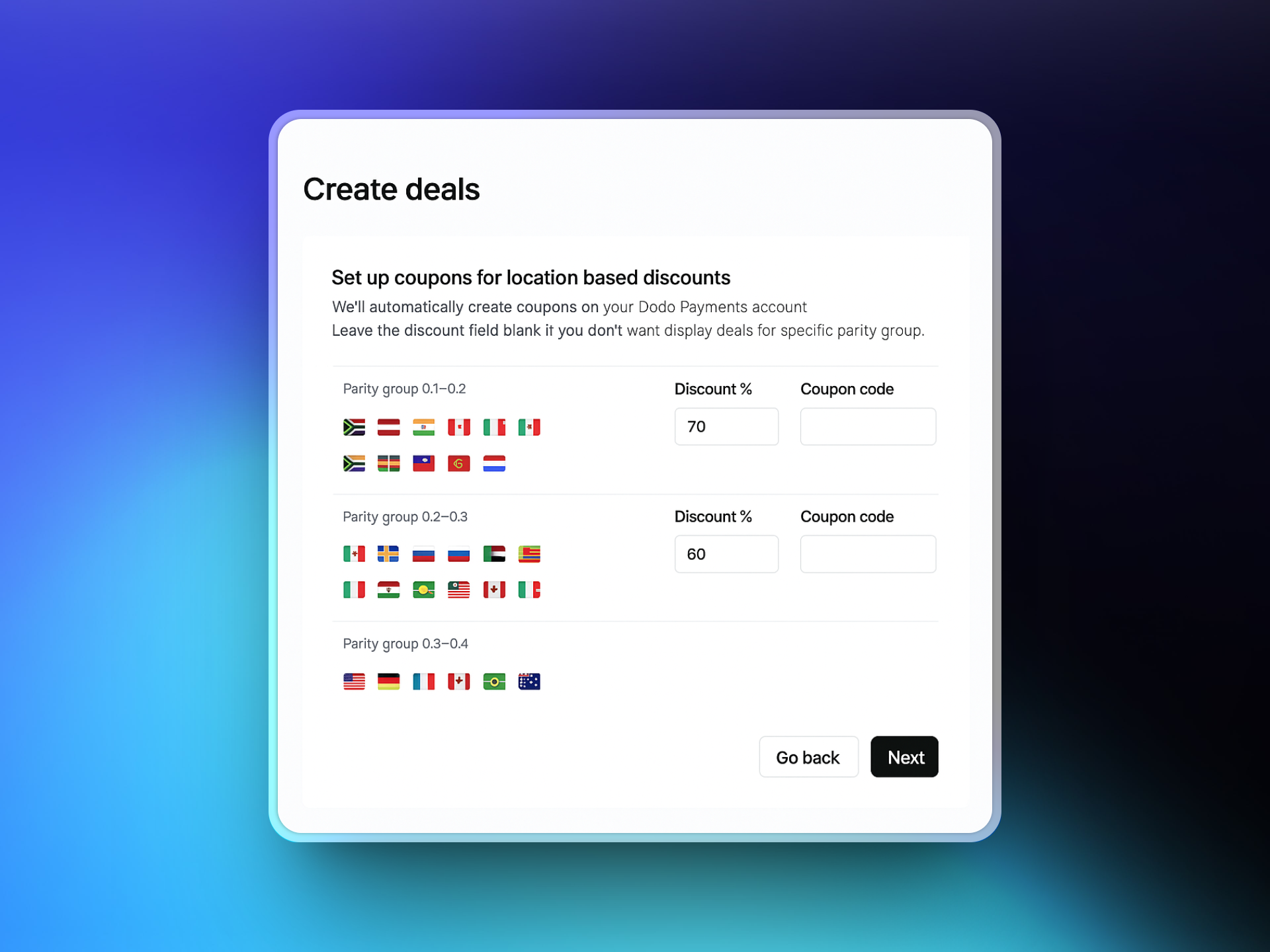
 ローカル割引を提供する国を選択し、それぞれの割引率を定義します。ParityDealsは必要に応じて調整可能な推奨デフォルトを提供します。
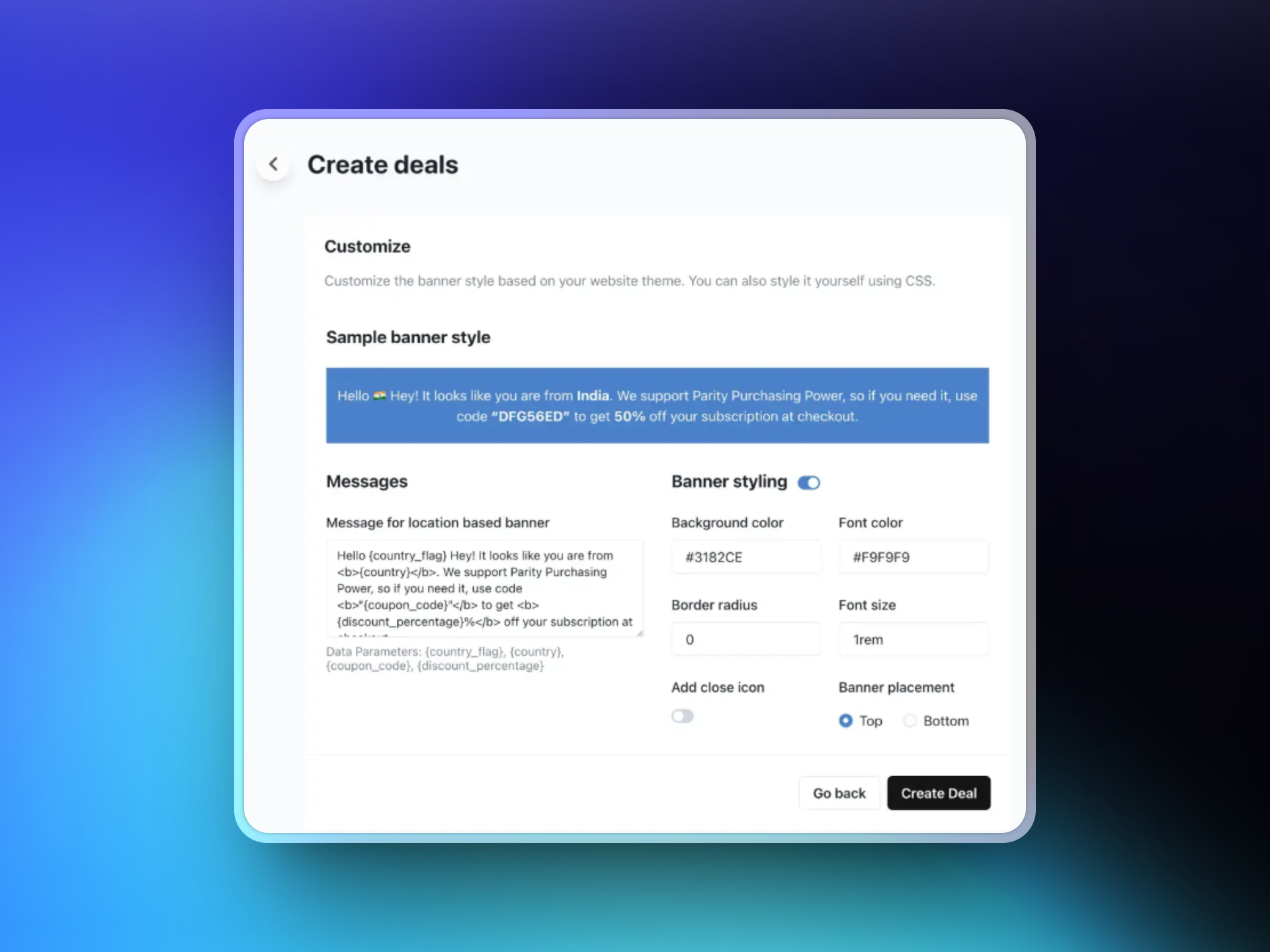
 割引バナーのテキストをカスタマイズし、色とレイアウトを選択し、バナーの位置を決定してデザインします。設定したルールに基づいて適格な訪問者に表示されます。
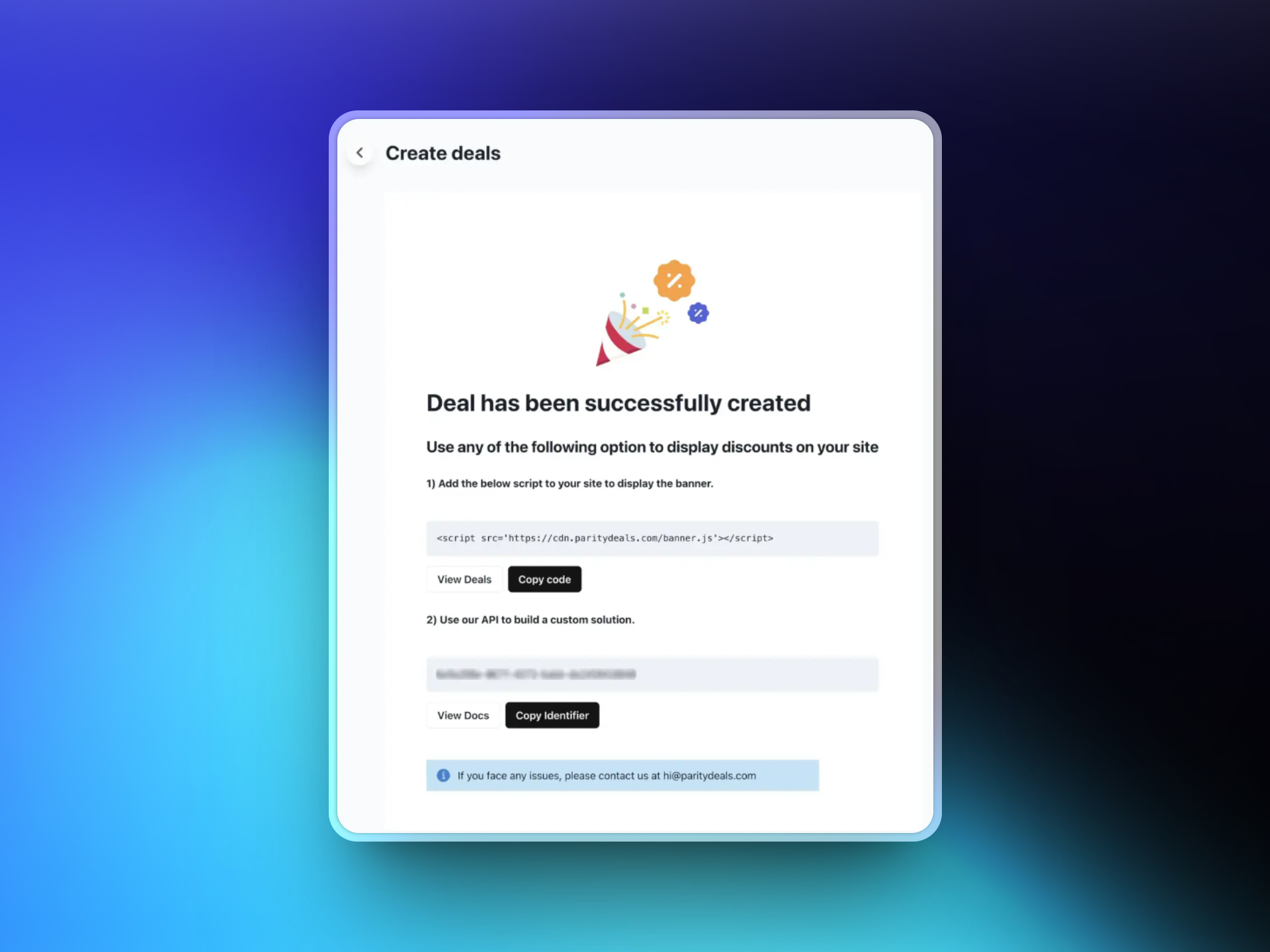
 取引を保存した後、ParityDealsはスクリプトを生成します。このスクリプトをウェブサイトコードに追加します(通常、``セクション)。このスクリプトは訪問者の場所を自動的に検出し、適切な割引バナーを表示します。
 #### 追加機能
ParityDealsを使用すると、[自動時間ベースの割引](https://www.paritydeals.com/features/time-based-discounts/)や[休日ベースのプロモーション](https://www.paritydeals.com/features/holiday-based-discounts/)を年間を通じて提供することもできます。詳細については、[ParityDeals Documentation](https://www.paritydeals.com/docs/)を参照してください。
### Evendeals
[Evendeals](https://www.evendeals.com/integrations/dodo-payments) は、Dodo Paymentsと統合された、場所ベースの購買力平価価格設定を提供するプラットフォームです。それは一回限り及びサブスクリプション商品両方をサポートしています。
#### 追加機能
ParityDealsを使用すると、[自動時間ベースの割引](https://www.paritydeals.com/features/time-based-discounts/)や[休日ベースのプロモーション](https://www.paritydeals.com/features/holiday-based-discounts/)を年間を通じて提供することもできます。詳細については、[ParityDeals Documentation](https://www.paritydeals.com/docs/)を参照してください。
### Evendeals
[Evendeals](https://www.evendeals.com/integrations/dodo-payments) は、Dodo Paymentsと統合された、場所ベースの購買力平価価格設定を提供するプラットフォームです。それは一回限り及びサブスクリプション商品両方をサポートしています。
 #### 主な特長
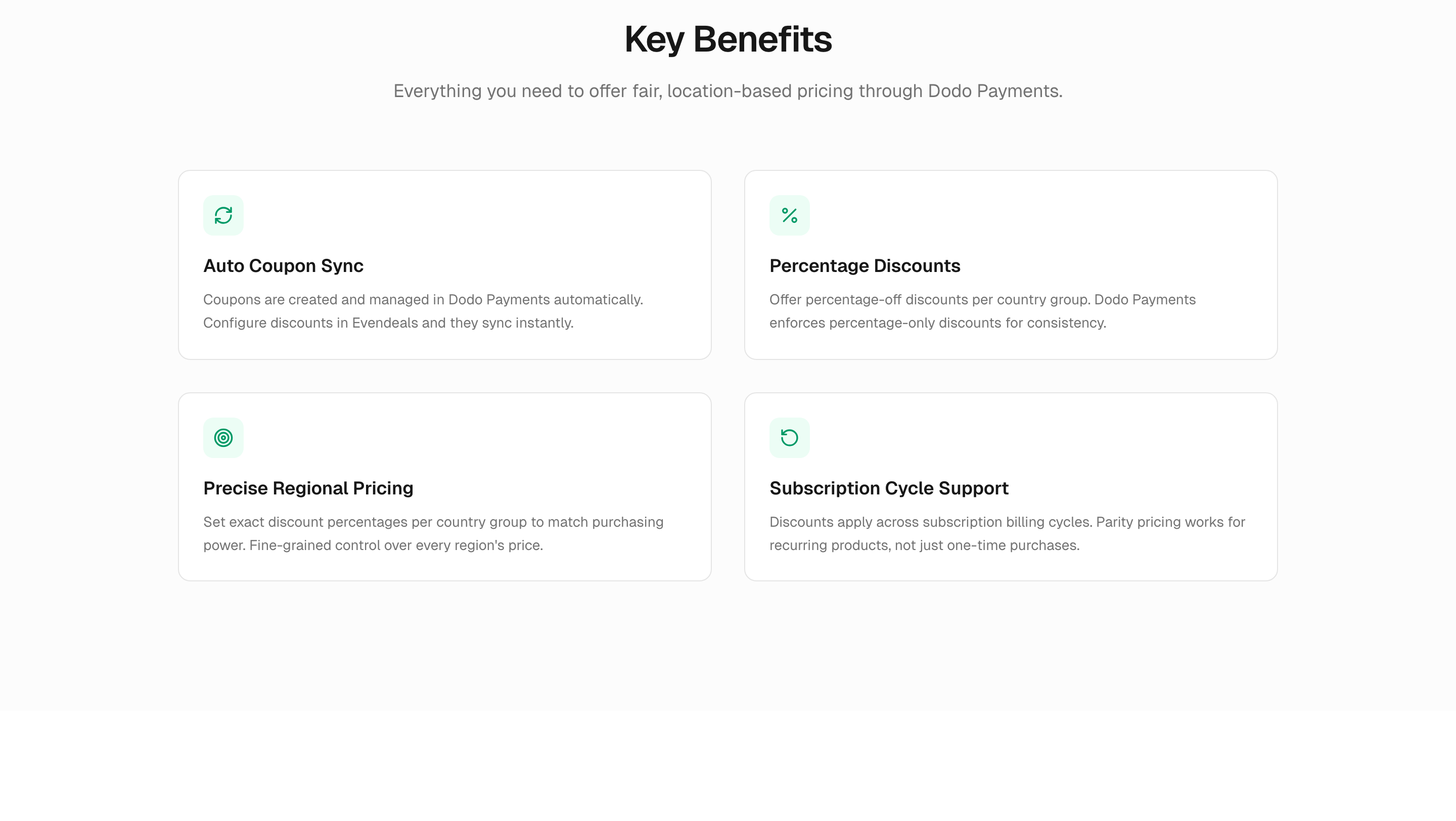
* **自動クーポン同期** — クーポンはDodo Paymentsで自動的に作成および管理されます
* **割合割引** — 国別グループごとにパーセンテージの割引を提供
* **サブスクリプションサポート** — 割引はサブスクリプションの請求サイクル全体に適用されます
* **自動更新ルール** — 時間間隔、償還回数、または表示回数によってクーポンコードを自動的に更新し乱用を防止
Evendealsによって作成された割引コードは、Dodo PaymentsダッシュボードのSales → Discountsに自動的に表示されます。
#### 主な特長
* **自動クーポン同期** — クーポンはDodo Paymentsで自動的に作成および管理されます
* **割合割引** — 国別グループごとにパーセンテージの割引を提供
* **サブスクリプションサポート** — 割引はサブスクリプションの請求サイクル全体に適用されます
* **自動更新ルール** — 時間間隔、償還回数、または表示回数によってクーポンコードを自動的に更新し乱用を防止
Evendealsによって作成された割引コードは、Dodo PaymentsダッシュボードのSales → Discountsに自動的に表示されます。
 #### セットアップ
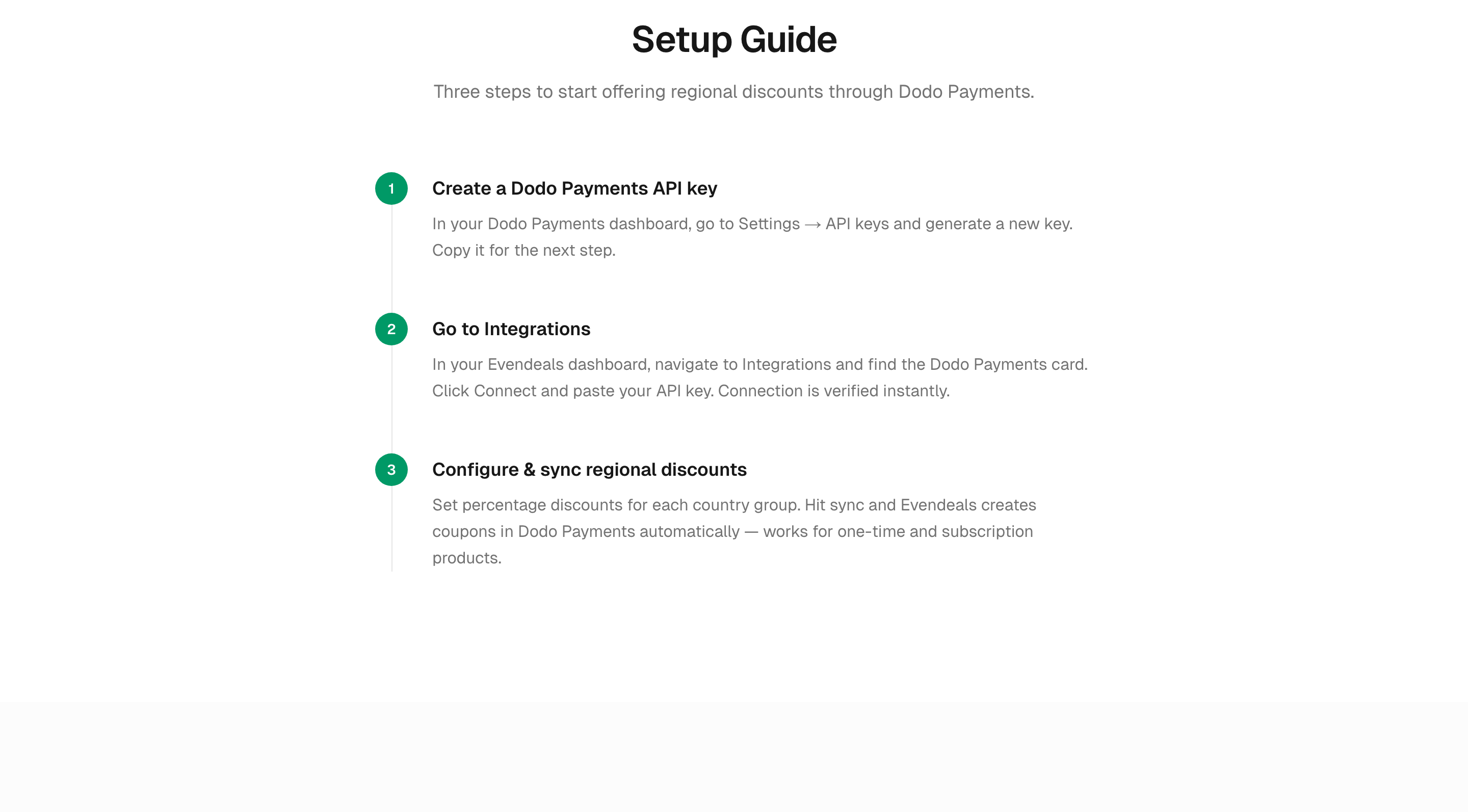
Dodo Paymentsダッシュボードで、**Developers → API Keys** に移動し、新しいキーを生成します。
[Evendealsダッシュボード](https://www.evendeals.com/signin) に移動して **Integrations** を開き、Dodo Paymentsカードを見つけてAPIキーを貼り付けます。
各国グループの割引パーセンテージを設定し、同期を押します。EvendealsはDodo Paymentsでクーポンを自動的に作成します。
同期後、Dodo Paymentsダッシュボードの **Sales → Discounts** を開いて、生成されたクーポンが表示されることを確認します。各クーポンには認識可能なEvendealsプレフィックスがあります。
#### セットアップ
Dodo Paymentsダッシュボードで、**Developers → API Keys** に移動し、新しいキーを生成します。
[Evendealsダッシュボード](https://www.evendeals.com/signin) に移動して **Integrations** を開き、Dodo Paymentsカードを見つけてAPIキーを貼り付けます。
各国グループの割引パーセンテージを設定し、同期を押します。EvendealsはDodo Paymentsでクーポンを自動的に作成します。
同期後、Dodo Paymentsダッシュボードの **Sales → Discounts** を開いて、生成されたクーポンが表示されることを確認します。各クーポンには認識可能なEvendealsプレフィックスがあります。
 ParityDealsとEvendealsの両方がDodo Paymentsとシームレスに連携して、グローバルな価格設定戦略を最適化するのをサポートします。詳細については、[ParityDeals Documentation](https://www.paritydeals.com/docs/) または [Evendeals Dodo Payments integration page](https://www.evendeals.com/integrations/dodo-payments)をご覧ください。