> ## Documentation Index
> Fetch the complete documentation index at: https://docs.dodopayments.com/llms.txt
> Use this file to discover all available pages before exploring further.
# Discord エンタイトルメント
> 購入時に顧客にDiscordサーバーの役割を付与し、サブスクリプション終了時に自動的に取り消します。
Discordエンタイトルメントは、支払い顧客をサーバーに追加し(オプションで役割を割り当て)、サブスクリプションがアクティブになるか一括購入がクリアされるとすぐに追加します。キャンセル、払い戻し、プラン変更により役割は自動的に取り消されます。
## 配信される内容
* 顧客は受け取りメールやカスタマーポータルのOAuthリンクを通してDiscordアカウントを接続します。
* 認証すると、Dodo Paymentsはあなたのサーバーに追加し(または既存のメンバーシップを見つけ)設定した役割を割り当てます。
* 特定の役割を選ばなかった場合、サーバーのメンバーシップのみが付与されます。
この統合は有料コミュニティ、サポーターパーク、階層型アクセスチャンネルに最適です。
## Discordを接続する
Dodo Paymentsダッシュボードで、**Entitlements** に移動し、**+** をクリックして新しいエンタイトルメントを開始します。
**Discord Access** を統合として選択します。まだDiscordをビジネスに接続していない場合は、**Connect Discord** を促されます。
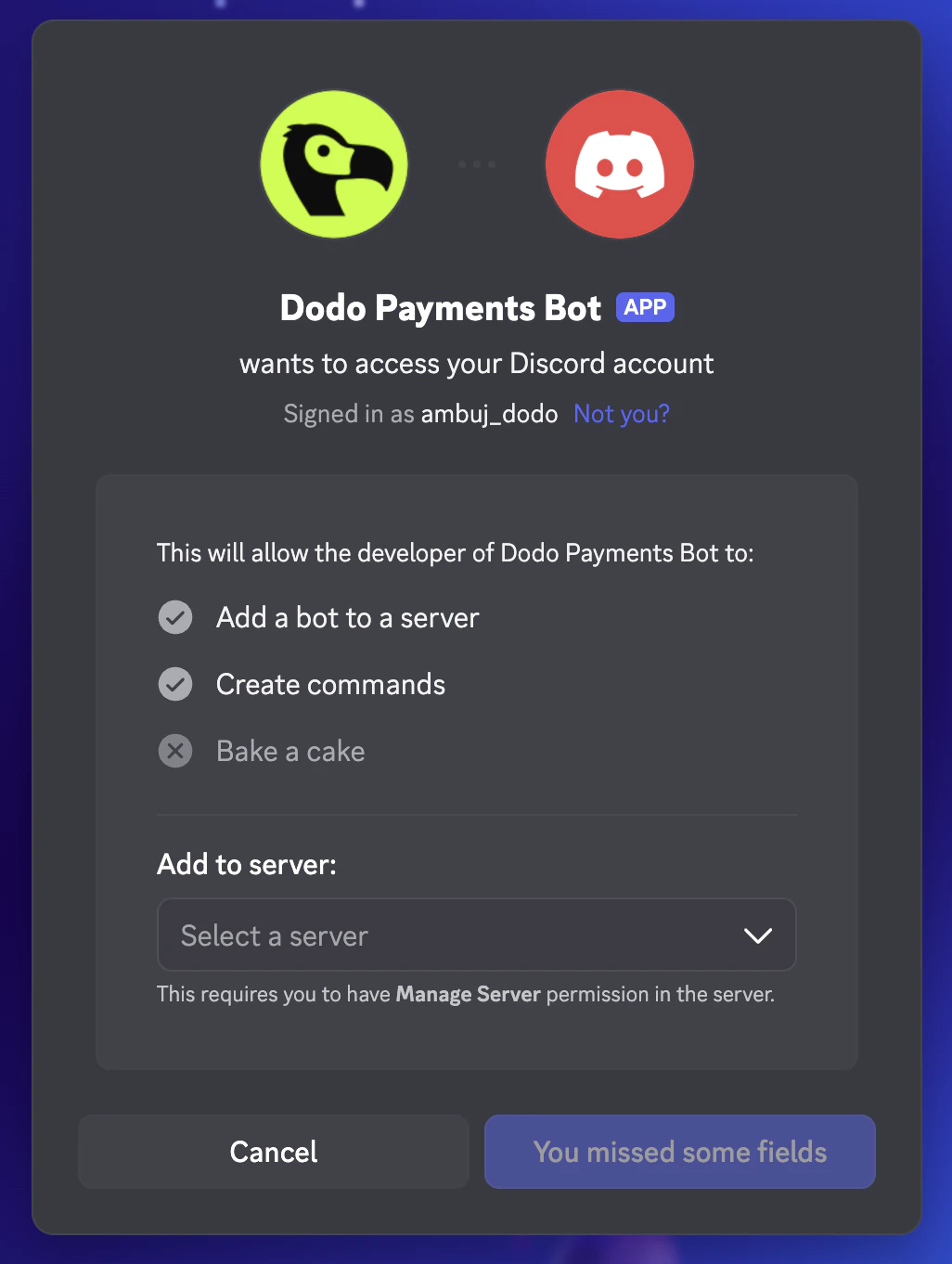
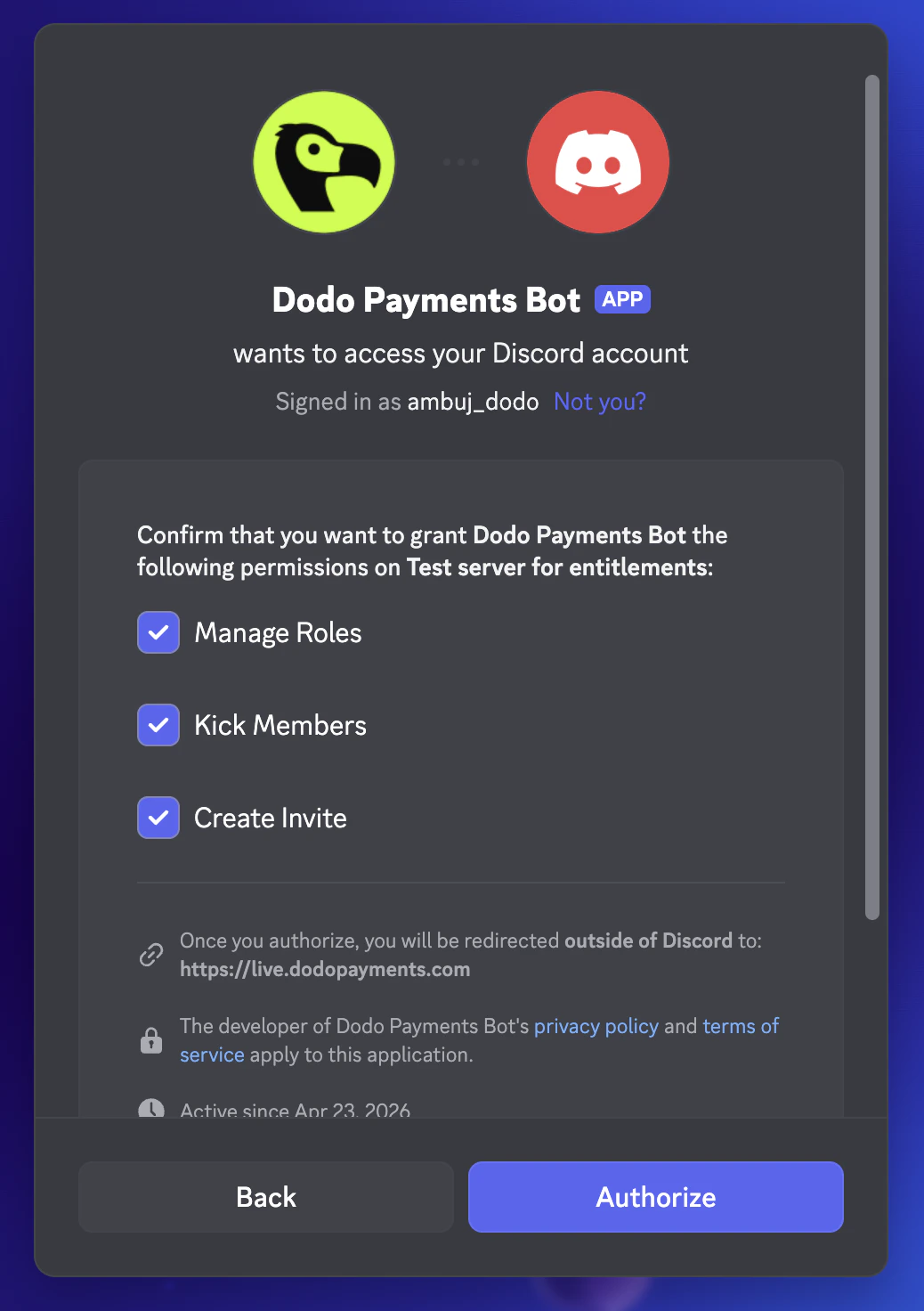
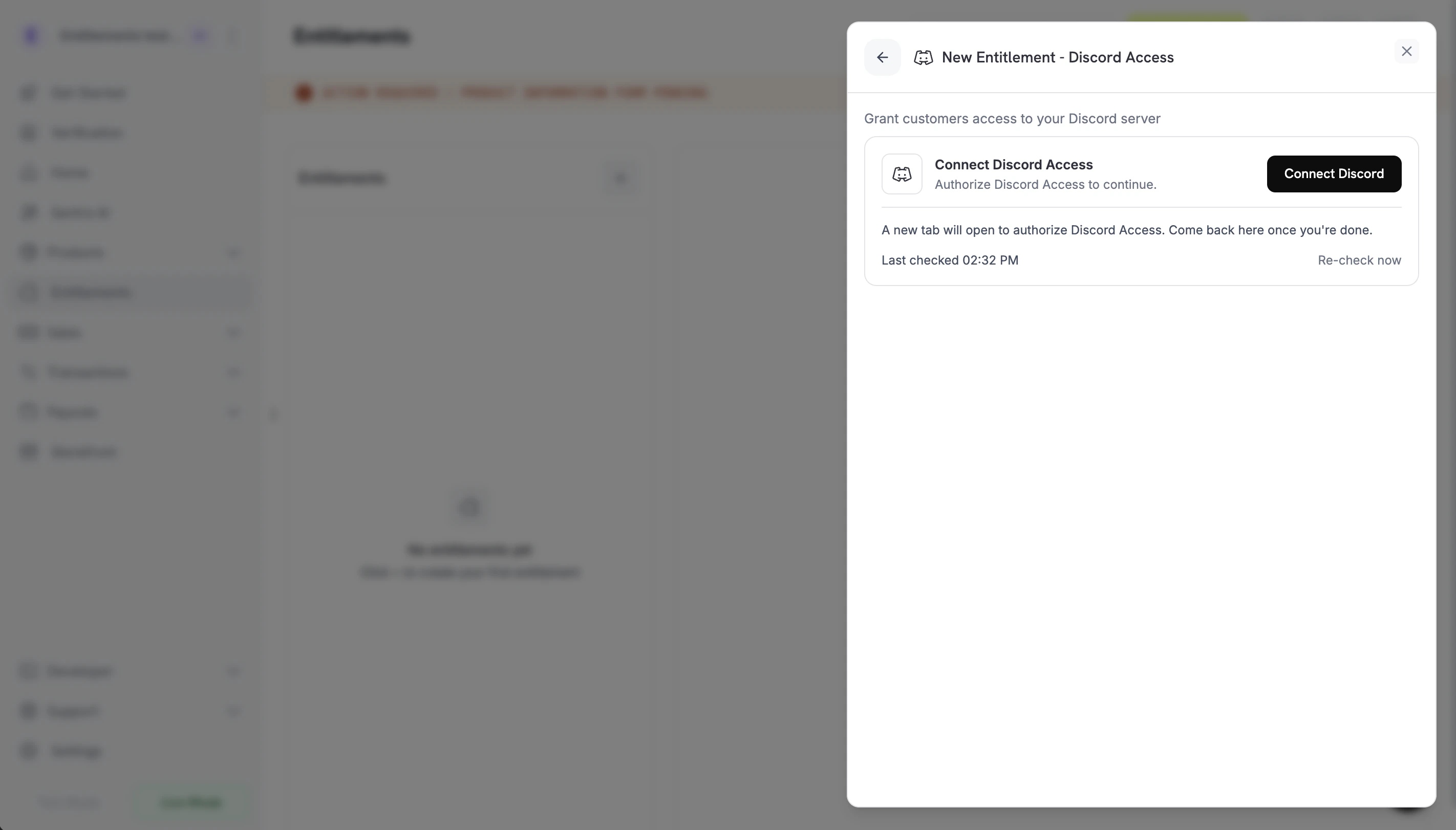 クリックすると、新しいタブでDiscordが開きます。ログインし、ゲートしたいサーバーを選び、ボットの権限(Manage Roles, Kick Members, Create Invite)をそのサーバーで確認します。
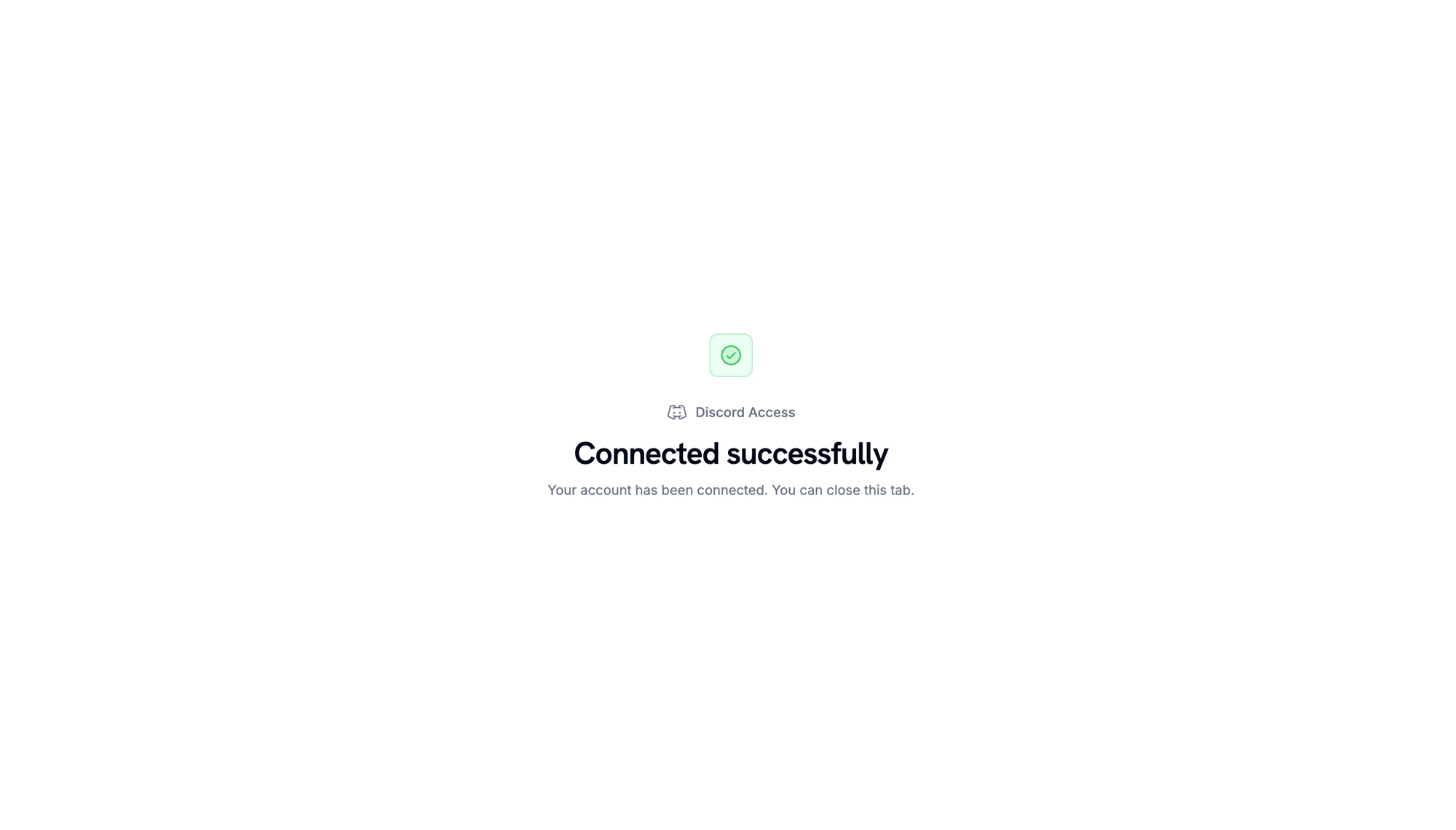
Discordがリダイレクトした後、サーバーが接続されていることを確認できます。
クリックすると、新しいタブでDiscordが開きます。ログインし、ゲートしたいサーバーを選び、ボットの権限(Manage Roles, Kick Members, Create Invite)をそのサーバーで確認します。
Discordがリダイレクトした後、サーバーが接続されていることを確認できます。
 ダッシュボードに戻ったら、接続した **サーバー**(ギルド)を選びます。配信時に割り当てる**役割**を任意に選択するか、空白のままでサーバーのメンバーシップのみを付与します。エンタイトルメントに**名前**を付けて、**Create Entitlement**をクリックします。
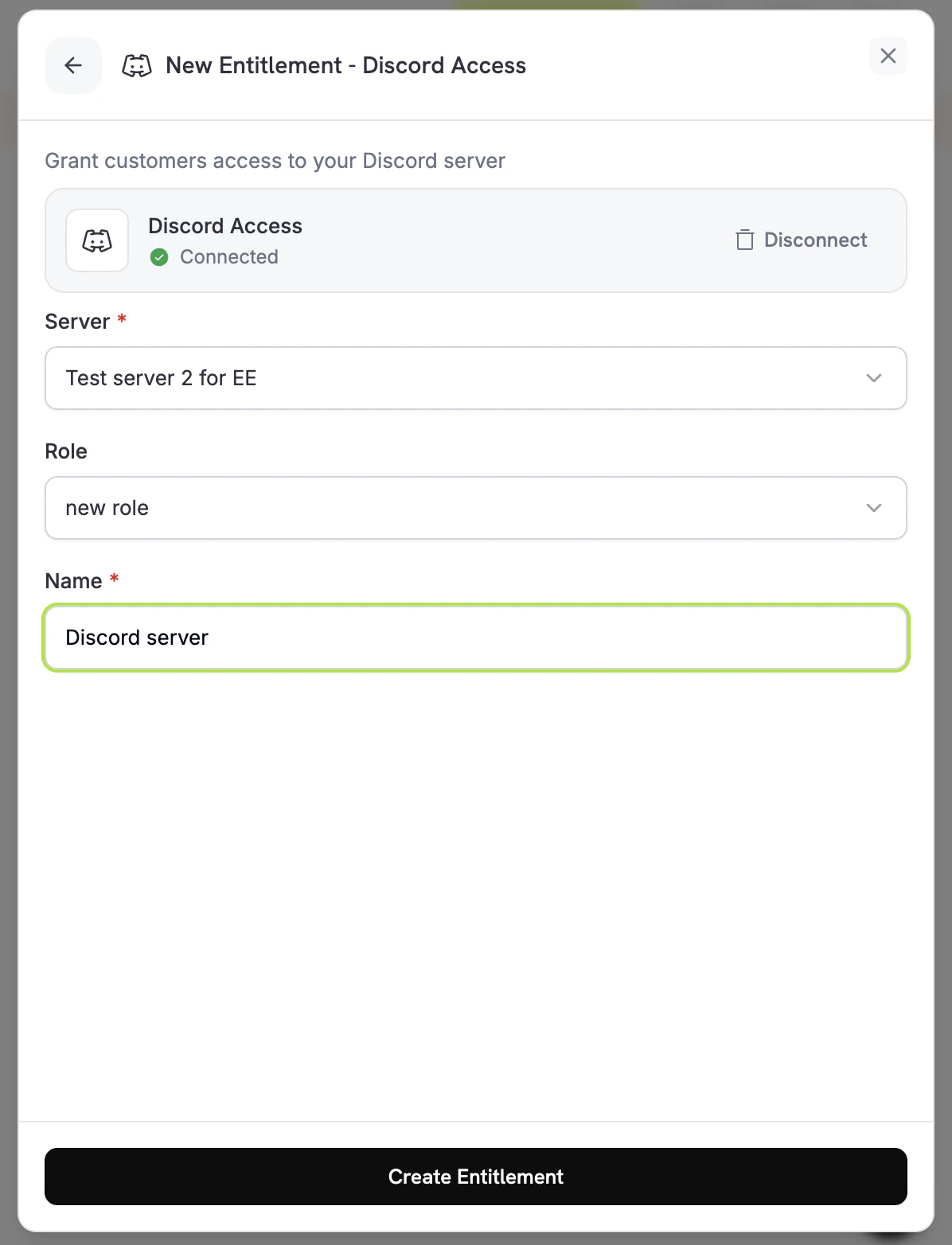 エンタイトルメントを保存します。これで、製品に添付することが可能です。
## 顧客フロー
1. 顧客がチェックアウトを完了します。
2. Dodo Paymentsが`pending`ステータスで、Discordを指す`oauth_url`を作成します。
3. 顧客には「Join the Discord」ボタン(OAuthリンク)を含むメールが送信されます。このリンクはカスタマーポータルにも表示されます。
4. 顧客が認証すると、ボットがサーバーに追加し、設定された役割を割り当てます。グラントは`delivered`に移動します。
5. サブスクリプションがキャンセル、停止、または終了するか、商人が手動で取り消すと、ボットは役割を削除し、グラントは`revoked`に移動します。
Dodo Paymentsボットの役割が付与する役割の**上に**配置されていることを確認してください。Discordは自身より高いランクの役割を割り当てることを防ぎます。
## 必須設定
| フィールド | 必須 | 説明 |
| ---------- | --- | ---------------------------------------- |
| `guild_id` | はい | DiscordサーバーID。ダッシュボードのピッカーが自動的に入力します。 |
| `role_id` | いいえ | 配信時に割り当てる役割。サーバーメンバーシップのみのアクセスの場合は省略します。 |
## APIを使用した作成
```typescript TypeScript theme={null} theme={null}
import DodoPayments from 'dodopayments';
const client = new DodoPayments({
bearerToken: process.env['DODO_PAYMENTS_API_KEY'],
environment: 'test_mode',
});
const entitlement = await client.entitlements.create({
name: 'Patrons Discord Role',
integration_type: 'discord',
integration_config: {
guild_id: '123456789012345678',
role_id: '987654321098765432',
},
});
```
```python Python theme={null} theme={null}
client.entitlements.create(
name="Patrons Discord Role",
integration_type="discord",
integration_config={
"guild_id": "123456789012345678",
"role_id": "987654321098765432",
},
)
```
```go Go theme={null} theme={null}
client.Entitlements.New(ctx, dodopayments.EntitlementNewParams{
Name: dodopayments.F("Patrons Discord Role"),
IntegrationType: dodopayments.F(dodopayments.EntitlementIntegrationTypeDiscord),
IntegrationConfig: dodopayments.F[dodopayments.IntegrationConfigUnionParam](
dodopayments.IntegrationConfigDiscordConfigParam{
GuildID: dodopayments.F("123456789012345678"),
RoleID: dodopayments.F("987654321098765432"),
},
),
})
```
## Webhooks
Discordのグラントを追跡するために、[`entitlement_grant.*` webhook events](/developer-resources/webhooks/intents/entitlement-grant)を購読します:
* `entitlement_grant.created`が`status: "pending"`および顧客が認可するための`oauth_url`で発火します。
* 役割が割り当てられたときに`entitlement_grant.delivered`が発火します。
* 役割が削除されたときに`entitlement_grant.revoked`が発火します。
## トラブルシューティング
顧客がOAuthフローを完了するまで、グラントは`pending`にあります。エンタイトルメントのグラントリストをチェックし、OAuthリンクをクリックしたかどうかを確認してください。必要なら配送メールを再送します。
Dodo Paymentsボットがサーバーに残り、`Manage Roles`の権限を持ち、割り当てられている役割の上に配置されていることを確認してください。エンタイトルメントを再保存すると、検証が再実行されます。
Discordは役割の削除を即座に伝播しますが、顧客のローカルDiscordクライアントがキャッシュすることがあります。再接続またはリフレッシュが必要です。サーバー側の状態は正しいです。
エンタイトルメントを保存します。これで、製品に添付することが可能です。
## 顧客フロー
1. 顧客がチェックアウトを完了します。
2. Dodo Paymentsが`pending`ステータスで、Discordを指す`oauth_url`を作成します。
3. 顧客には「Join the Discord」ボタン(OAuthリンク)を含むメールが送信されます。このリンクはカスタマーポータルにも表示されます。
4. 顧客が認証すると、ボットがサーバーに追加し、設定された役割を割り当てます。グラントは`delivered`に移動します。
5. サブスクリプションがキャンセル、停止、または終了するか、商人が手動で取り消すと、ボットは役割を削除し、グラントは`revoked`に移動します。
Dodo Paymentsボットの役割が付与する役割の**上に**配置されていることを確認してください。Discordは自身より高いランクの役割を割り当てることを防ぎます。
## 必須設定
| フィールド | 必須 | 説明 |
| ---------- | --- | ---------------------------------------- |
| `guild_id` | はい | DiscordサーバーID。ダッシュボードのピッカーが自動的に入力します。 |
| `role_id` | いいえ | 配信時に割り当てる役割。サーバーメンバーシップのみのアクセスの場合は省略します。 |
## APIを使用した作成
```typescript TypeScript theme={null} theme={null}
import DodoPayments from 'dodopayments';
const client = new DodoPayments({
bearerToken: process.env['DODO_PAYMENTS_API_KEY'],
environment: 'test_mode',
});
const entitlement = await client.entitlements.create({
name: 'Patrons Discord Role',
integration_type: 'discord',
integration_config: {
guild_id: '123456789012345678',
role_id: '987654321098765432',
},
});
```
```python Python theme={null} theme={null}
client.entitlements.create(
name="Patrons Discord Role",
integration_type="discord",
integration_config={
"guild_id": "123456789012345678",
"role_id": "987654321098765432",
},
)
```
```go Go theme={null} theme={null}
client.Entitlements.New(ctx, dodopayments.EntitlementNewParams{
Name: dodopayments.F("Patrons Discord Role"),
IntegrationType: dodopayments.F(dodopayments.EntitlementIntegrationTypeDiscord),
IntegrationConfig: dodopayments.F[dodopayments.IntegrationConfigUnionParam](
dodopayments.IntegrationConfigDiscordConfigParam{
GuildID: dodopayments.F("123456789012345678"),
RoleID: dodopayments.F("987654321098765432"),
},
),
})
```
## Webhooks
Discordのグラントを追跡するために、[`entitlement_grant.*` webhook events](/developer-resources/webhooks/intents/entitlement-grant)を購読します:
* `entitlement_grant.created`が`status: "pending"`および顧客が認可するための`oauth_url`で発火します。
* 役割が割り当てられたときに`entitlement_grant.delivered`が発火します。
* 役割が削除されたときに`entitlement_grant.revoked`が発火します。
## トラブルシューティング
顧客がOAuthフローを完了するまで、グラントは`pending`にあります。エンタイトルメントのグラントリストをチェックし、OAuthリンクをクリックしたかどうかを確認してください。必要なら配送メールを再送します。
Dodo Paymentsボットがサーバーに残り、`Manage Roles`の権限を持ち、割り当てられている役割の上に配置されていることを確認してください。エンタイトルメントを再保存すると、検証が再実行されます。
Discordは役割の削除を即座に伝播しますが、顧客のローカルDiscordクライアントがキャッシュすることがあります。再接続またはリフレッシュが必要です。サーバー側の状態は正しいです。