> ## Documentation Index
> Fetch the complete documentation index at: https://docs.dodopayments.com/llms.txt
> Use this file to discover all available pages before exploring further.
# Resend
> Invia email transazionali tramite Resend basate sugli eventi di Dodo Payments con alta deliverability.
## Introduzione
Invia automaticamente email transazionali professionali quando si verificano eventi di pagamento. Fornisci conferme di pagamento, aggiornamenti di abbonamento e notifiche importanti con l'infrastruttura email affidabile di Resend e ottimi tassi di deliverability.
Questa integrazione richiede la tua chiave API Resend per l'autenticazione.
## Iniziare
Nel tuo dashboard Dodo Payments, vai a Webhooks → + Aggiungi Endpoint e espandi il menu a tendina delle integrazioni.
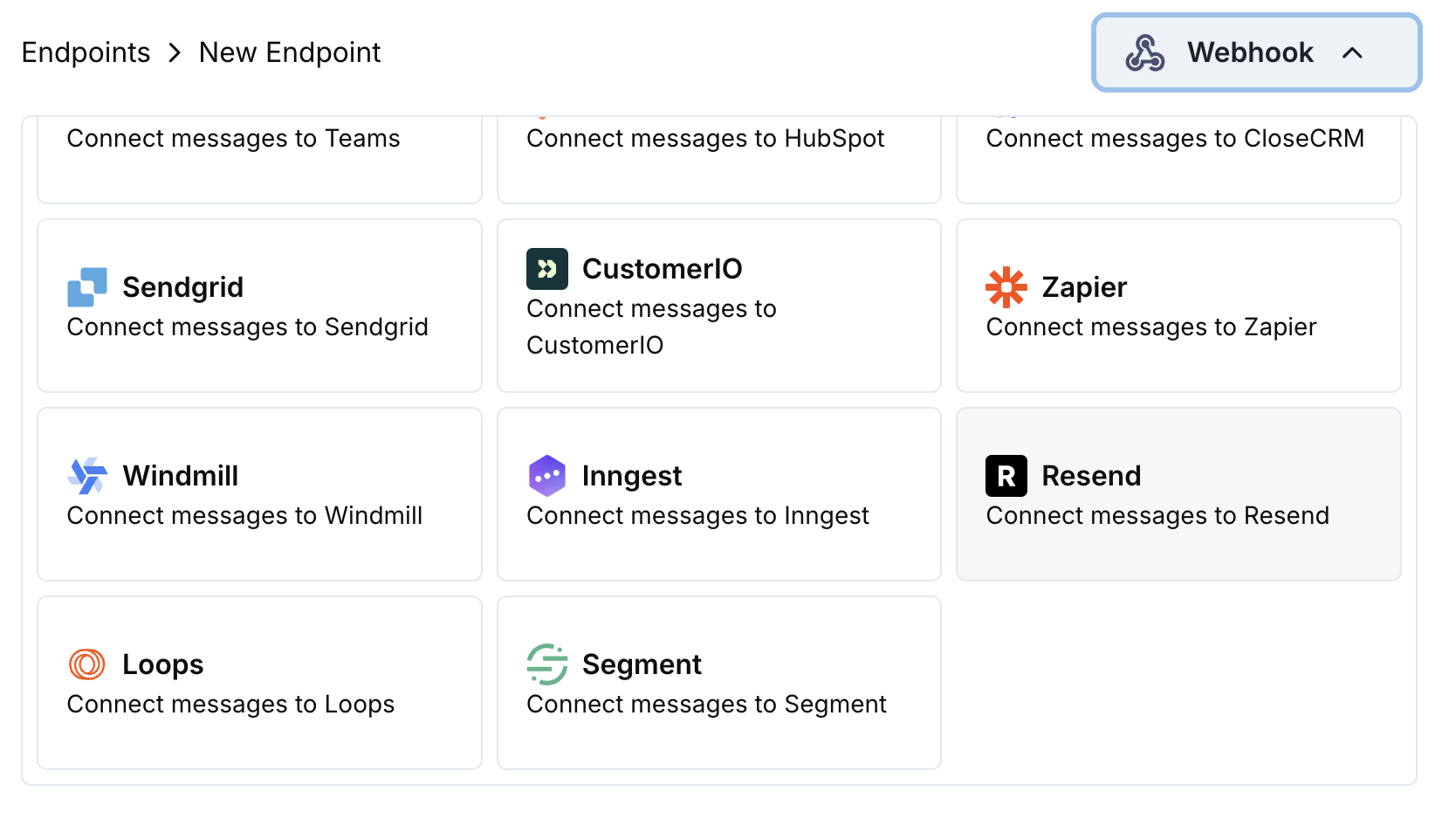 Seleziona la scheda di integrazione Resend.
Inserisci la tua chiave API Resend nella configurazione.
Modifica il codice di trasformazione per formattare le email per l'API di Resend.
Testa con payload di esempio e clicca Crea per attivare l'invio delle email.
🎉 Gli eventi di pagamento attiveranno automaticamente email transazionali tramite Resend.
## Esempi di Codice di Trasformazione
### Email di Conferma di Pagamento
```javascript payment_confirmation.js icon="js" expandable theme={null}
function handler(webhook) {
if (webhook.eventType === "payment.succeeded") {
const p = webhook.payload.data;
webhook.url = "https://api.resend.com/emails";
webhook.payload = {
from: "payments@yourdomain.com",
to: [p.customer.email],
subject: "Payment Confirmation - $" + (p.total_amount / 100).toFixed(2),
html: `
Seleziona la scheda di integrazione Resend.
Inserisci la tua chiave API Resend nella configurazione.
Modifica il codice di trasformazione per formattare le email per l'API di Resend.
Testa con payload di esempio e clicca Crea per attivare l'invio delle email.
🎉 Gli eventi di pagamento attiveranno automaticamente email transazionali tramite Resend.
## Esempi di Codice di Trasformazione
### Email di Conferma di Pagamento
```javascript payment_confirmation.js icon="js" expandable theme={null}
function handler(webhook) {
if (webhook.eventType === "payment.succeeded") {
const p = webhook.payload.data;
webhook.url = "https://api.resend.com/emails";
webhook.payload = {
from: "payments@yourdomain.com",
to: [p.customer.email],
subject: "Payment Confirmation - $" + (p.total_amount / 100).toFixed(2),
html: `
Payment Successful!
Hi ${p.customer.name},
Your payment of $${(p.total_amount / 100).toFixed(2)} has been processed successfully.
- Payment ID: ${p.payment_id}
- Amount: $${(p.total_amount / 100).toFixed(2)}
- Date: ${new Date(webhook.payload.timestamp).toLocaleDateString()}
- Method: ${p.payment_method || "Unknown"}
Thank you for your business!
`,
text: `Payment Successful! Your payment of $${(p.total_amount / 100).toFixed(2)} has been processed. Payment ID: ${p.payment_id}`
};
}
return webhook;
}
```
### Email di Benvenuto per Abbonamento
```javascript subscription_welcome.js icon="js" expandable theme={null}
function handler(webhook) {
if (webhook.eventType === "subscription.active") {
const s = webhook.payload.data;
webhook.url = "https://api.resend.com/emails";
webhook.payload = {
from: "welcome@yourdomain.com",
to: [s.customer.email],
subject: "Welcome to Your Subscription!",
html: `
Welcome to Your Subscription!
Hi ${s.customer.name},
Your subscription has been activated successfully.
- Subscription ID: ${s.subscription_id}
- Product: ${s.product_id}
- Amount: $${(s.recurring_pre_tax_amount / 100).toFixed(2)}/${s.payment_frequency_interval}
- Next Billing: ${new Date(s.next_billing_date).toLocaleDateString()}
You can manage your subscription anytime from your account dashboard.
`,
text: `Welcome! Your subscription is now active. Amount: $${(s.recurring_pre_tax_amount / 100).toFixed(2)}/${s.payment_frequency_interval}`
};
}
return webhook;
}
```
### Notifica di Fallimento del Pagamento
```javascript payment_failure.js icon="js" expandable theme={null}
function handler(webhook) {
if (webhook.eventType === "payment.failed") {
const p = webhook.payload.data;
webhook.url = "https://api.resend.com/emails";
webhook.payload = {
from: "support@yourdomain.com",
to: [p.customer.email],
subject: "Payment Failed - Action Required",
html: `
Payment Failed
Hi ${p.customer.name},
We were unable to process your payment of $${(p.total_amount / 100).toFixed(2)}.
- Payment ID: ${p.payment_id}
- Amount: $${(p.total_amount / 100).toFixed(2)}
- Error: ${p.error_message || "Payment processing failed"}
Please update your payment method or contact support for assistance.
Update Payment Method
`,
text: `Payment Failed: We couldn't process your $${(p.total_amount / 100).toFixed(2)} payment. Please update your payment method.`
};
}
return webhook;
}
```
## Suggerimenti
* Utilizza domini di mittente verificati per una migliore deliverability
* Includi sia versioni HTML che testo delle email
* Personalizza i contenuti con i dati dei clienti
* Usa oggetti chiari e orientati all'azione
* Includi link per disiscriversi per conformità
* Testa i modelli di email prima di andare in diretta
## Risoluzione dei Problemi
* Verifica che la chiave API sia corretta e attiva
* Verifica che il dominio mittente sia verificato in Resend
* Assicurati che gli indirizzi email dei destinatari siano validi
* Controlla i limiti di invio e le quote di Resend
* Convalida che la struttura JSON corrisponda al formato dell'API Resend
* Verifica che tutti i campi obbligatori siano presenti
* Assicurati che il contenuto HTML sia formattato correttamente
* Verifica che l'indirizzo email del mittente sia verificato