> ## Documentation Index
> Fetch the complete documentation index at: https://docs.dodopayments.com/llms.txt
> Use this file to discover all available pages before exploring further.
# Welcome to Dodo Payments
> The complete payments & billing platform for SaaS, AI, and digital products. Accept payments globally, set up flexible billing models, and monetize your product in minutes - all without building your own infrastructure.
## What is Dodo Payments?
Dodo Payments is the **all-in-one engine** to launch, scale, and monetize worldwide. Designed for the new generation of digital SaaS and AI products, we handle everything from **payments to billing to distribution** - all without extra engineering.
**Built for SaaS and AI Products**: Handle one-time payments, subscriptions, credits, seats, tokens, or any usage metric with our optimized billing infrastructure.
Meet Sentra: Your AI-powered billing assistant
Sentra is an AI agent that integrates, analyzes, and acts on billing and payments directly in your IDE. Ask questions, build integrations, or plan billing architectures - all by describing what you want.
Get started with Sentra →
### Why Choose Dodo Payments?
One solution for payments, billing, and distribution—no more piecing tools together
Go global without complexity: built-in coverage in 190+ countries, 80+ currencies, and 30+ payment methods
Seamless APIs and SDKs for fast integration, plus Sentra AI agent to build integrations by just describing what you need
Start collecting revenue in minutes, not weeks
Usage-based, credit-based, subscriptions with addons, or one-time payments are built in
Handle credits, seats, tokens, or any usage metric with credit-based billing
## Quick Start Guide
Get up and running with Dodo Payments in just a few steps.
Prefer to drive the integration yourself? The steps below walk you through creating an account, adding a product, and picking an integration method in under five minutes. No code required for the no-code path; SDK samples are waiting in every major language if you want them.
If you'd rather let your AI coding assistant do the heavy lifting - integration scaffolding, webhook handlers, subscription flows - install **[Sentra](/developer-resources/sentra)**, our AI billing assistant for VS Code, Cursor, and Windsurf. Describe what you want; Sentra plans, scaffolds, and ships it.
Dodo Payments is built for agent-native workflows. If you're an LLM reading this - or a developer configuring one - start here.
**Install**. For Claude Code, Codex CLI, Cursor, or OpenCode, the [Dodo Agent Plugin](/developer-resources/build-with-ai-coding-agents) wires both MCP servers and all skills in one step. See the [AI Coding Agents guide](/developer-resources/build-with-ai-coding-agents) for per-agent install commands.
**Discover**. The full docs index is served at [`docs.dodopayments.com/llms.txt`](https://docs.dodopayments.com/llms.txt), and every documentation page is available in plain markdown by appending `.md` to its URL (e.g. `/api-reference/introduction.md`).
**Connect**. Two MCP servers give agents live access to the platform:
* **[Dodo Knowledge MCP](/developer-resources/mcp-server#dodo-knowledge-mcp)** - semantic search across all Dodo documentation
* **[Dodo Payments MCP](/developer-resources/mcp-server)** - execute API operations (create payments, manage subscriptions, issue refunds)
See the [MCP Server guide](/developer-resources/mcp-server) for the full client configuration.
**Extend**. Install official [Dodo Payments Skills](/developer-resources/agent-skills) to teach your agent how to handle checkout, subscriptions, usage-based billing, credit-based billing, webhooks, and more:
```bash theme={null}
npx skills add dodopayments/skills
```
Works with Claude Code, OpenCode, Cursor, and any MCP-compatible agent.
Sign up at [app.dodopayments.com](https://app.dodopayments.com/signup) using your email.
You'll receive a confirmation email to verify your account.
Choose your billing model and add your product to start accepting payments.
Perfect for digital downloads, courses, or single purchases
Ideal for SaaS, memberships, or recurring services
Bill customers for API calls, credits, tokens, or any usage metric - ideal for AI and SaaS
Issue credits (API calls, tokens, compute units) and deduct as customers consume - with rollover and overage controls
Select the integration approach that best fits your needs and technical requirements.
**Perfect for getting started quickly:**
* Create **Payment Links** from your dashboard
* Share via email, social media, or embed in websites
* Start accepting payments immediately
**Best for seamless, on-brand payments:**
* Launch checkout as an overlay on your site or app
* Keep users on your page for a frictionless experience
* Customize appearance to match your brand
Add our overlay checkout with a single line of code
**Best for fully integrated, embedded checkout experiences:**
* Embed checkout directly into your page layout
* Build custom order summaries that sync with checkout
* Maximum control over checkout design and flow
Embed checkout directly into your website
**Best for advanced, fully customized solutions:**
* Use our TypeScript/Python/Go/Java/Kotlin/C#/Ruby SDK for seamless integration
* Programmatic access to all payment, subscription, and customer portal APIs
* Deep integration with your backend, workflows, and data models
* Full support for webhooks, advanced features, and automation
Skip the manual work with Sentra
Install our AI agent in VS Code, Cursor, or Windsurf. Describe what you want - SDK integration, webhook handlers, subscription flows - and Sentra generates the code for you.
Install Sentra →
Learn how to install and use our official SDK
Explore the full API and SDK documentation
## Developer Integration
**Build billing integrations by describing what you need.** Sentra is an AI agent for VS Code, Cursor, and Windsurf that generates SDK code, webhook handlers, subscription flows, and more. Use **Ask** mode to learn, **Build** mode to implement, or **Plan** mode to architect your billing system.
### Build with AI Coding Agents
Connect your AI coding assistant (Claude Code, Codex CLI, Cursor, OpenCode, Windsurf, VS Code) directly to Dodo Payments — install the Agent Plugin for a one-command setup, or connect the MCP servers manually.
One install bundles both MCP servers and all skills for Claude Code, Codex CLI, Cursor, and OpenCode
Semantic search across Dodo Payments documentation - get instant answers about features, APIs, and best practices
Execute API operations directly - create payments, manage subscriptions, and handle refunds through your AI assistant
Add both servers to your MCP configuration (`~/.cursor/mcp.json` or Claude Desktop config):
```json theme={null}
{
"mcpServers": {
"dodo-knowledge": {
"command": "npx",
"args": ["-y", "mcp-remote@latest", "https://knowledge.dodopayments.com/mcp"]
},
"dodopayments": {
"command": "npx",
"args": ["-y", "mcp-remote@latest", "https://mcp.dodopayments.com/sse"]
}
}
}
```
Requires Node.js 18+. See the [MCP Server documentation](/developer-resources/mcp-server) for detailed setup instructions for all supported clients.
### Agent Skills
Enhance your AI coding assistant with official Dodo Payments skills - reusable capabilities that teach agents how to implement payment integrations, webhook handlers, and billing flows correctly.
Install skills for checkout integration, subscriptions, usage-based billing, credit-based billing, webhooks, and more. Works with Claude Code, OpenCode, Cursor, and any MCP-compatible agent.
```bash theme={null}
# Install all Dodo Payments skills
npx skills add dodopayments/skills
# Or install individual skills
npx skills add dodopayments/skills/dodo-best-practices
npx skills add dodopayments/skills/webhook-integration
npx skills add dodopayments/skills/subscription-integration
npx skills add dodopayments/skills/credit-based-billing
```
See the [Agent Skills documentation](/developer-resources/agent-skills) for Claude Code, OpenCode, and other client setup instructions.
### Framework Adapters
Integrate in under 10 lines of code with our framework adapters. Choose from our recommended frameworks or explore all supported options.
#### Recommended Frameworks
React-based full-stack framework with App Router support
Authentication framework with built-in integrations
Open source Firebase alternative with Postgres and Auth
Backend-as-a-Service with real-time capabilities
### Powerful SDKs
Speed up development with our official SDKs. Choose from our recommended languages or explore all supported options.
### Dodo CLI
Drive Dodo Payments from your terminal. The Dodo CLI ships with an interactive TUI, a built-in AI assistant, and offline webhook testing — install it in one line:
```bash theme={null}
curl -fsSL https://dodopayments.com/install.sh | sh
```
Manage payments, customers, and webhooks from your terminal — with a TUI, AI assistant, and real-time webhook listener built in.
### Billing SDK
Stop reinventing the wheel. Use production-ready, accessible billing components, from pricing cards to subscription dashboards, built for React and ShadCN.
Beautiful, customizable billing components, pricing tables, subscription management, and usage meters - save development time with production-ready UI for billing and payments.
**Open Source & Free**: BillingSDK is completely free to use and modify for personal and commercial projects. Built by the Dodo Payments team for developers.
### In-App Purchases for Android and iOS
Build rich in-app payment experiences with our lightweight payment links and secure React Native SDKs optimized for iOS and Android.
Complete guide for integrating payments in mobile applications
Native mobile SDK for iOS and Android with seamless payment flows
Jumpstart your React Native in-app payments with our open source Expo template
## External Integrations
Connect Dodo Payments with your favorite tools and platforms to automate workflows, send notifications, and enhance your payment operations.
**Automate Everything**: Set up real-time notifications, trigger workflows, sync customer data, and more with our growing library of integrations.
### Popular Integrations
Quickly connect Dodo Payments to the most used design and productivity tools to streamline your workflow and automate payment operations.
Add payments to Framer websites
Accept payments on WooCommerce stores
Manage payments from Raycast
Access Dodo Payments in Figma
Stay informed about payment events with real-time notifications in your team communication tools.
Send payment notifications and alerts to Slack channels
Get instant payment updates in your Discord server
Receive payment notifications directly in Teams channels
Sync customer data and trigger email campaigns based on payment events.
Send transactional emails with Resend
Automate email campaigns with SendGrid
Trigger email sequences with Loops
Sync customer data to Customer.io
Send automated transactional emails with AutoSend
Connect your payment data with CRM platforms to streamline sales and customer management.
Sync customers and deals with HubSpot CRM
Automate sales workflows with Close CRM
Build powerful automations and data pipelines with workflow automation platforms.
Connect to 5,000+ apps with Zapier
Automate workflows with self-hosted or cloud N8N
Build custom workflows with Windmill
Create event-driven workflows with Inngest
Stream payment data to Segment CDP
Attribute revenue to marketing channels with DataFast analytics
Explore our complete library of integrations with detailed setup guides
## Need Help?
Explore comprehensive guides and API references
Full OpenAPI reference, endpoints, parameters, and example requests for all Dodo Payments APIs
Join our Discord community for help and discussions
Get direct help from our support team
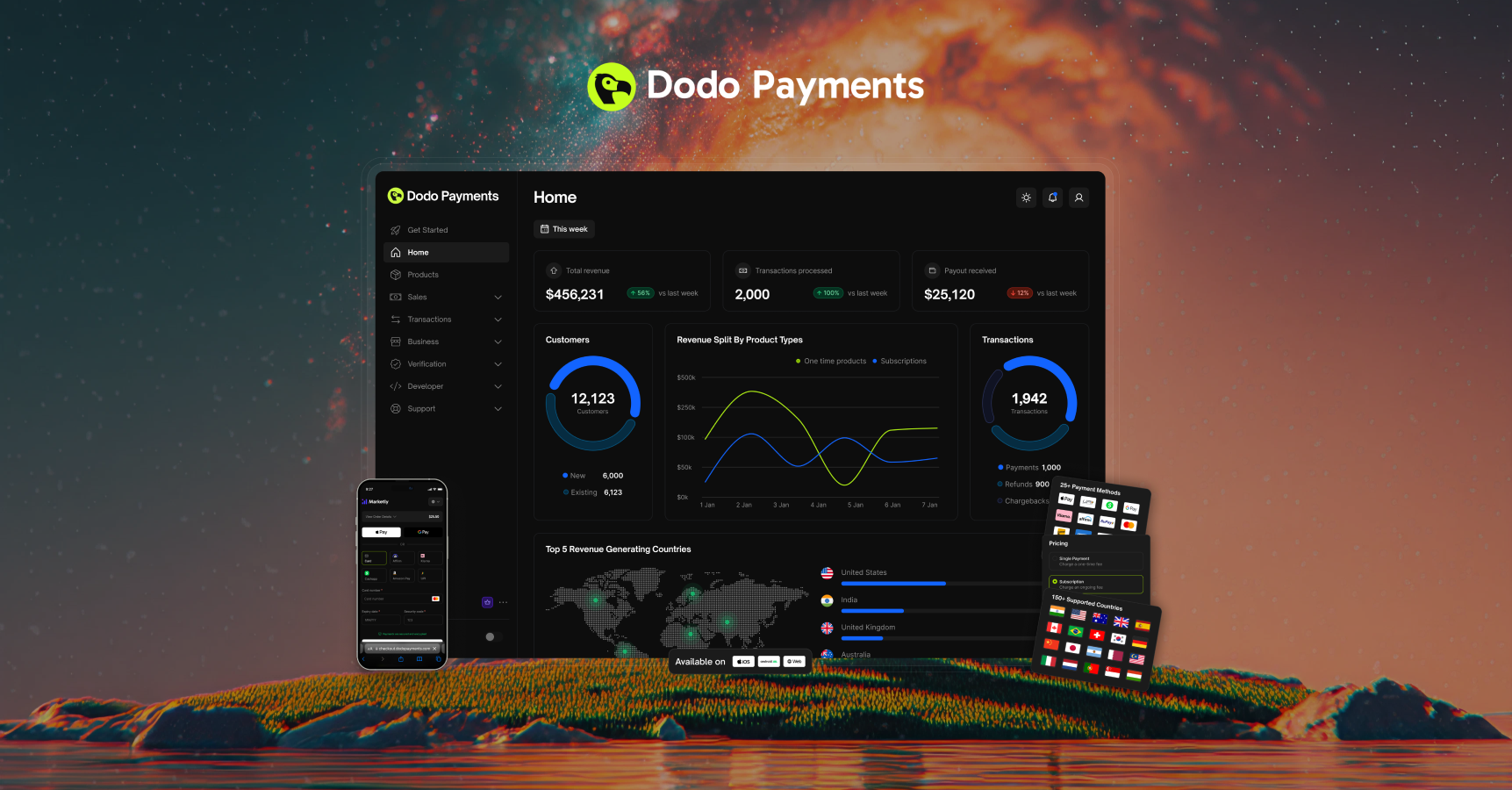 ## What is Dodo Payments?
Dodo Payments is the **all-in-one engine** to launch, scale, and monetize worldwide. Designed for the new generation of digital SaaS and AI products, we handle everything from **payments to billing to distribution** - all without extra engineering.
## What is Dodo Payments?
Dodo Payments is the **all-in-one engine** to launch, scale, and monetize worldwide. Designed for the new generation of digital SaaS and AI products, we handle everything from **payments to billing to distribution** - all without extra engineering.