> ## Documentation Index
> Fetch the complete documentation index at: https://docs.dodopayments.com/llms.txt
> Use this file to discover all available pages before exploring further.
# Windmill
> Trigger Windmill workflows and scripts based on Dodo Payments events for custom automation.
## Introduction
Execute custom workflows and scripts in Windmill when payment events occur. Run database operations, send notifications, process data, and automate complex business logic with Windmill's powerful workflow engine.
This integration requires your Windmill webhook URL from your workflow configuration.
## Getting Started
In your Dodo Payments dashboard, navigate to Webhooks → + Add Endpoint and expand the integrations dropdown.
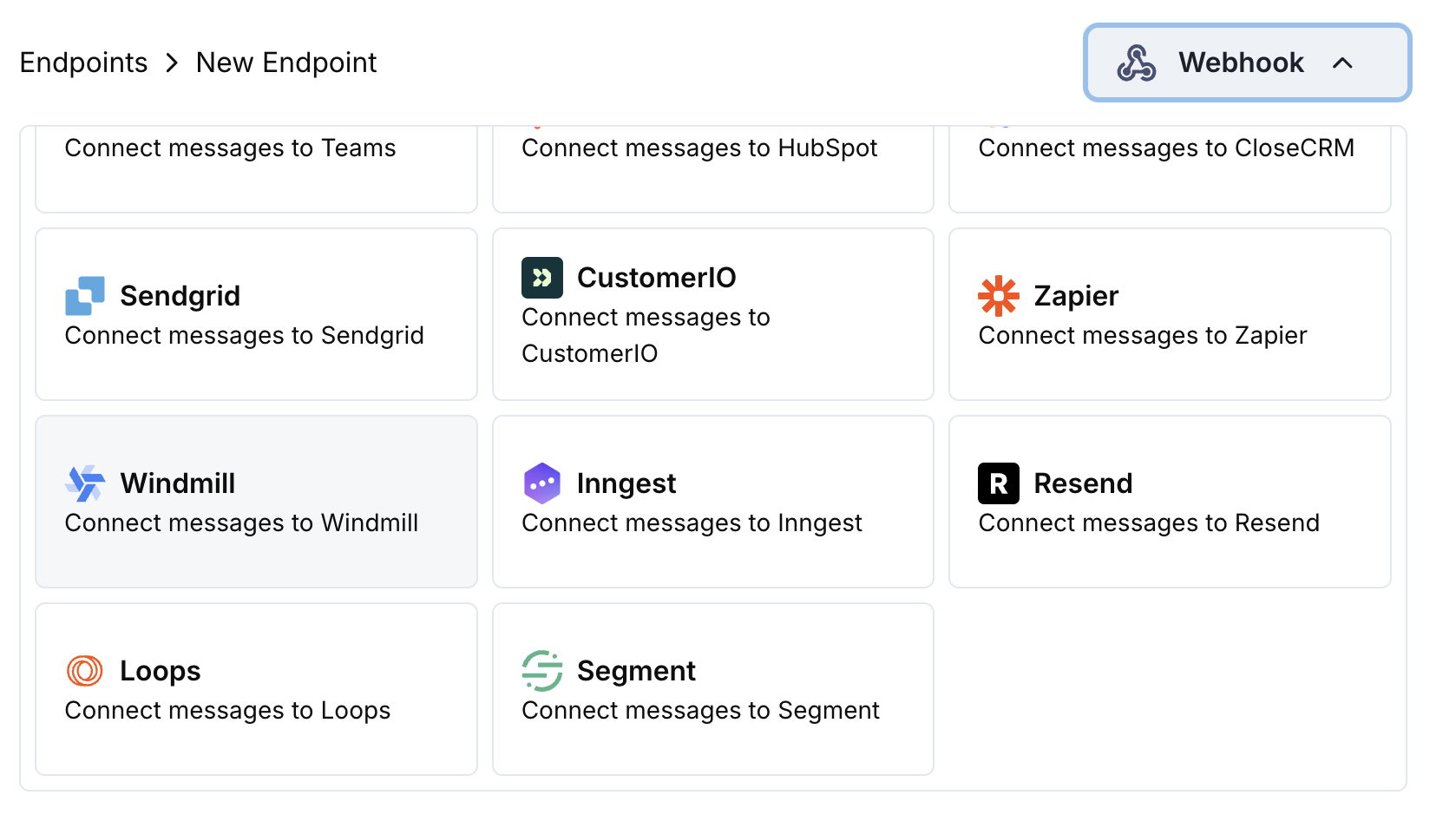 Choose the Windmill integration card.
In Windmill, create a new workflow and copy the webhook URL from the trigger configuration.
Paste the Windmill webhook URL into the endpoint configuration.
Edit the transformation code to format events for your Windmill workflow.
Test with sample payloads and click Create to activate the integration.
🎉 Payment events will now trigger your Windmill workflows automatically.
## Transformation Code Examples
### Basic Workflow Payload
```javascript basic_workflow.js icon="js" expandable theme={null}
function handler(webhook) {
if (webhook.eventType === "payment.succeeded") {
const p = webhook.payload.data;
webhook.payload = {
event_type: webhook.eventType,
payment_id: p.payment_id,
amount: (p.total_amount / 100).toFixed(2),
currency: p.currency || "USD",
customer_email: p.customer.email,
customer_name: p.customer.name,
payment_method: p.payment_method || "unknown",
timestamp: webhook.payload.timestamp,
metadata: {
business_id: p.business_id,
product_id: p.product_id
}
};
}
return webhook;
}
```
### Subscription Workflow Handler
```javascript subscription_workflow.js icon="js" expandable theme={null}
function handler(webhook) {
const s = webhook.payload.data;
switch (webhook.eventType) {
case "subscription.active":
webhook.payload = {
event_type: "subscription_started",
subscription_id: s.subscription_id,
customer_email: s.customer.email,
customer_name: s.customer.name,
product_id: s.product_id,
amount: (s.recurring_pre_tax_amount / 100).toFixed(2),
frequency: s.payment_frequency_interval,
next_billing: s.next_billing_date,
customer_id: s.customer.customer_id,
timestamp: webhook.payload.timestamp
};
break;
case "subscription.cancelled":
webhook.payload = {
event_type: "subscription_cancelled",
subscription_id: s.subscription_id,
customer_email: s.customer.email,
cancelled_at: s.cancelled_at,
cancel_at_next_billing: s.cancel_at_next_billing_date,
customer_id: s.customer.customer_id,
timestamp: webhook.payload.timestamp
};
break;
}
return webhook;
}
```
### Dispute Workflow Handler
```javascript dispute_workflow.js icon="js" expandable theme={null}
function handler(webhook) {
if (webhook.eventType.startsWith("dispute.")) {
const d = webhook.payload.data;
webhook.payload = {
event_type: webhook.eventType,
dispute_id: d.dispute_id,
payment_id: d.payment_id,
amount: (d.amount / 100).toFixed(2),
status: d.dispute_status,
stage: d.dispute_stage,
remarks: d.remarks || "",
urgent: webhook.eventType === "dispute.opened",
business_id: d.business_id,
timestamp: webhook.payload.timestamp
};
}
return webhook;
}
```
## Common Windmill Use Cases
* Update customer records in PostgreSQL/MySQL
* Log payment events to data warehouses
* Sync data to external systems
* Update inventory levels
* Track analytics metrics
* Calculate revenue metrics
* Process refunds and adjustments
* Handle subscription lifecycle
* Generate reports and exports
* Validate payment data
* Send data to analytics platforms
* Update CRM systems
* Trigger email campaigns
* Create calendar events
* Send SMS notifications
## Tips
* Structure payload data for easy workflow processing
* Include all relevant metadata for business logic
* Use consistent field naming across events
* Include timestamps for workflow timing
* Leverage Windmill's built-in error handling
## Troubleshooting
* Verify webhook URL is correct and active
* Check that Windmill workflow is published and active
* Ensure payload structure matches workflow expectations
* Review Windmill execution logs for errors
* Check workflow input parameter mapping
* Verify data types match expected formats
* Test workflow with sample data
* Review Windmill script execution logs
Choose the Windmill integration card.
In Windmill, create a new workflow and copy the webhook URL from the trigger configuration.
Paste the Windmill webhook URL into the endpoint configuration.
Edit the transformation code to format events for your Windmill workflow.
Test with sample payloads and click Create to activate the integration.
🎉 Payment events will now trigger your Windmill workflows automatically.
## Transformation Code Examples
### Basic Workflow Payload
```javascript basic_workflow.js icon="js" expandable theme={null}
function handler(webhook) {
if (webhook.eventType === "payment.succeeded") {
const p = webhook.payload.data;
webhook.payload = {
event_type: webhook.eventType,
payment_id: p.payment_id,
amount: (p.total_amount / 100).toFixed(2),
currency: p.currency || "USD",
customer_email: p.customer.email,
customer_name: p.customer.name,
payment_method: p.payment_method || "unknown",
timestamp: webhook.payload.timestamp,
metadata: {
business_id: p.business_id,
product_id: p.product_id
}
};
}
return webhook;
}
```
### Subscription Workflow Handler
```javascript subscription_workflow.js icon="js" expandable theme={null}
function handler(webhook) {
const s = webhook.payload.data;
switch (webhook.eventType) {
case "subscription.active":
webhook.payload = {
event_type: "subscription_started",
subscription_id: s.subscription_id,
customer_email: s.customer.email,
customer_name: s.customer.name,
product_id: s.product_id,
amount: (s.recurring_pre_tax_amount / 100).toFixed(2),
frequency: s.payment_frequency_interval,
next_billing: s.next_billing_date,
customer_id: s.customer.customer_id,
timestamp: webhook.payload.timestamp
};
break;
case "subscription.cancelled":
webhook.payload = {
event_type: "subscription_cancelled",
subscription_id: s.subscription_id,
customer_email: s.customer.email,
cancelled_at: s.cancelled_at,
cancel_at_next_billing: s.cancel_at_next_billing_date,
customer_id: s.customer.customer_id,
timestamp: webhook.payload.timestamp
};
break;
}
return webhook;
}
```
### Dispute Workflow Handler
```javascript dispute_workflow.js icon="js" expandable theme={null}
function handler(webhook) {
if (webhook.eventType.startsWith("dispute.")) {
const d = webhook.payload.data;
webhook.payload = {
event_type: webhook.eventType,
dispute_id: d.dispute_id,
payment_id: d.payment_id,
amount: (d.amount / 100).toFixed(2),
status: d.dispute_status,
stage: d.dispute_stage,
remarks: d.remarks || "",
urgent: webhook.eventType === "dispute.opened",
business_id: d.business_id,
timestamp: webhook.payload.timestamp
};
}
return webhook;
}
```
## Common Windmill Use Cases
* Update customer records in PostgreSQL/MySQL
* Log payment events to data warehouses
* Sync data to external systems
* Update inventory levels
* Track analytics metrics
* Calculate revenue metrics
* Process refunds and adjustments
* Handle subscription lifecycle
* Generate reports and exports
* Validate payment data
* Send data to analytics platforms
* Update CRM systems
* Trigger email campaigns
* Create calendar events
* Send SMS notifications
## Tips
* Structure payload data for easy workflow processing
* Include all relevant metadata for business logic
* Use consistent field naming across events
* Include timestamps for workflow timing
* Leverage Windmill's built-in error handling
## Troubleshooting
* Verify webhook URL is correct and active
* Check that Windmill workflow is published and active
* Ensure payload structure matches workflow expectations
* Review Windmill execution logs for errors
* Check workflow input parameter mapping
* Verify data types match expected formats
* Test workflow with sample data
* Review Windmill script execution logs