> ## Documentation Index
> Fetch the complete documentation index at: https://docs.dodopayments.com/llms.txt
> Use this file to discover all available pages before exploring further.
# SendGrid
> Send transactional emails based on Dodo Payments events using SendGrid's Mail Send API.
## Introduction
Automatically send transactional emails for payment confirmations, subscription updates, and important notifications using SendGrid. Trigger personalized emails based on payment events with dynamic content and professional templates.
This integration requires a SendGrid API Key with Mail Send permissions.
## Getting Started
In your Dodo Payments dashboard, navigate to Webhooks → + Add Endpoint and expand the integrations dropdown.
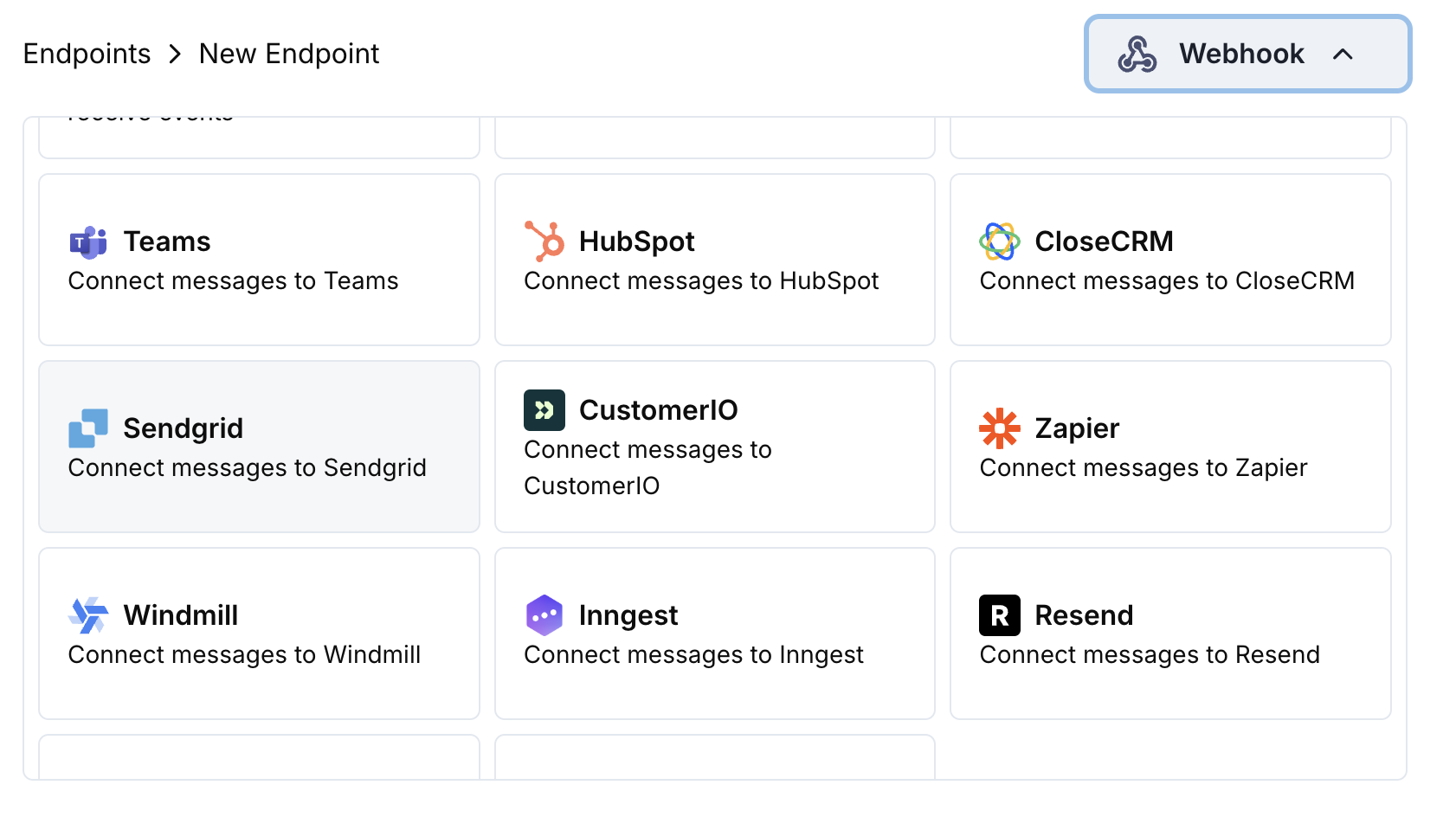 Choose the SendGrid integration card.
Provide your SendGrid API Key in the configuration.
Edit the transformation code to format emails for SendGrid's Mail Send API.
Test with sample payloads and click Create to activate the email sending.
🎉 Payment events will now automatically trigger transactional emails via SendGrid.
## Transformation Code Examples
### Payment Confirmation Email
```javascript payment_confirmation.js icon="js" expandable theme={null}
function handler(webhook) {
if (webhook.eventType === "payment.succeeded") {
const p = webhook.payload.data;
webhook.url = "https://api.sendgrid.com/v3/mail/send";
webhook.payload = {
personalizations: [
{
to: [{ email: p.customer.email }],
dynamic_template_data: {
customer_name: p.customer.name,
payment_amount: (p.total_amount / 100).toFixed(2),
payment_id: p.payment_id,
payment_date: new Date(webhook.payload.timestamp).toLocaleDateString(),
currency: p.currency || "USD"
}
}
],
from: {
email: "payments@yourdomain.com",
name: "Your Company"
},
template_id: "d-xxxxxxxxxxxxxxxxxxxxxxxxxxxxxxxx"
};
}
return webhook;
}
```
### Subscription Welcome Email
```javascript subscription_welcome.js icon="js" expandable theme={null}
function handler(webhook) {
if (webhook.eventType === "subscription.active") {
const s = webhook.payload.data;
webhook.url = "https://api.sendgrid.com/v3/mail/send";
webhook.payload = {
personalizations: [
{
to: [{ email: s.customer.email }],
dynamic_template_data: {
customer_name: s.customer.name,
subscription_id: s.subscription_id,
product_name: s.product_id,
amount: (s.recurring_pre_tax_amount / 100).toFixed(2),
frequency: s.payment_frequency_interval,
next_billing: new Date(s.next_billing_date).toLocaleDateString()
}
}
],
from: {
email: "welcome@yourdomain.com",
name: "Your Company"
},
template_id: "d-xxxxxxxxxxxxxxxxxxxxxxxxxxxxxxxx"
};
}
return webhook;
}
```
### Payment Failure Notification
```javascript payment_failure.js icon="js" expandable theme={null}
function handler(webhook) {
if (webhook.eventType === "payment.failed") {
const p = webhook.payload.data;
webhook.url = "https://api.sendgrid.com/v3/mail/send";
webhook.payload = {
personalizations: [
{
to: [{ email: p.customer.email }],
dynamic_template_data: {
customer_name: p.customer.name,
payment_amount: (p.total_amount / 100).toFixed(2),
error_message: p.error_message || "Payment processing failed",
payment_id: p.payment_id,
retry_link: `https://yourdomain.com/retry-payment/${p.payment_id}`
}
}
],
from: {
email: "support@yourdomain.com",
name: "Your Company Support"
},
template_id: "d-xxxxxxxxxxxxxxxxxxxxxxxxxxxxxxxx"
};
}
return webhook;
}
```
## Tips
* Use SendGrid dynamic templates for personalized content
* Include relevant payment data in template variables
* Set proper from addresses and sender names
* Use template IDs for consistent email formatting
* Include unsubscribe links for compliance
## Troubleshooting
* Verify API Key has Mail Send permissions
* Check that template IDs are valid and active
* Ensure recipient email addresses are valid
* Review SendGrid sending limits and quotas
* Validate JSON structure matches SendGrid API format
* Check that all required fields are present
* Ensure template data variables are properly formatted
* Verify from email addresses are verified in SendGrid
Choose the SendGrid integration card.
Provide your SendGrid API Key in the configuration.
Edit the transformation code to format emails for SendGrid's Mail Send API.
Test with sample payloads and click Create to activate the email sending.
🎉 Payment events will now automatically trigger transactional emails via SendGrid.
## Transformation Code Examples
### Payment Confirmation Email
```javascript payment_confirmation.js icon="js" expandable theme={null}
function handler(webhook) {
if (webhook.eventType === "payment.succeeded") {
const p = webhook.payload.data;
webhook.url = "https://api.sendgrid.com/v3/mail/send";
webhook.payload = {
personalizations: [
{
to: [{ email: p.customer.email }],
dynamic_template_data: {
customer_name: p.customer.name,
payment_amount: (p.total_amount / 100).toFixed(2),
payment_id: p.payment_id,
payment_date: new Date(webhook.payload.timestamp).toLocaleDateString(),
currency: p.currency || "USD"
}
}
],
from: {
email: "payments@yourdomain.com",
name: "Your Company"
},
template_id: "d-xxxxxxxxxxxxxxxxxxxxxxxxxxxxxxxx"
};
}
return webhook;
}
```
### Subscription Welcome Email
```javascript subscription_welcome.js icon="js" expandable theme={null}
function handler(webhook) {
if (webhook.eventType === "subscription.active") {
const s = webhook.payload.data;
webhook.url = "https://api.sendgrid.com/v3/mail/send";
webhook.payload = {
personalizations: [
{
to: [{ email: s.customer.email }],
dynamic_template_data: {
customer_name: s.customer.name,
subscription_id: s.subscription_id,
product_name: s.product_id,
amount: (s.recurring_pre_tax_amount / 100).toFixed(2),
frequency: s.payment_frequency_interval,
next_billing: new Date(s.next_billing_date).toLocaleDateString()
}
}
],
from: {
email: "welcome@yourdomain.com",
name: "Your Company"
},
template_id: "d-xxxxxxxxxxxxxxxxxxxxxxxxxxxxxxxx"
};
}
return webhook;
}
```
### Payment Failure Notification
```javascript payment_failure.js icon="js" expandable theme={null}
function handler(webhook) {
if (webhook.eventType === "payment.failed") {
const p = webhook.payload.data;
webhook.url = "https://api.sendgrid.com/v3/mail/send";
webhook.payload = {
personalizations: [
{
to: [{ email: p.customer.email }],
dynamic_template_data: {
customer_name: p.customer.name,
payment_amount: (p.total_amount / 100).toFixed(2),
error_message: p.error_message || "Payment processing failed",
payment_id: p.payment_id,
retry_link: `https://yourdomain.com/retry-payment/${p.payment_id}`
}
}
],
from: {
email: "support@yourdomain.com",
name: "Your Company Support"
},
template_id: "d-xxxxxxxxxxxxxxxxxxxxxxxxxxxxxxxx"
};
}
return webhook;
}
```
## Tips
* Use SendGrid dynamic templates for personalized content
* Include relevant payment data in template variables
* Set proper from addresses and sender names
* Use template IDs for consistent email formatting
* Include unsubscribe links for compliance
## Troubleshooting
* Verify API Key has Mail Send permissions
* Check that template IDs are valid and active
* Ensure recipient email addresses are valid
* Review SendGrid sending limits and quotas
* Validate JSON structure matches SendGrid API format
* Check that all required fields are present
* Ensure template data variables are properly formatted
* Verify from email addresses are verified in SendGrid