> ## Documentation Index
> Fetch the complete documentation index at: https://docs.dodopayments.com/llms.txt
> Use this file to discover all available pages before exploring further.
# Resend
> Send transactional emails through Resend based on Dodo Payments events with high deliverability.
## Introduction
Send professional transactional emails automatically when payment events occur. Deliver payment confirmations, subscription updates, and important notifications with Resend's reliable email infrastructure and excellent deliverability rates.
This integration requires your Resend API Key for authentication.
## Getting Started
In your Dodo Payments dashboard, navigate to Webhooks → + Add Endpoint and expand the integrations dropdown.
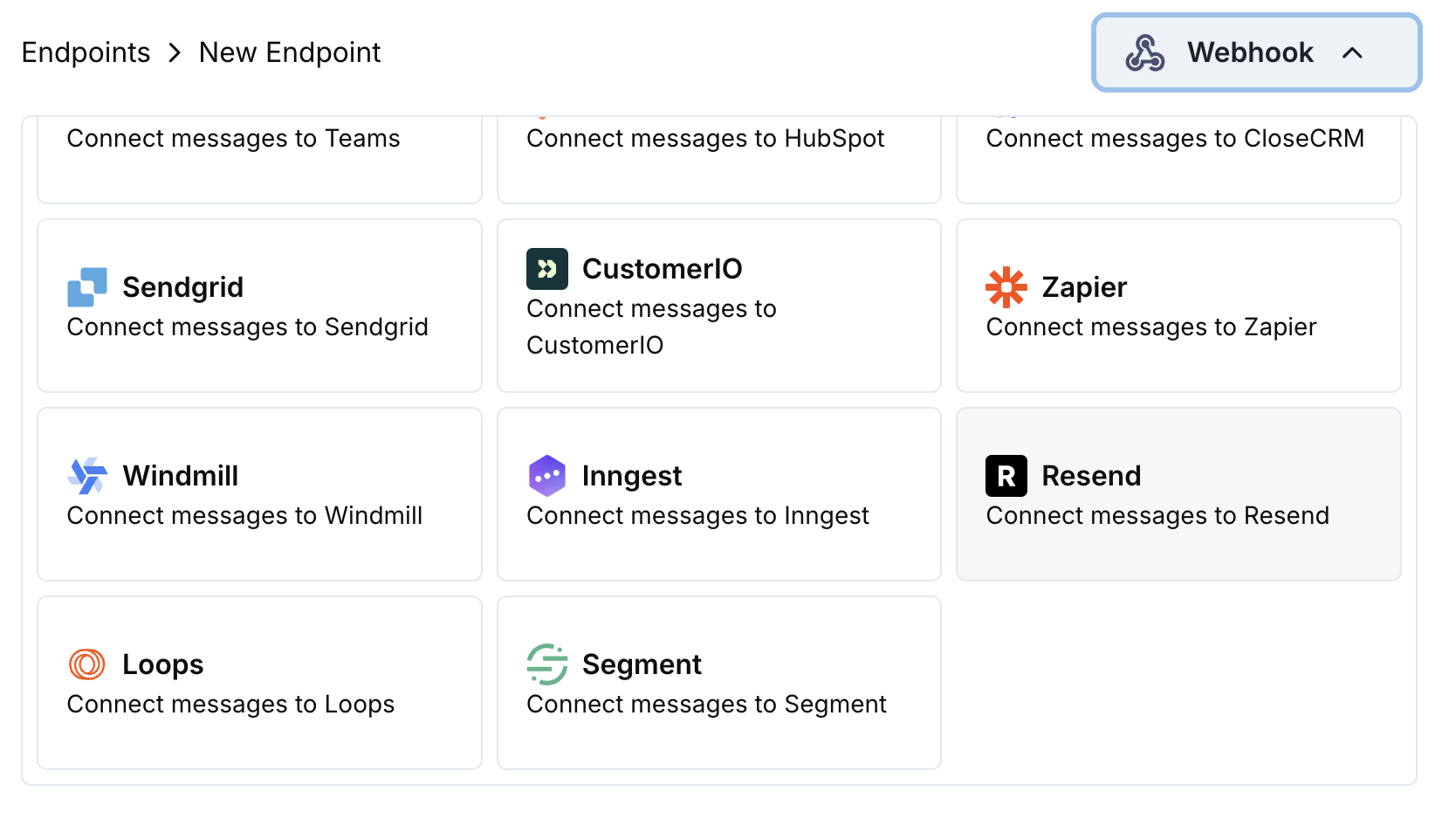 Choose the Resend integration card.
Provide your Resend API Key in the configuration.
Edit the transformation code to format emails for Resend's API.
Test with sample payloads and click Create to activate the email sending.
🎉 Payment events will now automatically trigger transactional emails via Resend.
## Transformation Code Examples
### Payment Confirmation Email
```javascript payment_confirmation.js icon="js" expandable theme={null}
function handler(webhook) {
if (webhook.eventType === "payment.succeeded") {
const p = webhook.payload.data;
webhook.url = "https://api.resend.com/emails";
webhook.payload = {
from: "payments@yourdomain.com",
to: [p.customer.email],
subject: "Payment Confirmation - $" + (p.total_amount / 100).toFixed(2),
html: `
Choose the Resend integration card.
Provide your Resend API Key in the configuration.
Edit the transformation code to format emails for Resend's API.
Test with sample payloads and click Create to activate the email sending.
🎉 Payment events will now automatically trigger transactional emails via Resend.
## Transformation Code Examples
### Payment Confirmation Email
```javascript payment_confirmation.js icon="js" expandable theme={null}
function handler(webhook) {
if (webhook.eventType === "payment.succeeded") {
const p = webhook.payload.data;
webhook.url = "https://api.resend.com/emails";
webhook.payload = {
from: "payments@yourdomain.com",
to: [p.customer.email],
subject: "Payment Confirmation - $" + (p.total_amount / 100).toFixed(2),
html: `
Payment Successful!
Hi ${p.customer.name},
Your payment of $${(p.total_amount / 100).toFixed(2)} has been processed successfully.
- Payment ID: ${p.payment_id}
- Amount: $${(p.total_amount / 100).toFixed(2)}
- Date: ${new Date(webhook.payload.timestamp).toLocaleDateString()}
- Method: ${p.payment_method || "Unknown"}
Thank you for your business!
`,
text: `Payment Successful! Your payment of $${(p.total_amount / 100).toFixed(2)} has been processed. Payment ID: ${p.payment_id}`
};
}
return webhook;
}
```
### Subscription Welcome Email
```javascript subscription_welcome.js icon="js" expandable theme={null}
function handler(webhook) {
if (webhook.eventType === "subscription.active") {
const s = webhook.payload.data;
webhook.url = "https://api.resend.com/emails";
webhook.payload = {
from: "welcome@yourdomain.com",
to: [s.customer.email],
subject: "Welcome to Your Subscription!",
html: `
Welcome to Your Subscription!
Hi ${s.customer.name},
Your subscription has been activated successfully.
- Subscription ID: ${s.subscription_id}
- Product: ${s.product_id}
- Amount: $${(s.recurring_pre_tax_amount / 100).toFixed(2)}/${s.payment_frequency_interval}
- Next Billing: ${new Date(s.next_billing_date).toLocaleDateString()}
You can manage your subscription anytime from your account dashboard.
`,
text: `Welcome! Your subscription is now active. Amount: $${(s.recurring_pre_tax_amount / 100).toFixed(2)}/${s.payment_frequency_interval}`
};
}
return webhook;
}
```
### Payment Failure Notification
```javascript payment_failure.js icon="js" expandable theme={null}
function handler(webhook) {
if (webhook.eventType === "payment.failed") {
const p = webhook.payload.data;
webhook.url = "https://api.resend.com/emails";
webhook.payload = {
from: "support@yourdomain.com",
to: [p.customer.email],
subject: "Payment Failed - Action Required",
html: `
Payment Failed
Hi ${p.customer.name},
We were unable to process your payment of $${(p.total_amount / 100).toFixed(2)}.
- Payment ID: ${p.payment_id}
- Amount: $${(p.total_amount / 100).toFixed(2)}
- Error: ${p.error_message || "Payment processing failed"}
Please update your payment method or contact support for assistance.
Update Payment Method
`,
text: `Payment Failed: We couldn't process your $${(p.total_amount / 100).toFixed(2)} payment. Please update your payment method.`
};
}
return webhook;
}
```
## Tips
* Use verified sender domains for better deliverability
* Include both HTML and text versions of emails
* Personalize content with customer data
* Use clear, action-oriented subject lines
* Include unsubscribe links for compliance
* Test email templates before going live
## Troubleshooting
* Verify API Key is correct and active
* Check that sender domain is verified in Resend
* Ensure recipient email addresses are valid
* Review Resend sending limits and quotas
* Validate JSON structure matches Resend API format
* Check that all required fields are present
* Ensure HTML content is properly formatted
* Verify from email address is verified