> ## Documentation Index
> Fetch the complete documentation index at: https://docs.dodopayments.com/llms.txt
> Use this file to discover all available pages before exploring further.
# Discord
> Send real-time Dodo Payments notifications to your Discord channels.
## Introduction
Keep your team informed where they already collaborate. The Discord integration delivers payment, subscription, dispute, and other important events directly to any channel you choose—no polling or dashboards required.
This guide assumes you have access to the Integrations section of the Dodo Payments dashboard.
## Getting Started
In your Dodo Payments dashboard, open Webhooks → + Add Endpoint and expand the dropdown to reveal integrations.
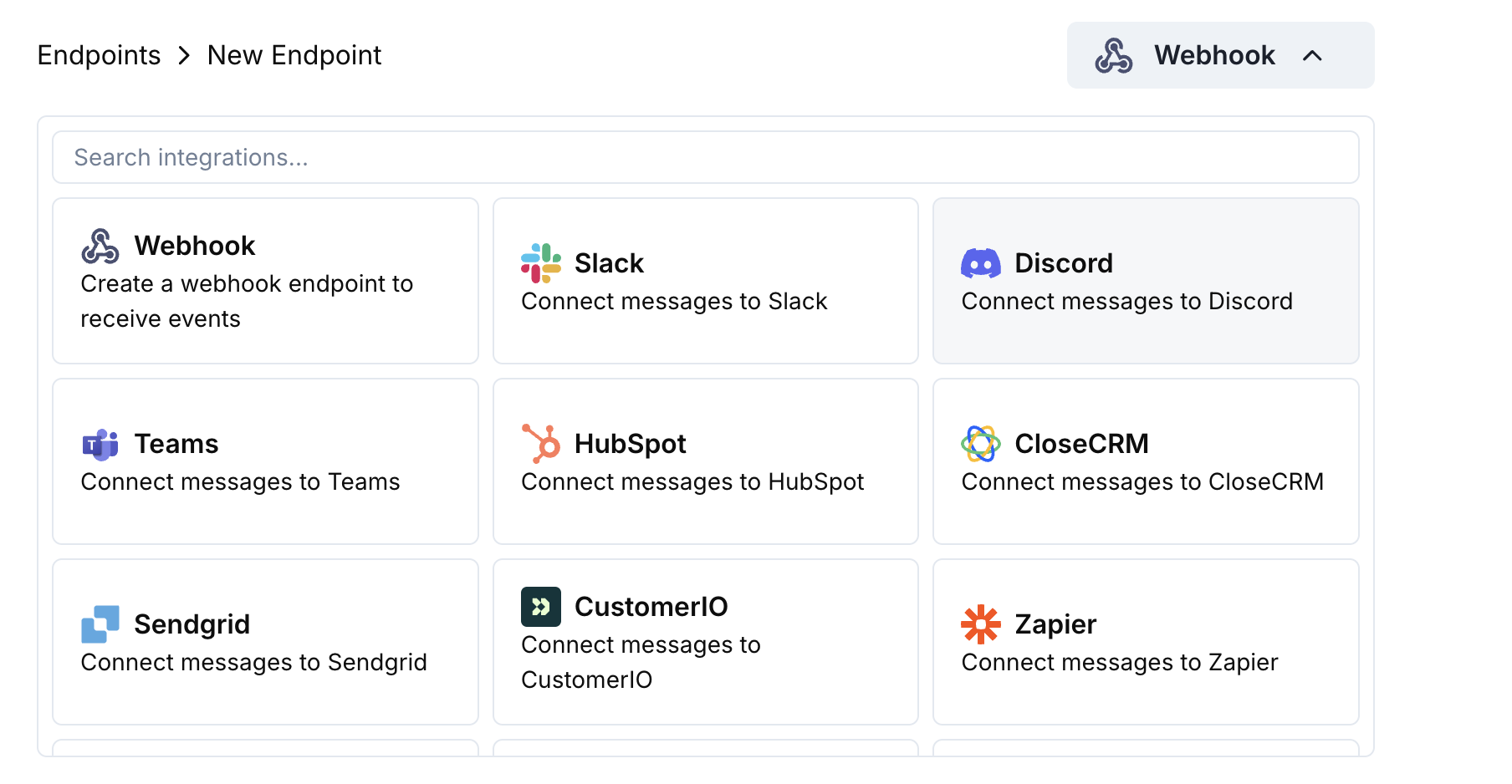 Choose the Discord card then click Connect your Discord workspace.
Grant the requested permissions so the bot can post messages in your selected channel.
Tailor the payload → embed mapping to your needs—or start with the templates below.
Use sample payloads to preview the embed, then hit Create.
🎉 Your Discord channel will now receive live Dodo Payments updates.
## Transformation Code Examples
### Minimal Payment Embed
```javascript payment_embed.js icon="js" expandable theme={null}
function handler(webhook) {
if (webhook.eventType === "payment.succeeded") {
const p = webhook.payload.data;
webhook.payload = {
embeds: [{
title: "✅ Payment Successful",
description: `**Amount:** $${(p.total_amount / 100).toFixed(2)}\n**Customer:** ${p.customer.email}`,
color: 0x2ecc71 // green
}]
};
}
return webhook;
}
```
### Subscription Events
```javascript subscription_embed.js icon="js" expandable theme={null}
function handler(webhook) {
const s = webhook.payload.data;
switch (webhook.eventType) {
case "subscription.active":
webhook.payload = {
embeds: [{
title: "📄 Subscription Activated",
fields: [
{ name: "Customer", value: s.customer.email, inline: true },
{ name: "Product", value: s.product_id, inline: true },
{ name: "Next Billing", value: new Date(s.next_billing_date).toLocaleDateString(), inline: true }
],
color: 0x2ecc71
}]
};
break;
case "subscription.cancelled":
webhook.payload = {
embeds: [{
title: "⚠️ Subscription Cancelled",
fields: [
{ name: "Customer", value: s.customer.email, inline: true },
{ name: "Product", value: s.product_id, inline: true }
],
color: 0xf1c40f
}]
};
break;
}
return webhook;
}
```
### Dispute Alerts
```javascript dispute_embed.js icon="js" expandable theme={null}
function handler(webhook) {
if (webhook.eventType.startsWith("dispute.")) {
const d = webhook.payload.data;
webhook.payload = {
embeds: [{
title: d.dispute_status === "won" ? "🏆 Dispute Won" : d.dispute_status === "lost" ? "❌ Dispute Lost" : "🚨 Dispute Update",
fields: [
{ name: "Payment ID", value: d.payment_id, inline: true },
{ name: "Amount", value: `$${(d.amount / 100).toFixed(2)}`, inline: true },
{ name: "Status", value: d.dispute_status, inline: true }
],
color: d.dispute_status === "won" ? 0x2ecc71 : d.dispute_status === "lost" ? 0xe74c3c : 0xe67e22
}]
};
}
return webhook;
}
```
## Tips
* Prefer embeds for rich formatting and colors.
* Keep titles short; put details in fields.
* Use intuitive colors: green (success), red (failure), orange (warnings).
## Troubleshooting
* Confirm the bot has access to the channel.
* Check that the transformation returns a JSON object with `embeds`.
* Validate your code in the editor – syntax errors will block delivery.
* Ensure field names match the webhook payload structure.
Choose the Discord card then click Connect your Discord workspace.
Grant the requested permissions so the bot can post messages in your selected channel.
Tailor the payload → embed mapping to your needs—or start with the templates below.
Use sample payloads to preview the embed, then hit Create.
🎉 Your Discord channel will now receive live Dodo Payments updates.
## Transformation Code Examples
### Minimal Payment Embed
```javascript payment_embed.js icon="js" expandable theme={null}
function handler(webhook) {
if (webhook.eventType === "payment.succeeded") {
const p = webhook.payload.data;
webhook.payload = {
embeds: [{
title: "✅ Payment Successful",
description: `**Amount:** $${(p.total_amount / 100).toFixed(2)}\n**Customer:** ${p.customer.email}`,
color: 0x2ecc71 // green
}]
};
}
return webhook;
}
```
### Subscription Events
```javascript subscription_embed.js icon="js" expandable theme={null}
function handler(webhook) {
const s = webhook.payload.data;
switch (webhook.eventType) {
case "subscription.active":
webhook.payload = {
embeds: [{
title: "📄 Subscription Activated",
fields: [
{ name: "Customer", value: s.customer.email, inline: true },
{ name: "Product", value: s.product_id, inline: true },
{ name: "Next Billing", value: new Date(s.next_billing_date).toLocaleDateString(), inline: true }
],
color: 0x2ecc71
}]
};
break;
case "subscription.cancelled":
webhook.payload = {
embeds: [{
title: "⚠️ Subscription Cancelled",
fields: [
{ name: "Customer", value: s.customer.email, inline: true },
{ name: "Product", value: s.product_id, inline: true }
],
color: 0xf1c40f
}]
};
break;
}
return webhook;
}
```
### Dispute Alerts
```javascript dispute_embed.js icon="js" expandable theme={null}
function handler(webhook) {
if (webhook.eventType.startsWith("dispute.")) {
const d = webhook.payload.data;
webhook.payload = {
embeds: [{
title: d.dispute_status === "won" ? "🏆 Dispute Won" : d.dispute_status === "lost" ? "❌ Dispute Lost" : "🚨 Dispute Update",
fields: [
{ name: "Payment ID", value: d.payment_id, inline: true },
{ name: "Amount", value: `$${(d.amount / 100).toFixed(2)}`, inline: true },
{ name: "Status", value: d.dispute_status, inline: true }
],
color: d.dispute_status === "won" ? 0x2ecc71 : d.dispute_status === "lost" ? 0xe74c3c : 0xe67e22
}]
};
}
return webhook;
}
```
## Tips
* Prefer embeds for rich formatting and colors.
* Keep titles short; put details in fields.
* Use intuitive colors: green (success), red (failure), orange (warnings).
## Troubleshooting
* Confirm the bot has access to the channel.
* Check that the transformation returns a JSON object with `embeds`.
* Validate your code in the editor – syntax errors will block delivery.
* Ensure field names match the webhook payload structure.