> ## Documentation Index
> Fetch the complete documentation index at: https://docs.dodopayments.com/llms.txt
> Use this file to discover all available pages before exploring further.
# Segment
> Kirim peristiwa Dodo Payments ke Segment untuk analitik dan integrasi platform data pelanggan.
## Pendahuluan
Lacak peristiwa pembayaran di Segment untuk mendukung analitik, otomatisasi pemasaran, dan platform data pelanggan Anda. Kirim peristiwa pembayaran, langganan, dan siklus hidup pelanggan secara otomatis ke lebih dari 300 alat downstream.
Integrasi ini memerlukan Segment Write Key dari workspace Segment Anda.
## Memulai
Di dasbor Dodo Payments Anda, navigasikan ke Webhooks → + Add Endpoint dan perluas dropdown integrasi.
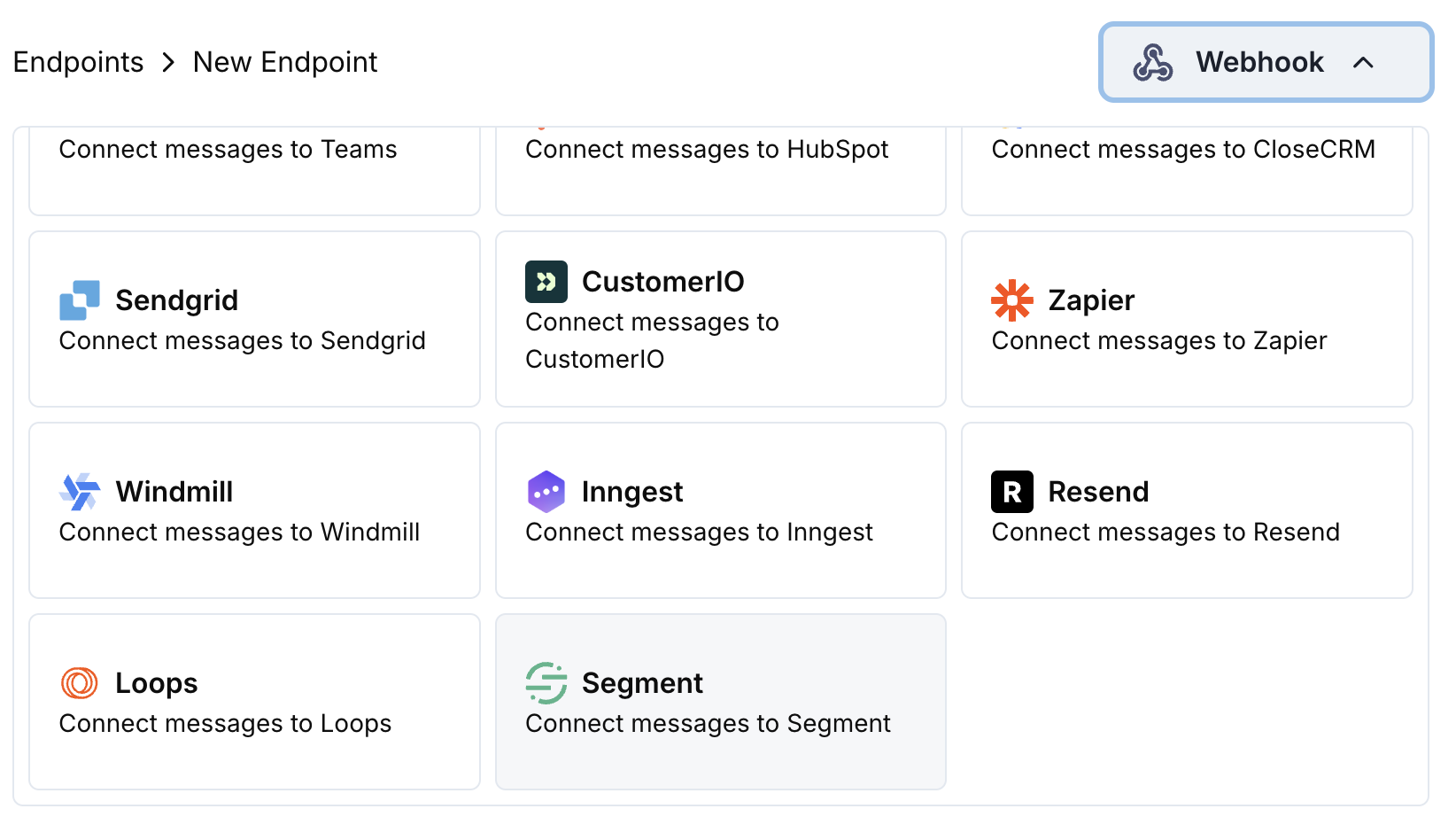 Pilih kartu integrasi Segment.
Masukkan Segment Write Key Anda pada konfigurasi.
Sunting kode transformasi untuk memformat event agar sesuai dengan Track API Segment.
Uji dengan payload contoh dan klik Create untuk mengaktifkan sinkronisasi.
🎉 Event pembayaran sekarang akan dilacak di Segment dan dikirim ke alat terkait Anda.
## Contoh Kode Transformasi
### Lacak Peristiwa Pembayaran
```javascript track_payments.js icon="js" expandable theme={null}
function handler(webhook) {
if (webhook.eventType === "payment.succeeded") {
const p = webhook.payload.data;
webhook.url = "https://api.segment.io/v1/track";
webhook.payload = {
userId: p.customer.customer_id,
event: "Payment Completed",
properties: {
amount: (p.total_amount / 100).toFixed(2),
currency: p.currency || "USD",
payment_method: p.payment_method || "unknown",
payment_id: p.payment_id,
customer_email: p.customer.email,
customer_name: p.customer.name
},
timestamp: webhook.payload.timestamp
};
}
return webhook;
}
```
### Lacak Siklus Hidup Langganan
```javascript track_subscriptions.js icon="js" expandable theme={null}
function handler(webhook) {
const s = webhook.payload.data;
switch (webhook.eventType) {
case "subscription.active":
webhook.url = "https://api.segment.io/v1/track";
webhook.payload = {
userId: s.customer.customer_id,
event: "Subscription Started",
properties: {
subscription_id: s.subscription_id,
product_id: s.product_id,
amount: (s.recurring_pre_tax_amount / 100).toFixed(2),
frequency: s.payment_frequency_interval,
next_billing: s.next_billing_date,
customer_email: s.customer.email
},
timestamp: webhook.payload.timestamp
};
break;
case "subscription.cancelled":
webhook.url = "https://api.segment.io/v1/track";
webhook.payload = {
userId: s.customer.customer_id,
event: "Subscription Cancelled",
properties: {
subscription_id: s.subscription_id,
product_id: s.product_id,
cancelled_at: s.cancelled_at,
cancel_at_next_billing: s.cancel_at_next_billing_date,
customer_email: s.customer.email
},
timestamp: webhook.payload.timestamp
};
break;
}
return webhook;
}
```
### Identifikasi Properti Pelanggan
```javascript identify_customer.js icon="js" expandable theme={null}
function handler(webhook) {
if (webhook.eventType === "payment.succeeded") {
const p = webhook.payload.data;
webhook.url = "https://api.segment.io/v1/identify";
webhook.payload = {
userId: p.customer.customer_id,
traits: {
email: p.customer.email,
name: p.customer.name,
total_spent: (p.total_amount / 100).toFixed(2),
payment_method: p.payment_method || "unknown",
last_payment_date: webhook.payload.timestamp,
customer_since: webhook.payload.timestamp
}
};
}
return webhook;
}
```
## Tips
* Gunakan nama peristiwa yang konsisten di seluruh integrasi Anda
* Sertakan properti yang relevan untuk analitik dan segmentasi
* Atur timestamp yang tepat untuk pelacakan peristiwa yang akurat
* Gunakan ID pelanggan sebagai userId untuk identifikasi pengguna yang tepat
## Pemecahan Masalah
* Verifikasi bahwa Write Key sudah benar dan aktif
* Periksa bahwa nama event mengikuti konvensi penamaan Segment
* Pastikan userId disetel dengan benar untuk identifikasi pengguna
* Tinjau batasan rate API Segment
* Validasi struktur JSON agar sesuai format API Segment
* Periksa bahwa semua field wajib telah ada
* Pastikan nama event berupa string, bukan objek
Pilih kartu integrasi Segment.
Masukkan Segment Write Key Anda pada konfigurasi.
Sunting kode transformasi untuk memformat event agar sesuai dengan Track API Segment.
Uji dengan payload contoh dan klik Create untuk mengaktifkan sinkronisasi.
🎉 Event pembayaran sekarang akan dilacak di Segment dan dikirim ke alat terkait Anda.
## Contoh Kode Transformasi
### Lacak Peristiwa Pembayaran
```javascript track_payments.js icon="js" expandable theme={null}
function handler(webhook) {
if (webhook.eventType === "payment.succeeded") {
const p = webhook.payload.data;
webhook.url = "https://api.segment.io/v1/track";
webhook.payload = {
userId: p.customer.customer_id,
event: "Payment Completed",
properties: {
amount: (p.total_amount / 100).toFixed(2),
currency: p.currency || "USD",
payment_method: p.payment_method || "unknown",
payment_id: p.payment_id,
customer_email: p.customer.email,
customer_name: p.customer.name
},
timestamp: webhook.payload.timestamp
};
}
return webhook;
}
```
### Lacak Siklus Hidup Langganan
```javascript track_subscriptions.js icon="js" expandable theme={null}
function handler(webhook) {
const s = webhook.payload.data;
switch (webhook.eventType) {
case "subscription.active":
webhook.url = "https://api.segment.io/v1/track";
webhook.payload = {
userId: s.customer.customer_id,
event: "Subscription Started",
properties: {
subscription_id: s.subscription_id,
product_id: s.product_id,
amount: (s.recurring_pre_tax_amount / 100).toFixed(2),
frequency: s.payment_frequency_interval,
next_billing: s.next_billing_date,
customer_email: s.customer.email
},
timestamp: webhook.payload.timestamp
};
break;
case "subscription.cancelled":
webhook.url = "https://api.segment.io/v1/track";
webhook.payload = {
userId: s.customer.customer_id,
event: "Subscription Cancelled",
properties: {
subscription_id: s.subscription_id,
product_id: s.product_id,
cancelled_at: s.cancelled_at,
cancel_at_next_billing: s.cancel_at_next_billing_date,
customer_email: s.customer.email
},
timestamp: webhook.payload.timestamp
};
break;
}
return webhook;
}
```
### Identifikasi Properti Pelanggan
```javascript identify_customer.js icon="js" expandable theme={null}
function handler(webhook) {
if (webhook.eventType === "payment.succeeded") {
const p = webhook.payload.data;
webhook.url = "https://api.segment.io/v1/identify";
webhook.payload = {
userId: p.customer.customer_id,
traits: {
email: p.customer.email,
name: p.customer.name,
total_spent: (p.total_amount / 100).toFixed(2),
payment_method: p.payment_method || "unknown",
last_payment_date: webhook.payload.timestamp,
customer_since: webhook.payload.timestamp
}
};
}
return webhook;
}
```
## Tips
* Gunakan nama peristiwa yang konsisten di seluruh integrasi Anda
* Sertakan properti yang relevan untuk analitik dan segmentasi
* Atur timestamp yang tepat untuk pelacakan peristiwa yang akurat
* Gunakan ID pelanggan sebagai userId untuk identifikasi pengguna yang tepat
## Pemecahan Masalah
* Verifikasi bahwa Write Key sudah benar dan aktif
* Periksa bahwa nama event mengikuti konvensi penamaan Segment
* Pastikan userId disetel dengan benar untuk identifikasi pengguna
* Tinjau batasan rate API Segment
* Validasi struktur JSON agar sesuai format API Segment
* Periksa bahwa semua field wajib telah ada
* Pastikan nama event berupa string, bukan objek