> ## Documentation Index
> Fetch the complete documentation index at: https://docs.dodopayments.com/llms.txt
> Use this file to discover all available pages before exploring further.
# HubSpot
> Secara otomatis membuat dan memperbarui kontak, perusahaan, dan kesepakatan di HubSpot dari peristiwa Dodo Payments.
## Pendahuluan
Sinkronkan data pembayaran Anda langsung ke HubSpot CRM. Buat kontak dari pembayaran yang berhasil, lacak siklus hidup langganan, dan bangun profil pelanggan yang komprehensif—semuanya dipicu secara otomatis oleh peristiwa Dodo Payments.
Integrasi ini memerlukan akses admin HubSpot untuk mengonfigurasi cakupan OAuth dan izin API.
## Memulai
Di dasbor Dodo Payments Anda, pergi ke Webhooks → + Tambah Endpoint dan perluas dropdown integrasi.
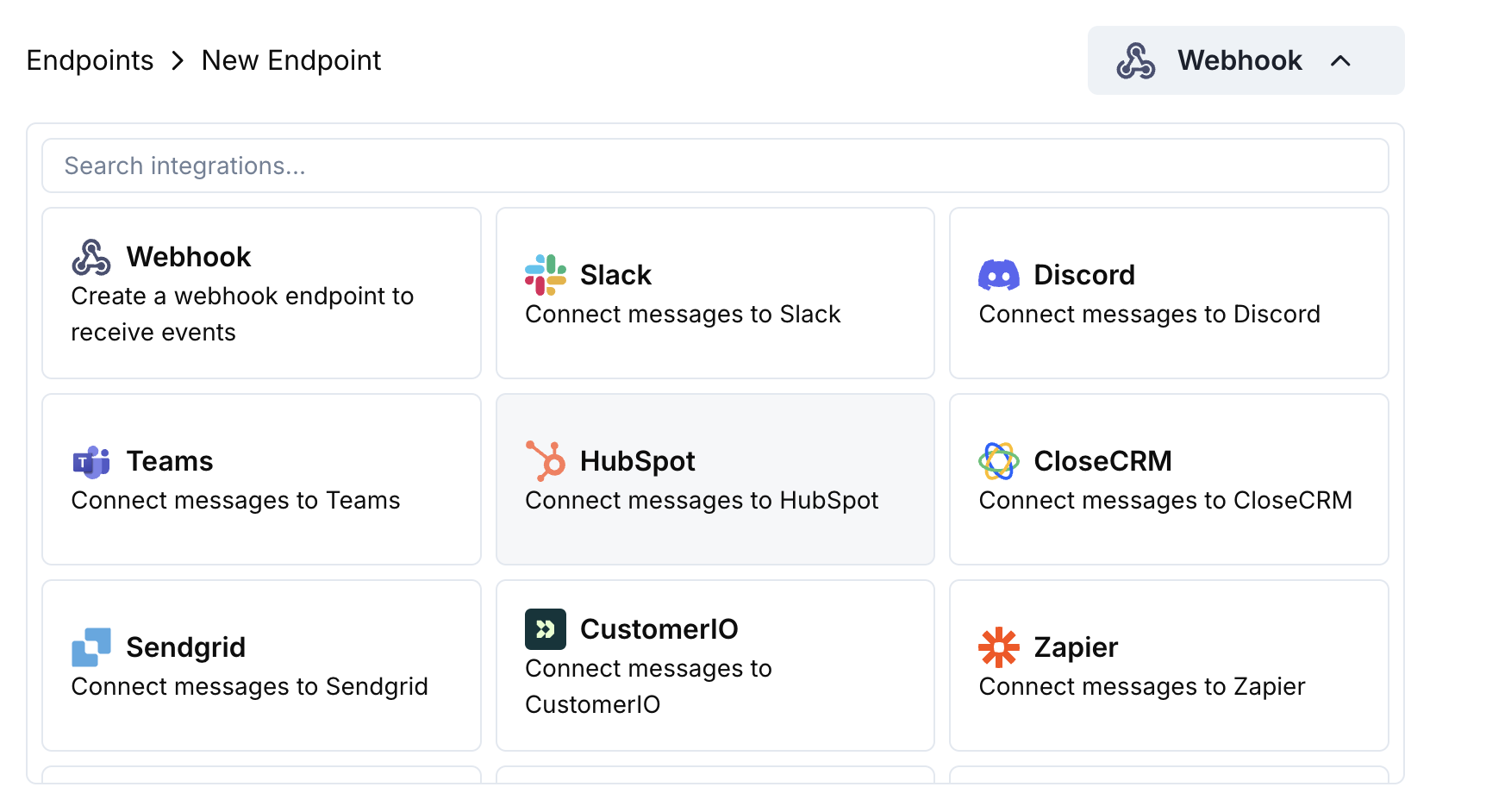 Pilih kartu integrasi HubSpot.
Klik Connect to HubSpot dan otorisasi cakupan OAuth yang diperlukan.
Edit kode transformasi untuk memetakan data pembayaran ke objek CRM HubSpot.
Uji dengan payload sampel dan klik Create untuk mengaktifkan sinkronisasi.
🎉 Event pembayaran sekarang akan secara otomatis membuat/memperbarui catatan di CRM HubSpot Anda.
## Contoh Kode Transformasi
### Buat Kontak dari Pembayaran
```javascript create_contact.js icon="js" expandable theme={null}
function handler(webhook) {
if (webhook.eventType === "payment.succeeded") {
const p = webhook.payload.data;
webhook.url = "https://api.hubapi.com/crm/v3/objects/contacts";
webhook.payload = {
properties: {
email: p.customer.email,
firstname: p.customer.name.split(' ')[0] || '',
lastname: p.customer.name.split(' ').slice(1).join(' ') || '',
phone: p.customer.phone || '',
company: p.customer.company || '',
amount: (p.total_amount / 100).toString(),
payment_method: p.payment_method || '',
currency: p.currency || 'USD'
}
};
}
return webhook;
}
```
### Perbarui Kontak dengan Langganan
```javascript update_contact.js icon="js" expandable theme={null}
function handler(webhook) {
if (webhook.eventType === "subscription.active") {
const s = webhook.payload.data;
webhook.url = `https://api.hubapi.com/crm/v3/objects/contacts/${s.customer.customer_id}`;
webhook.method = "PATCH";
webhook.payload = {
properties: {
subscription_status: "active",
subscription_amount: (s.recurring_pre_tax_amount / 100).toString(),
subscription_frequency: s.payment_frequency_interval,
next_billing_date: s.next_billing_date,
product_id: s.product_id
}
};
}
return webhook;
}
```
### Buat Kesepakatan dari Pembayaran
```javascript create_deal.js icon="js" expandable theme={null}
function handler(webhook) {
if (webhook.eventType === "payment.succeeded") {
const p = webhook.payload.data;
webhook.url = "https://api.hubapi.com/crm/v3/objects/deals";
webhook.payload = {
properties: {
dealname: `Payment - ${p.customer.email}`,
amount: (p.total_amount / 100).toString(),
dealstage: "closedwon",
closedate: new Date().toISOString(),
hs_currency: p.currency || "USD"
},
associations: [
{
to: {
id: p.customer.customer_id
},
types: [
{
associationCategory: "HUBSPOT_DEFINED",
associationTypeId: 3
}
]
}
]
};
}
return webhook;
}
```
## Tips
* Gunakan penjelajah API HubSpot untuk menguji pembuatan objek
* Pemetaan jumlah pembayaran ke bidang mata uang HubSpot
* Sertakan ID pelanggan untuk asosiasi yang tepat
* Atur tahap kesepakatan yang sesuai berdasarkan status pembayaran
## Pemecahan Masalah
* Verifikasi cakupan OAuth mencakup izin tulis
* Periksa bahwa properti HubSpot yang diperlukan ada
* Pastikan email pelanggan valid dan unik
* Tinjau batas laju API HubSpot
* Validasi struktur JSON sesuai format API HubSpot
* Periksa bahwa semua properti yang diperlukan disertakan
* Pastikan nama properti cocok persis dengan nama bidang HubSpot
Pilih kartu integrasi HubSpot.
Klik Connect to HubSpot dan otorisasi cakupan OAuth yang diperlukan.
Edit kode transformasi untuk memetakan data pembayaran ke objek CRM HubSpot.
Uji dengan payload sampel dan klik Create untuk mengaktifkan sinkronisasi.
🎉 Event pembayaran sekarang akan secara otomatis membuat/memperbarui catatan di CRM HubSpot Anda.
## Contoh Kode Transformasi
### Buat Kontak dari Pembayaran
```javascript create_contact.js icon="js" expandable theme={null}
function handler(webhook) {
if (webhook.eventType === "payment.succeeded") {
const p = webhook.payload.data;
webhook.url = "https://api.hubapi.com/crm/v3/objects/contacts";
webhook.payload = {
properties: {
email: p.customer.email,
firstname: p.customer.name.split(' ')[0] || '',
lastname: p.customer.name.split(' ').slice(1).join(' ') || '',
phone: p.customer.phone || '',
company: p.customer.company || '',
amount: (p.total_amount / 100).toString(),
payment_method: p.payment_method || '',
currency: p.currency || 'USD'
}
};
}
return webhook;
}
```
### Perbarui Kontak dengan Langganan
```javascript update_contact.js icon="js" expandable theme={null}
function handler(webhook) {
if (webhook.eventType === "subscription.active") {
const s = webhook.payload.data;
webhook.url = `https://api.hubapi.com/crm/v3/objects/contacts/${s.customer.customer_id}`;
webhook.method = "PATCH";
webhook.payload = {
properties: {
subscription_status: "active",
subscription_amount: (s.recurring_pre_tax_amount / 100).toString(),
subscription_frequency: s.payment_frequency_interval,
next_billing_date: s.next_billing_date,
product_id: s.product_id
}
};
}
return webhook;
}
```
### Buat Kesepakatan dari Pembayaran
```javascript create_deal.js icon="js" expandable theme={null}
function handler(webhook) {
if (webhook.eventType === "payment.succeeded") {
const p = webhook.payload.data;
webhook.url = "https://api.hubapi.com/crm/v3/objects/deals";
webhook.payload = {
properties: {
dealname: `Payment - ${p.customer.email}`,
amount: (p.total_amount / 100).toString(),
dealstage: "closedwon",
closedate: new Date().toISOString(),
hs_currency: p.currency || "USD"
},
associations: [
{
to: {
id: p.customer.customer_id
},
types: [
{
associationCategory: "HUBSPOT_DEFINED",
associationTypeId: 3
}
]
}
]
};
}
return webhook;
}
```
## Tips
* Gunakan penjelajah API HubSpot untuk menguji pembuatan objek
* Pemetaan jumlah pembayaran ke bidang mata uang HubSpot
* Sertakan ID pelanggan untuk asosiasi yang tepat
* Atur tahap kesepakatan yang sesuai berdasarkan status pembayaran
## Pemecahan Masalah
* Verifikasi cakupan OAuth mencakup izin tulis
* Periksa bahwa properti HubSpot yang diperlukan ada
* Pastikan email pelanggan valid dan unik
* Tinjau batas laju API HubSpot
* Validasi struktur JSON sesuai format API HubSpot
* Periksa bahwa semua properti yang diperlukan disertakan
* Pastikan nama properti cocok persis dengan nama bidang HubSpot