> ## Documentation Index
> Fetch the complete documentation index at: https://docs.dodopayments.com/llms.txt
> Use this file to discover all available pages before exploring further.
# Discord
> Kirim notifikasi Dodo Payments secara real-time ke saluran Discord Anda.
## Pendahuluan
Jaga tim Anda tetap terinformasi di tempat mereka sudah berkolaborasi. Integrasi Discord mengirimkan pembayaran, langganan, sengketa, dan peristiwa penting lainnya langsung ke saluran yang Anda pilih—tanpa perlu polling atau dasbor.
Panduan ini mengasumsikan Anda memiliki akses ke bagian Integrasi di dasbor Dodo Payments.
## Memulai
Di dashboard Dodo Payments Anda, buka Webhooks → + Tambahkan Endpoint dan buka dropdown untuk melihat integrasi.
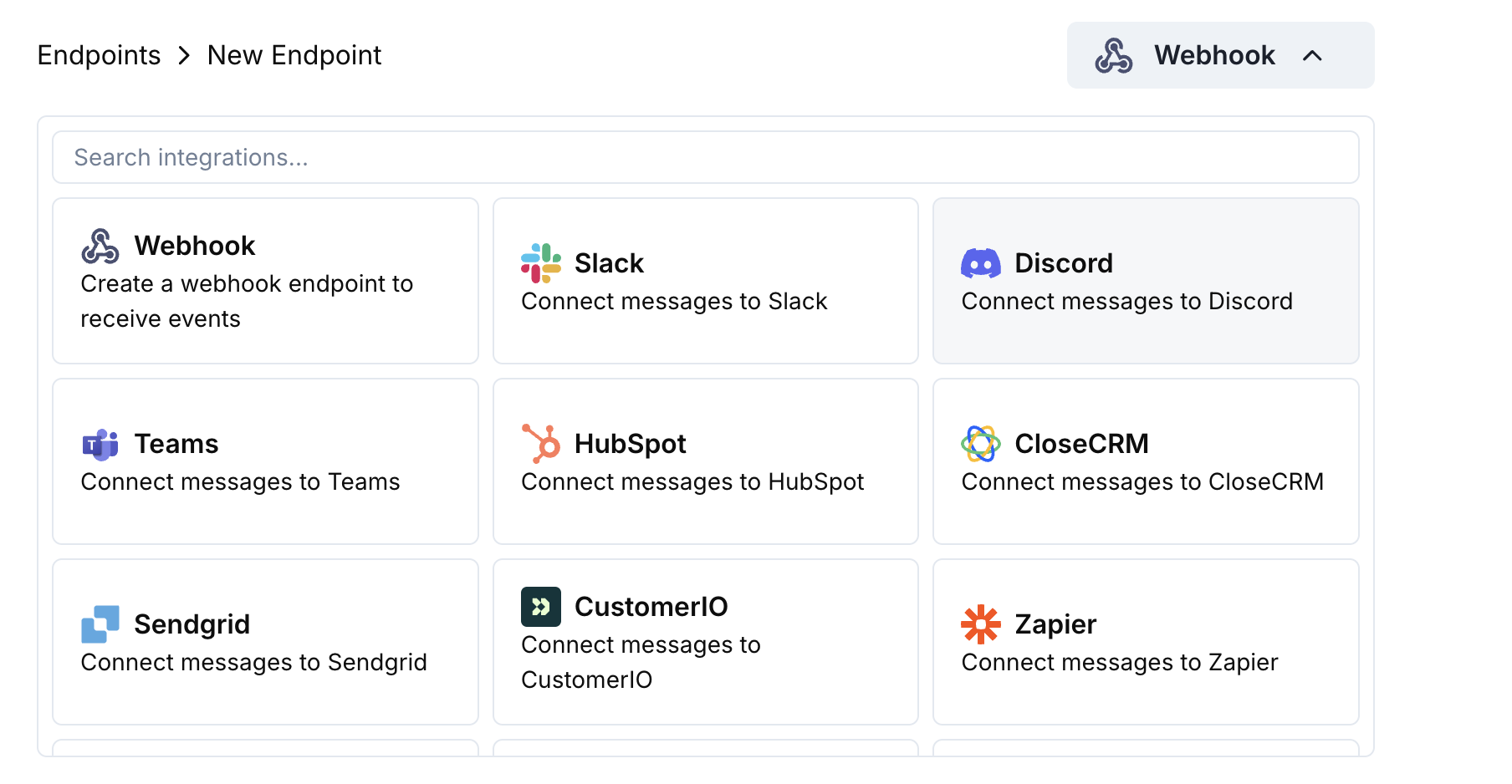 Pilih kartu Discord lalu klik Sambungkan workspace Discord Anda.
Berikan izin yang diminta agar bot dapat mengirim pesan di saluran yang Anda pilih.
Sesuaikan pemetaan payload → embed sesuai kebutuhan Anda—atau mulai dengan template di bawah ini.
Gunakan payload contoh untuk melihat pratinjau embed, lalu klik Buat.
🎉 Saluran Discord Anda sekarang akan menerima pembaruan langsung dari Dodo Payments.
## Contoh Kode Transformasi
### Embed Pembayaran Minimal
```javascript payment_embed.js icon="js" expandable theme={null}
function handler(webhook) {
if (webhook.eventType === "payment.succeeded") {
const p = webhook.payload.data;
webhook.payload = {
embeds: [{
title: "✅ Payment Successful",
description: `**Amount:** $${(p.total_amount / 100).toFixed(2)}\n**Customer:** ${p.customer.email}`,
color: 0x2ecc71 // green
}]
};
}
return webhook;
}
```
### Peristiwa Langganan
```javascript subscription_embed.js icon="js" expandable theme={null}
function handler(webhook) {
const s = webhook.payload.data;
switch (webhook.eventType) {
case "subscription.active":
webhook.payload = {
embeds: [{
title: "📄 Subscription Activated",
fields: [
{ name: "Customer", value: s.customer.email, inline: true },
{ name: "Product", value: s.product_id, inline: true },
{ name: "Next Billing", value: new Date(s.next_billing_date).toLocaleDateString(), inline: true }
],
color: 0x2ecc71
}]
};
break;
case "subscription.cancelled":
webhook.payload = {
embeds: [{
title: "⚠️ Subscription Cancelled",
fields: [
{ name: "Customer", value: s.customer.email, inline: true },
{ name: "Product", value: s.product_id, inline: true }
],
color: 0xf1c40f
}]
};
break;
}
return webhook;
}
```
### Peringatan Sengketa
```javascript dispute_embed.js icon="js" expandable theme={null}
function handler(webhook) {
if (webhook.eventType.startsWith("dispute.")) {
const d = webhook.payload.data;
webhook.payload = {
embeds: [{
title: d.dispute_status === "won" ? "🏆 Dispute Won" : d.dispute_status === "lost" ? "❌ Dispute Lost" : "🚨 Dispute Update",
fields: [
{ name: "Payment ID", value: d.payment_id, inline: true },
{ name: "Amount", value: `$${(d.amount / 100).toFixed(2)}`, inline: true },
{ name: "Status", value: d.dispute_status, inline: true }
],
color: d.dispute_status === "won" ? 0x2ecc71 : d.dispute_status === "lost" ? 0xe74c3c : 0xe67e22
}]
};
}
return webhook;
}
```
## Tips
* Utamakan embed untuk format dan warna yang kaya.
* Jaga judul tetap singkat; masukkan detail di bidang.
* Gunakan warna intuitif: hijau (sukses), merah (gagal), oranye (peringatan).
## Pemecahan Masalah
* Pastikan bot memiliki akses ke saluran tersebut.
* Periksa bahwa transformasi mengembalikan objek JSON dengan `embeds`.
* Validasi kode Anda di editor – kesalahan sintaks akan menghalangi pengiriman.
* Pastikan nama bidang sesuai dengan struktur payload webhook.
Pilih kartu Discord lalu klik Sambungkan workspace Discord Anda.
Berikan izin yang diminta agar bot dapat mengirim pesan di saluran yang Anda pilih.
Sesuaikan pemetaan payload → embed sesuai kebutuhan Anda—atau mulai dengan template di bawah ini.
Gunakan payload contoh untuk melihat pratinjau embed, lalu klik Buat.
🎉 Saluran Discord Anda sekarang akan menerima pembaruan langsung dari Dodo Payments.
## Contoh Kode Transformasi
### Embed Pembayaran Minimal
```javascript payment_embed.js icon="js" expandable theme={null}
function handler(webhook) {
if (webhook.eventType === "payment.succeeded") {
const p = webhook.payload.data;
webhook.payload = {
embeds: [{
title: "✅ Payment Successful",
description: `**Amount:** $${(p.total_amount / 100).toFixed(2)}\n**Customer:** ${p.customer.email}`,
color: 0x2ecc71 // green
}]
};
}
return webhook;
}
```
### Peristiwa Langganan
```javascript subscription_embed.js icon="js" expandable theme={null}
function handler(webhook) {
const s = webhook.payload.data;
switch (webhook.eventType) {
case "subscription.active":
webhook.payload = {
embeds: [{
title: "📄 Subscription Activated",
fields: [
{ name: "Customer", value: s.customer.email, inline: true },
{ name: "Product", value: s.product_id, inline: true },
{ name: "Next Billing", value: new Date(s.next_billing_date).toLocaleDateString(), inline: true }
],
color: 0x2ecc71
}]
};
break;
case "subscription.cancelled":
webhook.payload = {
embeds: [{
title: "⚠️ Subscription Cancelled",
fields: [
{ name: "Customer", value: s.customer.email, inline: true },
{ name: "Product", value: s.product_id, inline: true }
],
color: 0xf1c40f
}]
};
break;
}
return webhook;
}
```
### Peringatan Sengketa
```javascript dispute_embed.js icon="js" expandable theme={null}
function handler(webhook) {
if (webhook.eventType.startsWith("dispute.")) {
const d = webhook.payload.data;
webhook.payload = {
embeds: [{
title: d.dispute_status === "won" ? "🏆 Dispute Won" : d.dispute_status === "lost" ? "❌ Dispute Lost" : "🚨 Dispute Update",
fields: [
{ name: "Payment ID", value: d.payment_id, inline: true },
{ name: "Amount", value: `$${(d.amount / 100).toFixed(2)}`, inline: true },
{ name: "Status", value: d.dispute_status, inline: true }
],
color: d.dispute_status === "won" ? 0x2ecc71 : d.dispute_status === "lost" ? 0xe74c3c : 0xe67e22
}]
};
}
return webhook;
}
```
## Tips
* Utamakan embed untuk format dan warna yang kaya.
* Jaga judul tetap singkat; masukkan detail di bidang.
* Gunakan warna intuitif: hijau (sukses), merah (gagal), oranye (peringatan).
## Pemecahan Masalah
* Pastikan bot memiliki akses ke saluran tersebut.
* Periksa bahwa transformasi mengembalikan objek JSON dengan `embeds`.
* Validasi kode Anda di editor – kesalahan sintaks akan menghalangi pengiriman.
* Pastikan nama bidang sesuai dengan struktur payload webhook.