> ## Documentation Index
> Fetch the complete documentation index at: https://docs.dodopayments.com/llms.txt
> Use this file to discover all available pages before exploring further.
# Customer.io
> Kirim peristiwa Dodo Payments ke Customer.io untuk memicu otomatisasi email dan perjalanan pelanggan.
## Pendahuluan
Memicu kampanye email yang dipersonalisasi dan perjalanan pelanggan berdasarkan peristiwa pembayaran. Kirim email sambutan untuk pelanggan baru, pembaruan langganan, dan pemberitahuan kegagalan pembayaran secara otomatis melalui Customer.io.
Integrasi ini memerlukan Site ID dan API Key Customer.io Anda.
## Memulai
Di dashboard Dodo Payments Anda, navigasikan ke Webhooks → + Tambah Endpoint dan perluas dropdown integrasi.
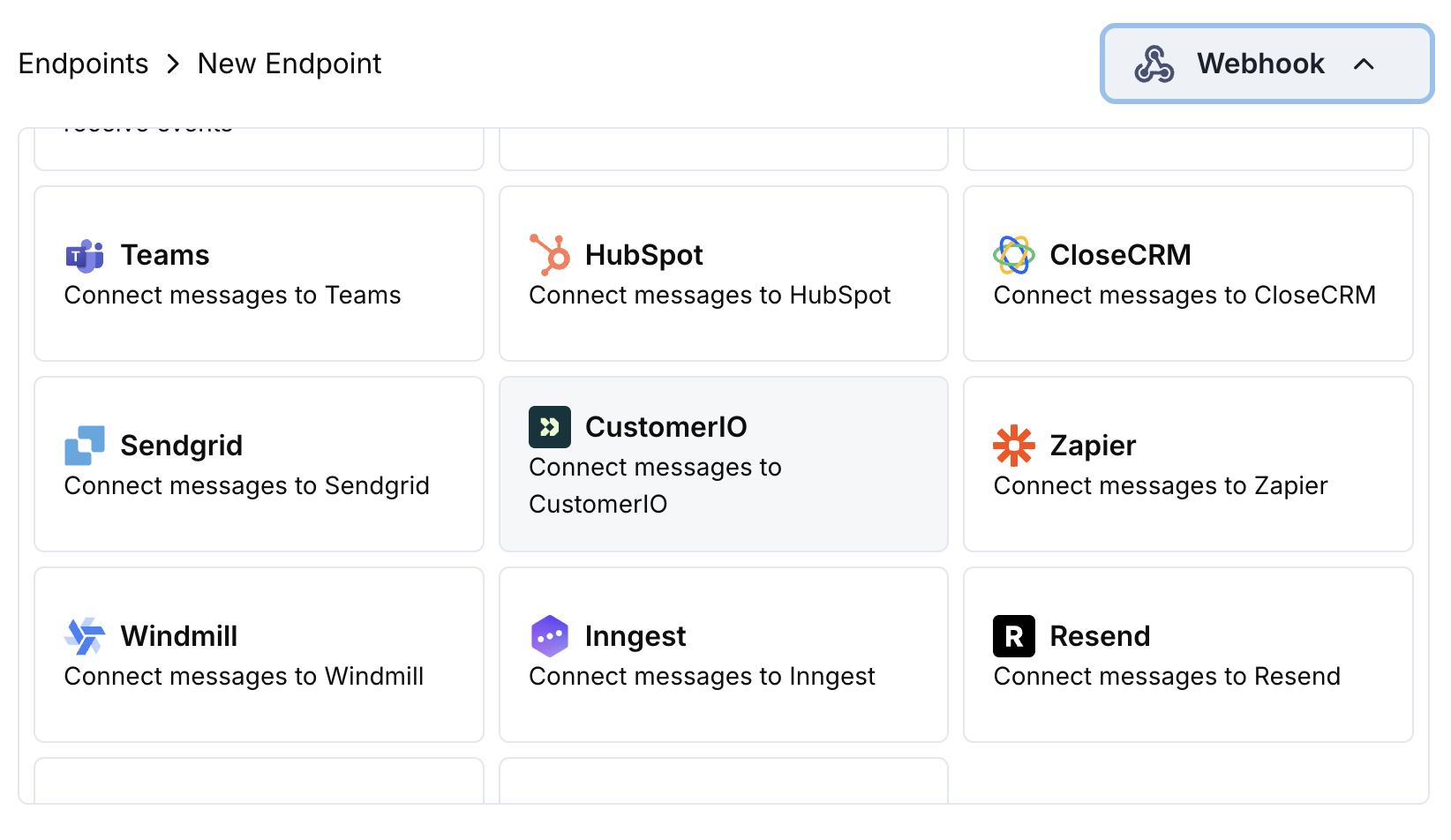 Pilih kartu integrasi Customer.io.
Masukkan Site ID dan API Key Customer.io Anda dalam konfigurasi.
Edit kode transformasi untuk memformat event agar sesuai dengan Track API Customer.io.
Uji dengan payload sampel dan klik Create untuk mengaktifkan sinkronisasi.
🎉 Event pembayaran sekarang akan memicu otomatisasi email Customer.io.
## Contoh Kode Transformasi
### Lacak Peristiwa Pembayaran
```javascript track_payments.js icon="js" expandable theme={null}
function handler(webhook) {
if (webhook.eventType === "payment.succeeded") {
const p = webhook.payload.data;
webhook.url = "https://track.customer.io/api/v2/entity";
webhook.payload = {
type: "person",
identifiers: {
id: p.customer.customer_id
},
action: "payment_completed",
name: "Payment Completed",
attributes: {
email: p.customer.email,
name: p.customer.name,
payment_amount: (p.total_amount / 100).toFixed(2),
payment_method: p.payment_method || "unknown",
payment_id: p.payment_id,
currency: p.currency || "USD"
}
};
}
return webhook;
}
```
### Lacak Siklus Hidup Langganan
```javascript track_subscriptions.js icon="js" expandable theme={null}
function handler(webhook) {
const s = webhook.payload.data;
switch (webhook.eventType) {
case "subscription.active":
webhook.url = "https://track.customer.io/api/v2/entity";
webhook.payload = {
type: "person",
identifiers: {
id: s.customer.customer_id
},
action: "subscription_started",
name: "Subscription Started",
attributes: {
email: s.customer.email,
subscription_id: s.subscription_id,
product_id: s.product_id,
amount: (s.recurring_pre_tax_amount / 100).toFixed(2),
frequency: s.payment_frequency_interval,
next_billing: s.next_billing_date
}
};
break;
case "subscription.cancelled":
webhook.url = "https://track.customer.io/api/v2/entity";
webhook.payload = {
type: "person",
identifiers: {
id: s.customer.customer_id
},
action: "subscription_cancelled",
name: "Subscription Cancelled",
attributes: {
email: s.customer.email,
subscription_id: s.subscription_id,
cancelled_at: s.cancelled_at,
cancel_at_next_billing: s.cancel_at_next_billing_date
}
};
break;
}
return webhook;
}
```
### Lacak Atribut Pelanggan
```javascript track_attributes.js icon="js" expandable theme={null}
function handler(webhook) {
if (webhook.eventType === "payment.succeeded") {
const p = webhook.payload.data;
webhook.url = "https://track.customer.io/api/v2/entity";
webhook.payload = {
type: "person",
identifiers: {
id: p.customer.customer_id
},
action: "identify",
name: "Customer Identified",
attributes: {
email: p.customer.email,
name: p.customer.name,
total_spent: (p.total_amount / 100).toFixed(2),
payment_method: p.payment_method || "unknown",
last_payment_date: webhook.payload.timestamp,
customer_since: webhook.payload.timestamp
}
};
}
return webhook;
}
```
## Tips
* Gunakan nama peristiwa yang konsisten yang cocok dengan kampanye Customer.io Anda
* Sertakan atribut relevan untuk personalisasi
* Atur pengidentifikasi pelanggan yang tepat untuk pelacakan yang akurat
* Gunakan nama peristiwa yang bermakna untuk pemicu kampanye
## Pemecahan Masalah
* Verifikasi bahwa Site ID dan API Key sudah benar
* Periksa bahwa nama event sesuai dengan kampanye Customer.io Anda
* Pastikan pengenal pelanggan telah diatur dengan benar
* Tinjau batas laju API Customer.io
* Validasi bahwa struktur JSON sesuai format API Customer.io
* Periksa bahwa semua bidang wajib tersedia
* Pastikan nama event dan atribut diformat dengan benar
Pilih kartu integrasi Customer.io.
Masukkan Site ID dan API Key Customer.io Anda dalam konfigurasi.
Edit kode transformasi untuk memformat event agar sesuai dengan Track API Customer.io.
Uji dengan payload sampel dan klik Create untuk mengaktifkan sinkronisasi.
🎉 Event pembayaran sekarang akan memicu otomatisasi email Customer.io.
## Contoh Kode Transformasi
### Lacak Peristiwa Pembayaran
```javascript track_payments.js icon="js" expandable theme={null}
function handler(webhook) {
if (webhook.eventType === "payment.succeeded") {
const p = webhook.payload.data;
webhook.url = "https://track.customer.io/api/v2/entity";
webhook.payload = {
type: "person",
identifiers: {
id: p.customer.customer_id
},
action: "payment_completed",
name: "Payment Completed",
attributes: {
email: p.customer.email,
name: p.customer.name,
payment_amount: (p.total_amount / 100).toFixed(2),
payment_method: p.payment_method || "unknown",
payment_id: p.payment_id,
currency: p.currency || "USD"
}
};
}
return webhook;
}
```
### Lacak Siklus Hidup Langganan
```javascript track_subscriptions.js icon="js" expandable theme={null}
function handler(webhook) {
const s = webhook.payload.data;
switch (webhook.eventType) {
case "subscription.active":
webhook.url = "https://track.customer.io/api/v2/entity";
webhook.payload = {
type: "person",
identifiers: {
id: s.customer.customer_id
},
action: "subscription_started",
name: "Subscription Started",
attributes: {
email: s.customer.email,
subscription_id: s.subscription_id,
product_id: s.product_id,
amount: (s.recurring_pre_tax_amount / 100).toFixed(2),
frequency: s.payment_frequency_interval,
next_billing: s.next_billing_date
}
};
break;
case "subscription.cancelled":
webhook.url = "https://track.customer.io/api/v2/entity";
webhook.payload = {
type: "person",
identifiers: {
id: s.customer.customer_id
},
action: "subscription_cancelled",
name: "Subscription Cancelled",
attributes: {
email: s.customer.email,
subscription_id: s.subscription_id,
cancelled_at: s.cancelled_at,
cancel_at_next_billing: s.cancel_at_next_billing_date
}
};
break;
}
return webhook;
}
```
### Lacak Atribut Pelanggan
```javascript track_attributes.js icon="js" expandable theme={null}
function handler(webhook) {
if (webhook.eventType === "payment.succeeded") {
const p = webhook.payload.data;
webhook.url = "https://track.customer.io/api/v2/entity";
webhook.payload = {
type: "person",
identifiers: {
id: p.customer.customer_id
},
action: "identify",
name: "Customer Identified",
attributes: {
email: p.customer.email,
name: p.customer.name,
total_spent: (p.total_amount / 100).toFixed(2),
payment_method: p.payment_method || "unknown",
last_payment_date: webhook.payload.timestamp,
customer_since: webhook.payload.timestamp
}
};
}
return webhook;
}
```
## Tips
* Gunakan nama peristiwa yang konsisten yang cocok dengan kampanye Customer.io Anda
* Sertakan atribut relevan untuk personalisasi
* Atur pengidentifikasi pelanggan yang tepat untuk pelacakan yang akurat
* Gunakan nama peristiwa yang bermakna untuk pemicu kampanye
## Pemecahan Masalah
* Verifikasi bahwa Site ID dan API Key sudah benar
* Periksa bahwa nama event sesuai dengan kampanye Customer.io Anda
* Pastikan pengenal pelanggan telah diatur dengan benar
* Tinjau batas laju API Customer.io
* Validasi bahwa struktur JSON sesuai format API Customer.io
* Periksa bahwa semua bidang wajib tersedia
* Pastikan nama event dan atribut diformat dengan benar