> ## Documentation Index
> Fetch the complete documentation index at: https://docs.dodopayments.com/llms.txt
> Use this file to discover all available pages before exploring further.
# ParityDeals
> ParityDeals के साथ अपनी वेबसाइट पर स्थान-आधारित छूट बैनर दिखाएं और Dodo Payments में मिलते-जुलते छूट कोड अपने-आप जनरेट करें।
## परिचय
[ParityDeals](https://www.paritydeals.com/) एक ऐसा प्लेटफ़ॉर्म है जो आपकी वेबसाइट पर योग्य विज़िटर्स को स्थान-आधारित छूट बैनर दिखाता है और Dodo Payments में मिलते-जुलते छूट कोड अपने-आप जनरेट करता है। जब कोई विज़िटर बैनर देखता है, तो उसे एक ऐसा कोड मिलता है जिसका उपयोग वह checkout पर कर सकता है। ये कोड आपके Dodo Payments dashboard में **Sales → Discounts** के अंतर्गत दिखाई देते हैं।
Dodo Payments में native [Purchasing Power Parity](/features/purchasing-power-parity) मौजूद है, जो बिना किसी बैनर और script के checkout पर देश के अनुसार कीमतें कम करता है। ParityDeals उन merchants के लिए है जो अपनी साइट पर दिखाई देने वाला छूट बैनर लगाना चाहते हैं, या holiday और समय-आधारित deals चलाना चाहते हैं।
## यह कैसे काम करता है
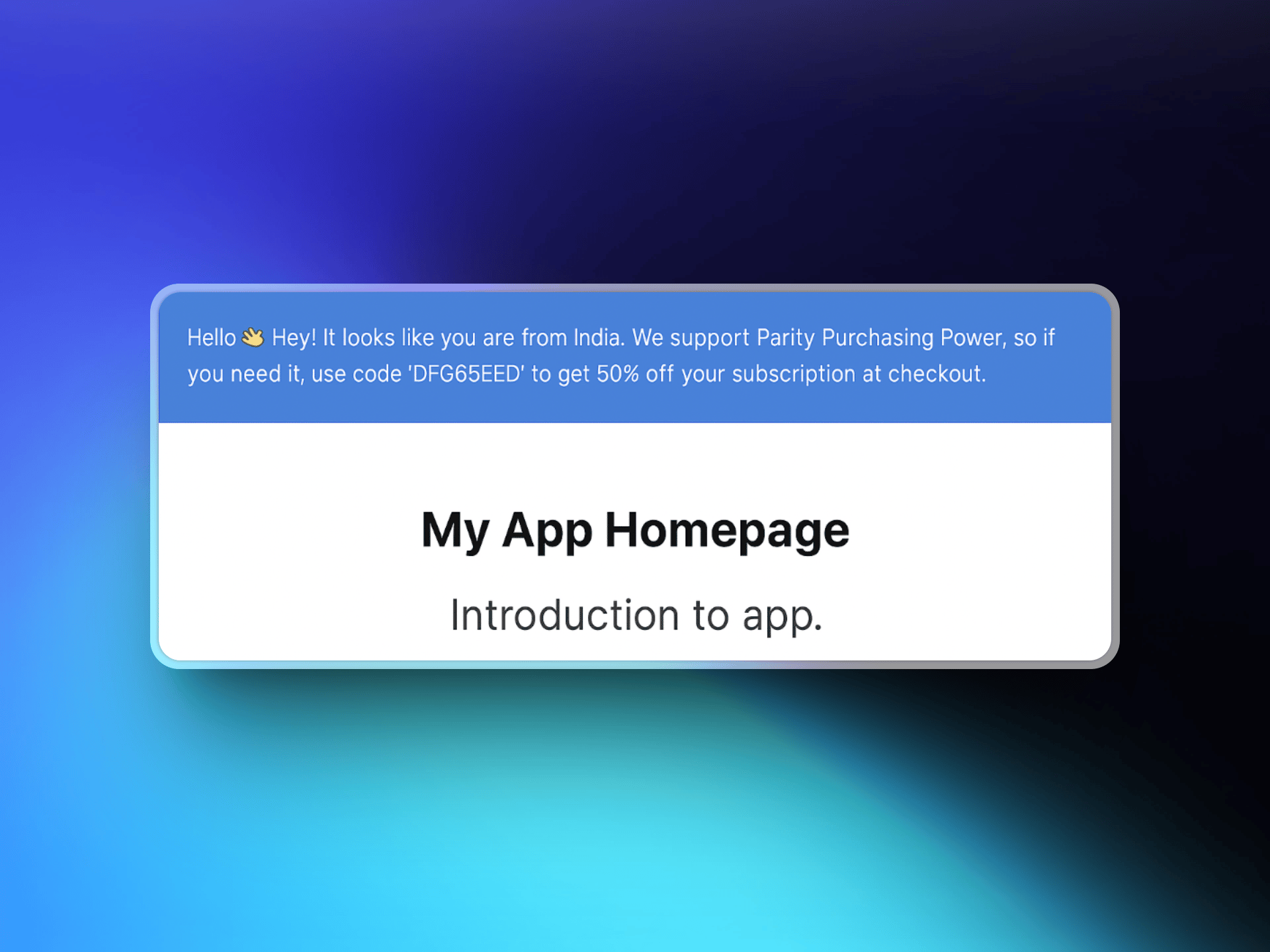
ParityDeals विज़िटर का स्थान पहचानता है, आपकी वेबसाइट पर उनके लिए एक अनुकूलन योग्य छूट बैनर दिखाता है और एक ऐसा छूट कोड जनरेट करता है जिसे वे checkout पर लागू कर सकते हैं। यह कोड आपके Dodo Payments account में अपने-आप बन जाता है और आपके द्वारा configure किए गए products पर काम करता है।
1. कोई विज़िटर आपकी वेबसाइट पर आता है और ParityDeals उसका स्थान पहचानता है।
2. यदि विज़िटर छूट के लिए योग्य है, तो स्थान-आधारित कोड वाला एक बैनर दिखाई देता है।
3. विज़िटर checkout पर उस कोड का उपयोग करता है और Dodo Payments छूट लागू करता है।
4. कोड आपके dashboard में **Sales → Discounts** के अंतर्गत दिखाई देता है।
 ## ParityDeals बनाम Native PPP
देश के अनुसार मूल्य निर्धारित करने के लिए native Purchasing Power Parity अनुशंसित तरीका है। ParityDeals तब चुनें जब आपको विशेष रूप से अपनी साइट पर छूट बैनर या holiday और समय-आधारित campaigns की आवश्यकता हो।
| | Native PPP | ParityDeals |
| :------------------------------ | :-------------------------------------------------------- | :------------------------------------------- |
| यह कैसे काम करता है | checkout पर लागू होने वाला प्रत्येक देश के लिए एक प्रतिशत | code के माध्यम से लागू होने वाली प्रतिशत छूट |
| इसे कहाँ configure किया जाता है | Dodo Payments में built-in | ParityDeals dashboard |
| आपकी साइट पर बैनर या script | आवश्यक नहीं | आवश्यक |
| Holiday और समय-आधारित deals | नहीं | हाँ |
| किसके लिए सबसे अच्छा | साइट में बदलाव किए बिना सही कीमतों के लिए | Promotional banners और seasonal deals के लिए |
आप ParityDeals बैनर को Dodo Payments-hosted checkout या storefront में embed नहीं कर सकते, क्योंकि वहाँ custom scripts supported नहीं हैं। बैनर आपकी अपनी वेबसाइट या app पर लगाया जाता है।
## आवश्यकताएँ
इस integration को सेट up करने से पहले सुनिश्चित करें कि आपके पास ये मौजूद हों:
1. एक [Dodo Payments account](https://app.dodopayments.com)
2. एक [ParityDeals account](https://app.paritydeals.com/)
3. एक Dodo Payments API key
## शुरुआत करना
[app.paritydeals.com](https://app.paritydeals.com/) पर जाएँ और एक account बनाएँ।
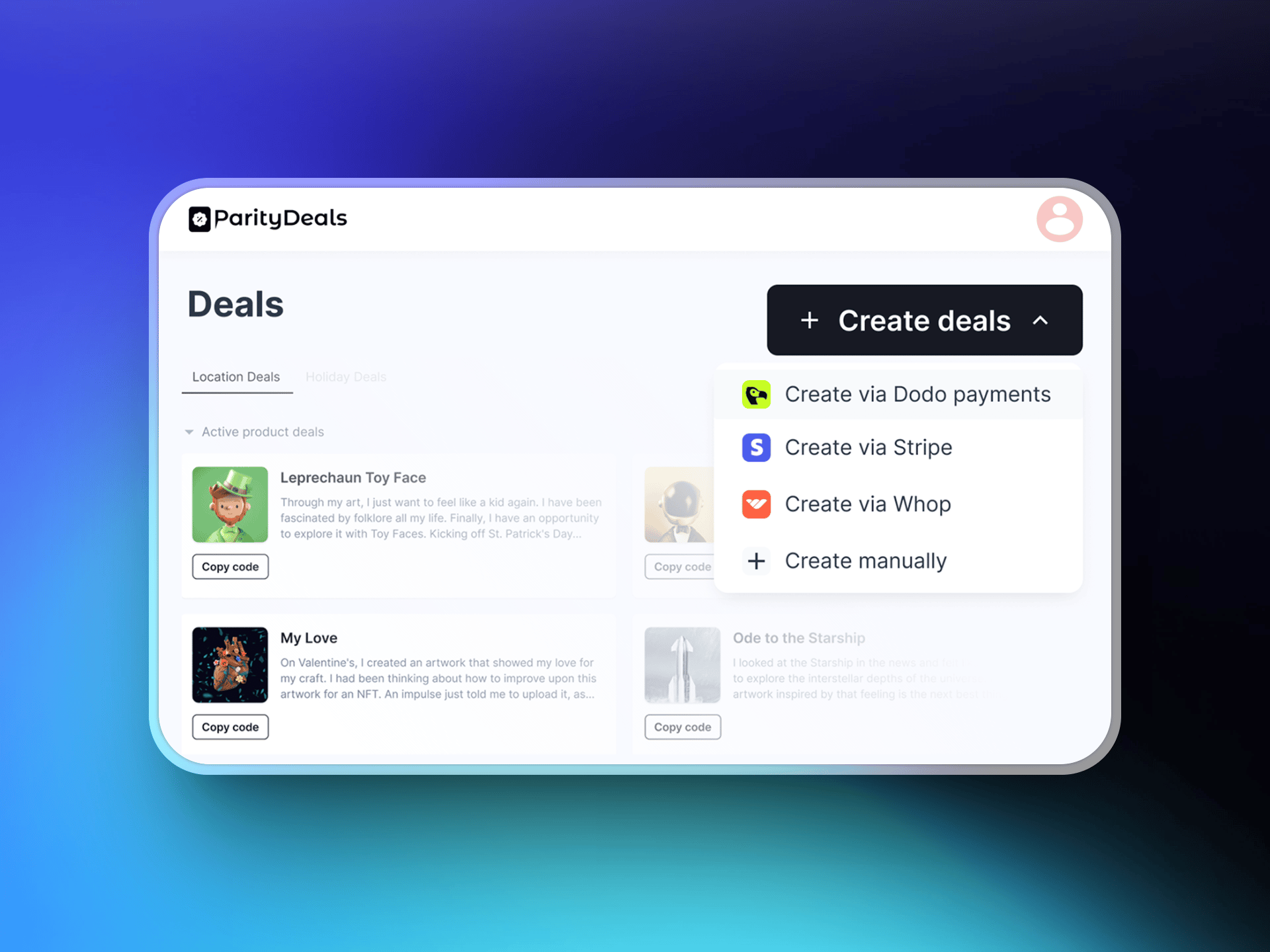
Sign in करने के बाद deals बनाने का विकल्प खोजें। Dropdown menu से **"Create Deals via Dodo Payments"** चुनें।
## ParityDeals बनाम Native PPP
देश के अनुसार मूल्य निर्धारित करने के लिए native Purchasing Power Parity अनुशंसित तरीका है। ParityDeals तब चुनें जब आपको विशेष रूप से अपनी साइट पर छूट बैनर या holiday और समय-आधारित campaigns की आवश्यकता हो।
| | Native PPP | ParityDeals |
| :------------------------------ | :-------------------------------------------------------- | :------------------------------------------- |
| यह कैसे काम करता है | checkout पर लागू होने वाला प्रत्येक देश के लिए एक प्रतिशत | code के माध्यम से लागू होने वाली प्रतिशत छूट |
| इसे कहाँ configure किया जाता है | Dodo Payments में built-in | ParityDeals dashboard |
| आपकी साइट पर बैनर या script | आवश्यक नहीं | आवश्यक |
| Holiday और समय-आधारित deals | नहीं | हाँ |
| किसके लिए सबसे अच्छा | साइट में बदलाव किए बिना सही कीमतों के लिए | Promotional banners और seasonal deals के लिए |
आप ParityDeals बैनर को Dodo Payments-hosted checkout या storefront में embed नहीं कर सकते, क्योंकि वहाँ custom scripts supported नहीं हैं। बैनर आपकी अपनी वेबसाइट या app पर लगाया जाता है।
## आवश्यकताएँ
इस integration को सेट up करने से पहले सुनिश्चित करें कि आपके पास ये मौजूद हों:
1. एक [Dodo Payments account](https://app.dodopayments.com)
2. एक [ParityDeals account](https://app.paritydeals.com/)
3. एक Dodo Payments API key
## शुरुआत करना
[app.paritydeals.com](https://app.paritydeals.com/) पर जाएँ और एक account बनाएँ।
Sign in करने के बाद deals बनाने का विकल्प खोजें। Dropdown menu से **"Create Deals via Dodo Payments"** चुनें।
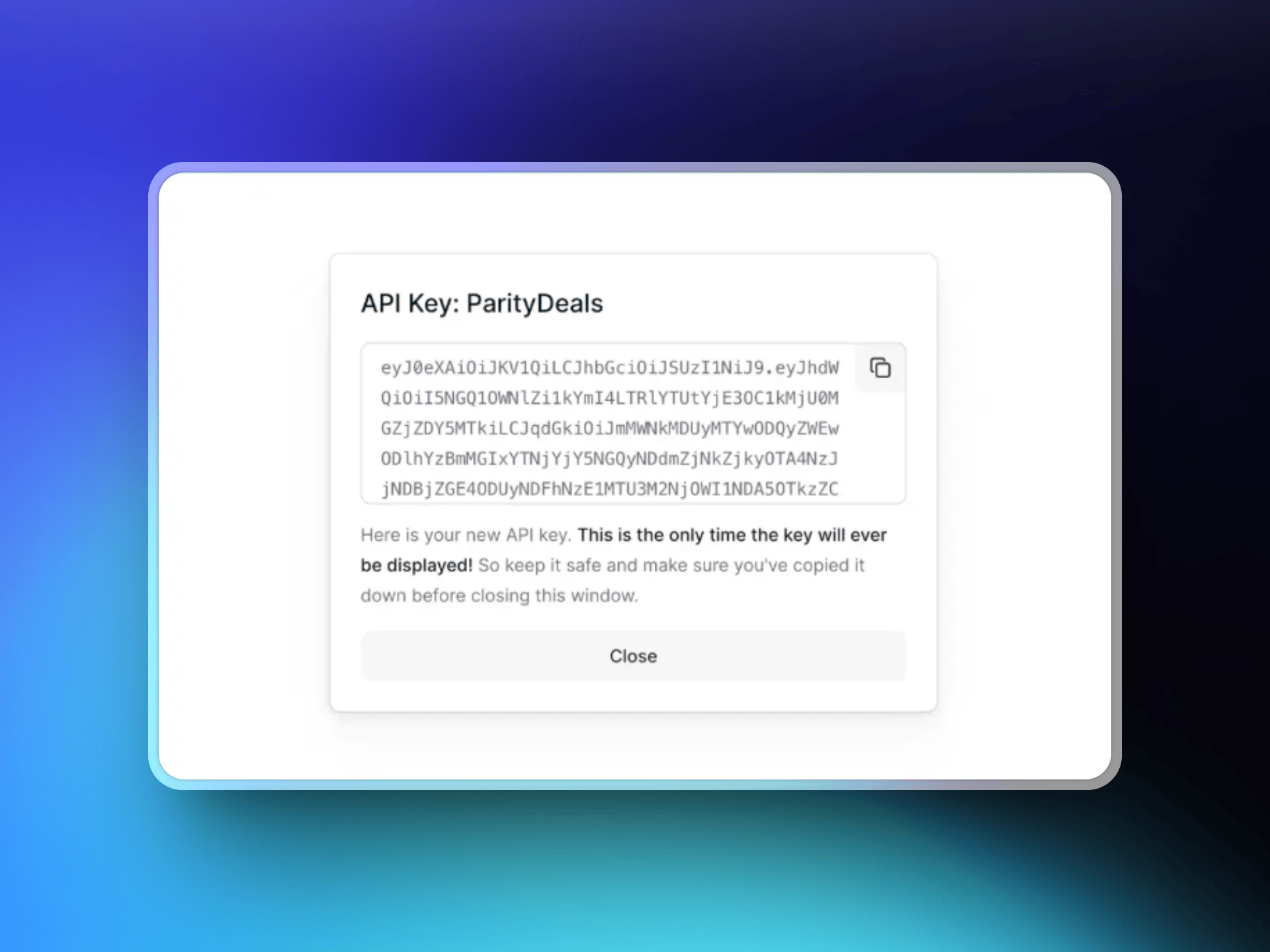
 अपने **Dodo Payments dashboard** में Log in करें और **Developers → API Keys** पर जाएँ। **"Create New API"** पर क्लिक करें।
अपनी API key का ऐसा वर्णनात्मक नाम रखें (जैसे, 'ParityDeals') जिससे आप बाद में उसकी पहचान कर सकें।
अपने **Dodo Payments dashboard** में Log in करें और **Developers → API Keys** पर जाएँ। **"Create New API"** पर क्लिक करें।
अपनी API key का ऐसा वर्णनात्मक नाम रखें (जैसे, 'ParityDeals') जिससे आप बाद में उसकी पहचान कर सकें।
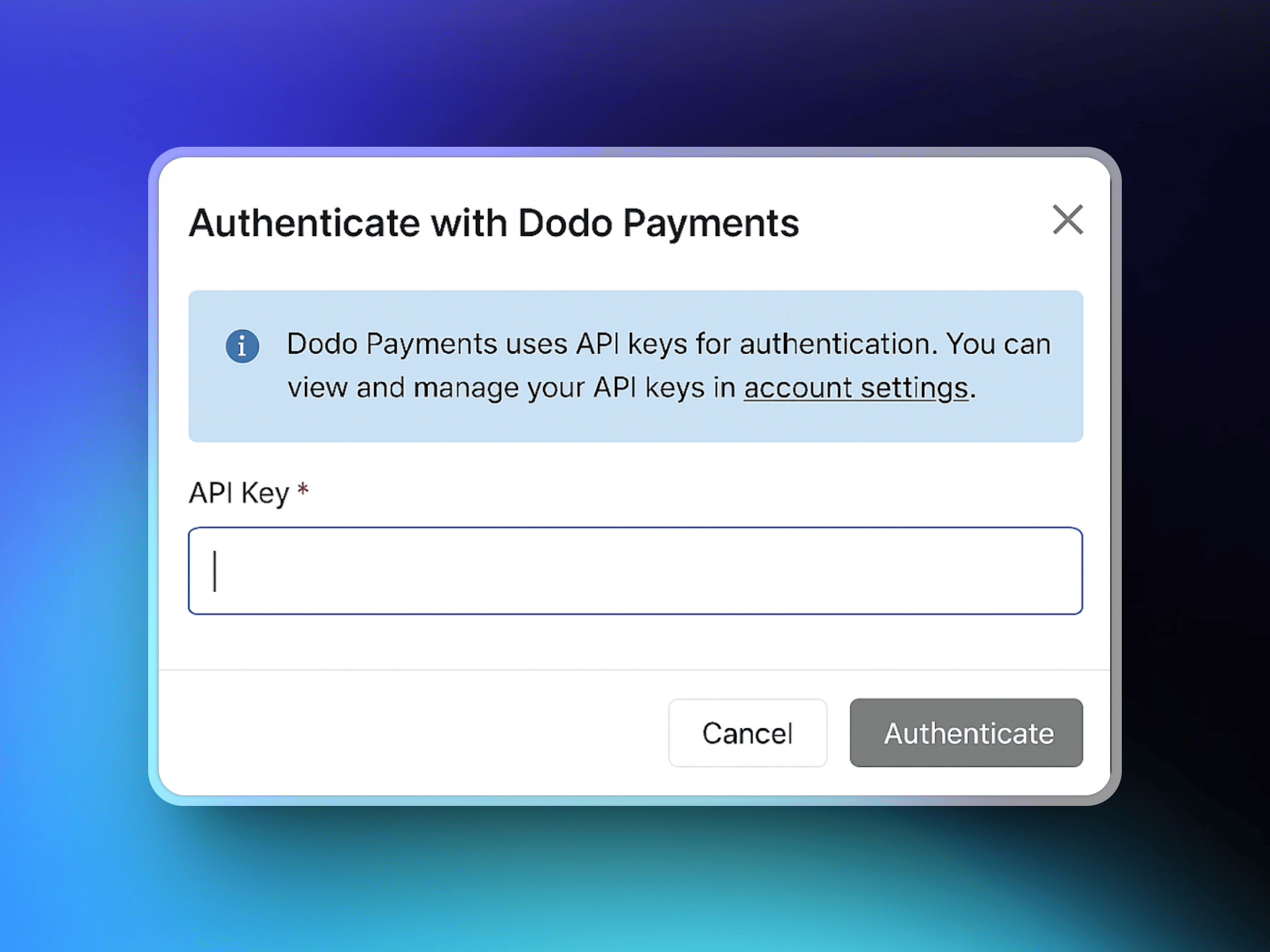
 आपके द्वारा बनाई गई API key को copy करें और अपने Dodo Payments account के साथ connection स्थापित करने के लिए उसे ParityDeals interface में paste करें।
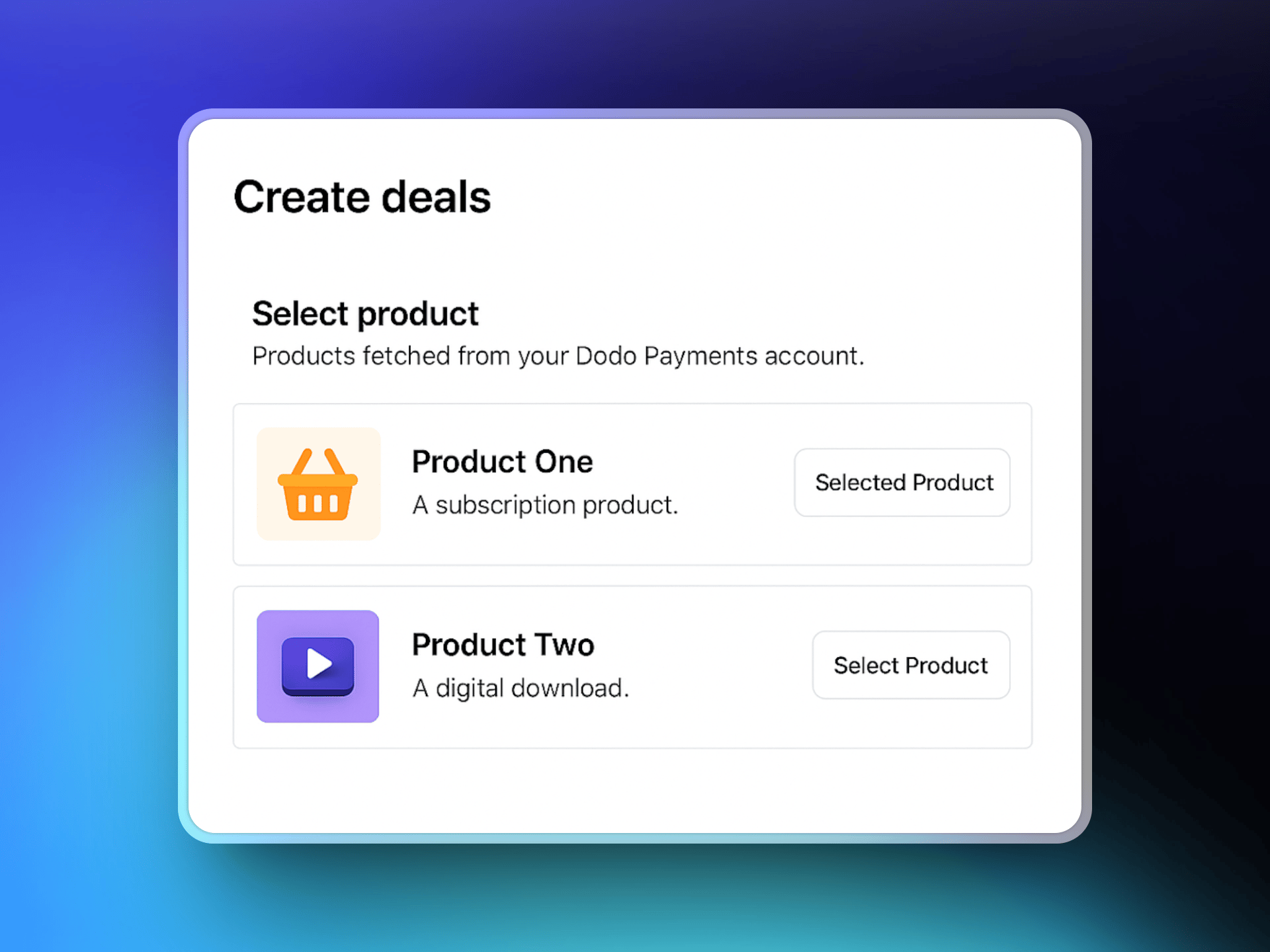
 Connect होने के बाद, ParityDeals आपके Dodo Payments product catalog को fetch करेगा। उन products को चुनें जिन्हें आप अपने deals से associate करना चाहते हैं।
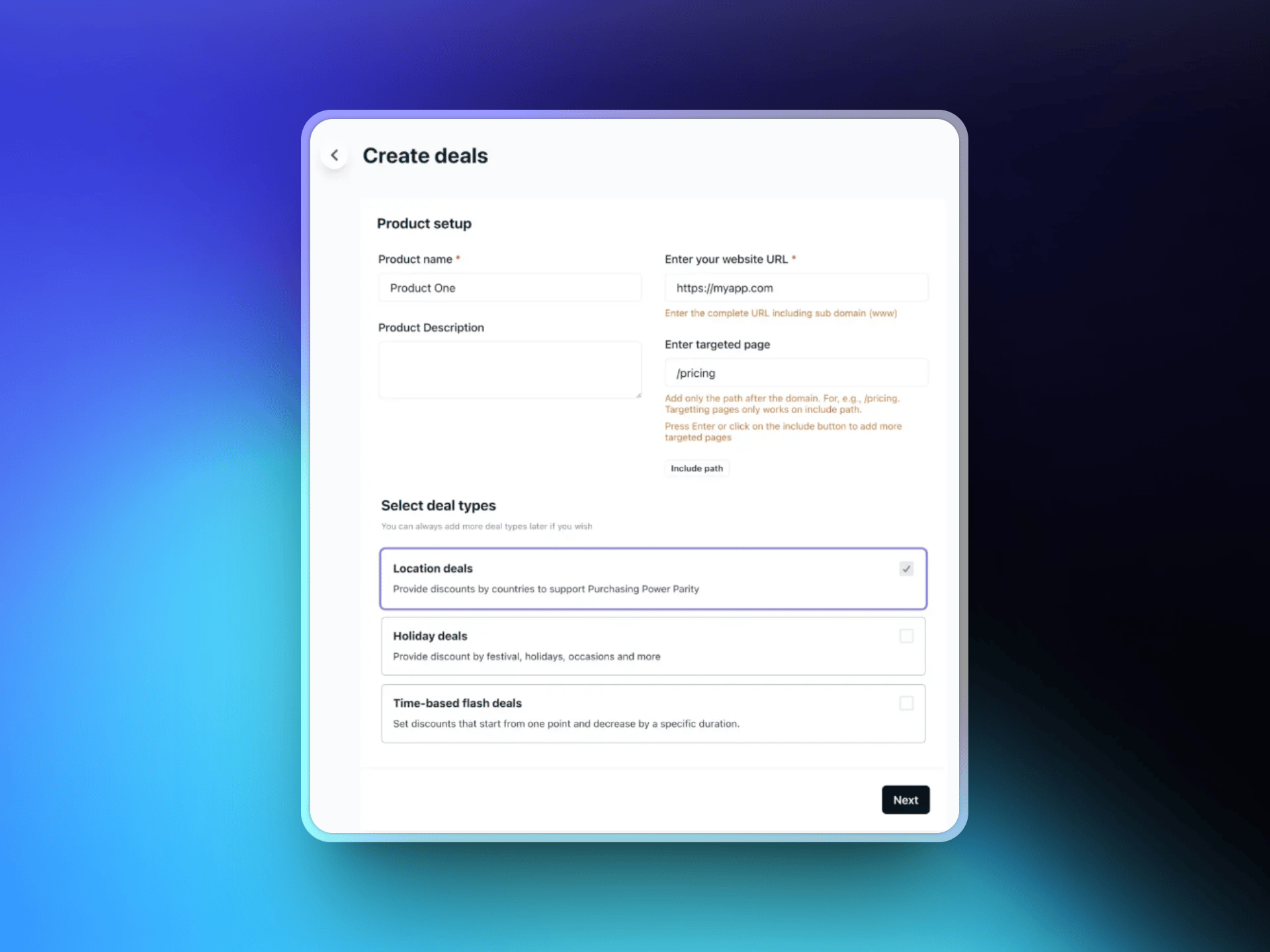
 अपनी वेबसाइट का URL दर्ज करें और वैकल्पिक रूप से उन विशिष्ट target pages को चुनें जहाँ छूट बैनर दिखाई देना चाहिए। फिर अपना पसंदीदा deal type चुनें:
* स्थान-आधारित deals
* Holiday deals
* समय-आधारित flash deals
अपनी वेबसाइट का URL दर्ज करें और वैकल्पिक रूप से उन विशिष्ट target pages को चुनें जहाँ छूट बैनर दिखाई देना चाहिए। फिर अपना पसंदीदा deal type चुनें:
* स्थान-आधारित deals
* Holiday deals
* समय-आधारित flash deals
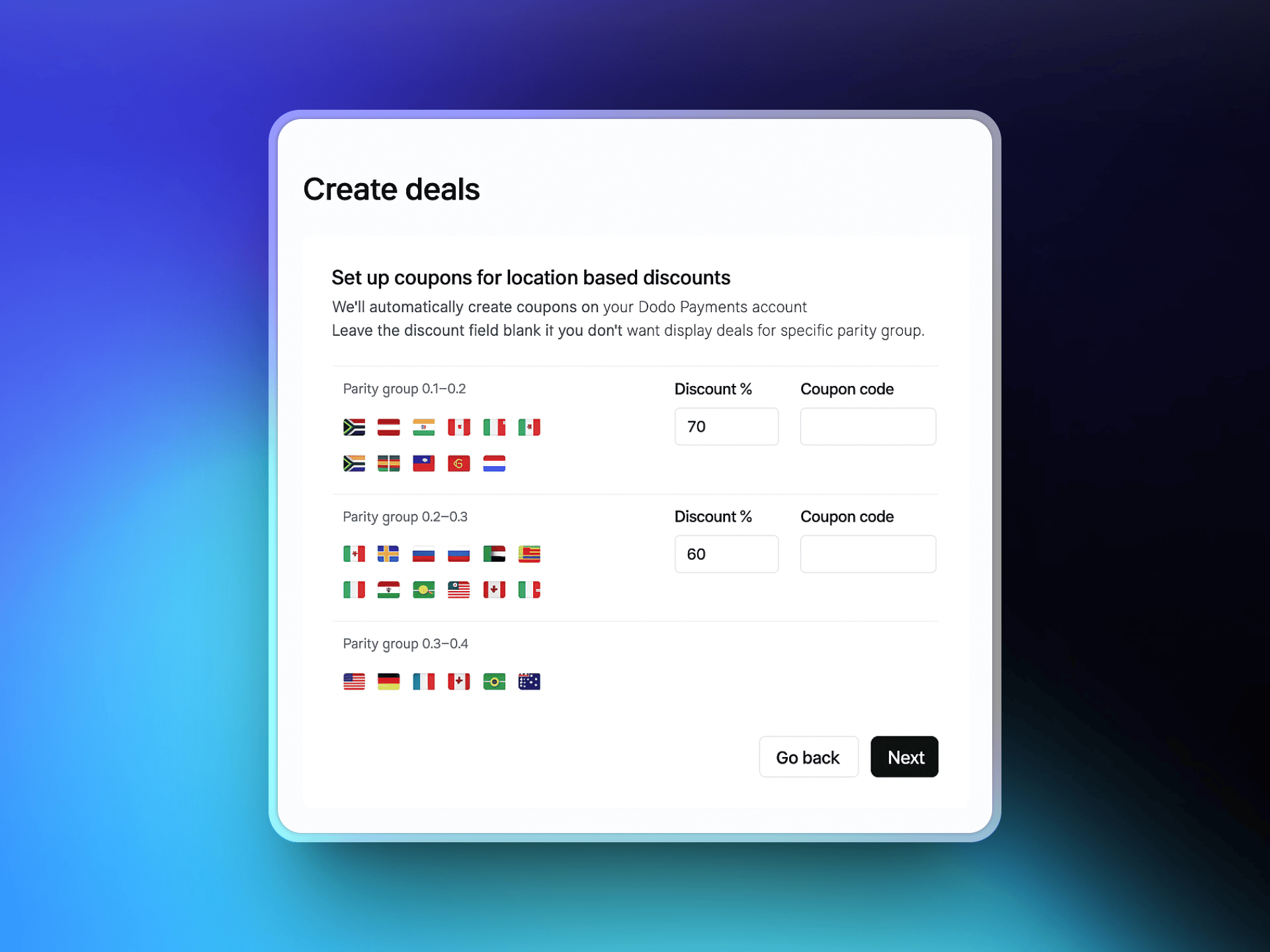
 वे देश चुनें जहाँ आप localized discounts देना चाहते हैं और प्रत्येक के लिए छूट प्रतिशत निर्धारित करें। ParityDeals अनुशंसित defaults उपलब्ध कराता है, जिन्हें आप आवश्यकता के अनुसार समायोजित कर सकते हैं।
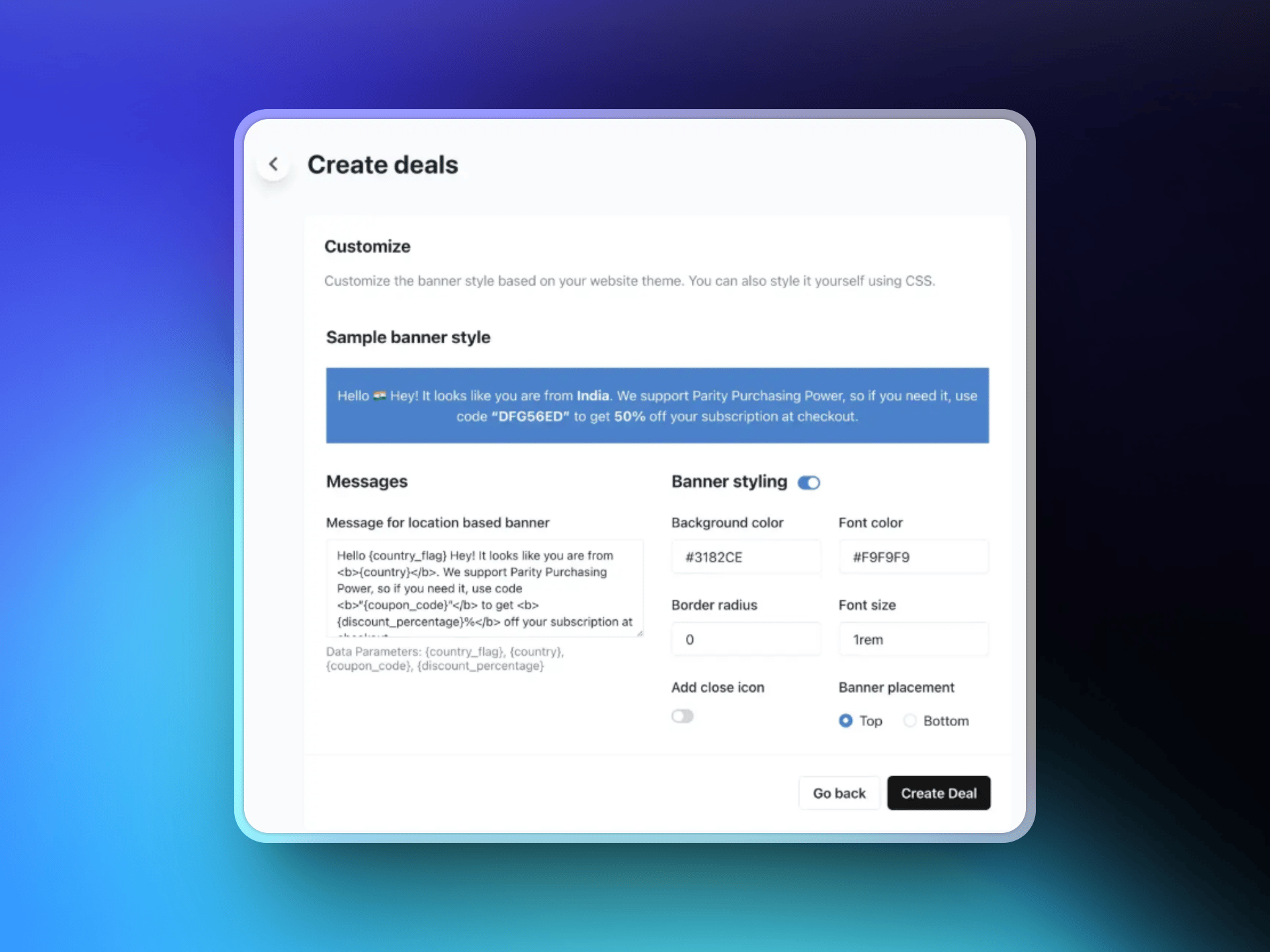
 text को customize करके, colors और layout चुनकर और बैनर की position (पेज के ऊपर या नीचे) चुनकर अपना छूट बैनर design करें। आपके configure किए गए rules के आधार पर यह बैनर योग्य विज़िटर्स को दिखाया जाएगा।
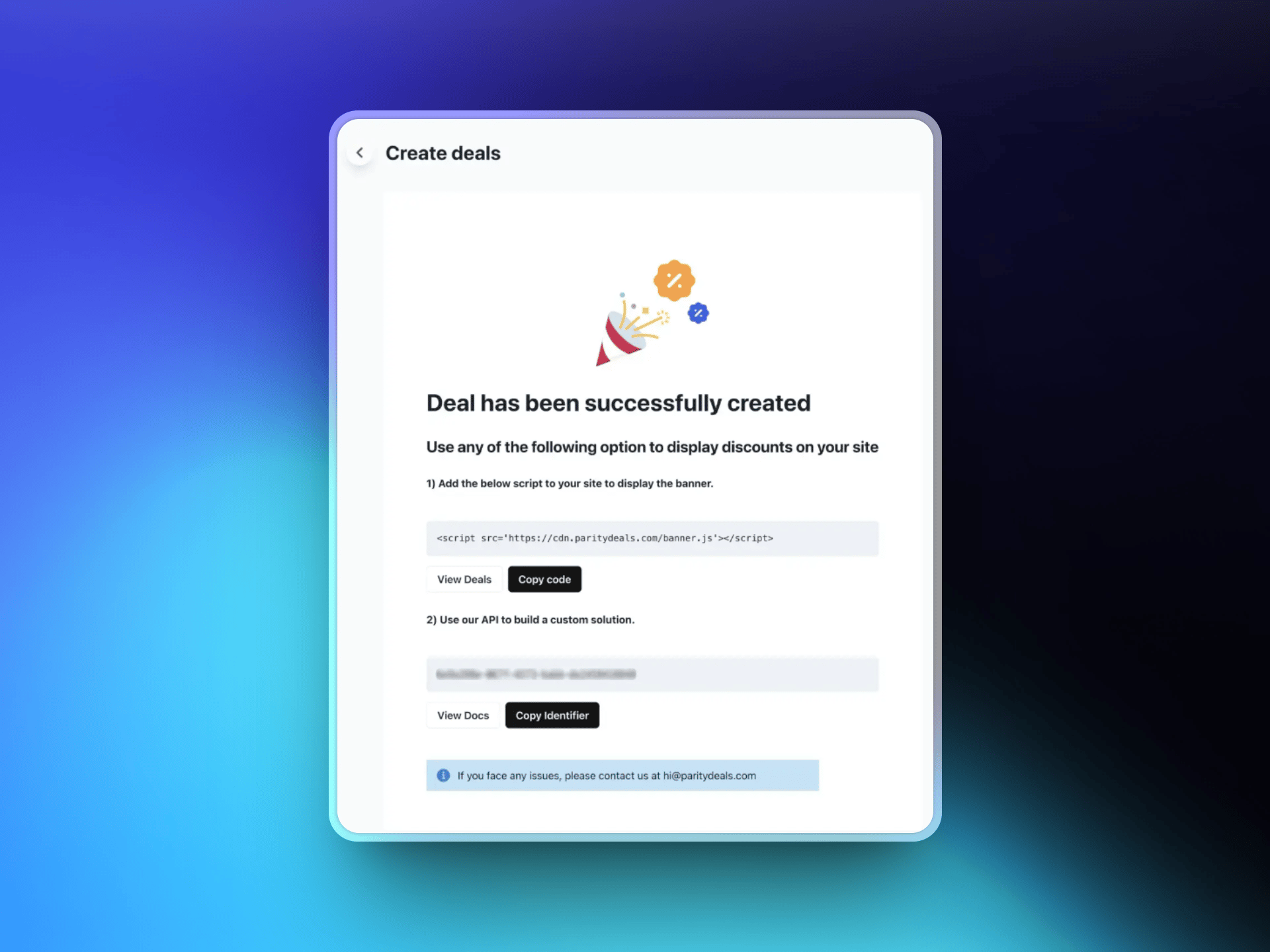
 अपना deal save करने के बाद, ParityDeals एक script जनरेट करेगा। इस script को अपनी वेबसाइट के code में जोड़ें (आमतौर पर `` section में)। यह script विज़िटर के locations को अपने-आप पहचानता है और उपयुक्त छूट बैनर दिखाता है।
 ## अतिरिक्त सुविधाएँ
ParityDeals के साथ, आप पूरे वर्ष [स्वचालित समय-आधारित छूट](https://www.paritydeals.com/features/time-based-discounts/) और [holiday-आधारित promotions](https://www.paritydeals.com/features/holiday-based-discounts/) भी दे सकते हैं। अधिक विस्तृत जानकारी के लिए [ParityDeals Documentation](https://www.paritydeals.com/docs/) देखें।
## अतिरिक्त संसाधन
ParityDeals के docs में पूरा setup walkthrough और feature guide।
Dodo Payments में native PPP pricing, किसी बैनर की आवश्यकता नहीं।
Dodo Payments में discount codes कैसे काम करते हैं।
एक वैकल्पिक discount-code tool, जिसमें automatic coupon rotation की सुविधा है।
## अतिरिक्त सुविधाएँ
ParityDeals के साथ, आप पूरे वर्ष [स्वचालित समय-आधारित छूट](https://www.paritydeals.com/features/time-based-discounts/) और [holiday-आधारित promotions](https://www.paritydeals.com/features/holiday-based-discounts/) भी दे सकते हैं। अधिक विस्तृत जानकारी के लिए [ParityDeals Documentation](https://www.paritydeals.com/docs/) देखें।
## अतिरिक्त संसाधन
ParityDeals के docs में पूरा setup walkthrough और feature guide।
Dodo Payments में native PPP pricing, किसी बैनर की आवश्यकता नहीं।
Dodo Payments में discount codes कैसे काम करते हैं।
एक वैकल्पिक discount-code tool, जिसमें automatic coupon rotation की सुविधा है।