> ## Documentation Index
> Fetch the complete documentation index at: https://docs.dodopayments.com/llms.txt
> Use this file to discover all available pages before exploring further.
# Usage Based Billing
> Charge customers based on what they actually use with flexible metering and automated billing.
Usage-based billing lets you charge customers for what they actually use—API calls, storage, AI tokens, or any metric you define. Customers pay for consumption, not fixed fees.
**Perfect for**: APIs, AI services, infrastructure platforms, and any product where value scales with usage.
## How It Works
Your application sends events when billable actions occur.
```javascript theme={null}
{
"event_id": "evt_123",
"customer_id": "cus_abc",
"event_name": "api.call",
"metadata": { "endpoint": "/v1/users" }
}
```
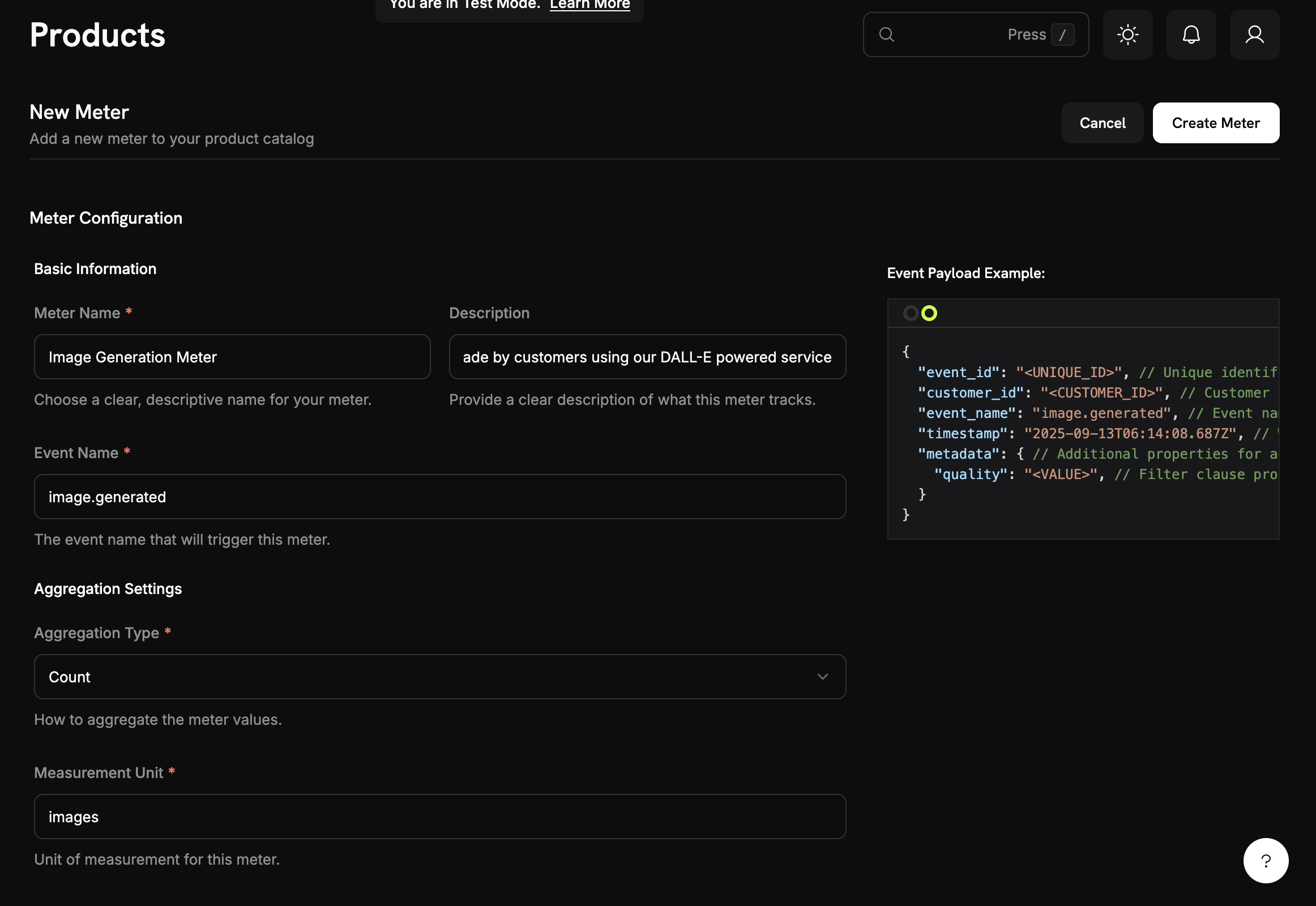
Meters aggregate events into billable quantities using Count, Sum, Max, or Last aggregation.
Set pricing per unit and free thresholds. Customers are billed automatically each cycle.
## Core Concepts
### Events
Events represent usage actions in your application. Each event includes:
* **Event Name**: Type of usage (e.g., `api.call`)
* **Customer ID**: Who used it
* **Metadata**: Additional properties for aggregation
### Meters
Meters aggregate events into billable quantities:
* **Count**: Total events (API calls)
* **Sum**: Add values (total bytes)
* **Max**: Highest value (peak users)
* **Last**: Most recent value
 ### Products with Usage Pricing
Set pricing per unit and optional free thresholds:
### Products with Usage Pricing
Set pricing per unit and optional free thresholds:
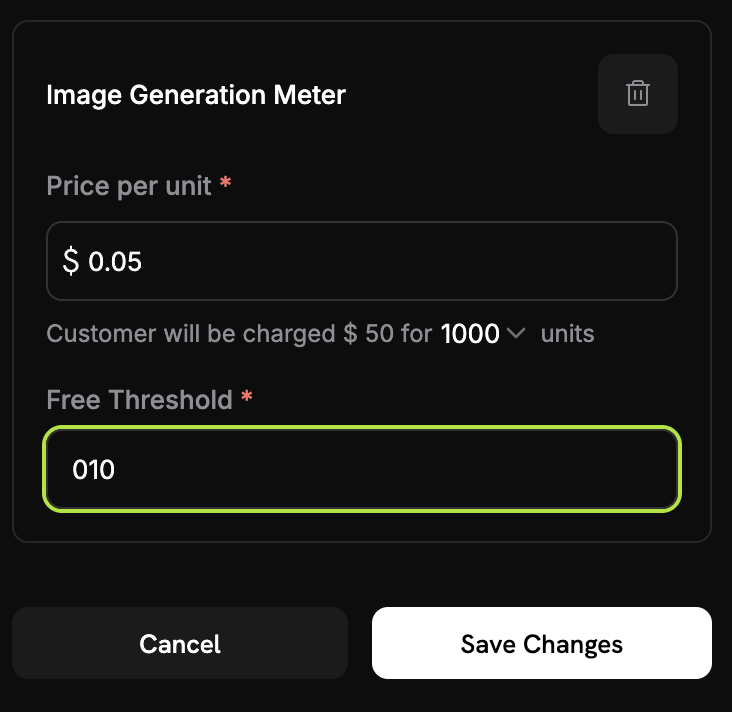 **Example**: 2,500 calls - 1,000 free = 1,500 × $0.02 = $30.00
### Credit-Based Deduction
Instead of charging per-unit in dollars, you can configure meters to deduct from a customer's [credit balance](/features/credit-based-billing). Credits refresh each billing cycle and apply before any overage charges.
## Quick Start
In your dashboard: **Meters** → **Create Meter**
1. Set event name (e.g., `api.call`)
2. Choose aggregation (Count, Sum, Max, Last)
3. Add optional filters
Link meter to a product with pricing:
**Example**: 2,500 calls - 1,000 free = 1,500 × $0.02 = $30.00
### Credit-Based Deduction
Instead of charging per-unit in dollars, you can configure meters to deduct from a customer's [credit balance](/features/credit-based-billing). Credits refresh each billing cycle and apply before any overage charges.
## Quick Start
In your dashboard: **Meters** → **Create Meter**
1. Set event name (e.g., `api.call`)
2. Choose aggregation (Count, Sum, Max, Last)
3. Add optional filters
Link meter to a product with pricing:
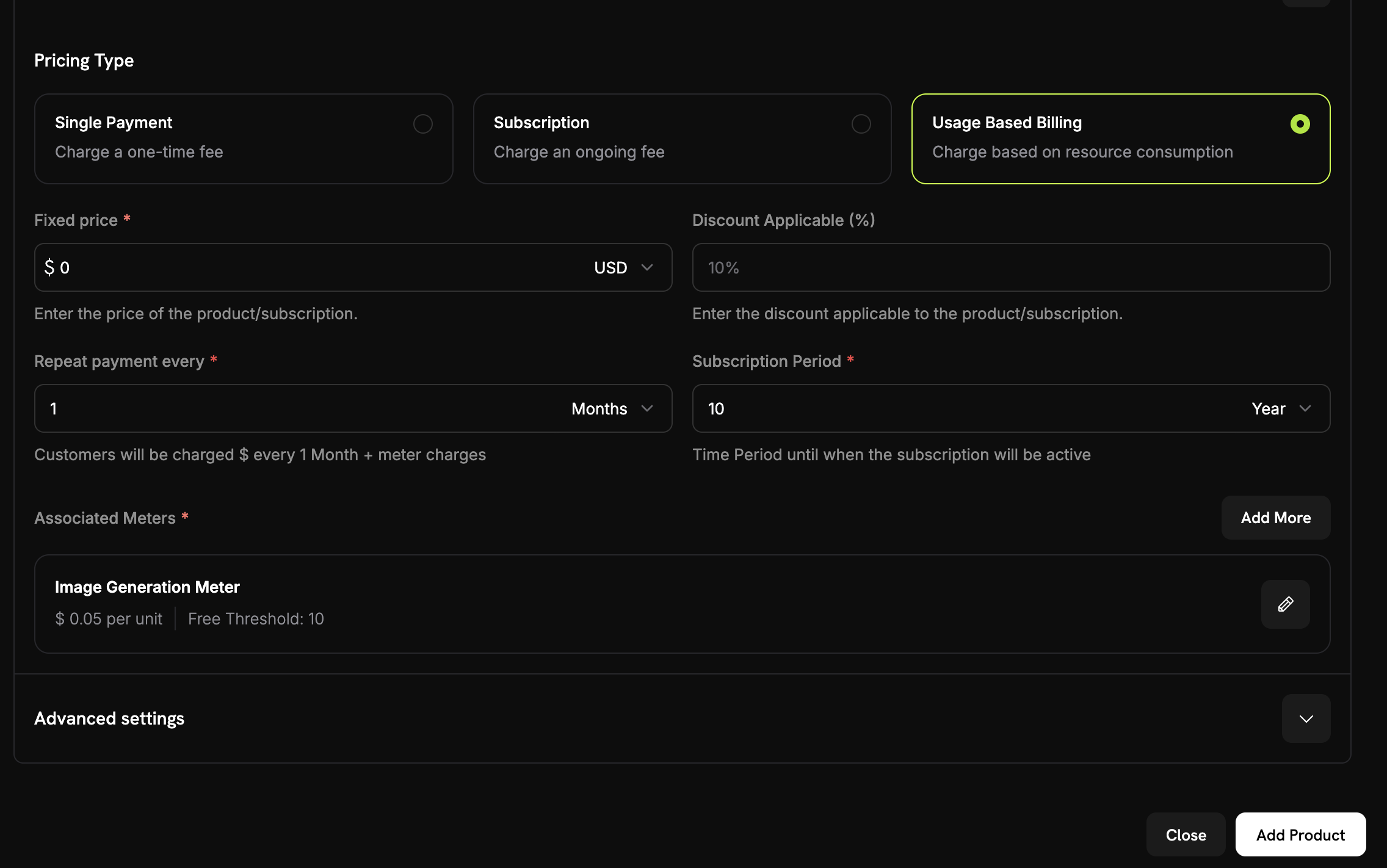 1. Select **Usage-Based Billing**
2. Choose your meter
3. Set price per unit and free threshold
```javascript theme={null}
await fetch('https://test.dodopayments.com/events/ingest', {
method: 'POST',
headers: {
'Authorization': `Bearer ${process.env.DODO_PAYMENTS_API_KEY}`,
'Content-Type': 'application/json'
},
body: JSON.stringify({
events: [{
event_id: "unique_event_id",
customer_id: "cus_abc123",
event_name: "api.call",
metadata: { endpoint: "/v1/users" }
}]
})
});
```
1. Select **Usage-Based Billing**
2. Choose your meter
3. Set price per unit and free threshold
```javascript theme={null}
await fetch('https://test.dodopayments.com/events/ingest', {
method: 'POST',
headers: {
'Authorization': `Bearer ${process.env.DODO_PAYMENTS_API_KEY}`,
'Content-Type': 'application/json'
},
body: JSON.stringify({
events: [{
event_id: "unique_event_id",
customer_id: "cus_abc123",
event_name: "api.call",
metadata: { endpoint: "/v1/users" }
}]
})
});
```
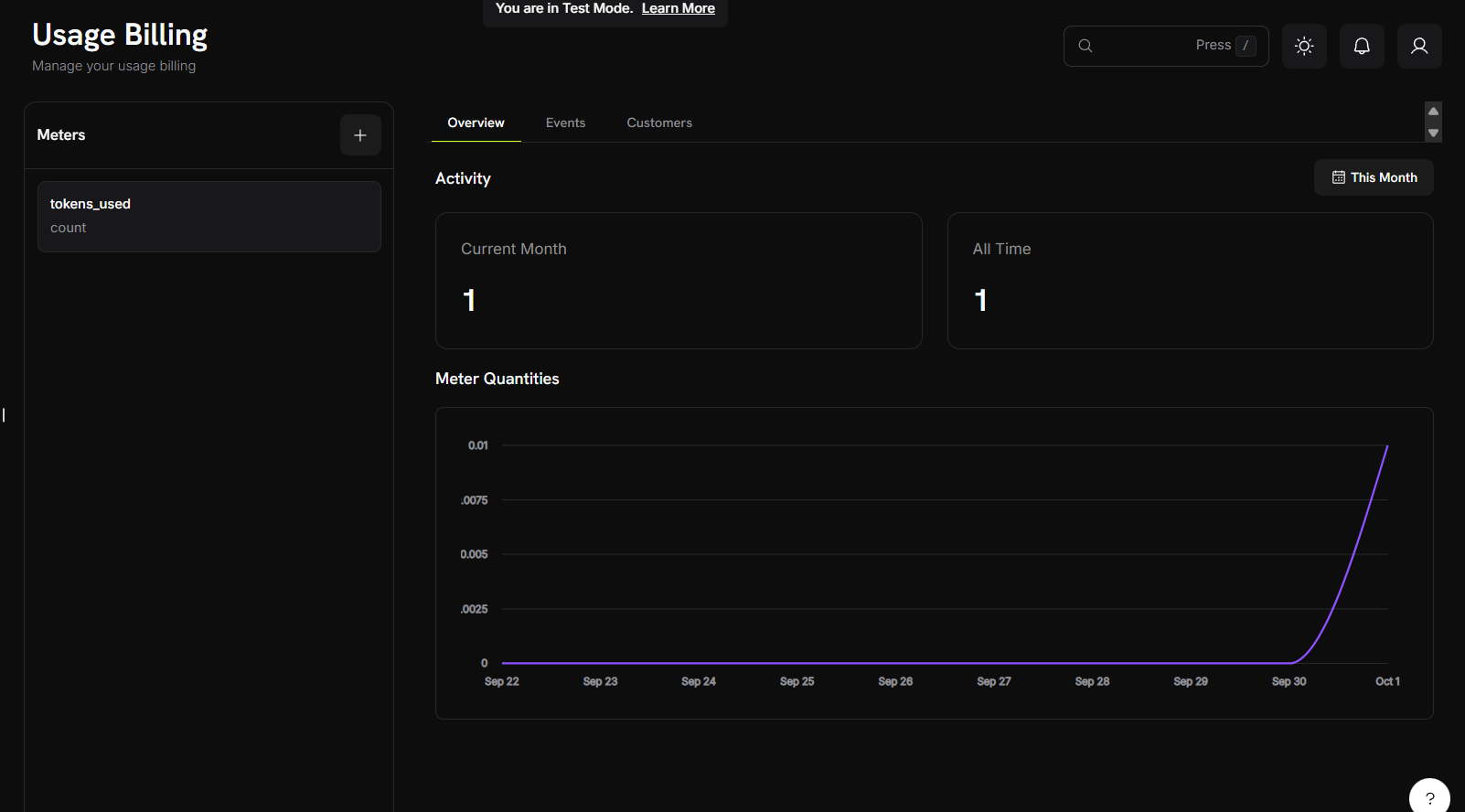 Check your meter's dashboard to see events and usage aggregation. Customers are billed automatically each cycle.
## Use Cases
Track API calls, compute hours, bandwidth, storage. Example: \$0.001 per call after 10,000 free.
Track tokens, generations, processing time. Example: \$0.04 per standard image, \$0.08 per HD.
Bill by data processed, queries run, records analyzed. Example: \$5 per GB after 10 GB free.
Count messages, minutes, data transferred. Example: \$0.01 per SMS sent.
## Next Steps
Learn how to structure and send usage events from your application.
Master meter configuration, aggregation types, and event filtering.
Build a complete AI image generator with usage-based billing from scratch.
Comprehensive guide to implementing usage-based billing in your application.
Check your meter's dashboard to see events and usage aggregation. Customers are billed automatically each cycle.
## Use Cases
Track API calls, compute hours, bandwidth, storage. Example: \$0.001 per call after 10,000 free.
Track tokens, generations, processing time. Example: \$0.04 per standard image, \$0.08 per HD.
Bill by data processed, queries run, records analyzed. Example: \$5 per GB after 10 GB free.
Count messages, minutes, data transferred. Example: \$0.01 per SMS sent.
## Next Steps
Learn how to structure and send usage events from your application.
Master meter configuration, aggregation types, and event filtering.
Build a complete AI image generator with usage-based billing from scratch.
Comprehensive guide to implementing usage-based billing in your application.