> ## Documentation Index
> Fetch the complete documentation index at: https://docs.dodopayments.com/llms.txt
> Use this file to discover all available pages before exploring further.
# Refunds
> The Refunds section allows merchants to manage and initiate refunds for transactions. Merchants can initiate full or partial refunds directly from the transaction details view, with built-in rules ensuring compliance and protecting against errors.
## Initiate Refund
You can initiate two types of refunds from the Payment Details Page:
* **Full refund**: Refunds the entire payment amount to the customer.
* **Partial refund**: Refunds only a portion of the payment amount, as specified by you.
To begin, click the **Initiate Refund** button. The refund will only proceed if all refund rules are met.
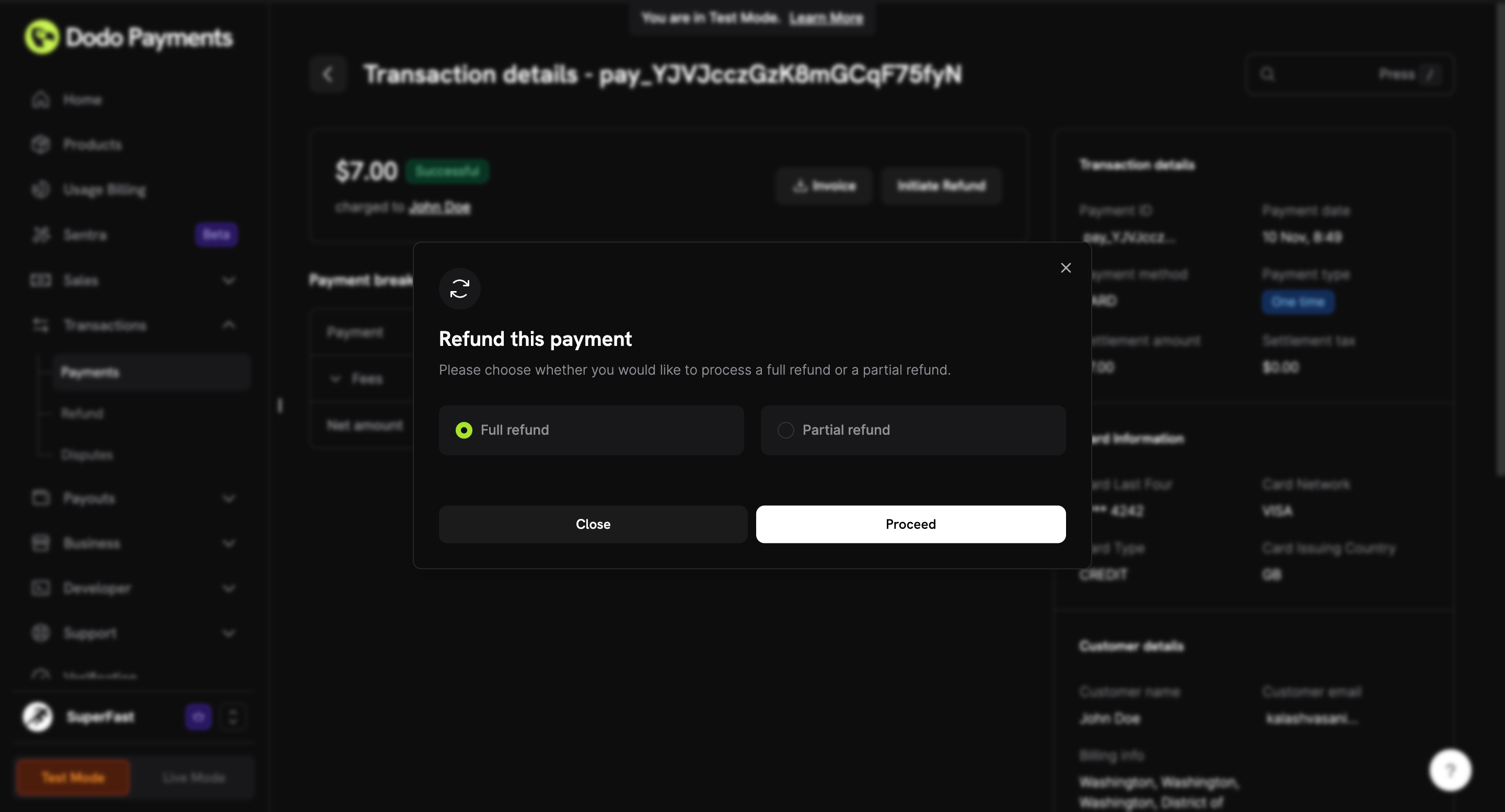 Partial refunds are useful when only a portion of the order needs to be refunded.
### Details Required for Refund
* **Refund Amount**: The amount to be refunded. For partial refunds, enter the specific amount you wish to return to the customer. The system will prevent you from refunding more than the original payment.
* **Refund Reason**: The reason for the refund, to be recorded in the system.
### Refund Rules
1. The payment must have been successful.
2. Refunds (full or partial) must be initiated within 30 days of the transaction date. Initiating refunds will not be allowed post that.
3. Refunds are issued to the original payment method used by the customer.
If any rule is violated, the refund request will be denied. Please reach out to support for assistance if needed.
## Refund Status
Track the progress of your refund through the following status indicators:
| Status | Description | Possible Reason |
| --------- | --------------------------------------------------------- | ------------------------------------------------------------------------------------------------ |
| succeeded | The refund has been successfully processed. | — |
| pending | The refund is being processed and is awaiting completion. | — |
| failed | The refund could not be processed due to an error. |
Partial refunds are useful when only a portion of the order needs to be refunded.
### Details Required for Refund
* **Refund Amount**: The amount to be refunded. For partial refunds, enter the specific amount you wish to return to the customer. The system will prevent you from refunding more than the original payment.
* **Refund Reason**: The reason for the refund, to be recorded in the system.
### Refund Rules
1. The payment must have been successful.
2. Refunds (full or partial) must be initiated within 30 days of the transaction date. Initiating refunds will not be allowed post that.
3. Refunds are issued to the original payment method used by the customer.
If any rule is violated, the refund request will be denied. Please reach out to support for assistance if needed.
## Refund Status
Track the progress of your refund through the following status indicators:
| Status | Description | Possible Reason |
| --------- | --------------------------------------------------------- | ------------------------------------------------------------------------------------------------ |
| succeeded | The refund has been successfully processed. | — |
| pending | The refund is being processed and is awaiting completion. | — |
| failed | The refund could not be processed due to an error. | - Payment was disputed
- Insufficient balance in wallet
- Bank issue
|
## Refunds Page
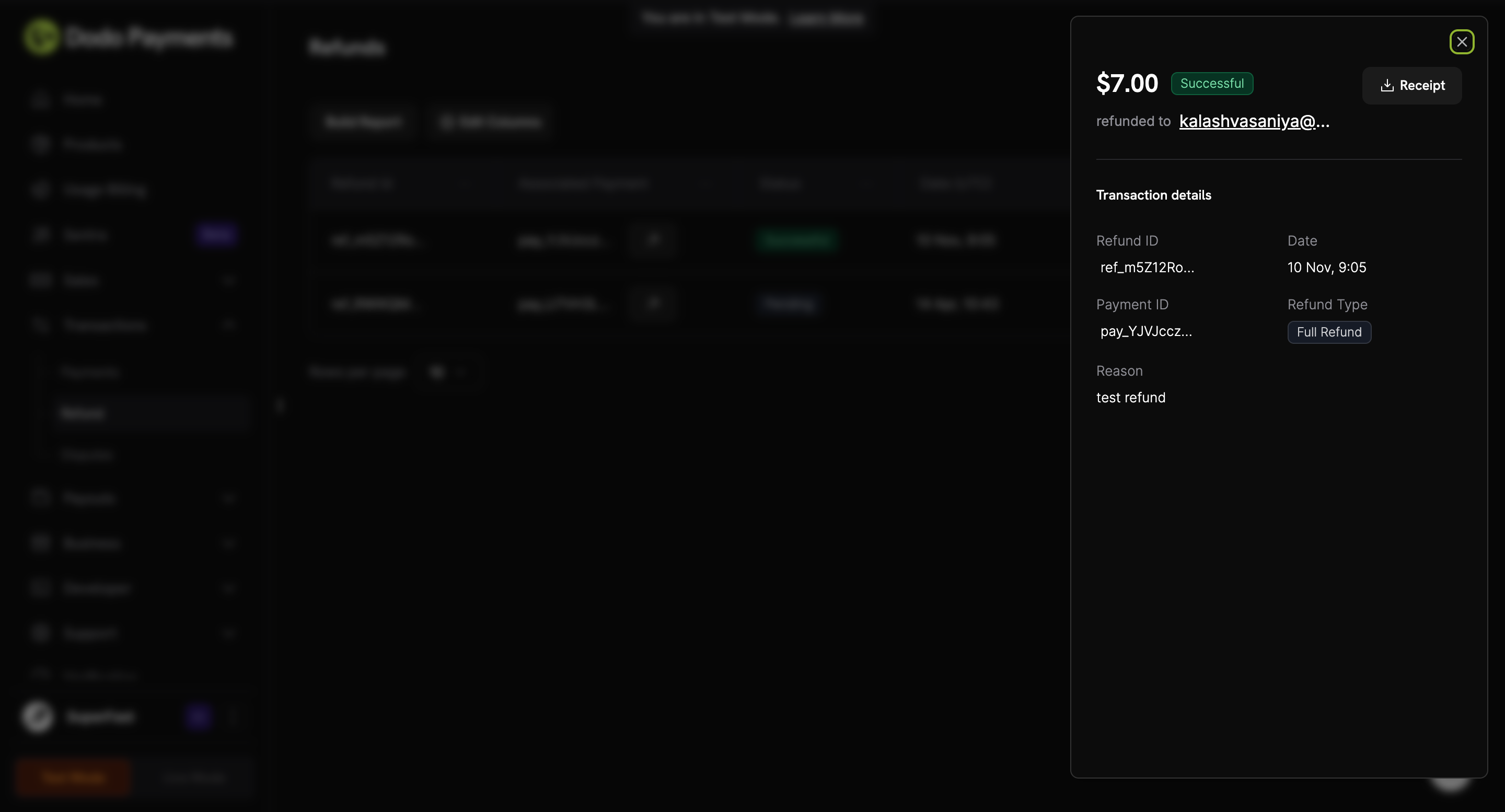
The **Refunds Page** provides a detailed view of all refund transactions:
* Clicking the **Associated Payment ID** will take the merchant to the **Payment Details Page** for that transaction.
* Merchants can export the refund report in CSV format for a specified date range.
Here’s how the **Refunds Page** looks:
 ## Refund Receipt
Once a refund is successfully processed, a **Refund Receipt** is automatically sent to the customer.
**Refund Receipt Template:**
## Refund Receipt
Once a refund is successfully processed, a **Refund Receipt** is automatically sent to the customer.
**Refund Receipt Template:**
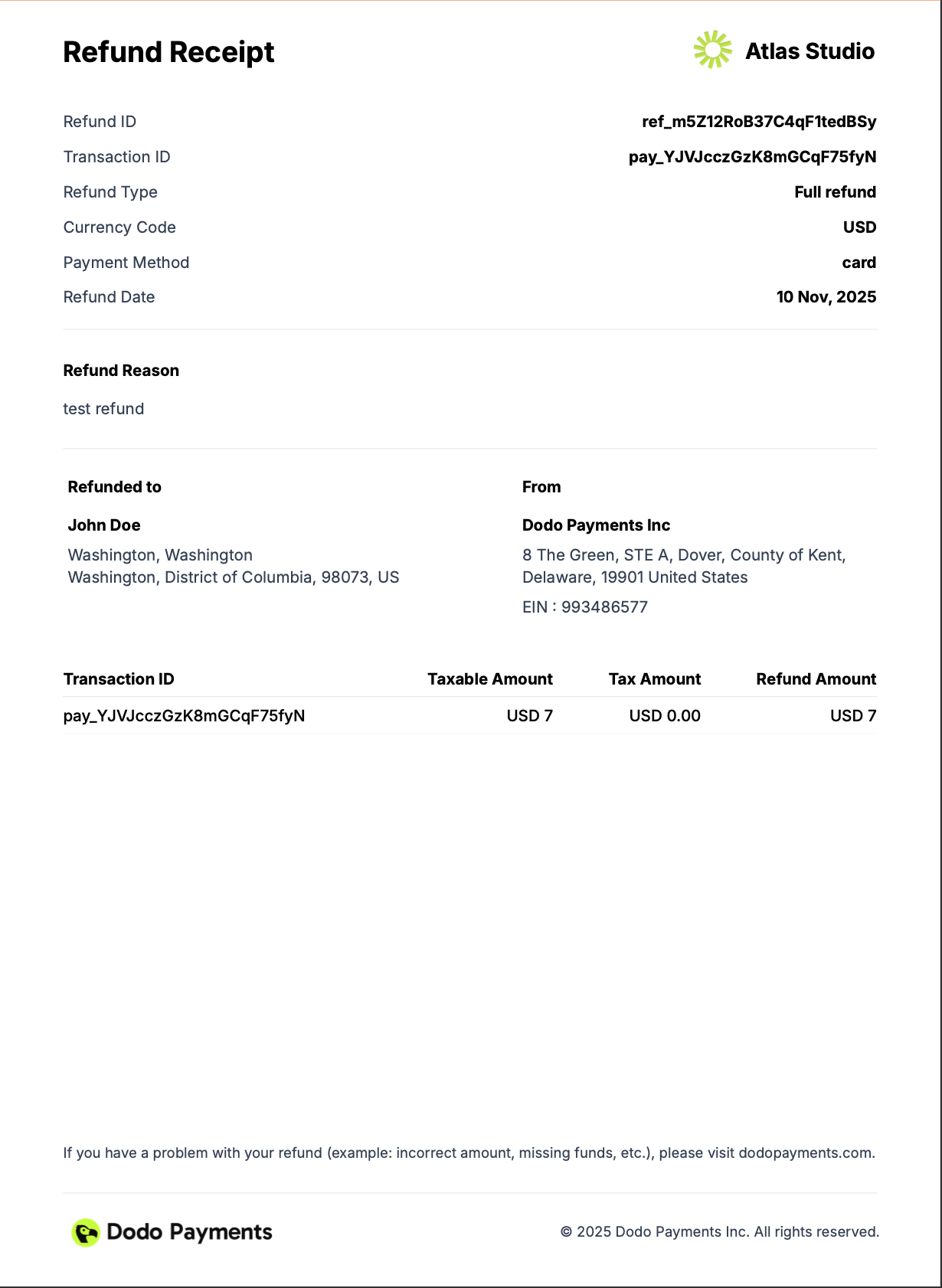 The refund receipt includes:
* **Refund ID**: The unique identifier for the refund.
* **Refund amount**: The amount refunded to the customer.
* **Refund date**: The date the refund was processed.
* **Refund method**: The method used to refund the customer.
* **Refund status**: The status of the refund.
* **Refund reason**: The reason for the refund.
The refund receipt includes:
* **Refund ID**: The unique identifier for the refund.
* **Refund amount**: The amount refunded to the customer.
* **Refund date**: The date the refund was processed.
* **Refund method**: The method used to refund the customer.
* **Refund status**: The status of the refund.
* **Refund reason**: The reason for the refund.