> ## Documentation Index
> Fetch the complete documentation index at: https://docs.dodopayments.com/llms.txt
> Use this file to discover all available pages before exploring further.
# Notion Entitlement
> Duplicate a Notion template into the customer's workspace when they purchase.
The Notion entitlement duplicates a template you've prepared into the paying customer's Notion workspace. The customer authorizes through OAuth, picks the workspace they want the template copied into, and Dodo Payments handles the duplication.
## What gets delivered
* The customer is prompted to connect their Notion workspace via OAuth.
* Once authorized, Dodo Payments duplicates the configured template into the workspace they chose.
* On cancellation, the duplicated template remains in the customer's workspace (Notion does not support remote deletion). The grant is marked `revoked` for record-keeping.
Common uses include paid Notion templates, productivity systems, and OS/CRM templates.
## Connect Notion
In your Dodo Payments dashboard, go to **Entitlements** and click **+**.
Choose **Notion Template** as the integration. If Notion is not yet connected, you'll be prompted to **Connect Notion**.
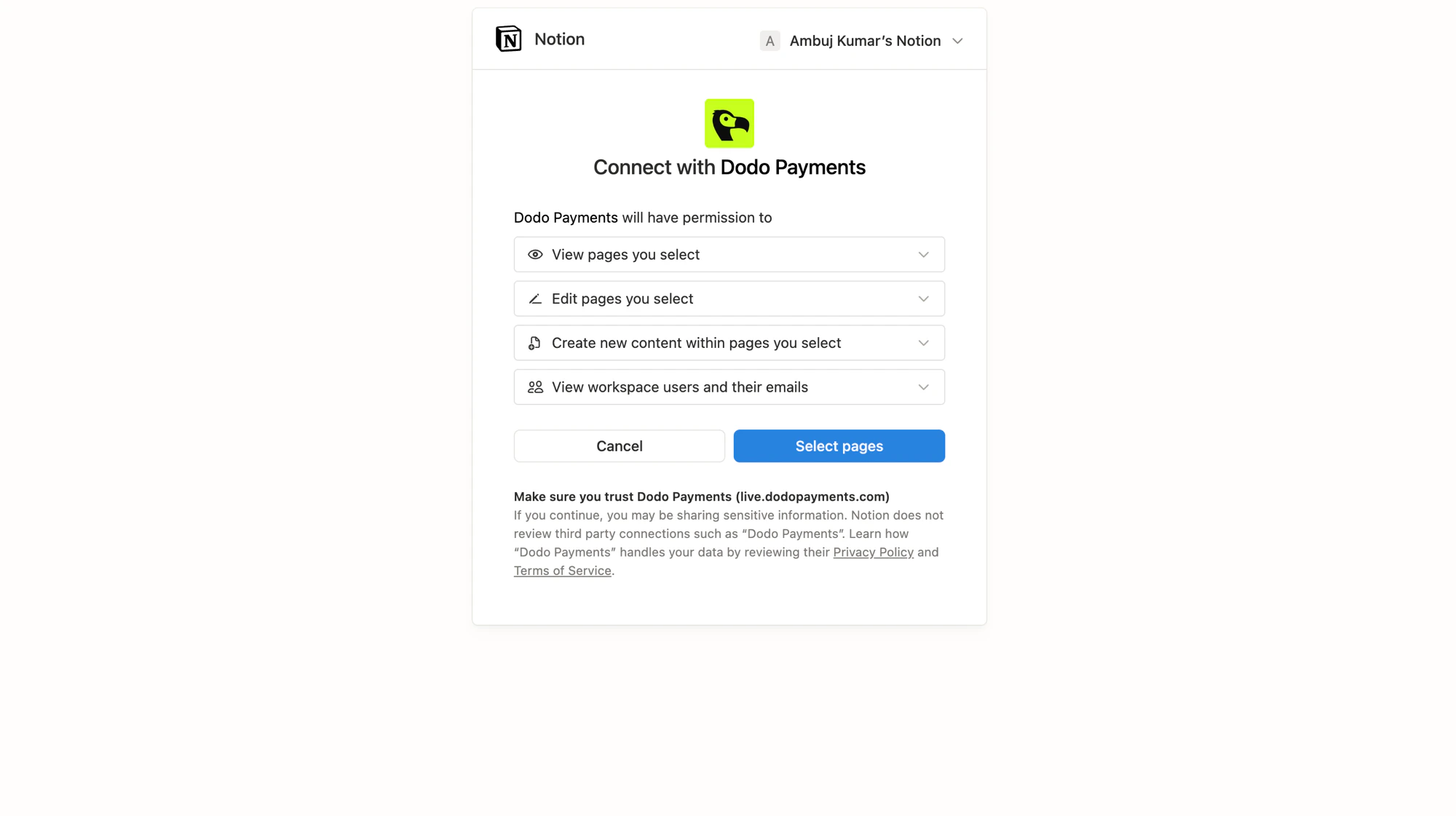
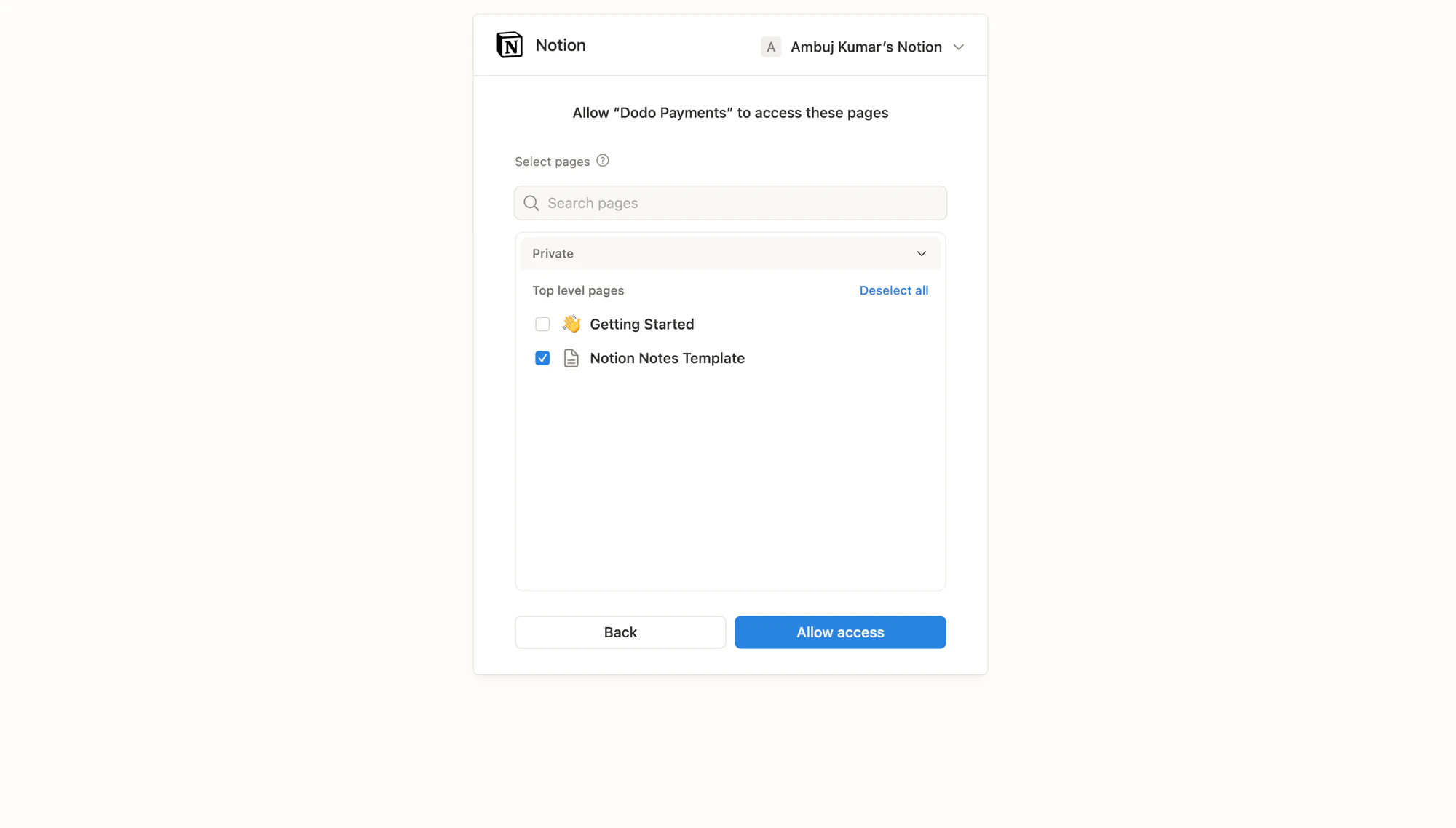
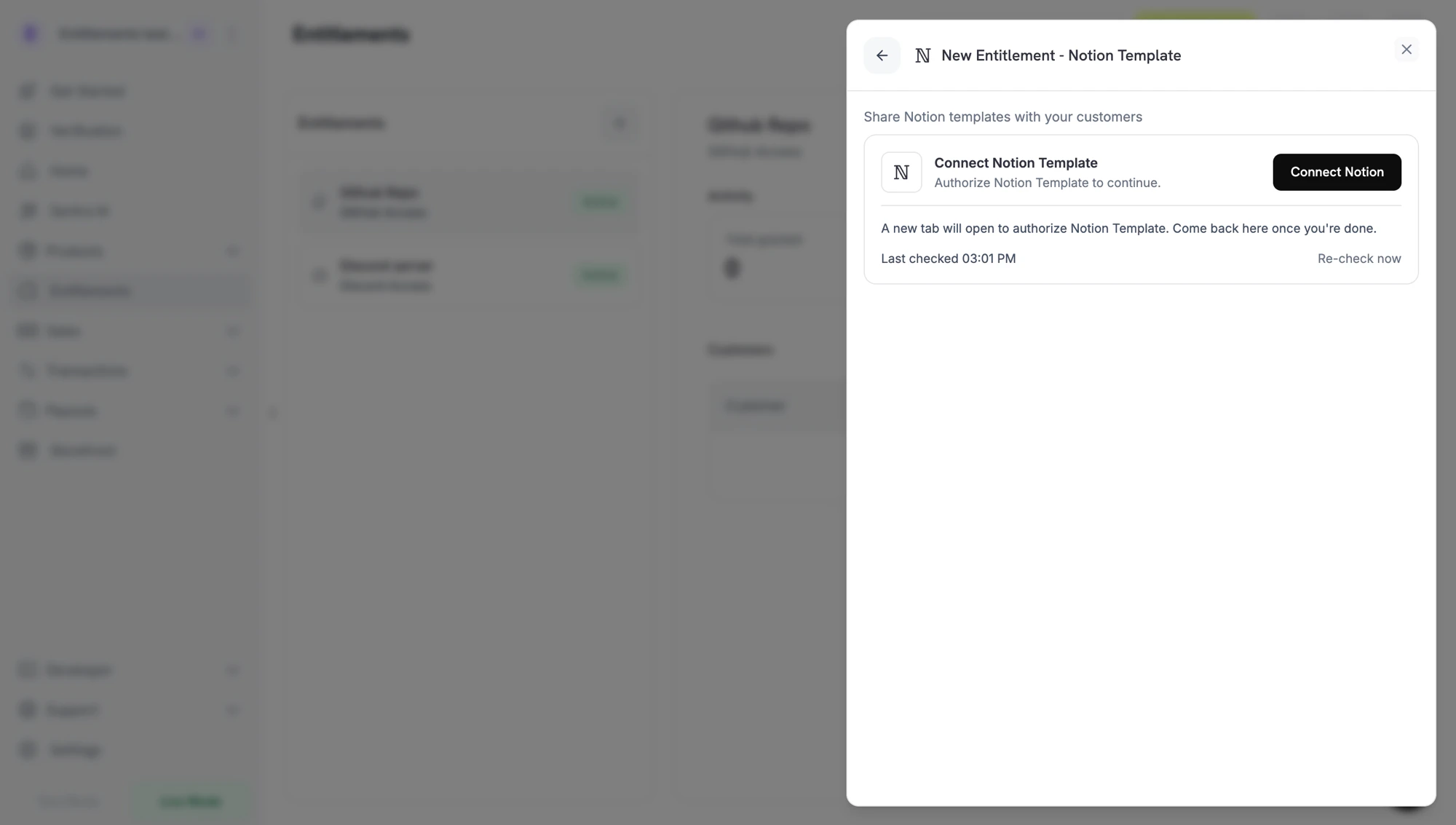 Clicking through opens Notion in a new tab. Sign in to the workspace that owns your source templates, review the permissions Dodo Payments requests, then pick the pages (templates) the integration is allowed to read and duplicate.
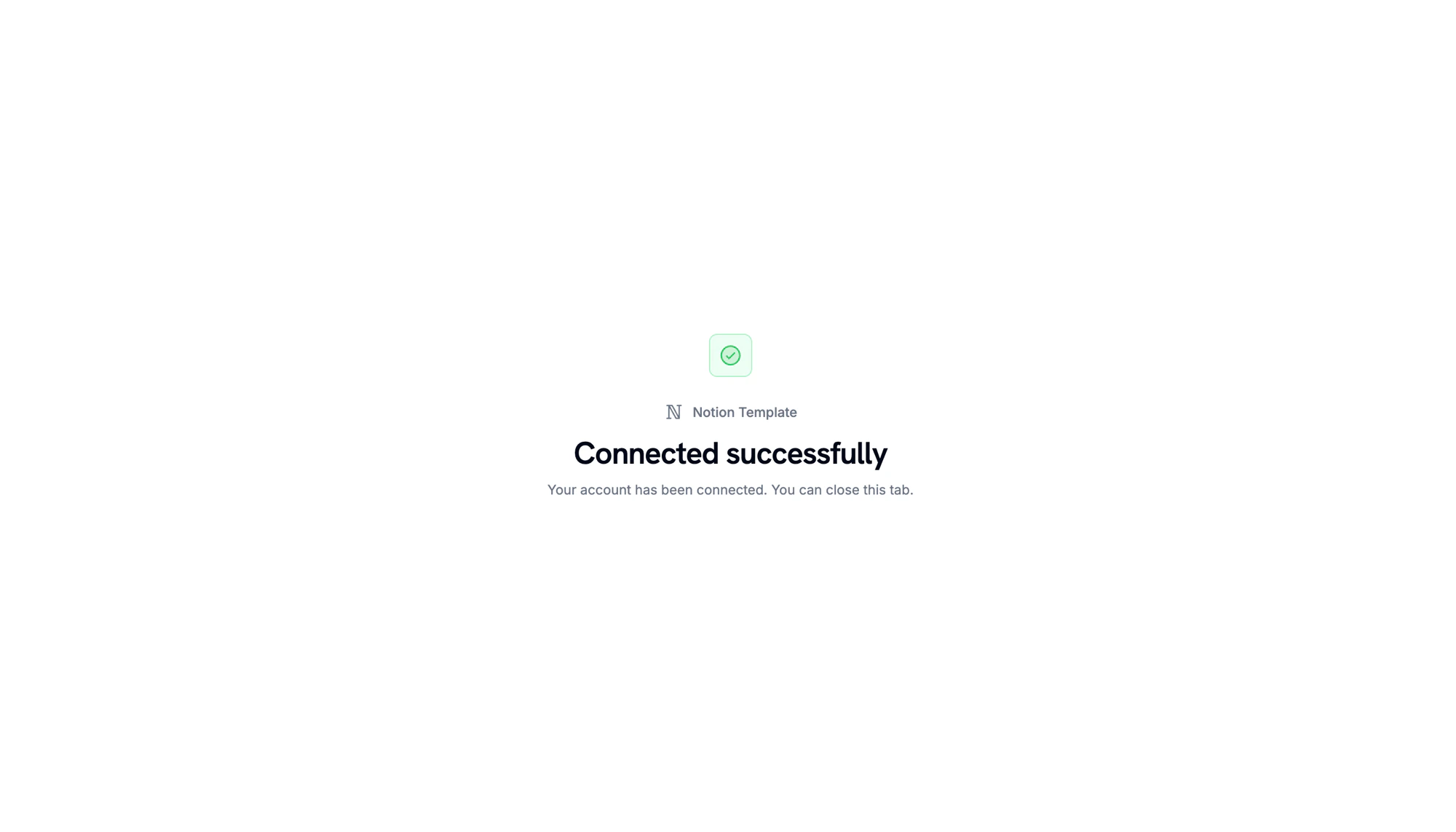
When Notion redirects back, you'll see a confirmation that the workspace is connected.
Clicking through opens Notion in a new tab. Sign in to the workspace that owns your source templates, review the permissions Dodo Payments requests, then pick the pages (templates) the integration is allowed to read and duplicate.
When Notion redirects back, you'll see a confirmation that the workspace is connected.
 Back in the dashboard, select the **template** to duplicate from the template picker. Only pages you authorized in the previous step appear here. Give the entitlement a **name** and click **Create Entitlement**.
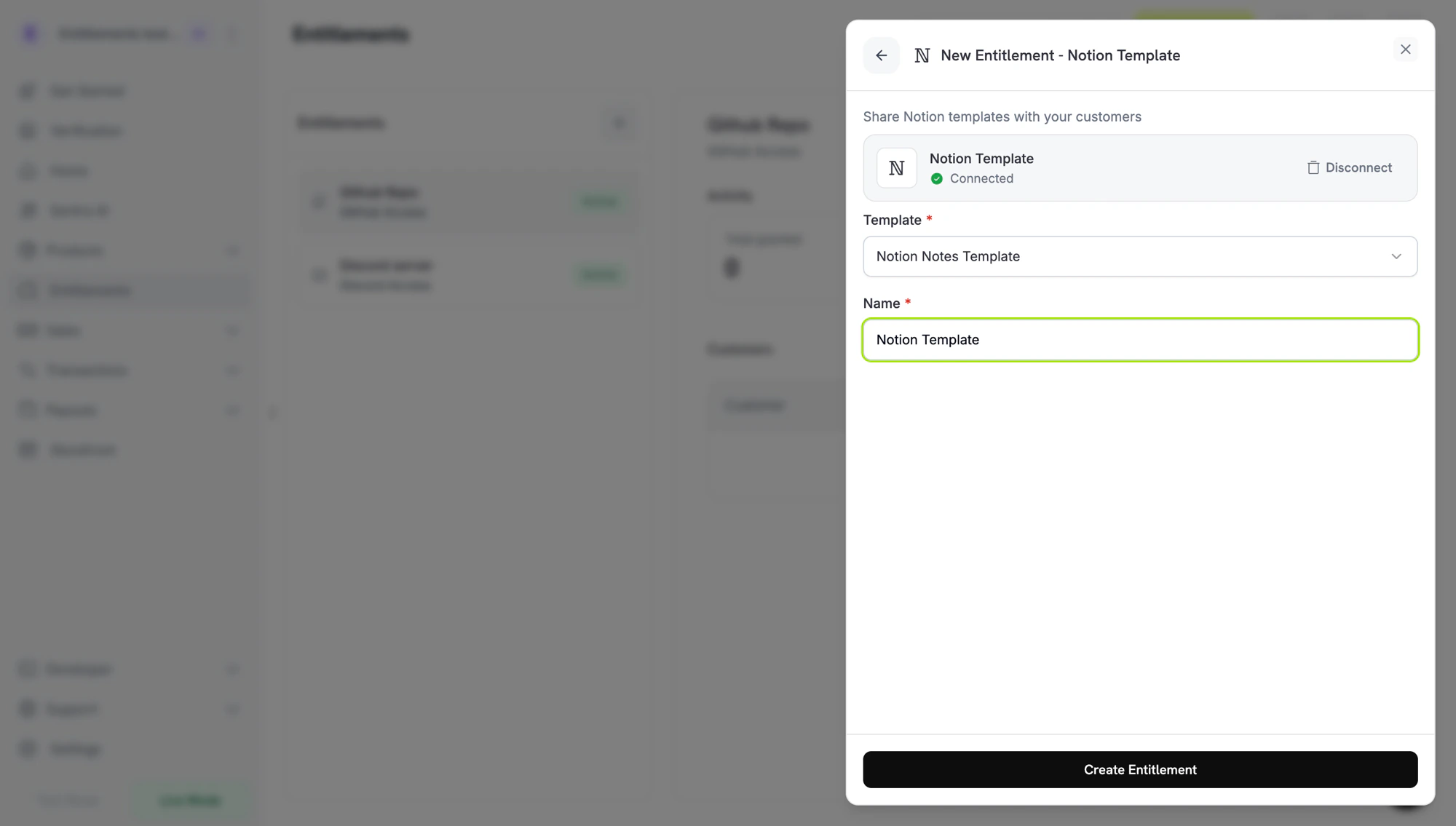 Save and attach to any product.
## Customer flow
1. The customer completes checkout.
2. Dodo Payments creates a grant in `pending` status with a Notion `oauth_url` for the customer to connect their workspace.
3. The customer authorizes via the link in their email or customer portal and picks the workspace they want the template duplicated into.
4. Dodo Payments duplicates the template. The grant moves to `delivered`.
5. On revocation, the grant is marked `revoked`; the duplicated copy remains in the customer's workspace.
Notion intentionally treats a duplicated page as the recipient's own content. Dodo Payments cannot delete the copy on revocation.
## Required configuration
| Field | Required | Description |
| -------------------- | -------- | ---------------------------------------------------- |
| `notion_template_id` | Yes | The template ID. The dashboard picker fills this in. |
## Create via API
```typescript TypeScript theme={null} theme={null}
const entitlement = await client.entitlements.create({
name: 'Study Notes',
integration_type: 'notion',
integration_config: {
notion_template_id: 'tmpl_abc123',
},
});
```
```python Python theme={null} theme={null}
client.entitlements.create(
name="Study Notes",
integration_type="notion",
integration_config={"notion_template_id": "tmpl_abc123"},
)
```
```go Go theme={null} theme={null}
client.Entitlements.New(ctx, dodopayments.EntitlementNewParams{
Name: dodopayments.F("Study Notes"),
IntegrationType: dodopayments.F(dodopayments.EntitlementIntegrationTypeNotion),
IntegrationConfig: dodopayments.F[dodopayments.IntegrationConfigUnionParam](
dodopayments.IntegrationConfigNotionConfigParam{
NotionTemplateID: dodopayments.F("tmpl_abc123"),
},
),
})
```
## Webhooks
See [`entitlement_grant.*` webhook events](/developer-resources/webhooks/intents/entitlement-grant):
* `entitlement_grant.created` includes the Notion `oauth_url`.
* `entitlement_grant.delivered` fires once the template is duplicated.
* `entitlement_grant.revoked` fires on cancellation; the customer's copy is left untouched.
## Troubleshooting
The grant remains `pending` until the customer completes Notion OAuth. Resend the delivery email; the OAuth link expires after one week, after which you can revoke and recreate the grant.
Reconnect Notion from **Entitlements → Integrations → Notion** with the workspace that owns the source templates.
Notion does not allow remote deletion of duplicated pages. The customer must delete the copy from their own workspace.
Save and attach to any product.
## Customer flow
1. The customer completes checkout.
2. Dodo Payments creates a grant in `pending` status with a Notion `oauth_url` for the customer to connect their workspace.
3. The customer authorizes via the link in their email or customer portal and picks the workspace they want the template duplicated into.
4. Dodo Payments duplicates the template. The grant moves to `delivered`.
5. On revocation, the grant is marked `revoked`; the duplicated copy remains in the customer's workspace.
Notion intentionally treats a duplicated page as the recipient's own content. Dodo Payments cannot delete the copy on revocation.
## Required configuration
| Field | Required | Description |
| -------------------- | -------- | ---------------------------------------------------- |
| `notion_template_id` | Yes | The template ID. The dashboard picker fills this in. |
## Create via API
```typescript TypeScript theme={null} theme={null}
const entitlement = await client.entitlements.create({
name: 'Study Notes',
integration_type: 'notion',
integration_config: {
notion_template_id: 'tmpl_abc123',
},
});
```
```python Python theme={null} theme={null}
client.entitlements.create(
name="Study Notes",
integration_type="notion",
integration_config={"notion_template_id": "tmpl_abc123"},
)
```
```go Go theme={null} theme={null}
client.Entitlements.New(ctx, dodopayments.EntitlementNewParams{
Name: dodopayments.F("Study Notes"),
IntegrationType: dodopayments.F(dodopayments.EntitlementIntegrationTypeNotion),
IntegrationConfig: dodopayments.F[dodopayments.IntegrationConfigUnionParam](
dodopayments.IntegrationConfigNotionConfigParam{
NotionTemplateID: dodopayments.F("tmpl_abc123"),
},
),
})
```
## Webhooks
See [`entitlement_grant.*` webhook events](/developer-resources/webhooks/intents/entitlement-grant):
* `entitlement_grant.created` includes the Notion `oauth_url`.
* `entitlement_grant.delivered` fires once the template is duplicated.
* `entitlement_grant.revoked` fires on cancellation; the customer's copy is left untouched.
## Troubleshooting
The grant remains `pending` until the customer completes Notion OAuth. Resend the delivery email; the OAuth link expires after one week, after which you can revoke and recreate the grant.
Reconnect Notion from **Entitlements → Integrations → Notion** with the workspace that owns the source templates.
Notion does not allow remote deletion of duplicated pages. The customer must delete the copy from their own workspace.