> ## Documentation Index
> Fetch the complete documentation index at: https://docs.dodopayments.com/llms.txt
> Use this file to discover all available pages before exploring further.
# Atlas Demo Product
> Explore Atlas, a fully functional AI art generation demo application showcasing usage-based billing, subscriptions, and one-time payments with Dodo Payments checkout integration.
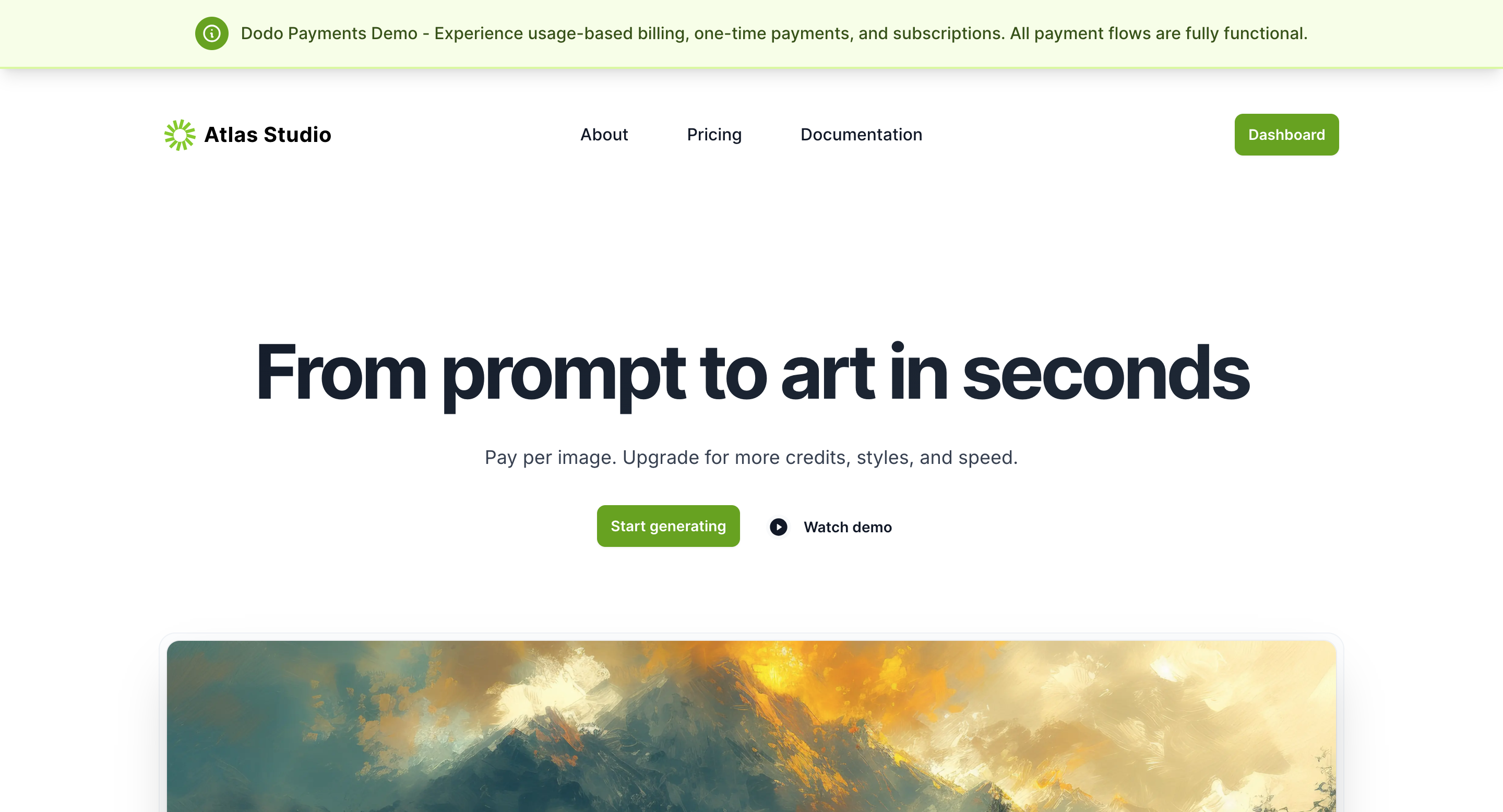 Atlas is a fully functional demo application by Dodo Payments that showcases an AI art generation platform. It demonstrates all three billing models—**usage-based billing**, **one-time payments**, and **subscriptions**—with integrated checkout flows.
**Live Demo**: Visit [atlas.dodopayments.com](https://atlas.dodopayments.com/) to explore the platform and test all billing flows.
## Overview
Atlas simulates a real-world AI art generation platform where users create images from text prompts. The demo highlights three distinct purchase flows, each demonstrating different billing models and checkout experiences:
* **Usage-Based Billing**: Pay per image generated (\$0.75 per image)
* **Subscription**: Unlimited Pro plan (\$20/month)
* **One-Time Purchase**: Credit packs (\$7 for 10 credits)
After completing any purchase, users are redirected to the **Atlas Studio dashboard** where they can generate artwork and track their usage in real-time.
## Purchase Flows
Atlas demonstrates three separate billing flows. Each flow follows a similar pattern but showcases different checkout experiences and billing models.
Choose the **pay-per-image** option (\$0.75 per image) for AI art generation. This demonstrates usage-based billing where customers pay only for what they consume.
Enter a text prompt and generate an image. The system automatically tracks usage for billing purposes.
The checkout process includes:
* **Branded checkout page**: Dodo Payments checkout page displays your merchant brand name and logo
* **Customer information**: Enter user details and billing address
* **Tax calculation**: Taxes are automatically calculated after address confirmation
* **Payment**: Enter test card details to complete the transaction
Use test card `4242 4242 4242 4242` with any future expiry date and CVC to simulate successful transactions.
After payment, Atlas displays a confirmation screen with usage details and remaining credits.
Users are redirected back to the **Atlas Studio dashboard** where they can continue generating artwork and monitor their usage tracking.
Choose the **Unlimited Pro** subscription plan (\$20/month) for unlimited AI art generation.
Enter a prompt and generate an image to test the platform before subscribing.
The subscription checkout includes:
* **Branded checkout page**: Merchant branding is visible throughout the checkout process
* **Customer information**: Enter user details and billing address
* **Tax calculation**: Automatic tax calculation based on billing address
* **Payment**: Enter test card details to activate the subscription
Subscriptions automatically renew monthly. Users can manage their subscription from the dashboard after purchase.
Post-payment, Atlas displays a confirmation screen with subscription activation details and next billing date.
Users are redirected to the **Atlas Studio dashboard** with unlimited access to generate artwork.
Choose a **Credit Pack** (\$7 for 10 credits) for AI art generation. This demonstrates one-time purchase transactions.
Enter a prompt and generate an image to preview the platform before purchasing credits.
The one-time purchase checkout includes:
* **Branded checkout page**: Dodo Payments checkout with merchant branding
* **Customer information**: Enter user details and billing address
* **Tax calculation**: Automatic tax calculation after address confirmation
* **Payment**: Enter test card details to complete the purchase
Post-payment, Atlas displays a confirmation screen with a "thank you" message and purchased credit details.
Users are redirected to the **Atlas Studio dashboard** where their purchased credits are immediately available for generating artwork.
## Post-Purchase Dashboard Experience
The Atlas Studio dashboard demonstrates how to implement billing-aware features and entitlement tracking after checkout completion.
### Dashboard Features
* **Immediate access**: Users can start generating artwork immediately after purchase
* **Usage tracking**: Real-time display of remaining credits, active subscriptions, and generation history
* **Billing management**: View purchase history, subscription status, and upcoming renewals
* **Seamless integration**: Showcases how to redirect users back to your application with proper entitlement tracking
The dashboard experience demonstrates best practices for post-purchase user flows, including entitlement verification and usage monitoring.
## Technical Implementation
Atlas is built using the [Dodo Payments TypeScript SDK](/developer-resources/sdks/typescript), demonstrating how to integrate billing flows with just a few lines of code.
Learn how to integrate Dodo Payments checkout flows into your application.
Explore the TypeScript SDK documentation and API reference.
## Open Source
Atlas is an open-source project. Explore the codebase to see how billing flows are implemented in a real application.
Browse the Atlas source code and learn from the implementation.
Atlas is a fully functional demo application by Dodo Payments that showcases an AI art generation platform. It demonstrates all three billing models—**usage-based billing**, **one-time payments**, and **subscriptions**—with integrated checkout flows.
**Live Demo**: Visit [atlas.dodopayments.com](https://atlas.dodopayments.com/) to explore the platform and test all billing flows.
## Overview
Atlas simulates a real-world AI art generation platform where users create images from text prompts. The demo highlights three distinct purchase flows, each demonstrating different billing models and checkout experiences:
* **Usage-Based Billing**: Pay per image generated (\$0.75 per image)
* **Subscription**: Unlimited Pro plan (\$20/month)
* **One-Time Purchase**: Credit packs (\$7 for 10 credits)
After completing any purchase, users are redirected to the **Atlas Studio dashboard** where they can generate artwork and track their usage in real-time.
## Purchase Flows
Atlas demonstrates three separate billing flows. Each flow follows a similar pattern but showcases different checkout experiences and billing models.
Choose the **pay-per-image** option (\$0.75 per image) for AI art generation. This demonstrates usage-based billing where customers pay only for what they consume.
Enter a text prompt and generate an image. The system automatically tracks usage for billing purposes.
The checkout process includes:
* **Branded checkout page**: Dodo Payments checkout page displays your merchant brand name and logo
* **Customer information**: Enter user details and billing address
* **Tax calculation**: Taxes are automatically calculated after address confirmation
* **Payment**: Enter test card details to complete the transaction
Use test card `4242 4242 4242 4242` with any future expiry date and CVC to simulate successful transactions.
After payment, Atlas displays a confirmation screen with usage details and remaining credits.
Users are redirected back to the **Atlas Studio dashboard** where they can continue generating artwork and monitor their usage tracking.
Choose the **Unlimited Pro** subscription plan (\$20/month) for unlimited AI art generation.
Enter a prompt and generate an image to test the platform before subscribing.
The subscription checkout includes:
* **Branded checkout page**: Merchant branding is visible throughout the checkout process
* **Customer information**: Enter user details and billing address
* **Tax calculation**: Automatic tax calculation based on billing address
* **Payment**: Enter test card details to activate the subscription
Subscriptions automatically renew monthly. Users can manage their subscription from the dashboard after purchase.
Post-payment, Atlas displays a confirmation screen with subscription activation details and next billing date.
Users are redirected to the **Atlas Studio dashboard** with unlimited access to generate artwork.
Choose a **Credit Pack** (\$7 for 10 credits) for AI art generation. This demonstrates one-time purchase transactions.
Enter a prompt and generate an image to preview the platform before purchasing credits.
The one-time purchase checkout includes:
* **Branded checkout page**: Dodo Payments checkout with merchant branding
* **Customer information**: Enter user details and billing address
* **Tax calculation**: Automatic tax calculation after address confirmation
* **Payment**: Enter test card details to complete the purchase
Post-payment, Atlas displays a confirmation screen with a "thank you" message and purchased credit details.
Users are redirected to the **Atlas Studio dashboard** where their purchased credits are immediately available for generating artwork.
## Post-Purchase Dashboard Experience
The Atlas Studio dashboard demonstrates how to implement billing-aware features and entitlement tracking after checkout completion.
### Dashboard Features
* **Immediate access**: Users can start generating artwork immediately after purchase
* **Usage tracking**: Real-time display of remaining credits, active subscriptions, and generation history
* **Billing management**: View purchase history, subscription status, and upcoming renewals
* **Seamless integration**: Showcases how to redirect users back to your application with proper entitlement tracking
The dashboard experience demonstrates best practices for post-purchase user flows, including entitlement verification and usage monitoring.
## Technical Implementation
Atlas is built using the [Dodo Payments TypeScript SDK](/developer-resources/sdks/typescript), demonstrating how to integrate billing flows with just a few lines of code.
Learn how to integrate Dodo Payments checkout flows into your application.
Explore the TypeScript SDK documentation and API reference.
## Open Source
Atlas is an open-source project. Explore the codebase to see how billing flows are implemented in a real application.
Browse the Atlas source code and learn from the implementation.