> ## Documentation Index
> Fetch the complete documentation index at: https://docs.dodopayments.com/llms.txt
> Use this file to discover all available pages before exploring further.
# Archiving a Business
> Permanently retire a business you no longer trade under. Learn the eligibility requirements, the confirmation flow, and what happens after archiving.
## Introduction
Archiving retires a business you no longer trade under. The business disappears from your dashboard, its API keys stop working, and its checkout, payment links, storefront, and Customer Portal stop serving your customers.
Archiving is not deletion. Dodo Payments is your [Merchant of Record](/features/mor-introduction), so your payments, refunds, invoices, and tax records must be retained for compliance long after you stop trading. Archiving closes the business to new activity while those records stay intact.
Archiving is permanent. There is no way to restore an archived business, and support cannot reverse it for you. If you only want to retire one brand and keep trading under the others, archive the brand instead. See [Multi-Brand Setup](/features/multi-brands).
## Eligibility Requirements
A business can only be archived once it is fully settled. Before the option becomes available, Dodo Payments checks seven requirements and shows you a live checklist of each one. You clear the outstanding items yourself, using the same tools you already use day to day.
| Requirement | Cleared when | How to clear it |
| --------------------- | --------------------------------------------------------------- | ---------------------------------------------------------------------------------------------------------------- |
| **Dormancy** | The business has had no payment activity in the last 180 days | Wait out the window. The checklist shows the date you become eligible. |
| **Payout Wallet** | Every currency balance is exactly zero | Withdraw your remaining funds. See [Account Summary and Payout Wallet](/features/account-summary-payout-wallet). |
| **Payouts** | No payout is still in progress, on hold, or awaiting initiation | Wait for each payout to settle. See [Payout Structure](/features/payouts/payout-structure). |
| **Disputes** | No dispute is open or challenged | Resolve or accept every dispute. See [Disputes](/features/transactions/disputes). |
| **Refunds** | No refund is pending or under review | Wait for each refund to complete. See [Refunds](/features/transactions/refunds). |
| **Subscriptions** | No subscription is pending, active, on hold, or paused | Cancel each subscription. See [Subscriptions](/features/subscription). |
| **Customer Balances** | No customer holds a cash balance | Zero each balance through the [Customer Wallet](/features/customer-wallet) ledger. |
A subscription scheduled to cancel at its next billing date still blocks archiving until it actually ends. Dodo Payments never cancels subscriptions on your behalf, so you stay in control of what your customers are charged.
Every payment counts towards the dormancy window, whatever its outcome. A failed or abandoned payment attempt restarts the 180 days just as a successful one does.
Customer credit grants do not block archiving. Only cash balances do. Credits expire on their own schedule.
The checklist is evaluated live every time you open it, so refresh it after you clear an item to see the requirement turn green.
## How to Archive Your Business
Only the **Owner** of a business can archive it. Editors and Viewers cannot, even though they can see the checklist. Ownership cannot be transferred, so if you are not the owner, ask them to complete this flow.
Go to **Settings → Business** and scroll to the **Danger Zone** panel. Select **See Details** next to the status line to expand the checklist.
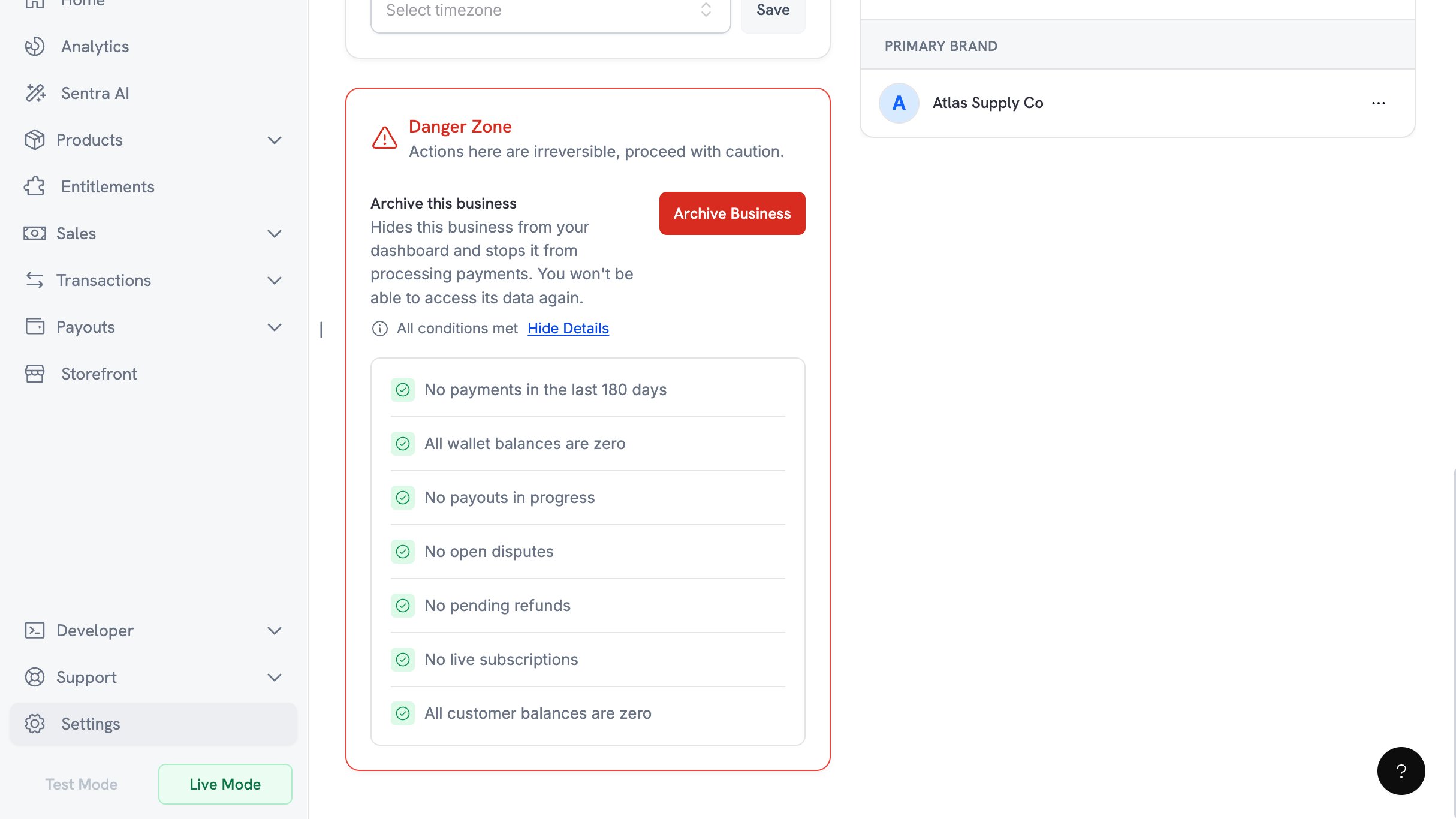 Work through the items that have not passed, following the resolution links in the table above. Return to the panel and expand the checklist again as you go. The status line above the checklist reads **All conditions met** once nothing is left to clear.
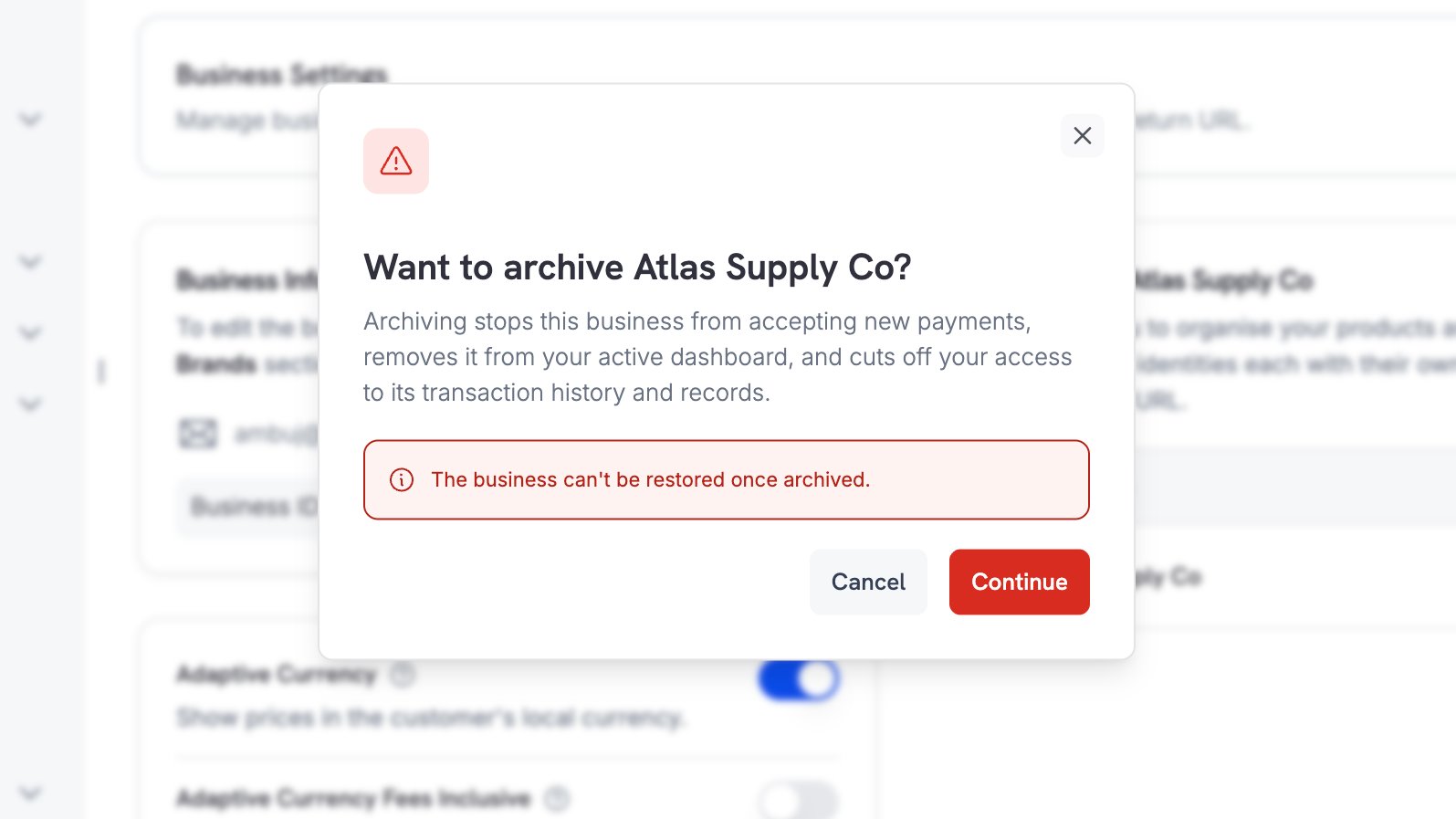
Select **Archive Business** and read the confirmation dialog. Select **Continue** to send a confirmation code to the owner's email address.
Work through the items that have not passed, following the resolution links in the table above. Return to the panel and expand the checklist again as you go. The status line above the checklist reads **All conditions met** once nothing is left to clear.
Select **Archive Business** and read the confirmation dialog. Select **Continue** to send a confirmation code to the owner's email address.
 Dodo Payments emails a 6-digit code to the owner's registered address. The code expires after 10 minutes, you can request a new one every 60 seconds, and you have 3 attempts before you need a fresh code.
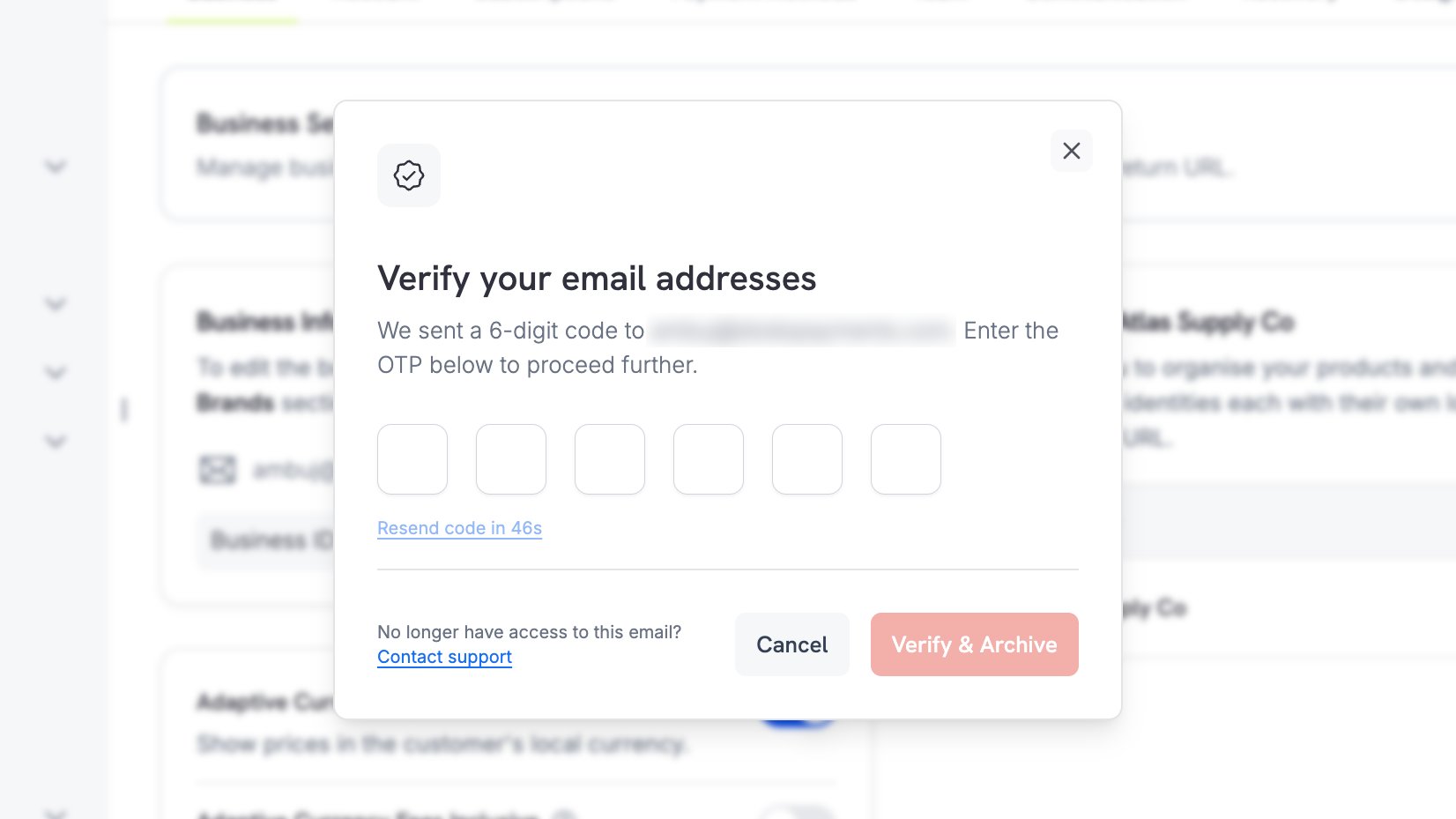 If you no longer have access to the owner's mailbox, use the **Contact support** link in the dialog.
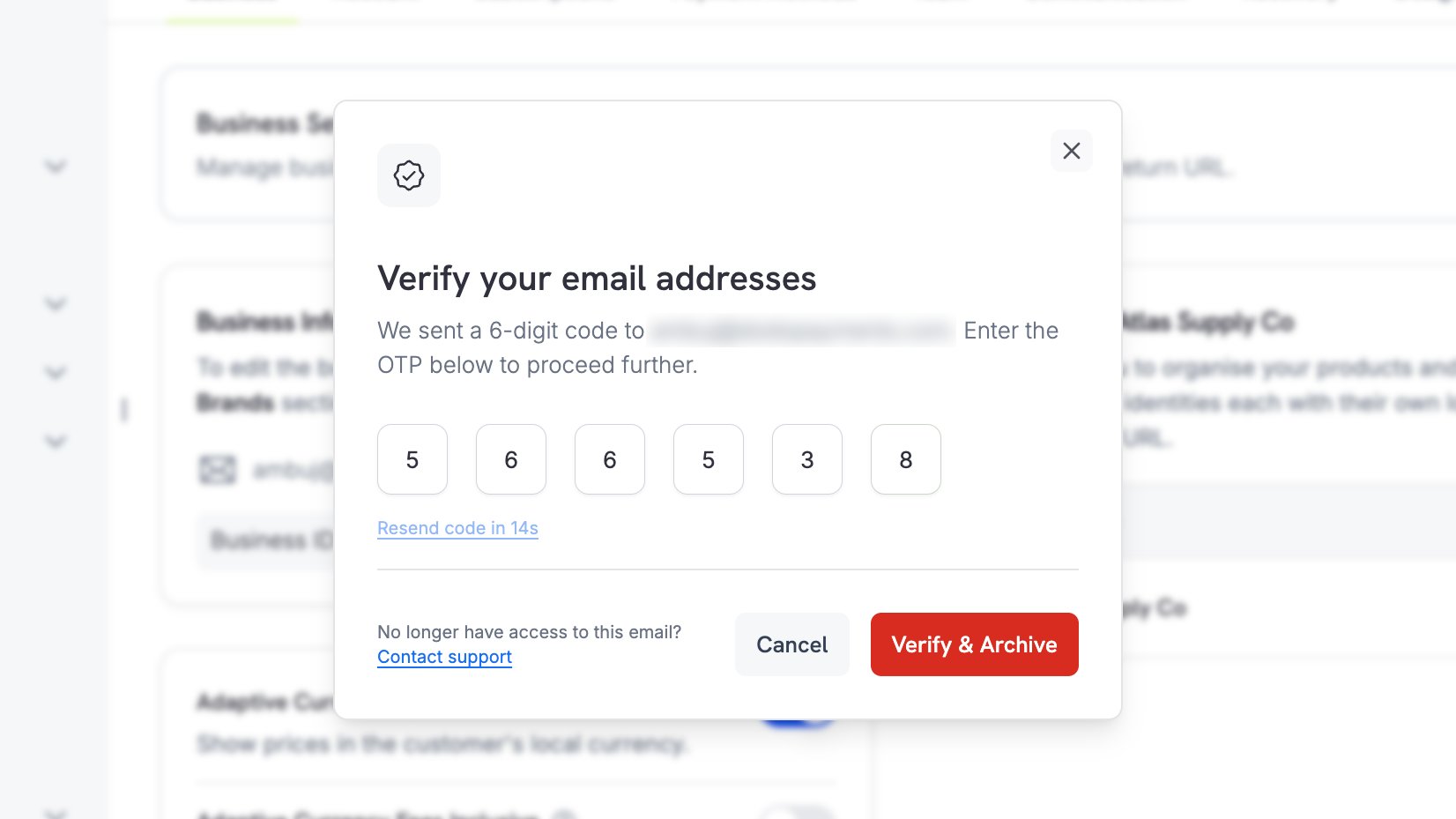
Enter the code and select **Verify & Archive**. This is the point of no return: the business is archived as soon as the code is accepted.
If you no longer have access to the owner's mailbox, use the **Contact support** link in the dialog.
Enter the code and select **Verify & Archive**. This is the point of no return: the business is archived as soon as the code is accepted.
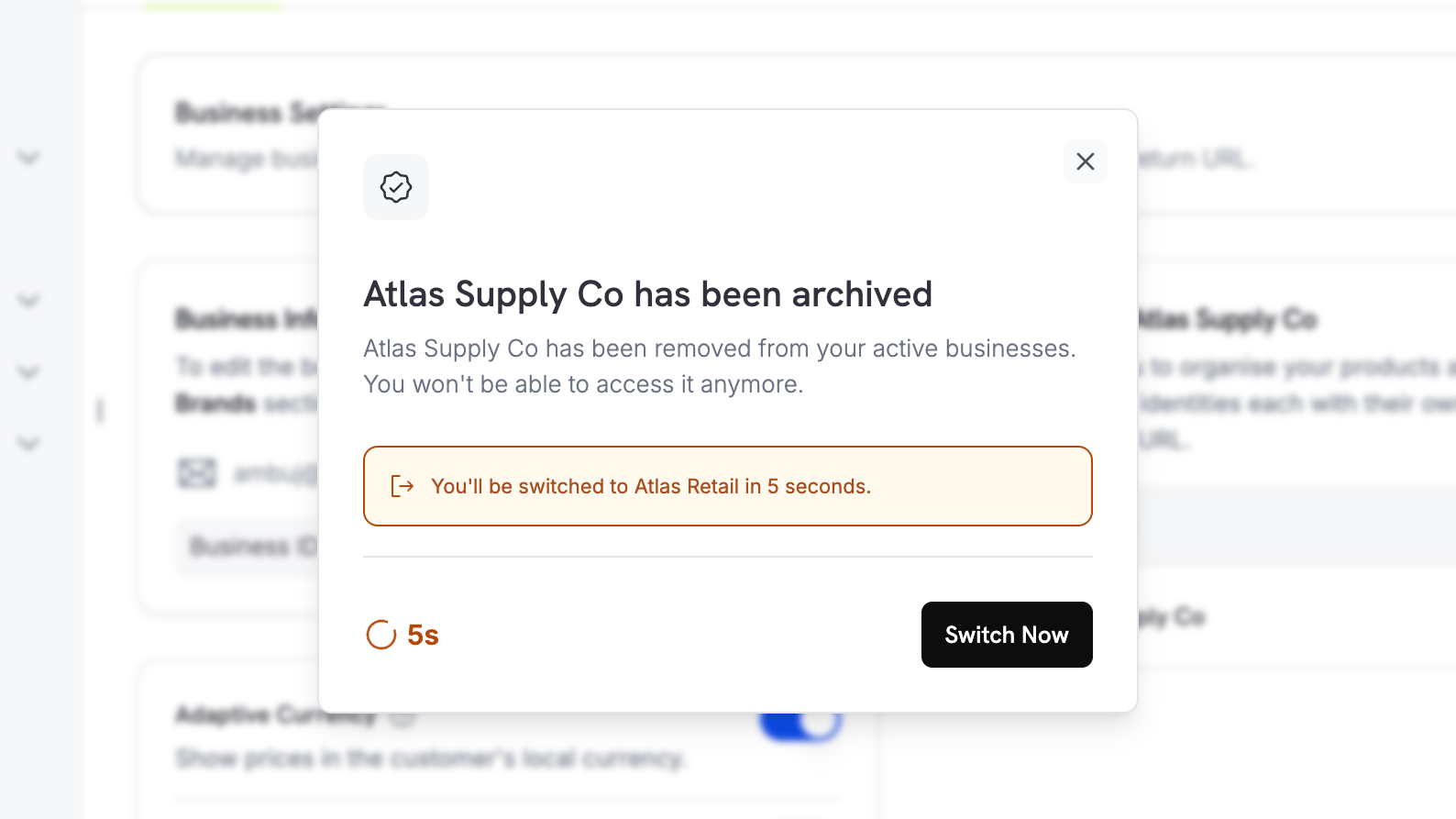
 Dodo Payments confirms the archive and moves you to another of your businesses. Select **Switch Now** to go there immediately.
 ## What Happens After Archiving
**For you**
* The business no longer appears in your dashboard or in the business switcher. Dodo Payments moves you to another of your businesses straight after the archive.
* Live mode and live payments are switched off.
* Every API key for the business stops working, in both live mode and test mode. Cached credentials can take a few minutes to expire, so an integration may briefly keep working after you archive.
**For your customers**
* Checkout sessions, payment links, and static checkout pages stop accepting payments.
* Your storefront stops serving products.
* Customer Portal sessions end, and customers can no longer sign in to manage their purchases.
* License key activation and deactivation stop.
Tell your customers before you archive. Once the business is archived, they have no self-serve route back to their purchase history, and Dodo Payments returns a terminal error rather than a retry.
**For your records**
Payments, refunds, invoices, payouts, and tax filings are retained. Download the invoices and reports you want to keep before you archive, because dashboard access ends the moment the business is archived. Contact [support](/miscellaneous/help-support) if you need a copy of your records afterwards.
## Limits
* **Archiving cannot be undone.** The action is permanent for merchants and support alike.
* **Your last business cannot be archived this way.** If the business is the only one you own, contact [support](/miscellaneous/help-support) to close your account instead.
* **Archiving is all or nothing.** To retire part of your catalogue and keep trading, archive a brand rather than the business.
Archive a single brand and keep the rest of the business trading.
Withdraw your remaining balance before you archive.
Manage business profiles and switch between businesses.
Get in touch about account closure or record requests.
## What Happens After Archiving
**For you**
* The business no longer appears in your dashboard or in the business switcher. Dodo Payments moves you to another of your businesses straight after the archive.
* Live mode and live payments are switched off.
* Every API key for the business stops working, in both live mode and test mode. Cached credentials can take a few minutes to expire, so an integration may briefly keep working after you archive.
**For your customers**
* Checkout sessions, payment links, and static checkout pages stop accepting payments.
* Your storefront stops serving products.
* Customer Portal sessions end, and customers can no longer sign in to manage their purchases.
* License key activation and deactivation stop.
Tell your customers before you archive. Once the business is archived, they have no self-serve route back to their purchase history, and Dodo Payments returns a terminal error rather than a retry.
**For your records**
Payments, refunds, invoices, payouts, and tax filings are retained. Download the invoices and reports you want to keep before you archive, because dashboard access ends the moment the business is archived. Contact [support](/miscellaneous/help-support) if you need a copy of your records afterwards.
## Limits
* **Archiving cannot be undone.** The action is permanent for merchants and support alike.
* **Your last business cannot be archived this way.** If the business is the only one you own, contact [support](/miscellaneous/help-support) to close your account instead.
* **Archiving is all or nothing.** To retire part of your catalogue and keep trading, archive a brand rather than the business.
Archive a single brand and keep the rest of the business trading.
Withdraw your remaining balance before you archive.
Manage business profiles and switch between businesses.
Get in touch about account closure or record requests.