> ## Documentation Index
> Fetch the complete documentation index at: https://docs.dodopayments.com/llms.txt
> Use this file to discover all available pages before exploring further.
# Segment
> Senden Sie Dodo Payments-Ereignisse an Segment zur Analyse und Integration in die Kunden-Datenplattform.
## Einführung
Verfolgen Sie Zahlungsevents in Segment, um Ihre Analysen, Marketingautomatisierung und Kunden-Datenplattform zu unterstützen. Senden Sie Zahlungs-, Abonnement- und Kundenlebenszyklusereignisse automatisch an über 300 nachgelagerte Tools.
Diese Integration erfordert einen Segment Write Key aus deinem Segment Workspace.
## Erste Schritte
In Ihrem Dodo Payments-Dashboard navigieren Sie zu Webhooks → + Endpunkt hinzufügen und erweitern Sie das Dropdown-Menü für Integrationen.
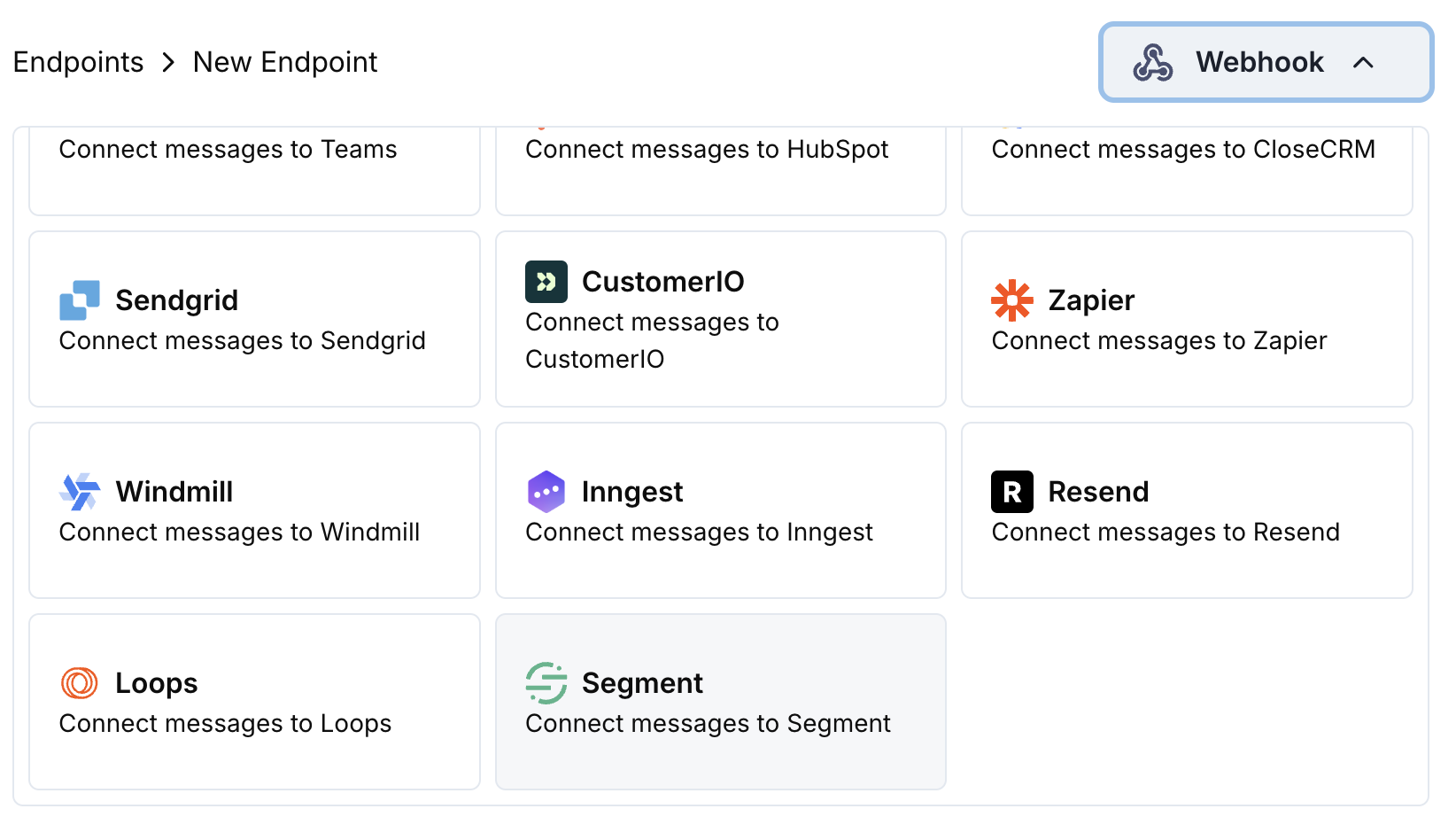 Wähle die Segment-Integrationskarte.
Gib deinen Segment Write Key in der Konfiguration an.
Bearbeite den Transformation-Code, um Ereignisse für die Track-API von Segment zu formatieren.
Teste mit Beispiel-Payloads und klicke auf Create, um die Synchronisierung zu aktivieren.
🎉 Zahlungsereignisse werden nun in Segment erfasst und an deine verbundenen Tools gesendet.
## Transformationscode-Beispiele
### Zahlungsevents verfolgen
```javascript track_payments.js icon="js" expandable theme={null}
function handler(webhook) {
if (webhook.eventType === "payment.succeeded") {
const p = webhook.payload.data;
webhook.url = "https://api.segment.io/v1/track";
webhook.payload = {
userId: p.customer.customer_id,
event: "Payment Completed",
properties: {
amount: (p.total_amount / 100).toFixed(2),
currency: p.currency || "USD",
payment_method: p.payment_method || "unknown",
payment_id: p.payment_id,
customer_email: p.customer.email,
customer_name: p.customer.name
},
timestamp: webhook.payload.timestamp
};
}
return webhook;
}
```
### Abonnementlebenszyklus verfolgen
```javascript track_subscriptions.js icon="js" expandable theme={null}
function handler(webhook) {
const s = webhook.payload.data;
switch (webhook.eventType) {
case "subscription.active":
webhook.url = "https://api.segment.io/v1/track";
webhook.payload = {
userId: s.customer.customer_id,
event: "Subscription Started",
properties: {
subscription_id: s.subscription_id,
product_id: s.product_id,
amount: (s.recurring_pre_tax_amount / 100).toFixed(2),
frequency: s.payment_frequency_interval,
next_billing: s.next_billing_date,
customer_email: s.customer.email
},
timestamp: webhook.payload.timestamp
};
break;
case "subscription.cancelled":
webhook.url = "https://api.segment.io/v1/track";
webhook.payload = {
userId: s.customer.customer_id,
event: "Subscription Cancelled",
properties: {
subscription_id: s.subscription_id,
product_id: s.product_id,
cancelled_at: s.cancelled_at,
cancel_at_next_billing: s.cancel_at_next_billing_date,
customer_email: s.customer.email
},
timestamp: webhook.payload.timestamp
};
break;
}
return webhook;
}
```
### Kundenattribute identifizieren
```javascript identify_customer.js icon="js" expandable theme={null}
function handler(webhook) {
if (webhook.eventType === "payment.succeeded") {
const p = webhook.payload.data;
webhook.url = "https://api.segment.io/v1/identify";
webhook.payload = {
userId: p.customer.customer_id,
traits: {
email: p.customer.email,
name: p.customer.name,
total_spent: (p.total_amount / 100).toFixed(2),
payment_method: p.payment_method || "unknown",
last_payment_date: webhook.payload.timestamp,
customer_since: webhook.payload.timestamp
}
};
}
return webhook;
}
```
## Tipps
* Verwenden Sie konsistente Ereignisnamen in Ihrer Integration
* Fügen Sie relevante Eigenschaften für Analysen und Segmentierung hinzu
* Setzen Sie korrekte Zeitstempel für eine genaue Ereignisverfolgung
* Verwenden Sie Kunden-IDs als userId für eine ordnungsgemäße Benutzeridentifikation
## Fehlersuche
* Überprüfe, ob der Write Key korrekt und aktiv ist
* Stelle sicher, dass die Ereignisnamen den Namenskonventionen von Segment entsprechen
* Sorge dafür, dass userId korrekt gesetzt ist, um Benutzer zu identifizieren
* Prüfe die Rate Limits der Segment-API
* Validieren, dass die JSON-Struktur dem Segment-API-Format entspricht
* Prüfe, ob alle erforderlichen Felder vorhanden sind
* Stelle sicher, dass Ereignisnamen Strings und keine Objekte sind
Wähle die Segment-Integrationskarte.
Gib deinen Segment Write Key in der Konfiguration an.
Bearbeite den Transformation-Code, um Ereignisse für die Track-API von Segment zu formatieren.
Teste mit Beispiel-Payloads und klicke auf Create, um die Synchronisierung zu aktivieren.
🎉 Zahlungsereignisse werden nun in Segment erfasst und an deine verbundenen Tools gesendet.
## Transformationscode-Beispiele
### Zahlungsevents verfolgen
```javascript track_payments.js icon="js" expandable theme={null}
function handler(webhook) {
if (webhook.eventType === "payment.succeeded") {
const p = webhook.payload.data;
webhook.url = "https://api.segment.io/v1/track";
webhook.payload = {
userId: p.customer.customer_id,
event: "Payment Completed",
properties: {
amount: (p.total_amount / 100).toFixed(2),
currency: p.currency || "USD",
payment_method: p.payment_method || "unknown",
payment_id: p.payment_id,
customer_email: p.customer.email,
customer_name: p.customer.name
},
timestamp: webhook.payload.timestamp
};
}
return webhook;
}
```
### Abonnementlebenszyklus verfolgen
```javascript track_subscriptions.js icon="js" expandable theme={null}
function handler(webhook) {
const s = webhook.payload.data;
switch (webhook.eventType) {
case "subscription.active":
webhook.url = "https://api.segment.io/v1/track";
webhook.payload = {
userId: s.customer.customer_id,
event: "Subscription Started",
properties: {
subscription_id: s.subscription_id,
product_id: s.product_id,
amount: (s.recurring_pre_tax_amount / 100).toFixed(2),
frequency: s.payment_frequency_interval,
next_billing: s.next_billing_date,
customer_email: s.customer.email
},
timestamp: webhook.payload.timestamp
};
break;
case "subscription.cancelled":
webhook.url = "https://api.segment.io/v1/track";
webhook.payload = {
userId: s.customer.customer_id,
event: "Subscription Cancelled",
properties: {
subscription_id: s.subscription_id,
product_id: s.product_id,
cancelled_at: s.cancelled_at,
cancel_at_next_billing: s.cancel_at_next_billing_date,
customer_email: s.customer.email
},
timestamp: webhook.payload.timestamp
};
break;
}
return webhook;
}
```
### Kundenattribute identifizieren
```javascript identify_customer.js icon="js" expandable theme={null}
function handler(webhook) {
if (webhook.eventType === "payment.succeeded") {
const p = webhook.payload.data;
webhook.url = "https://api.segment.io/v1/identify";
webhook.payload = {
userId: p.customer.customer_id,
traits: {
email: p.customer.email,
name: p.customer.name,
total_spent: (p.total_amount / 100).toFixed(2),
payment_method: p.payment_method || "unknown",
last_payment_date: webhook.payload.timestamp,
customer_since: webhook.payload.timestamp
}
};
}
return webhook;
}
```
## Tipps
* Verwenden Sie konsistente Ereignisnamen in Ihrer Integration
* Fügen Sie relevante Eigenschaften für Analysen und Segmentierung hinzu
* Setzen Sie korrekte Zeitstempel für eine genaue Ereignisverfolgung
* Verwenden Sie Kunden-IDs als userId für eine ordnungsgemäße Benutzeridentifikation
## Fehlersuche
* Überprüfe, ob der Write Key korrekt und aktiv ist
* Stelle sicher, dass die Ereignisnamen den Namenskonventionen von Segment entsprechen
* Sorge dafür, dass userId korrekt gesetzt ist, um Benutzer zu identifizieren
* Prüfe die Rate Limits der Segment-API
* Validieren, dass die JSON-Struktur dem Segment-API-Format entspricht
* Prüfe, ob alle erforderlichen Felder vorhanden sind
* Stelle sicher, dass Ereignisnamen Strings und keine Objekte sind