> ## Documentation Index
> Fetch the complete documentation index at: https://docs.dodopayments.com/llms.txt
> Use this file to discover all available pages before exploring further.
# Segment
> 将 Dodo Payments 事件发送到 Segment 进行分析和客户数据平台集成。
## 介绍
在 Segment 中跟踪支付事件,以推动您的分析、营销自动化和客户数据平台。自动将支付、订阅和客户生命周期事件发送到 300 多个下游工具。
此集成需要来自您的 Segment 工作区的 Segment Write Key。
## 开始使用
在您的 Dodo Payments 仪表盘中,导航到 Webhooks → + 添加端点 并展开集成下拉菜单。
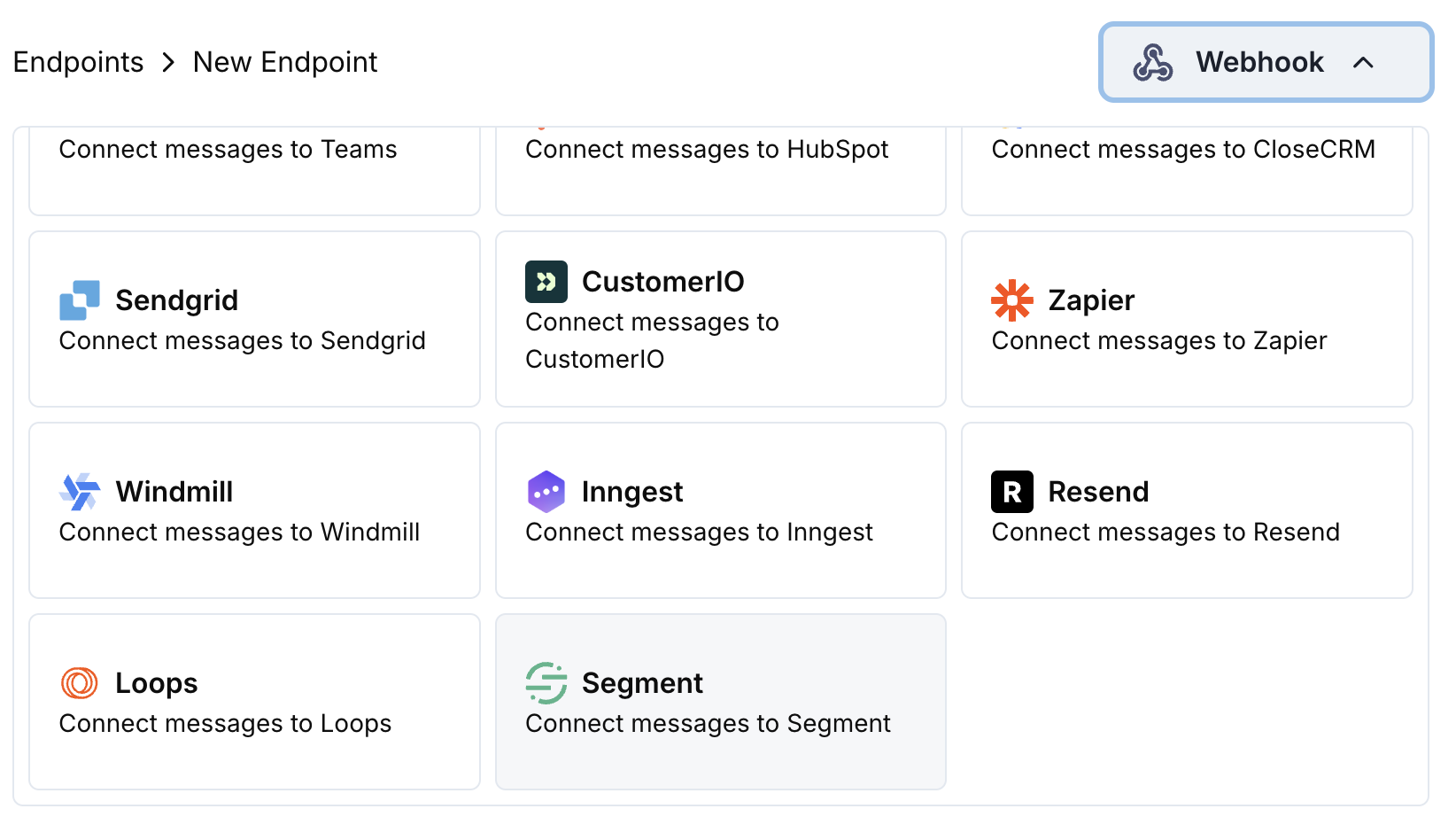 选择 Segment 集成卡片。
在配置中提供您的 Segment Write Key。
编辑转换代码以将事件格式化为 Segment 的 Track API。
使用示例负载进行测试,然后点击 Create 激活同步。
🎉 付款事件现在将被跟踪到 Segment 并发送到您连接的工具。
## 转换代码示例
### 跟踪支付事件
```javascript track_payments.js icon="js" expandable theme={null}
function handler(webhook) {
if (webhook.eventType === "payment.succeeded") {
const p = webhook.payload.data;
webhook.url = "https://api.segment.io/v1/track";
webhook.payload = {
userId: p.customer.customer_id,
event: "Payment Completed",
properties: {
amount: (p.total_amount / 100).toFixed(2),
currency: p.currency || "USD",
payment_method: p.payment_method || "unknown",
payment_id: p.payment_id,
customer_email: p.customer.email,
customer_name: p.customer.name
},
timestamp: webhook.payload.timestamp
};
}
return webhook;
}
```
### 跟踪订阅生命周期
```javascript track_subscriptions.js icon="js" expandable theme={null}
function handler(webhook) {
const s = webhook.payload.data;
switch (webhook.eventType) {
case "subscription.active":
webhook.url = "https://api.segment.io/v1/track";
webhook.payload = {
userId: s.customer.customer_id,
event: "Subscription Started",
properties: {
subscription_id: s.subscription_id,
product_id: s.product_id,
amount: (s.recurring_pre_tax_amount / 100).toFixed(2),
frequency: s.payment_frequency_interval,
next_billing: s.next_billing_date,
customer_email: s.customer.email
},
timestamp: webhook.payload.timestamp
};
break;
case "subscription.cancelled":
webhook.url = "https://api.segment.io/v1/track";
webhook.payload = {
userId: s.customer.customer_id,
event: "Subscription Cancelled",
properties: {
subscription_id: s.subscription_id,
product_id: s.product_id,
cancelled_at: s.cancelled_at,
cancel_at_next_billing: s.cancel_at_next_billing_date,
customer_email: s.customer.email
},
timestamp: webhook.payload.timestamp
};
break;
}
return webhook;
}
```
### 识别客户属性
```javascript identify_customer.js icon="js" expandable theme={null}
function handler(webhook) {
if (webhook.eventType === "payment.succeeded") {
const p = webhook.payload.data;
webhook.url = "https://api.segment.io/v1/identify";
webhook.payload = {
userId: p.customer.customer_id,
traits: {
email: p.customer.email,
name: p.customer.name,
total_spent: (p.total_amount / 100).toFixed(2),
payment_method: p.payment_method || "unknown",
last_payment_date: webhook.payload.timestamp,
customer_since: webhook.payload.timestamp
}
};
}
return webhook;
}
```
## 提示
* 在您的集成中使用一致的事件名称
* 包含相关属性以进行分析和细分
* 设置正确的时间戳以确保准确的事件跟踪
* 使用客户 ID 作为 userId 以确保正确的用户识别
## 故障排除
* 验证 Write Key 是否正确且已激活
* 检查事件名称是否遵循 Segment 命名规范
* 确保 userId 已正确设置以识别用户
* 审查 Segment API 的速率限制
* 验证 JSON 结构是否符合 Segment API 格式
* 检查所有必需字段是否存在
* 确保事件名称是字符串,而不是对象
选择 Segment 集成卡片。
在配置中提供您的 Segment Write Key。
编辑转换代码以将事件格式化为 Segment 的 Track API。
使用示例负载进行测试,然后点击 Create 激活同步。
🎉 付款事件现在将被跟踪到 Segment 并发送到您连接的工具。
## 转换代码示例
### 跟踪支付事件
```javascript track_payments.js icon="js" expandable theme={null}
function handler(webhook) {
if (webhook.eventType === "payment.succeeded") {
const p = webhook.payload.data;
webhook.url = "https://api.segment.io/v1/track";
webhook.payload = {
userId: p.customer.customer_id,
event: "Payment Completed",
properties: {
amount: (p.total_amount / 100).toFixed(2),
currency: p.currency || "USD",
payment_method: p.payment_method || "unknown",
payment_id: p.payment_id,
customer_email: p.customer.email,
customer_name: p.customer.name
},
timestamp: webhook.payload.timestamp
};
}
return webhook;
}
```
### 跟踪订阅生命周期
```javascript track_subscriptions.js icon="js" expandable theme={null}
function handler(webhook) {
const s = webhook.payload.data;
switch (webhook.eventType) {
case "subscription.active":
webhook.url = "https://api.segment.io/v1/track";
webhook.payload = {
userId: s.customer.customer_id,
event: "Subscription Started",
properties: {
subscription_id: s.subscription_id,
product_id: s.product_id,
amount: (s.recurring_pre_tax_amount / 100).toFixed(2),
frequency: s.payment_frequency_interval,
next_billing: s.next_billing_date,
customer_email: s.customer.email
},
timestamp: webhook.payload.timestamp
};
break;
case "subscription.cancelled":
webhook.url = "https://api.segment.io/v1/track";
webhook.payload = {
userId: s.customer.customer_id,
event: "Subscription Cancelled",
properties: {
subscription_id: s.subscription_id,
product_id: s.product_id,
cancelled_at: s.cancelled_at,
cancel_at_next_billing: s.cancel_at_next_billing_date,
customer_email: s.customer.email
},
timestamp: webhook.payload.timestamp
};
break;
}
return webhook;
}
```
### 识别客户属性
```javascript identify_customer.js icon="js" expandable theme={null}
function handler(webhook) {
if (webhook.eventType === "payment.succeeded") {
const p = webhook.payload.data;
webhook.url = "https://api.segment.io/v1/identify";
webhook.payload = {
userId: p.customer.customer_id,
traits: {
email: p.customer.email,
name: p.customer.name,
total_spent: (p.total_amount / 100).toFixed(2),
payment_method: p.payment_method || "unknown",
last_payment_date: webhook.payload.timestamp,
customer_since: webhook.payload.timestamp
}
};
}
return webhook;
}
```
## 提示
* 在您的集成中使用一致的事件名称
* 包含相关属性以进行分析和细分
* 设置正确的时间戳以确保准确的事件跟踪
* 使用客户 ID 作为 userId 以确保正确的用户识别
## 故障排除
* 验证 Write Key 是否正确且已激活
* 检查事件名称是否遵循 Segment 命名规范
* 确保 userId 已正确设置以识别用户
* 审查 Segment API 的速率限制
* 验证 JSON 结构是否符合 Segment API 格式
* 检查所有必需字段是否存在
* 确保事件名称是字符串,而不是对象