> ## Documentation Index
> Fetch the complete documentation index at: https://docs.dodopayments.com/llms.txt
> Use this file to discover all available pages before exploring further.
# ParityDeals
> 使用 ParityDeals 在您的网站上显示基于位置的折扣横幅,并在 Dodo Payments 中自动生成匹配的折扣代码。
## 简介
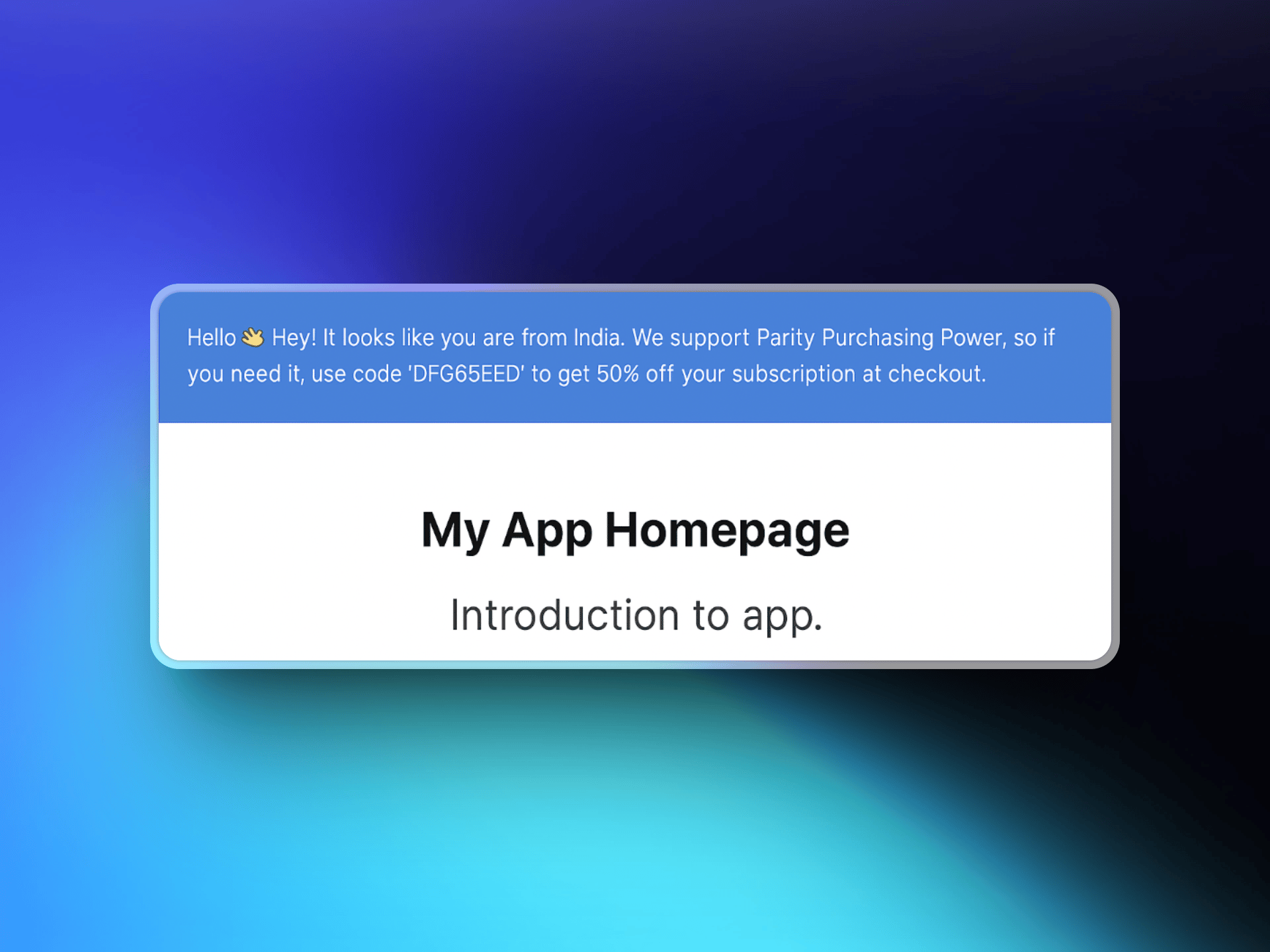
[ParityDeals](https://www.paritydeals.com/) 是一个平台,可在您的网站上向符合条件的访客显示基于位置的折扣横幅,并在 Dodo Payments 中自动生成匹配的折扣代码。当访客看到横幅后,就会获得一个可在结账时使用的代码。这些代码会显示在您的 Dodo Payments 控制面板中的 **Sales → Discounts** 下。
Dodo Payments 原生支持 [Purchasing Power Parity](/features/purchasing-power-parity),可在结账时按国家/地区降低价格,无需横幅或脚本。如果您希望在自己的网站上显示醒目的折扣横幅,或希望开展节日促销和限时促销,则可以使用 ParityDeals。
## 工作原理
ParityDeals 会检测访客的位置,在您的网站上显示可自定义的折扣横幅,并生成可在结账时使用的折扣代码。该代码会自动在您的 Dodo Payments 账户中创建,并可用于您配置的产品。
1. 访客进入您的网站,ParityDeals 检测其位置。
2. 如果访客符合折扣条件,页面会显示带有基于位置的代码的横幅。
3. 访客在结账时使用该代码,Dodo Payments 应用折扣。
4. 该代码会显示在您的控制面板中的 **Sales → Discounts** 下。
 ## ParityDeals 与原生 PPP 的对比
原生 Purchasing Power Parity 是按国家/地区定价的推荐方式。如果您特别需要在自己的网站上显示折扣横幅,或需要开展节日促销和限时活动,请选择 ParityDeals。
| | 原生 PPP | ParityDeals |
| :----------- | :------------------ | :--------------- |
| 工作原理 | 按国家/地区设置百分比,并在结账时应用 | 按百分比提供折扣,通过代码应用 |
| 配置位置 | 内置于 Dodo Payments | ParityDeals 控制面板 |
| 网站上是否需要横幅或脚本 | 不需要 | 需要 |
| 节日和限时促销 | 否 | 是 |
| 最适用场景 | 无需修改网站即可设置正确价格 | 促销横幅和季节性活动 |
您无法将 ParityDeals 横幅嵌入 Dodo Payments 托管的结账页面或店面,因为这些页面不支持自定义脚本。横幅应添加到您自己的网站或应用中。
## 前提条件
在设置此集成之前,请确保您拥有:
1. 一个 [Dodo Payments 账户](https://app.dodopayments.com)
2. 一个 [ParityDeals 账户](https://app.paritydeals.com/)
3. 一个 Dodo Payments API key
## 开始使用
访问 [app.paritydeals.com](https://app.paritydeals.com/) 并创建账户。
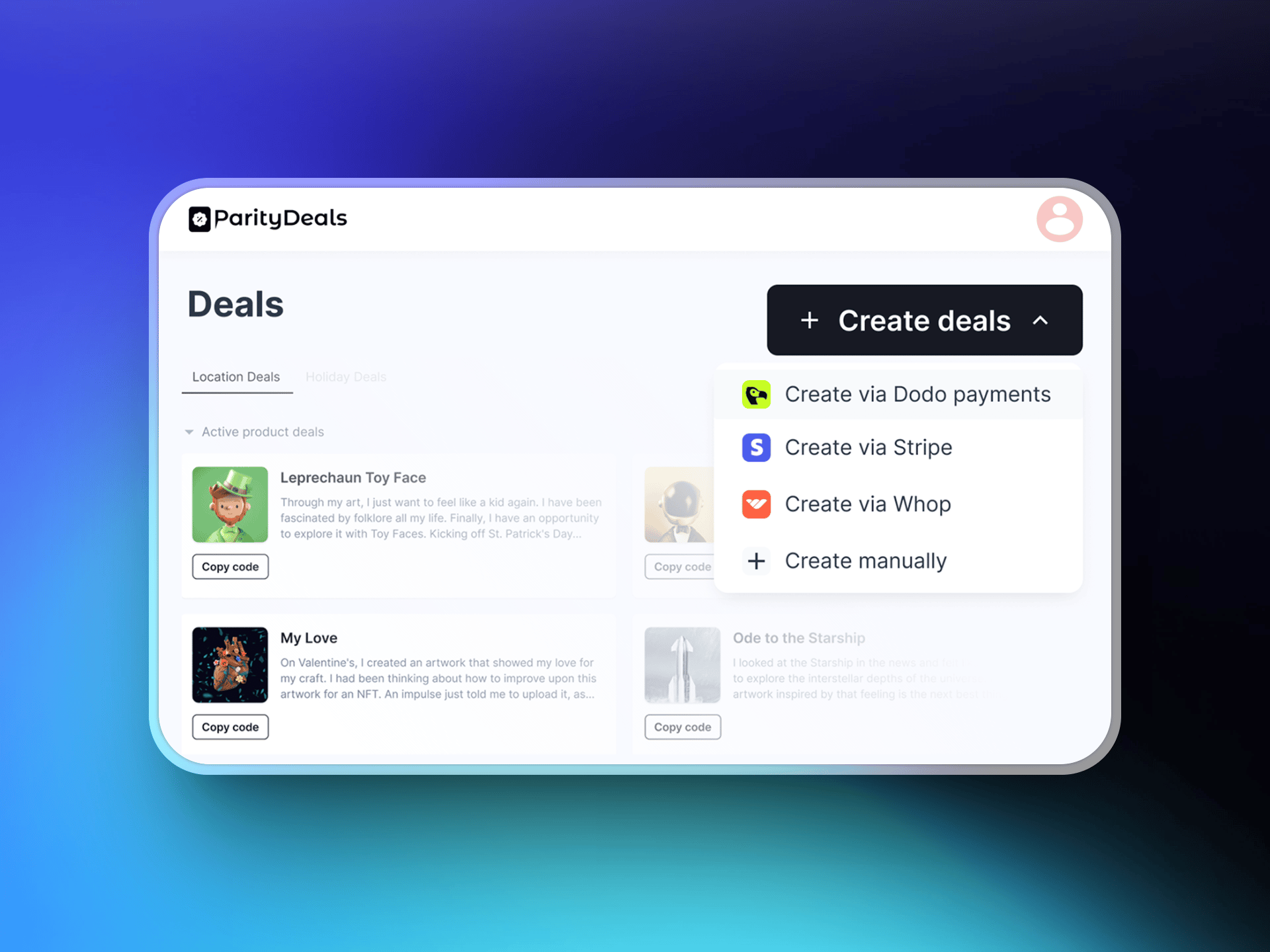
登录后,找到创建优惠活动的选项。在下拉菜单中选择 **"通过 Dodo Payments 创建优惠活动"**。
## ParityDeals 与原生 PPP 的对比
原生 Purchasing Power Parity 是按国家/地区定价的推荐方式。如果您特别需要在自己的网站上显示折扣横幅,或需要开展节日促销和限时活动,请选择 ParityDeals。
| | 原生 PPP | ParityDeals |
| :----------- | :------------------ | :--------------- |
| 工作原理 | 按国家/地区设置百分比,并在结账时应用 | 按百分比提供折扣,通过代码应用 |
| 配置位置 | 内置于 Dodo Payments | ParityDeals 控制面板 |
| 网站上是否需要横幅或脚本 | 不需要 | 需要 |
| 节日和限时促销 | 否 | 是 |
| 最适用场景 | 无需修改网站即可设置正确价格 | 促销横幅和季节性活动 |
您无法将 ParityDeals 横幅嵌入 Dodo Payments 托管的结账页面或店面,因为这些页面不支持自定义脚本。横幅应添加到您自己的网站或应用中。
## 前提条件
在设置此集成之前,请确保您拥有:
1. 一个 [Dodo Payments 账户](https://app.dodopayments.com)
2. 一个 [ParityDeals 账户](https://app.paritydeals.com/)
3. 一个 Dodo Payments API key
## 开始使用
访问 [app.paritydeals.com](https://app.paritydeals.com/) 并创建账户。
登录后,找到创建优惠活动的选项。在下拉菜单中选择 **"通过 Dodo Payments 创建优惠活动"**。
 登录您的 **Dodo Payments 控制面板**,然后前往 **Developers → API Keys**。点击 **"创建新的 API"**。
为 API key 设置具有描述性的名称(例如“ParityDeals”),方便您日后识别。
登录您的 **Dodo Payments 控制面板**,然后前往 **Developers → API Keys**。点击 **"创建新的 API"**。
为 API key 设置具有描述性的名称(例如“ParityDeals”),方便您日后识别。
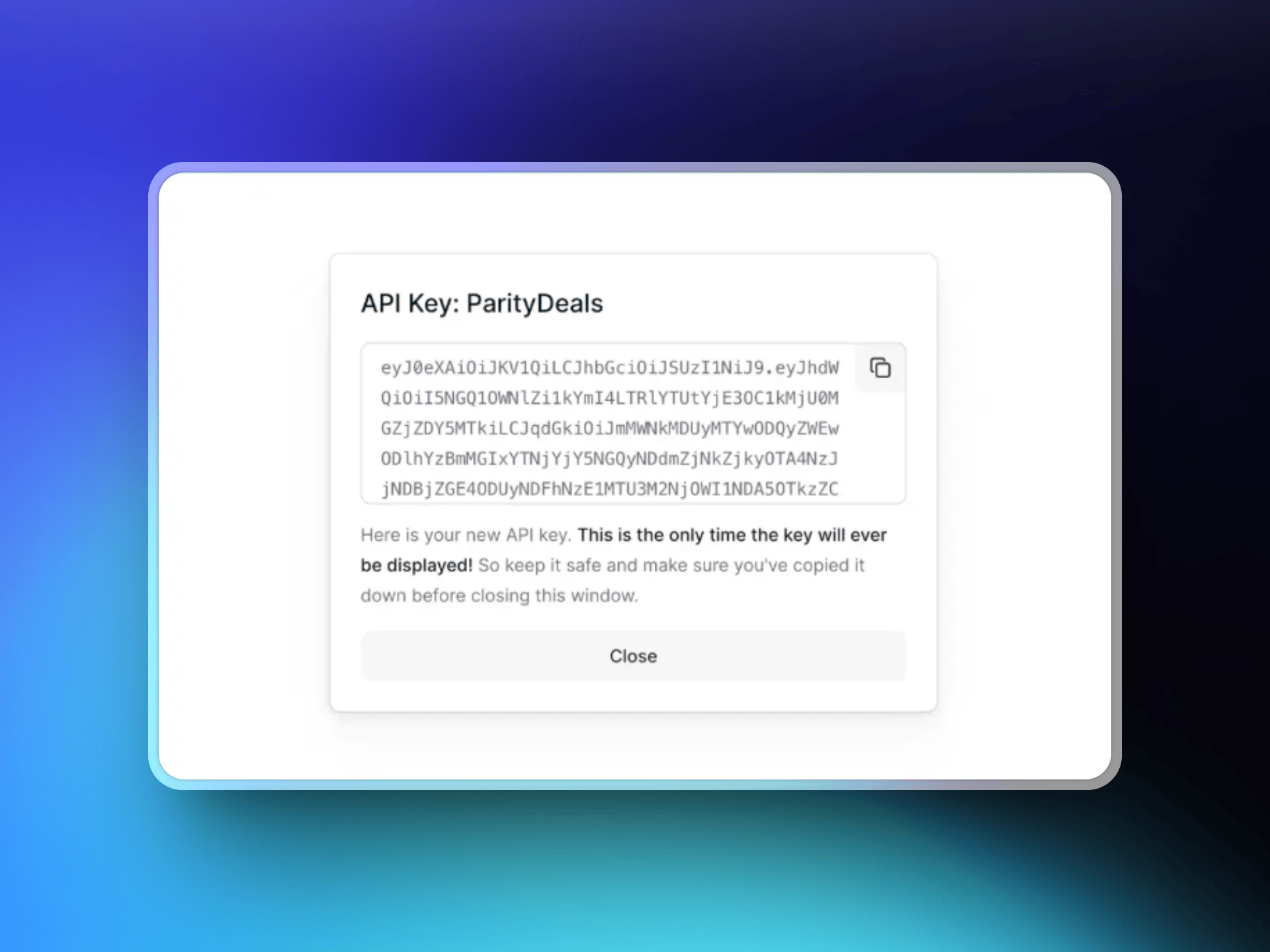 复制您创建的 API key,并将其粘贴到 ParityDeals 界面中,以建立与 Dodo Payments 账户的连接。
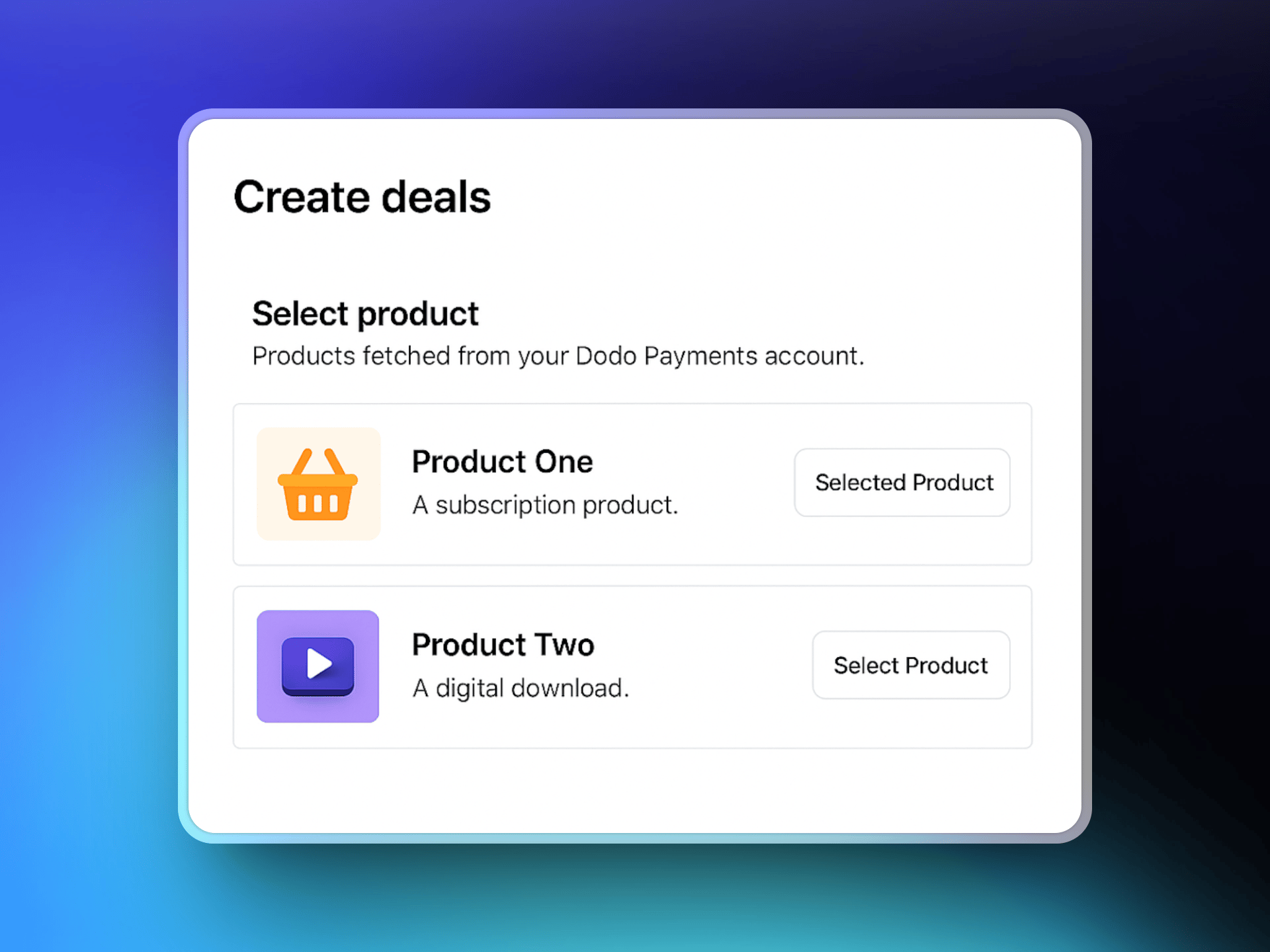
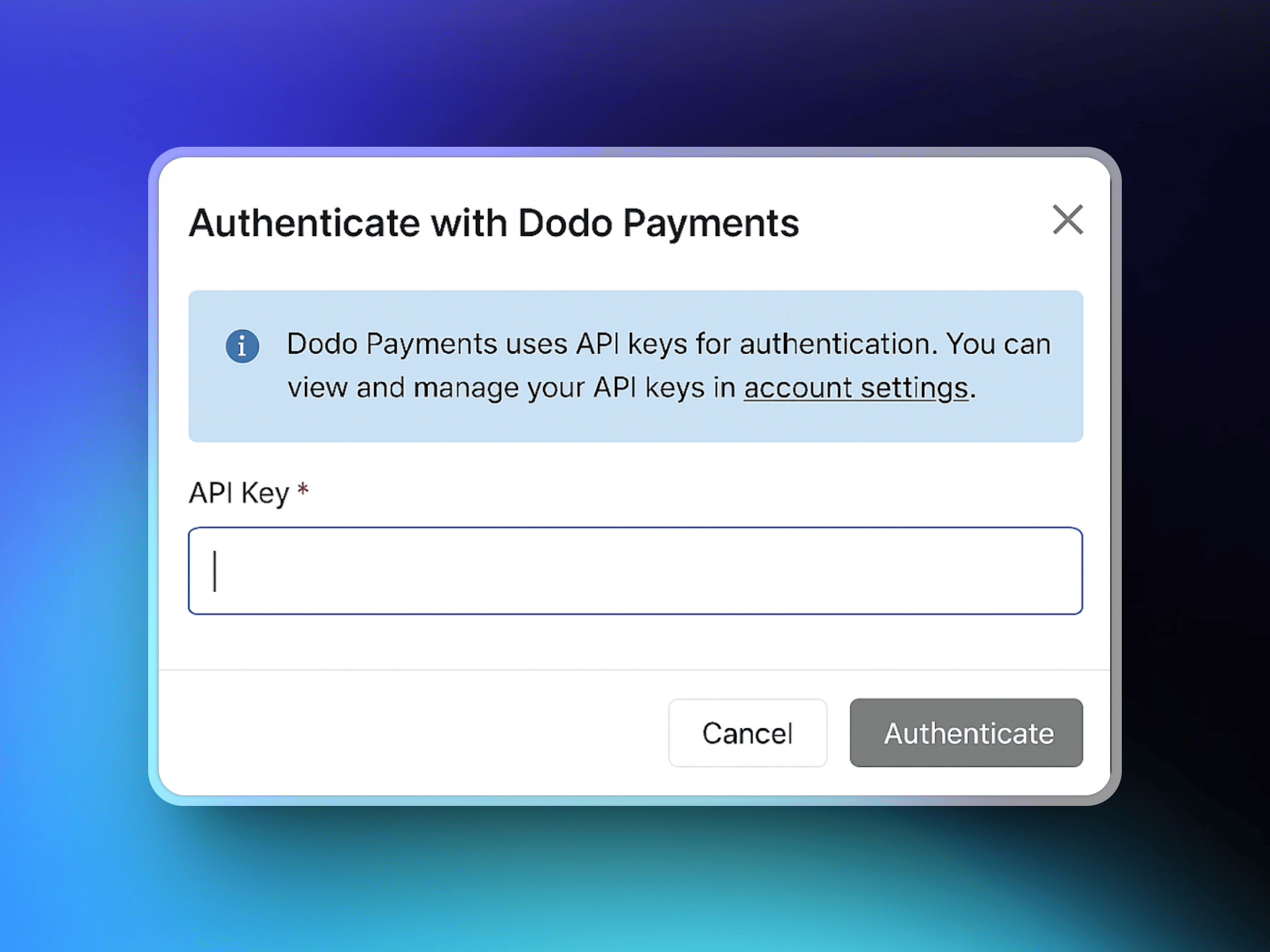 连接后,ParityDeals 会获取您的 Dodo Payments 产品目录。选择要与优惠活动关联的产品。
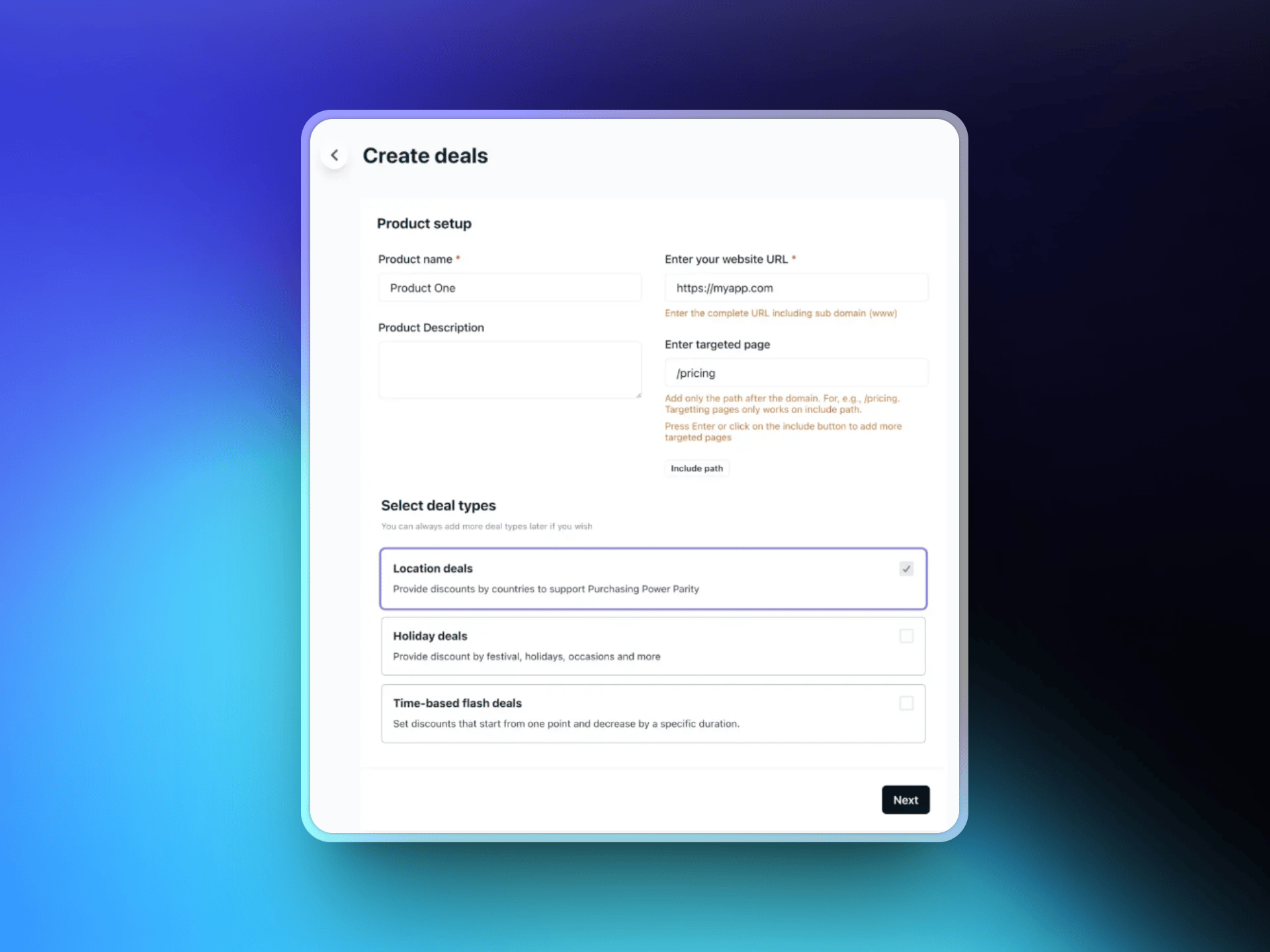
 输入您的网站 URL,并可选择折扣横幅应显示的特定目标页面。然后选择您偏好的优惠类型:
* 基于位置的优惠
* 节日优惠
* 限时闪购优惠
输入您的网站 URL,并可选择折扣横幅应显示的特定目标页面。然后选择您偏好的优惠类型:
* 基于位置的优惠
* 节日优惠
* 限时闪购优惠
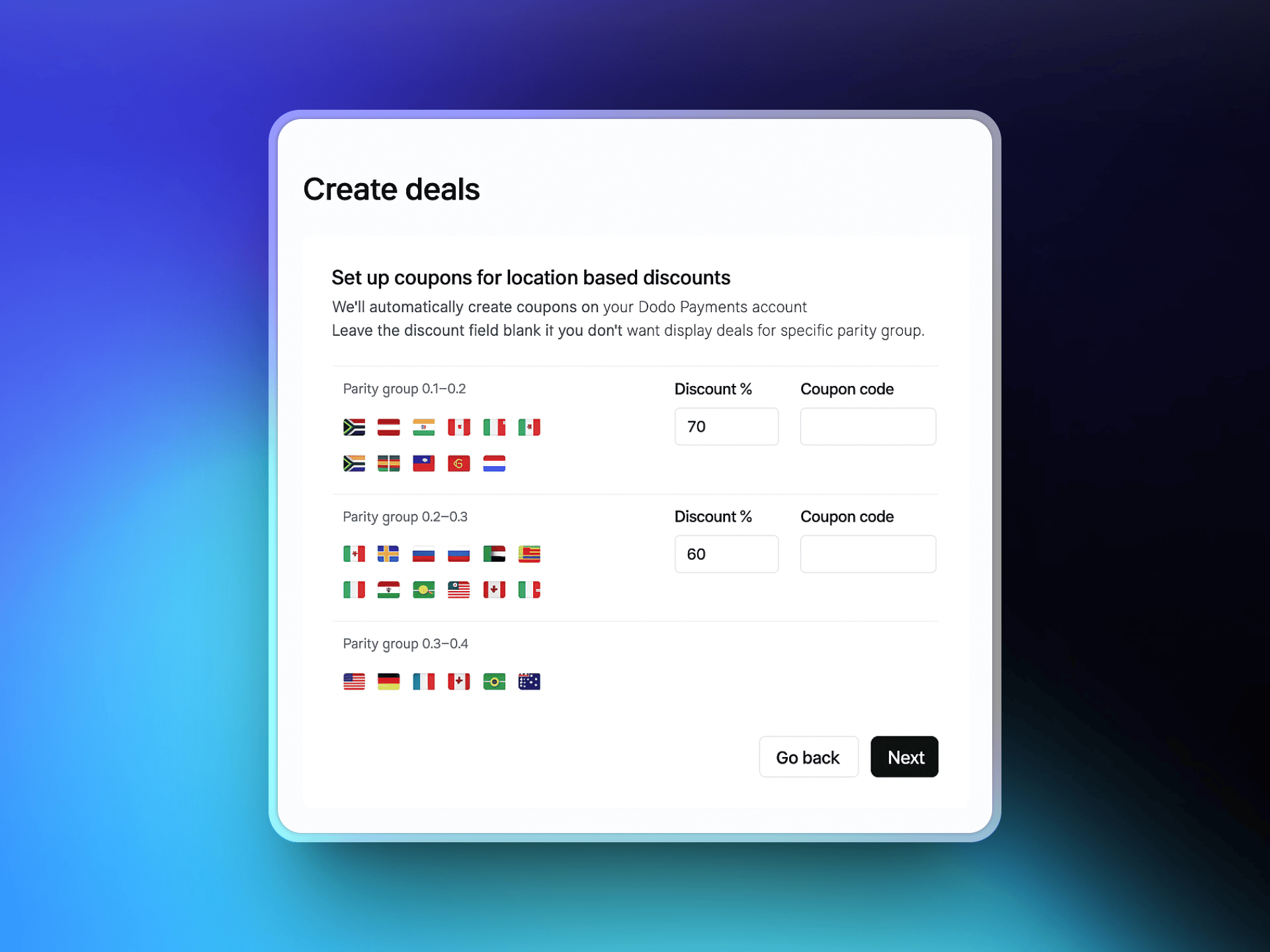
 选择要提供本地化折扣的国家/地区,并为每个国家/地区设置折扣百分比。ParityDeals 会提供推荐的默认值,您可以根据需要进行调整。
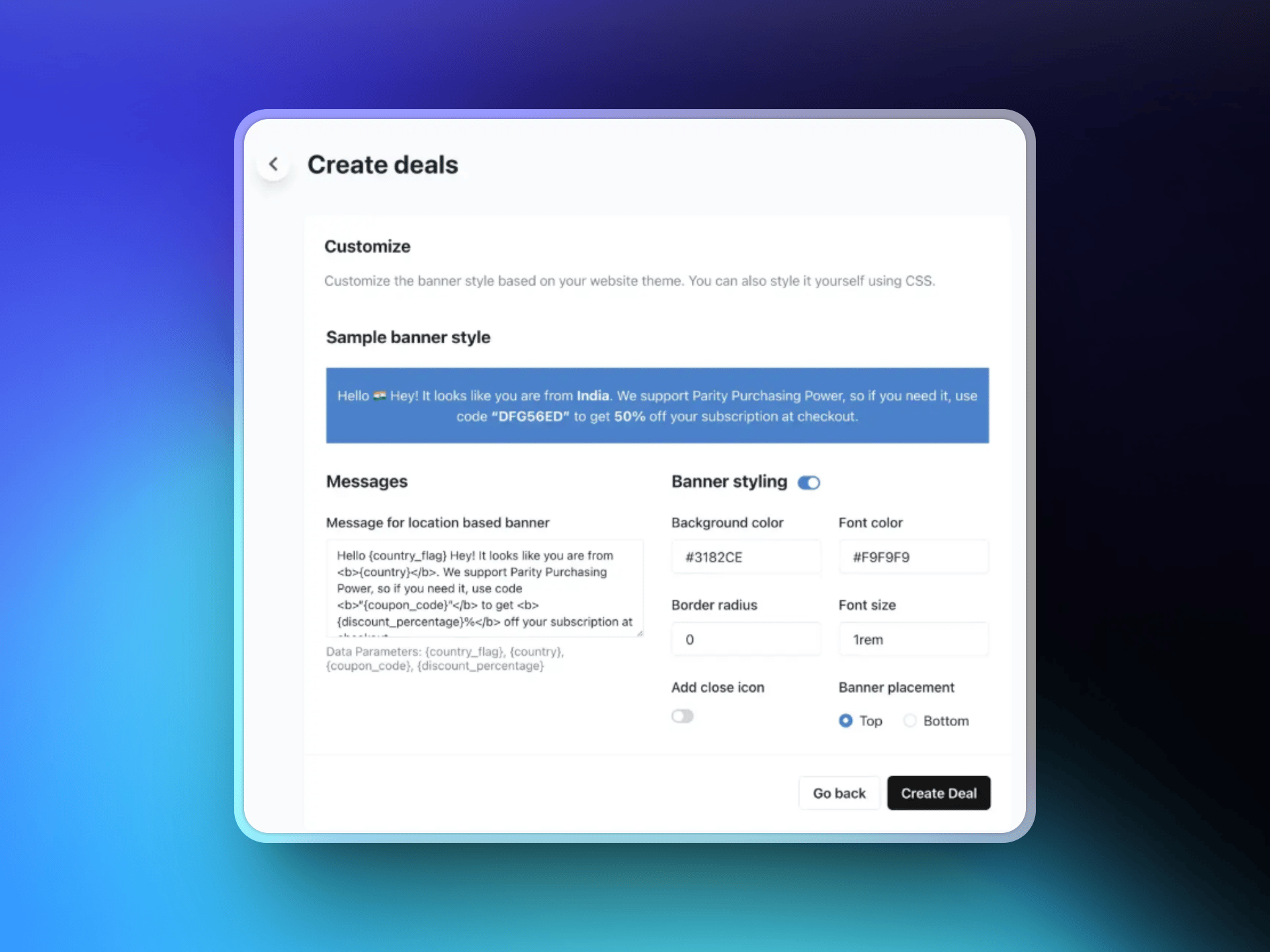
 通过自定义文本、选择颜色和布局,以及选择横幅位置(页面顶部或底部)来设计折扣横幅。根据您配置的规则,该横幅会向符合条件的访客显示。
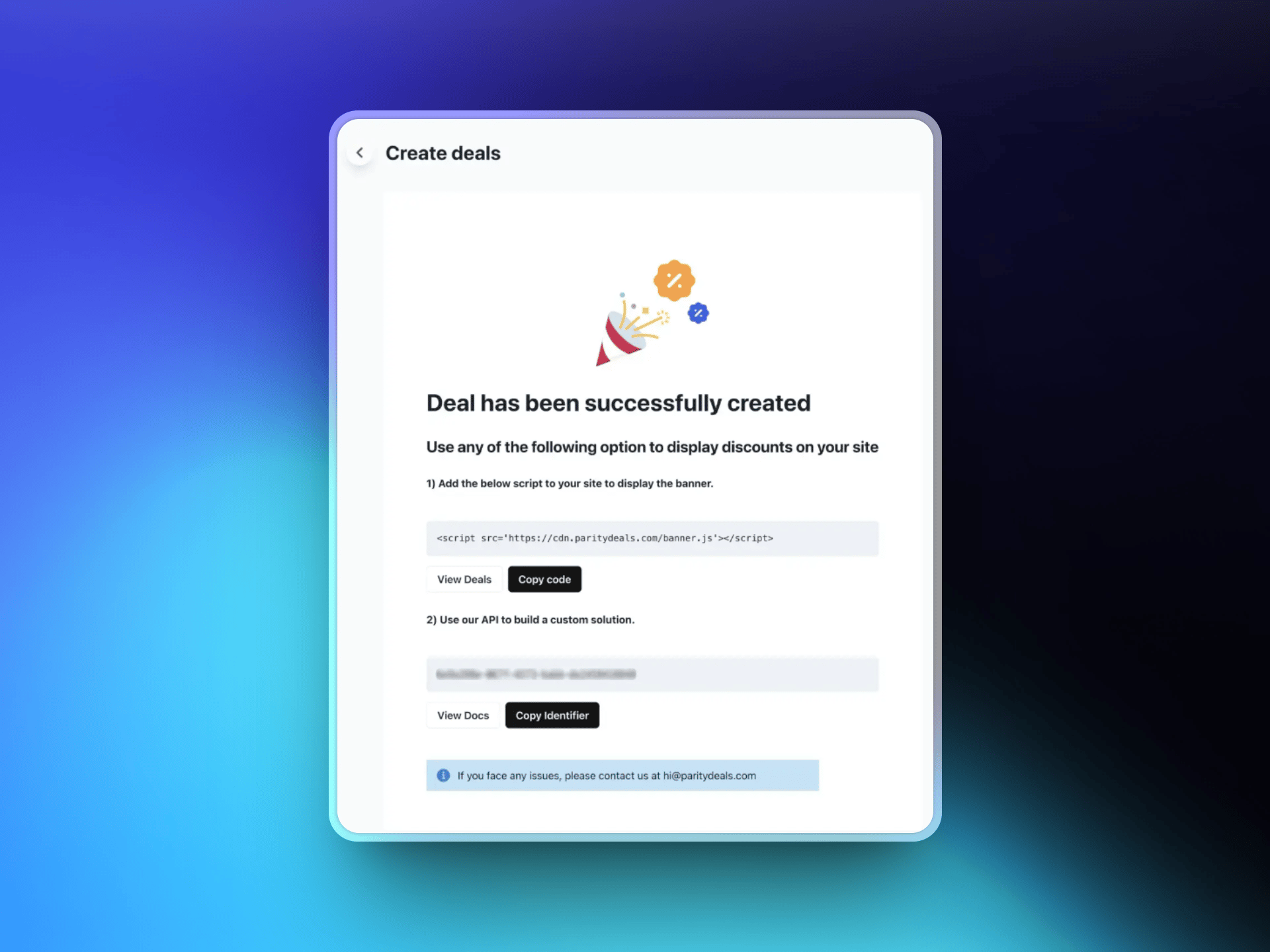
 保存优惠活动后,ParityDeals 会生成一个脚本。将此脚本添加到您的网站代码中(通常位于 `` 部分)。该脚本会自动检测访客位置,并显示相应的折扣横幅。
 ## 其他功能
通过 ParityDeals,您还可以全年提供[自动限时折扣](https://www.paritydeals.com/features/time-based-discounts/)和[节日促销](https://www.paritydeals.com/features/holiday-based-discounts/)。如需了解更详细的信息,请参阅 [ParityDeals 文档](https://www.paritydeals.com/docs/)。
## 其他资源
ParityDeals 文档中的完整设置指南和功能说明。
Dodo Payments 中的原生 PPP 定价,无需横幅。
了解折扣代码在 Dodo Payments 中的工作方式。
另一种折扣代码工具,支持自动轮换优惠券。
## 其他功能
通过 ParityDeals,您还可以全年提供[自动限时折扣](https://www.paritydeals.com/features/time-based-discounts/)和[节日促销](https://www.paritydeals.com/features/holiday-based-discounts/)。如需了解更详细的信息,请参阅 [ParityDeals 文档](https://www.paritydeals.com/docs/)。
## 其他资源
ParityDeals 文档中的完整设置指南和功能说明。
Dodo Payments 中的原生 PPP 定价,无需横幅。
了解折扣代码在 Dodo Payments 中的工作方式。
另一种折扣代码工具,支持自动轮换优惠券。