> ## Documentation Index
> Fetch the complete documentation index at: https://docs.dodopayments.com/llms.txt
> Use this file to discover all available pages before exploring further.
# Customer.io
> 将 Dodo Payments 事件发送到 Customer.io,以触发电子邮件自动化和客户旅程。
## 介绍
根据支付事件触发个性化电子邮件活动和客户旅程。自动通过 Customer.io 发送新客户的欢迎邮件、订阅更新和支付失败通知。
此集成需要您的 Customer.io 站点 ID 和 API 密钥。
## 开始使用
在您的 Dodo Payments 仪表板中,导航到 Webhooks → + 添加端点 并展开集成下拉菜单。
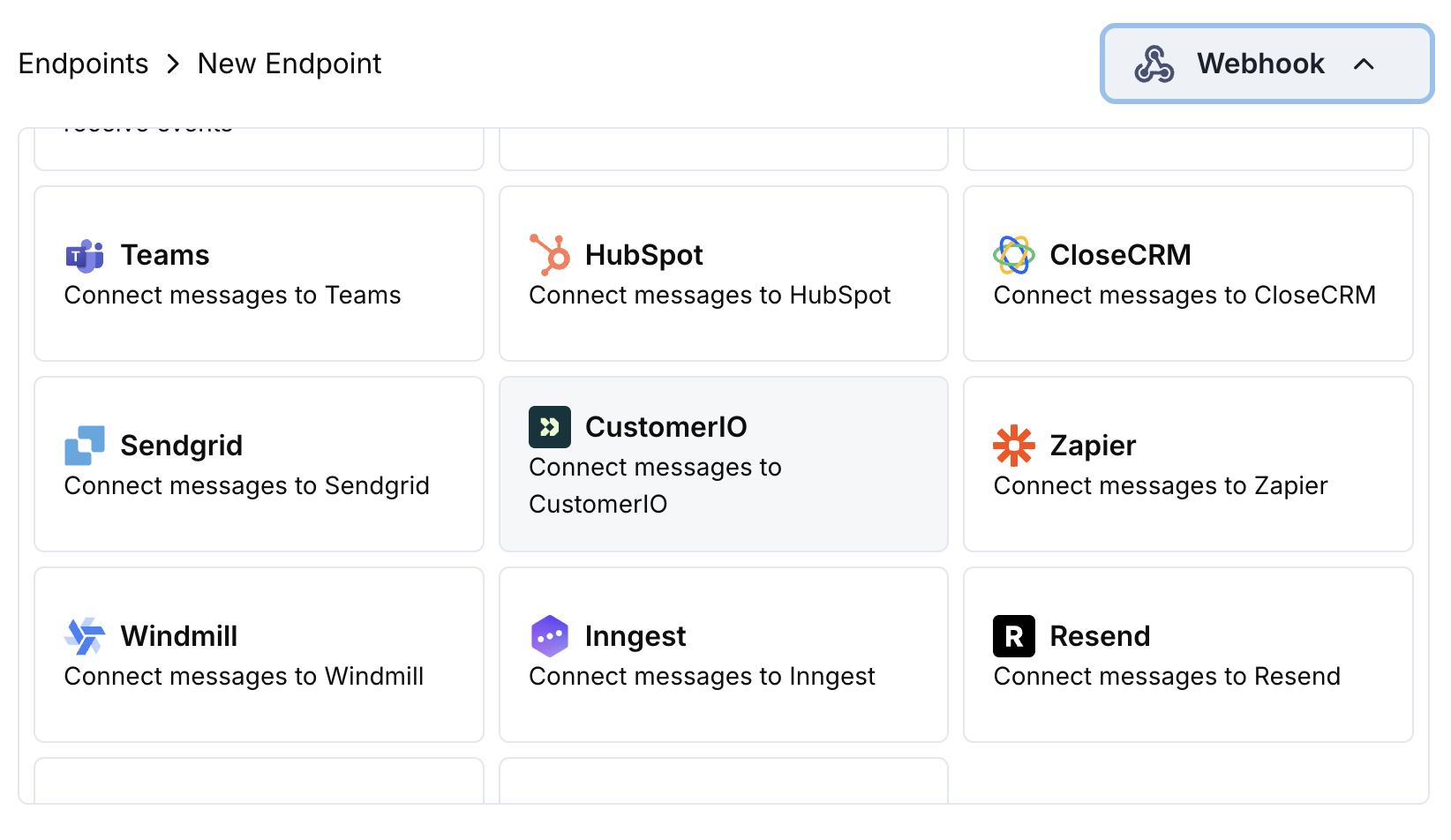 选择 Customer.io 集成卡片。
在配置中提供您的 Customer.io 站点 ID 和 API 密钥。
编辑转换代码以将事件格式化为 Customer.io 的 Track API。
使用示例负载进行测试,然后点击 Create 以激活同步。
🎉 付款事件现在将触发 Customer.io 电子邮件自动化。
## 转换代码示例
### 跟踪支付事件
```javascript track_payments.js icon="js" expandable theme={null}
function handler(webhook) {
if (webhook.eventType === "payment.succeeded") {
const p = webhook.payload.data;
webhook.url = "https://track.customer.io/api/v2/entity";
webhook.payload = {
type: "person",
identifiers: {
id: p.customer.customer_id
},
action: "payment_completed",
name: "Payment Completed",
attributes: {
email: p.customer.email,
name: p.customer.name,
payment_amount: (p.total_amount / 100).toFixed(2),
payment_method: p.payment_method || "unknown",
payment_id: p.payment_id,
currency: p.currency || "USD"
}
};
}
return webhook;
}
```
### 跟踪订阅生命周期
```javascript track_subscriptions.js icon="js" expandable theme={null}
function handler(webhook) {
const s = webhook.payload.data;
switch (webhook.eventType) {
case "subscription.active":
webhook.url = "https://track.customer.io/api/v2/entity";
webhook.payload = {
type: "person",
identifiers: {
id: s.customer.customer_id
},
action: "subscription_started",
name: "Subscription Started",
attributes: {
email: s.customer.email,
subscription_id: s.subscription_id,
product_id: s.product_id,
amount: (s.recurring_pre_tax_amount / 100).toFixed(2),
frequency: s.payment_frequency_interval,
next_billing: s.next_billing_date
}
};
break;
case "subscription.cancelled":
webhook.url = "https://track.customer.io/api/v2/entity";
webhook.payload = {
type: "person",
identifiers: {
id: s.customer.customer_id
},
action: "subscription_cancelled",
name: "Subscription Cancelled",
attributes: {
email: s.customer.email,
subscription_id: s.subscription_id,
cancelled_at: s.cancelled_at,
cancel_at_next_billing: s.cancel_at_next_billing_date
}
};
break;
}
return webhook;
}
```
### 跟踪客户属性
```javascript track_attributes.js icon="js" expandable theme={null}
function handler(webhook) {
if (webhook.eventType === "payment.succeeded") {
const p = webhook.payload.data;
webhook.url = "https://track.customer.io/api/v2/entity";
webhook.payload = {
type: "person",
identifiers: {
id: p.customer.customer_id
},
action: "identify",
name: "Customer Identified",
attributes: {
email: p.customer.email,
name: p.customer.name,
total_spent: (p.total_amount / 100).toFixed(2),
payment_method: p.payment_method || "unknown",
last_payment_date: webhook.payload.timestamp,
customer_since: webhook.payload.timestamp
}
};
}
return webhook;
}
```
## 提示
* 使用与您的 Customer.io 活动匹配的一致事件名称
* 包含个性化所需的相关属性
* 设置正确的客户标识符以确保准确跟踪
* 使用有意义的事件名称作为活动触发器
## 故障排除
* 验证站点 ID 和 API 密钥是否正确
* 检查事件名称是否与您的 Customer.io 活动匹配
* 确保客户标识符设置正确
* 审查 Customer.io API 速率限制
* 验证 JSON 结构是否与 Customer.io API 格式一致
* 检查是否存在所有必需字段
* 确保事件名称和属性格式正确
选择 Customer.io 集成卡片。
在配置中提供您的 Customer.io 站点 ID 和 API 密钥。
编辑转换代码以将事件格式化为 Customer.io 的 Track API。
使用示例负载进行测试,然后点击 Create 以激活同步。
🎉 付款事件现在将触发 Customer.io 电子邮件自动化。
## 转换代码示例
### 跟踪支付事件
```javascript track_payments.js icon="js" expandable theme={null}
function handler(webhook) {
if (webhook.eventType === "payment.succeeded") {
const p = webhook.payload.data;
webhook.url = "https://track.customer.io/api/v2/entity";
webhook.payload = {
type: "person",
identifiers: {
id: p.customer.customer_id
},
action: "payment_completed",
name: "Payment Completed",
attributes: {
email: p.customer.email,
name: p.customer.name,
payment_amount: (p.total_amount / 100).toFixed(2),
payment_method: p.payment_method || "unknown",
payment_id: p.payment_id,
currency: p.currency || "USD"
}
};
}
return webhook;
}
```
### 跟踪订阅生命周期
```javascript track_subscriptions.js icon="js" expandable theme={null}
function handler(webhook) {
const s = webhook.payload.data;
switch (webhook.eventType) {
case "subscription.active":
webhook.url = "https://track.customer.io/api/v2/entity";
webhook.payload = {
type: "person",
identifiers: {
id: s.customer.customer_id
},
action: "subscription_started",
name: "Subscription Started",
attributes: {
email: s.customer.email,
subscription_id: s.subscription_id,
product_id: s.product_id,
amount: (s.recurring_pre_tax_amount / 100).toFixed(2),
frequency: s.payment_frequency_interval,
next_billing: s.next_billing_date
}
};
break;
case "subscription.cancelled":
webhook.url = "https://track.customer.io/api/v2/entity";
webhook.payload = {
type: "person",
identifiers: {
id: s.customer.customer_id
},
action: "subscription_cancelled",
name: "Subscription Cancelled",
attributes: {
email: s.customer.email,
subscription_id: s.subscription_id,
cancelled_at: s.cancelled_at,
cancel_at_next_billing: s.cancel_at_next_billing_date
}
};
break;
}
return webhook;
}
```
### 跟踪客户属性
```javascript track_attributes.js icon="js" expandable theme={null}
function handler(webhook) {
if (webhook.eventType === "payment.succeeded") {
const p = webhook.payload.data;
webhook.url = "https://track.customer.io/api/v2/entity";
webhook.payload = {
type: "person",
identifiers: {
id: p.customer.customer_id
},
action: "identify",
name: "Customer Identified",
attributes: {
email: p.customer.email,
name: p.customer.name,
total_spent: (p.total_amount / 100).toFixed(2),
payment_method: p.payment_method || "unknown",
last_payment_date: webhook.payload.timestamp,
customer_since: webhook.payload.timestamp
}
};
}
return webhook;
}
```
## 提示
* 使用与您的 Customer.io 活动匹配的一致事件名称
* 包含个性化所需的相关属性
* 设置正确的客户标识符以确保准确跟踪
* 使用有意义的事件名称作为活动触发器
## 故障排除
* 验证站点 ID 和 API 密钥是否正确
* 检查事件名称是否与您的 Customer.io 活动匹配
* 确保客户标识符设置正确
* 审查 Customer.io API 速率限制
* 验证 JSON 结构是否与 Customer.io API 格式一致
* 检查是否存在所有必需字段
* 确保事件名称和属性格式正确