> ## Documentation Index
> Fetch the complete documentation index at: https://docs.dodopayments.com/llms.txt
> Use this file to discover all available pages before exploring further.
# Purchasing Power Parity
> 通过 Dodo Payments 使用本地化定价、本地固定价格或通过 ParityDeals 和 Evendeals 的基于地理位置的折扣码运行购买力平价定价。
购买力平价(PPP)定价根据每个客户所在地的购买力调整您的收费方式。在 Dodo Payments 上有两种方法可以实现。
**推荐:** 使用原生[本地化定价](/features/localized-pricing)为每个国家设置固定本地价格,例如在印度为基础价\$20的产品设定₹999。您可以控制确切的数字,它适用于一次性、订阅和基于使用的产品,并且不需要安装横幅或脚本。
原生,推荐。设定每个国家或货币的固定本地价格,无需第三方工具。
在 Dodo Payments 仪表板中创建和管理基于位置的折扣码。
## 两种运行 PPP 的方法
| | 本地化定价(原生) | 基于位置的折扣码 |
| :-------- | :------------------ | :-------------------------------------------------------------------------------------------------------------- |
| 工作原理 | 您为每个国家/货币设定固定本地价格 | 通过代码从基础价格中折扣一个百分比 |
| 工具 | 集成到 Dodo Payments 中 | [ParityDeals](https://www.paritydeals.com/) / [Evendeals](https://www.evendeals.com/integrations/dodo-payments) |
| 网站上的横幅/脚本 | 不需要 | 需要以显示代码 |
| 客户看到的价格 | 您设定的确切金额 | 基础价格减去折扣 |
| 最适合 | 您完全控制的清晰、市场调节的价格 | 宣传横幅和基于时间/假期的促销活动 |
有关原生设置的详细信息,请参阅[本地化定价](/features/localized-pricing)。本页的其余部分涵盖了使用 ParityDeals 和 Evendeals 的基于位置的折扣代码方法。
***
## 基于位置的折扣码
[ParityDeals](https://www.paritydeals.com/) 和 [Evendeals](https://www.evendeals.com/integrations/dodo-payments) 是可通过生成折扣码根据客户地理位置提供自动价格优化的平台。
虽然您不能直接在 Dodo Payments 店面中嵌入折扣横幅(因为不支持自定义脚本),但您仍然可以在自己的网站或应用程序上有效地实施这些工具。
### 选择集成
这两个平台均可直接与 Dodo Payments 集成,以自动创建和管理折扣码。使用下面的比较表选择最符合您需求的工具。
| 功能 | ParityDeals | Evendeals |
| :------------ | :------------------------------------------: | :---------------------------------------: |
| PPP / 基于位置的定价 | 是 | 是 |
| 假期/基于时间的促销 | 是 | 否 |
| 订阅支持 | 是 | 是 |
| 自动优惠券刷新 | — | 是 |
| 横幅自定义 | 是 | 否 |
| 价格 | [查看价格](https://www.paritydeals.com/pricing/) | [查看价格](https://www.evendeals.com/pricing) |
### ParityDeals
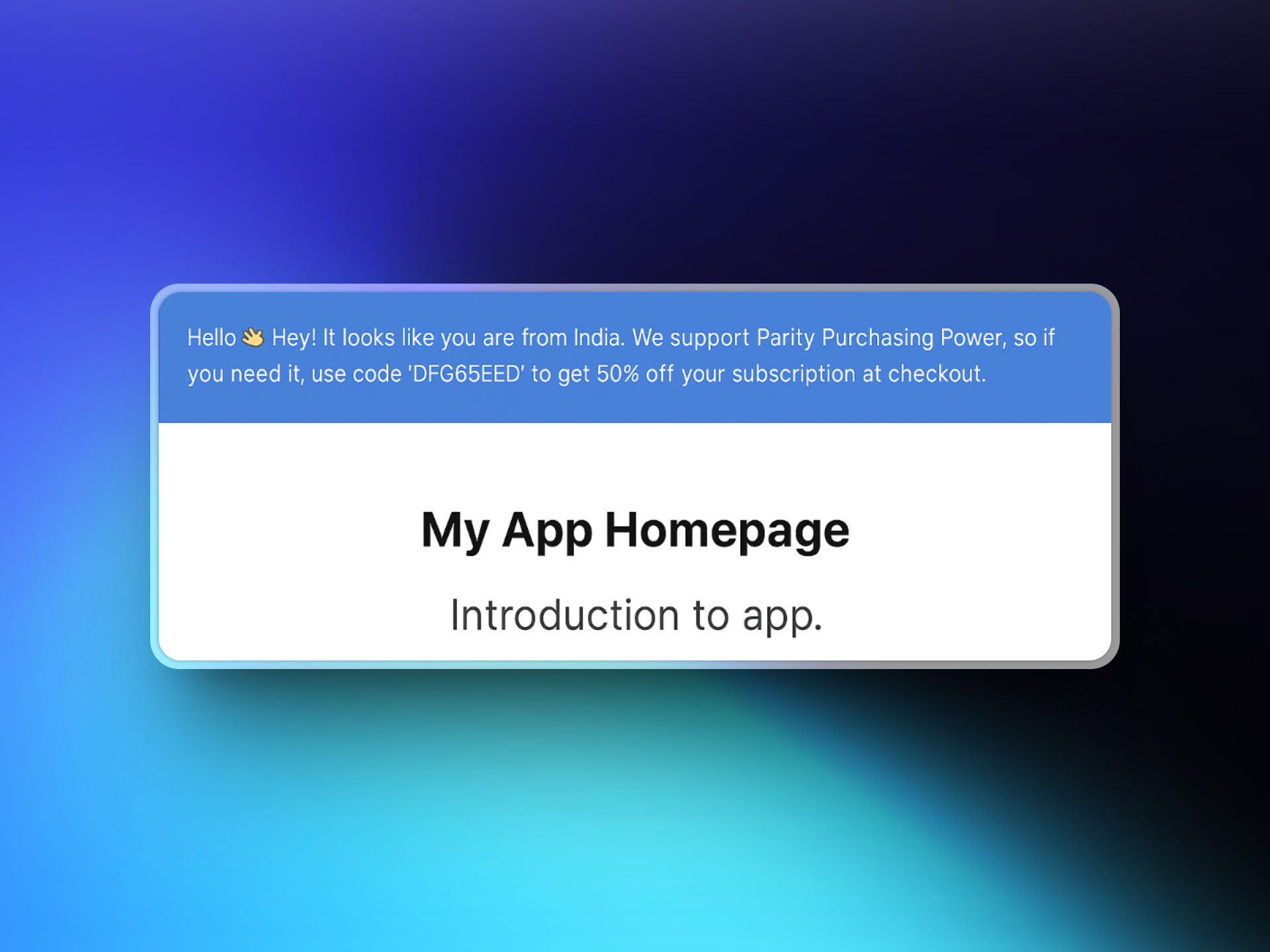
在您的网站上集成 ParityDeals 时,合格的访客将看到包含他们可以在结账时使用的基于位置的折扣码的横幅。这些折扣码由 ParityDeals 自动创建和管理,并会出现在您的 **Dodo Payments 仪表板**中 **Sales → Discounts**。
 #### 设置
访问 [app.paritydeals.com](https://app.paritydeals.com/) 并创建一个帐户。
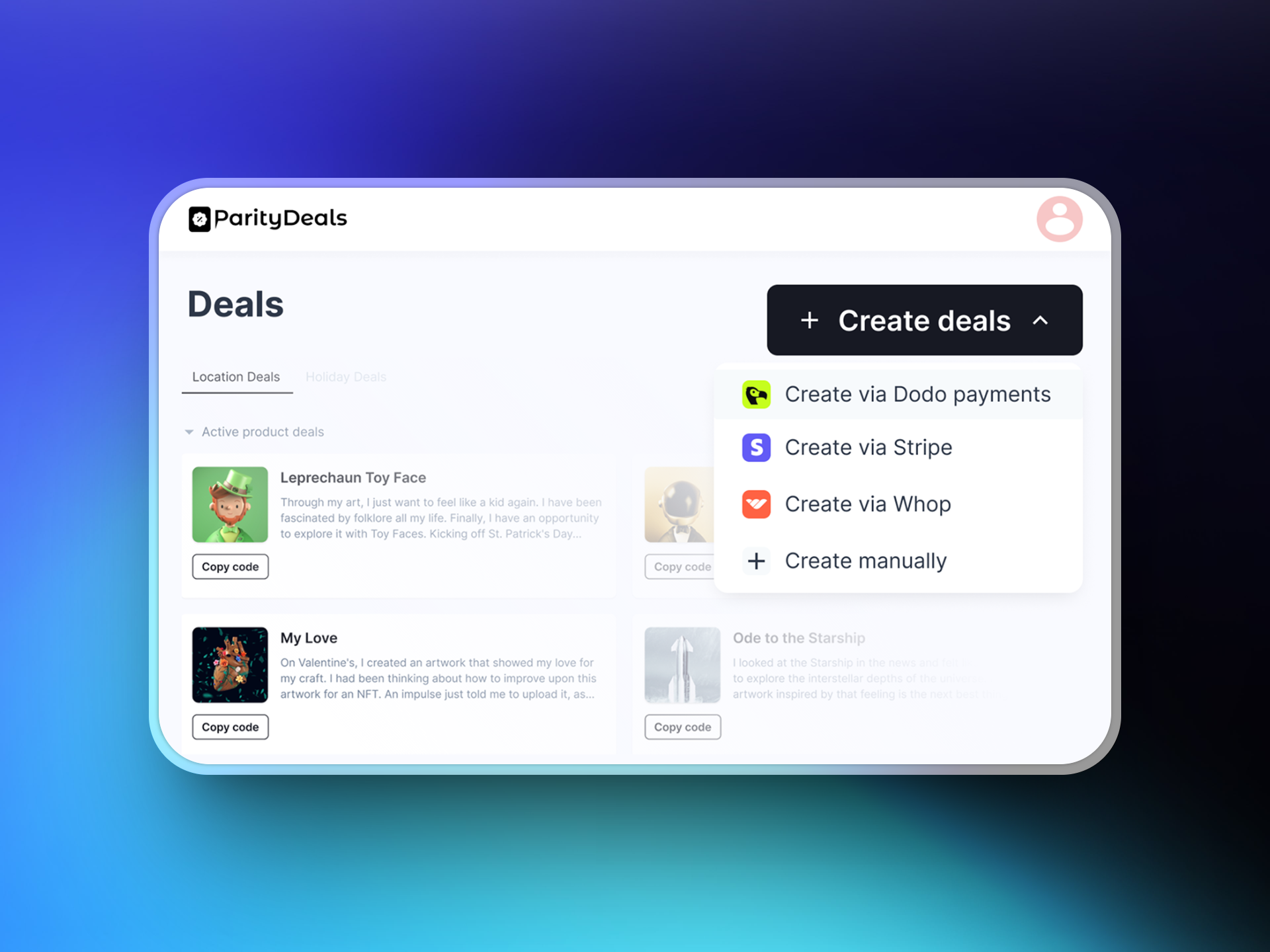
登录后,找到创建交易的选项。从下拉菜单中选择 **"通过 Dodo Payments 创建交易"**。
#### 设置
访问 [app.paritydeals.com](https://app.paritydeals.com/) 并创建一个帐户。
登录后,找到创建交易的选项。从下拉菜单中选择 **"通过 Dodo Payments 创建交易"**。
 登录到您的 **Dodo Payments 仪表板**并导航到 **Developers → API Keys**。点击 **"创建新 API"**。
以描述性的名称来命名您的 API 密钥(例如,'ParityDeals'),以便您可以在以后识别它。
登录到您的 **Dodo Payments 仪表板**并导航到 **Developers → API Keys**。点击 **"创建新 API"**。
以描述性的名称来命名您的 API 密钥(例如,'ParityDeals'),以便您可以在以后识别它。
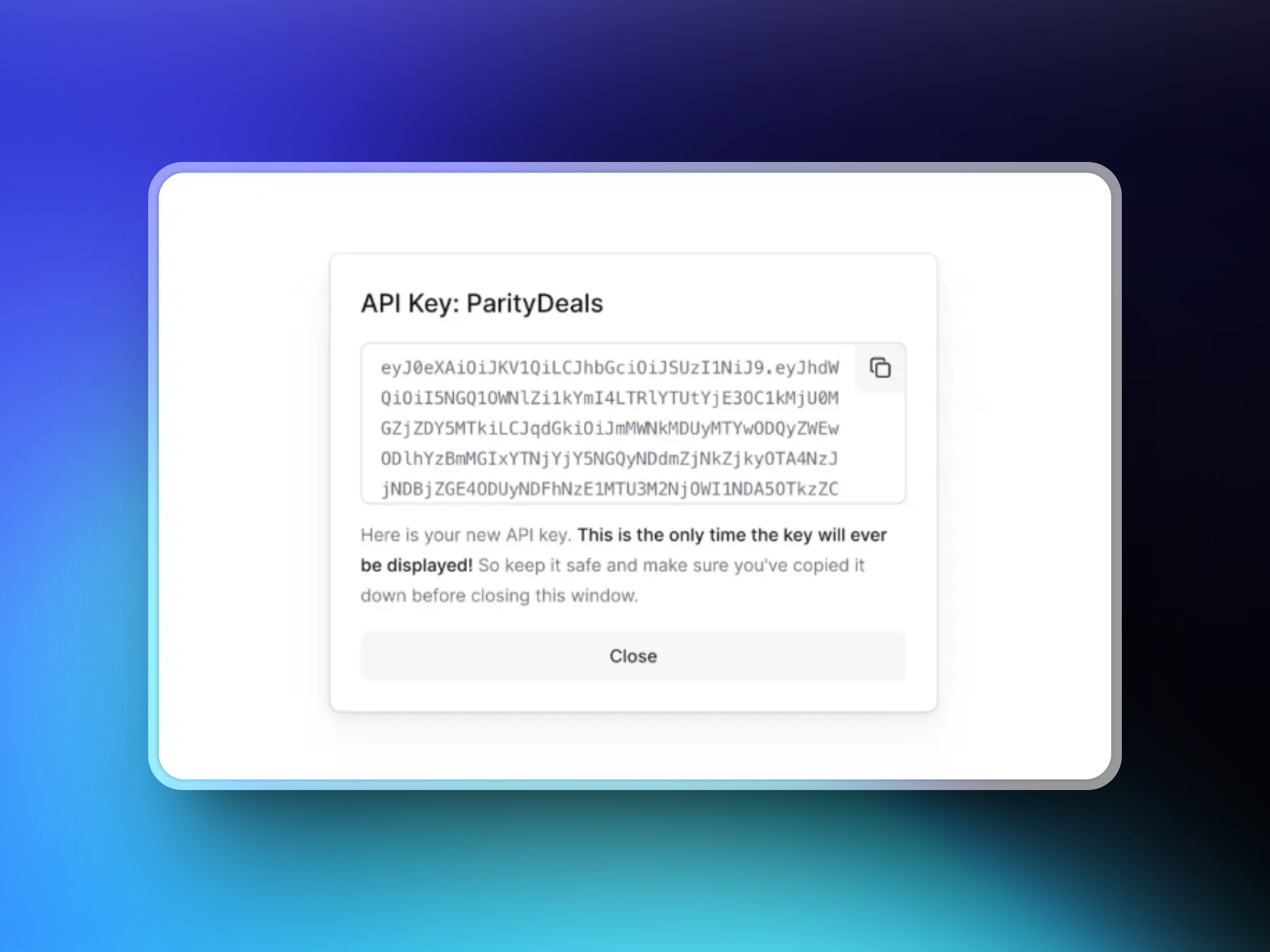 复制您创建的 API 密钥并将其粘贴到 ParityDeals 接口中,以便与您的 Dodo Payments 帐户建立连接。
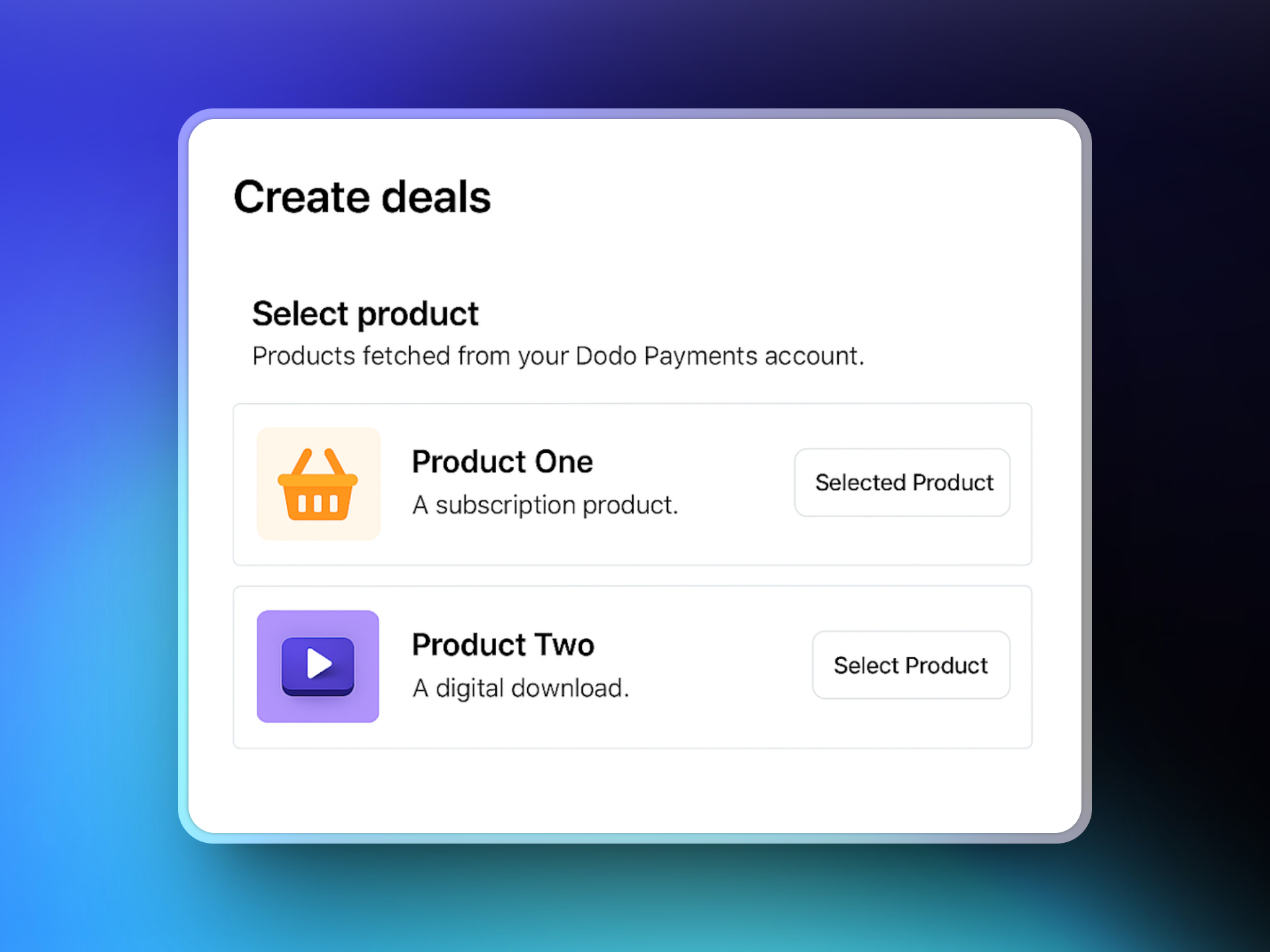
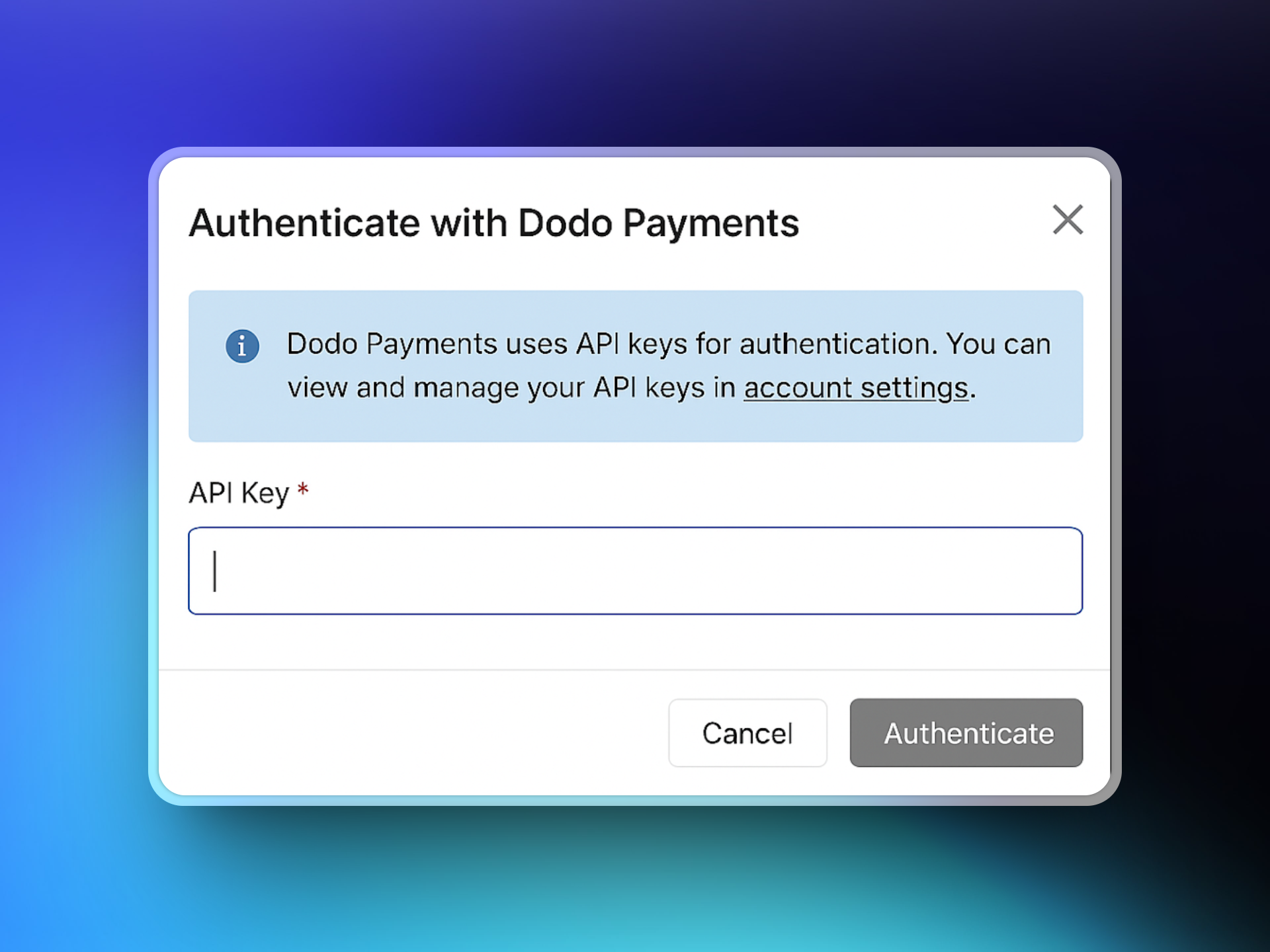 连上后,ParityDeals 将获取您的 Dodo Payments 产品目录。选择您想要与交易关联的产品。
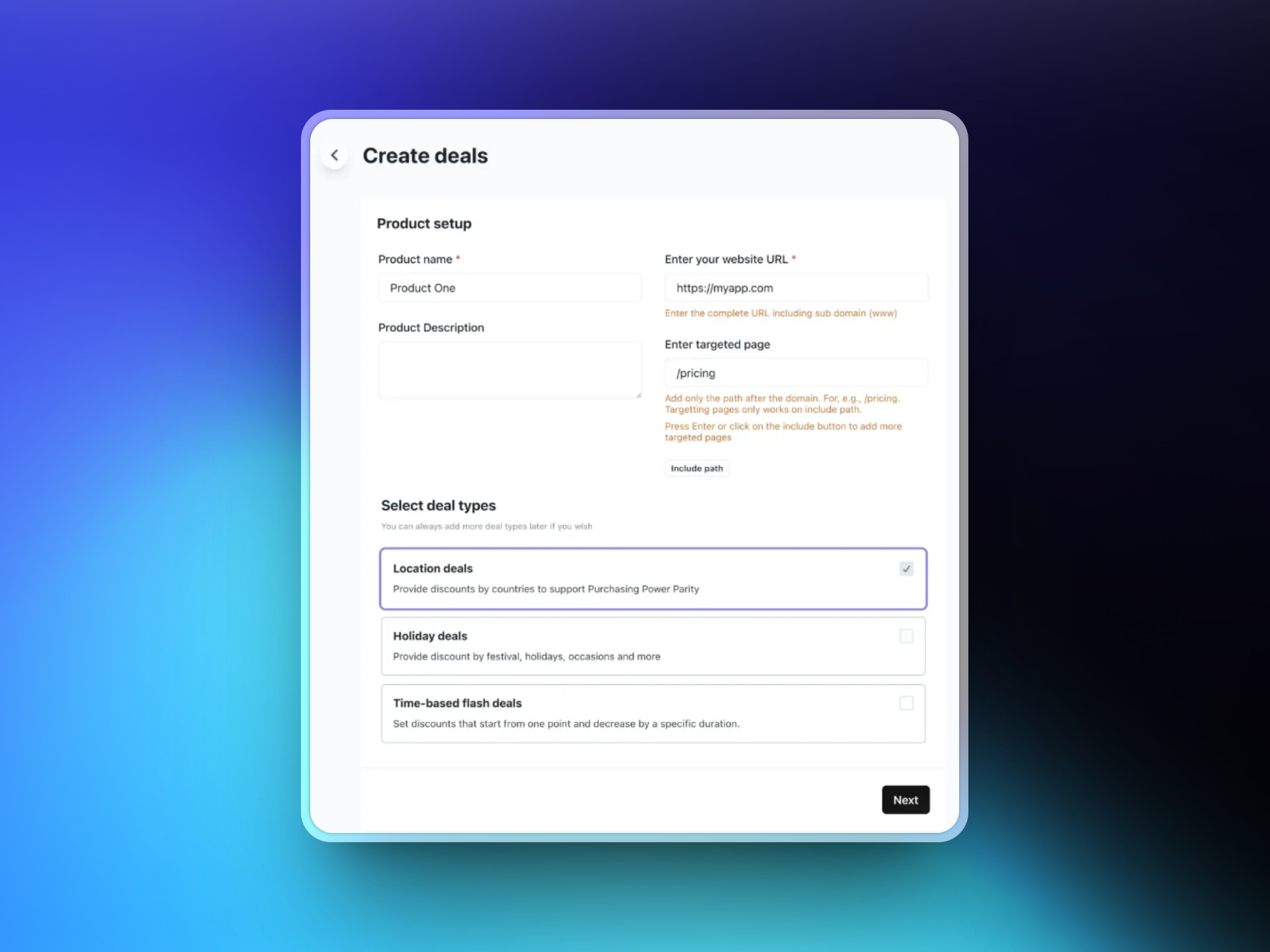
 输入您的网站 URL 并可选择特定的目标页面来显示折扣横幅。然后选择您喜欢的交易类型:
* 基于位置的交易
* 假期交易
* 基于时间的闪购交易
输入您的网站 URL 并可选择特定的目标页面来显示折扣横幅。然后选择您喜欢的交易类型:
* 基于位置的交易
* 假期交易
* 基于时间的闪购交易
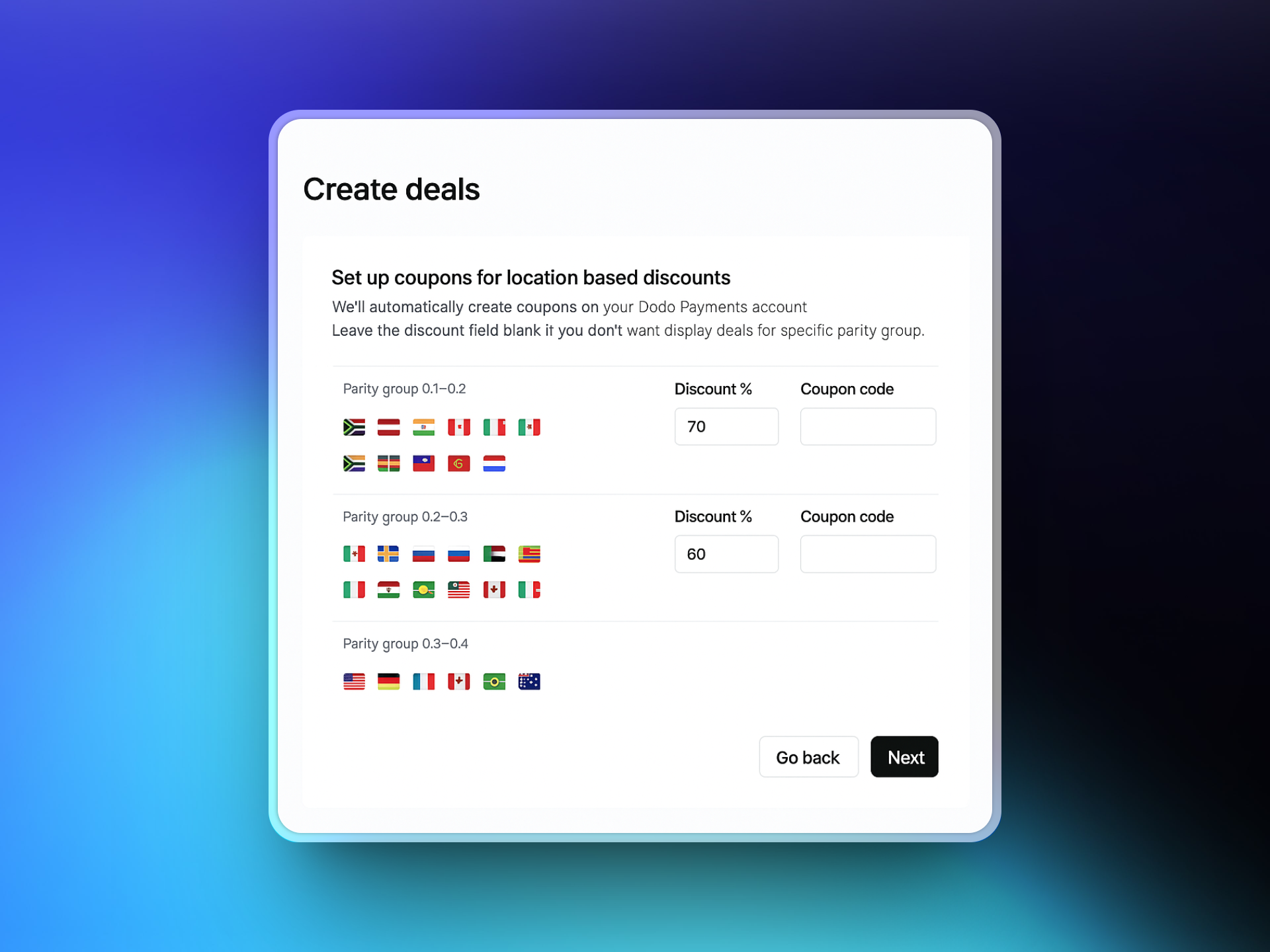
 选择您想要提供本地化折扣的国家,并为每个国家定义折扣百分比。ParityDeals 提供您可以根据需要调整的推荐默认值。
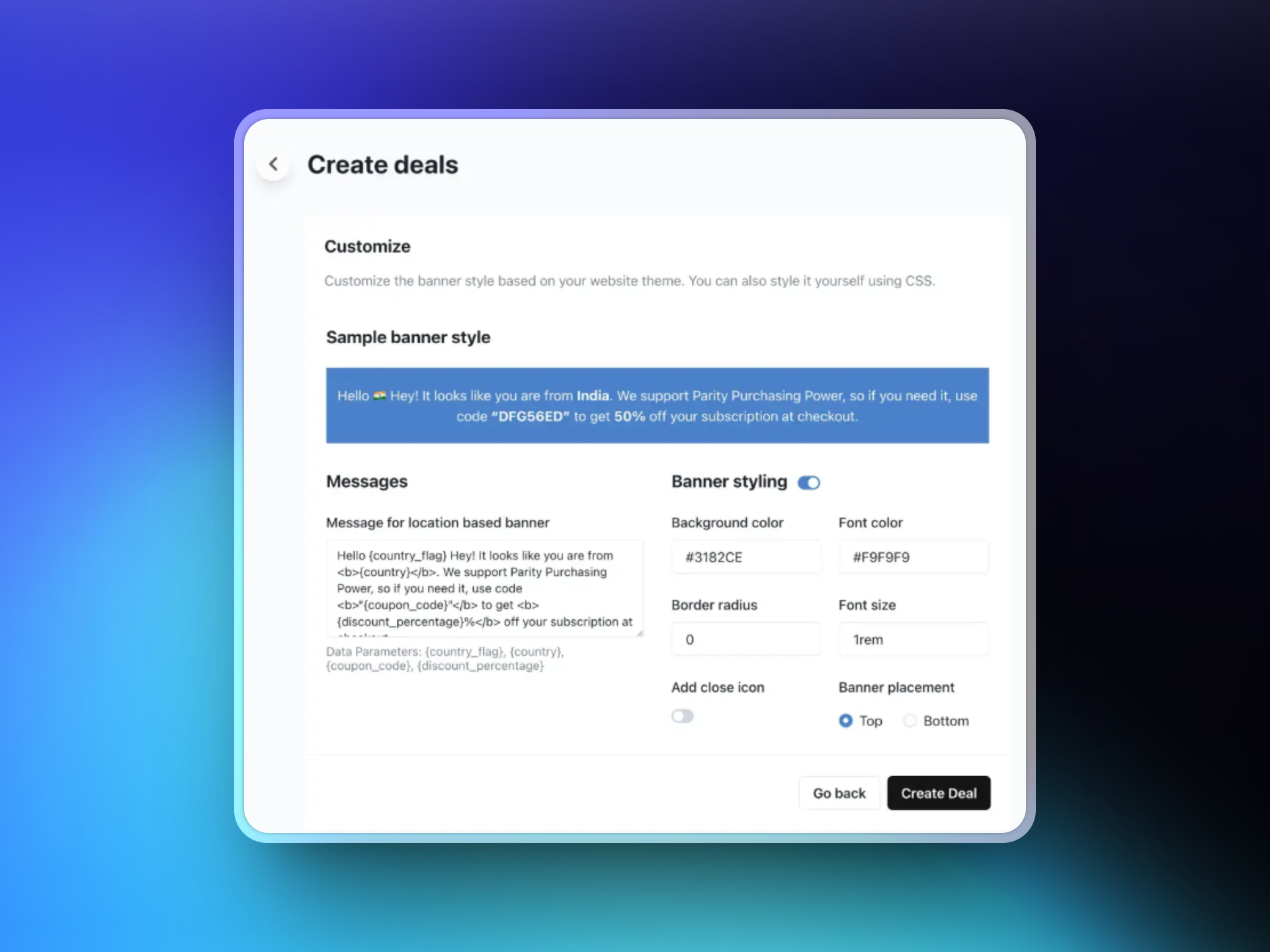
 通过自定义文本、选择颜色和布局并选择横幅位置(页面的顶部或底部)来设计您的折扣横幅。此横幅将根据您的配置规则显示给符合条件的访客。
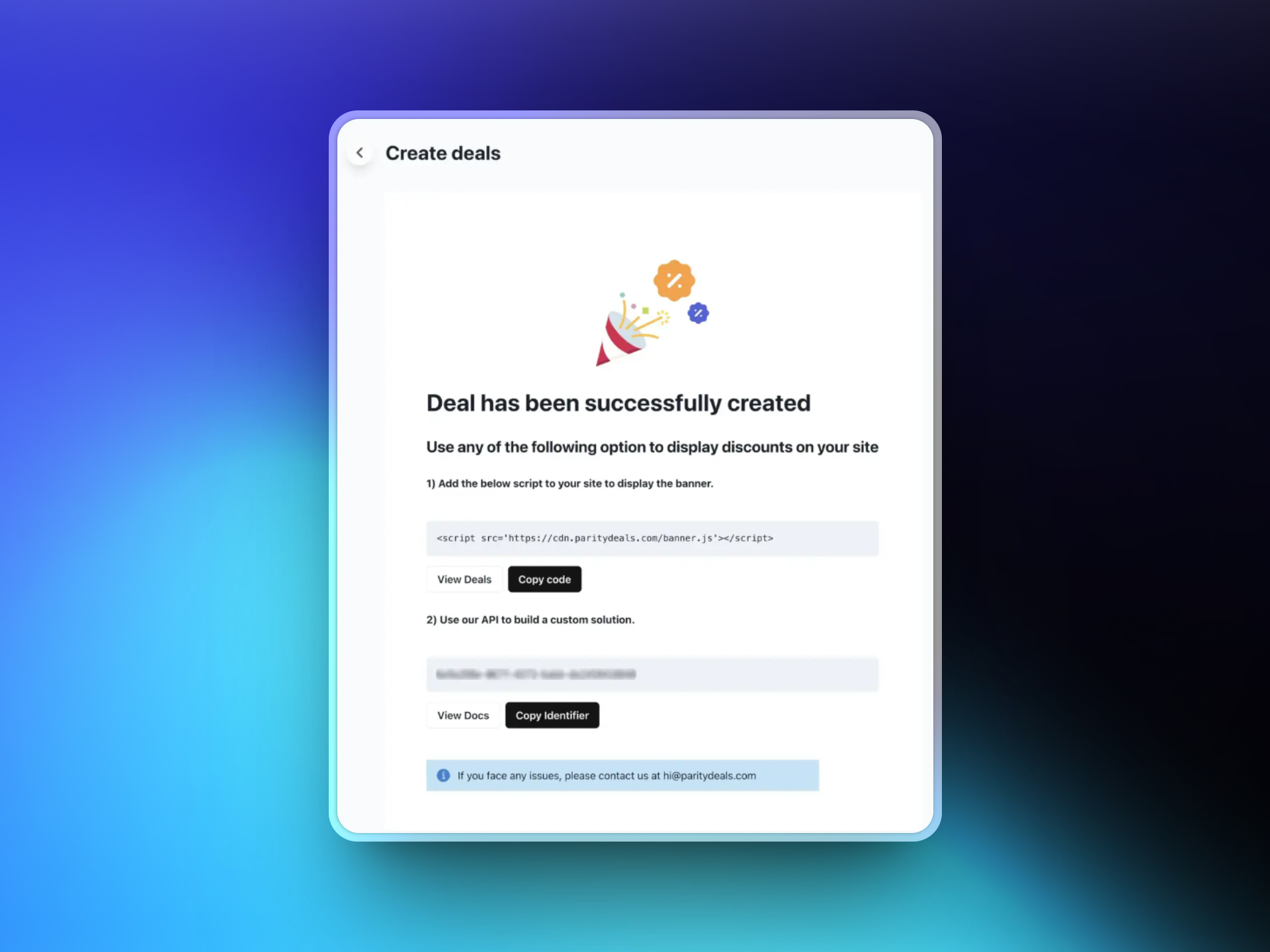
 保存您的交易后,ParityDeals 将生成一个脚本。将此脚本添加到您网站的代码中(通常在 `` 部分)。此脚本会自动检测访客位置并显示适当的折扣横幅。
 #### 附加功能
使用 ParityDeals,您还可以提供[自动基于时间的折扣](https://www.paritydeals.com/features/time-based-discounts/)和[基于假期的促销活动](https://www.paritydeals.com/features/holiday-based-discounts/) 。有关更多详细信息,请参阅 [ParityDeals 文档](https://www.paritydeals.com/docs/)。
### Evendeals
[Evendeals](https://www.evendeals.com/integrations/dodo-payments) 是另一个可与 Dodo Payments 集成以提供基于位置的购买力平价定价的平台。它支持一次性和订阅产品。
#### 附加功能
使用 ParityDeals,您还可以提供[自动基于时间的折扣](https://www.paritydeals.com/features/time-based-discounts/)和[基于假期的促销活动](https://www.paritydeals.com/features/holiday-based-discounts/) 。有关更多详细信息,请参阅 [ParityDeals 文档](https://www.paritydeals.com/docs/)。
### Evendeals
[Evendeals](https://www.evendeals.com/integrations/dodo-payments) 是另一个可与 Dodo Payments 集成以提供基于位置的购买力平价定价的平台。它支持一次性和订阅产品。
 #### 主要功能
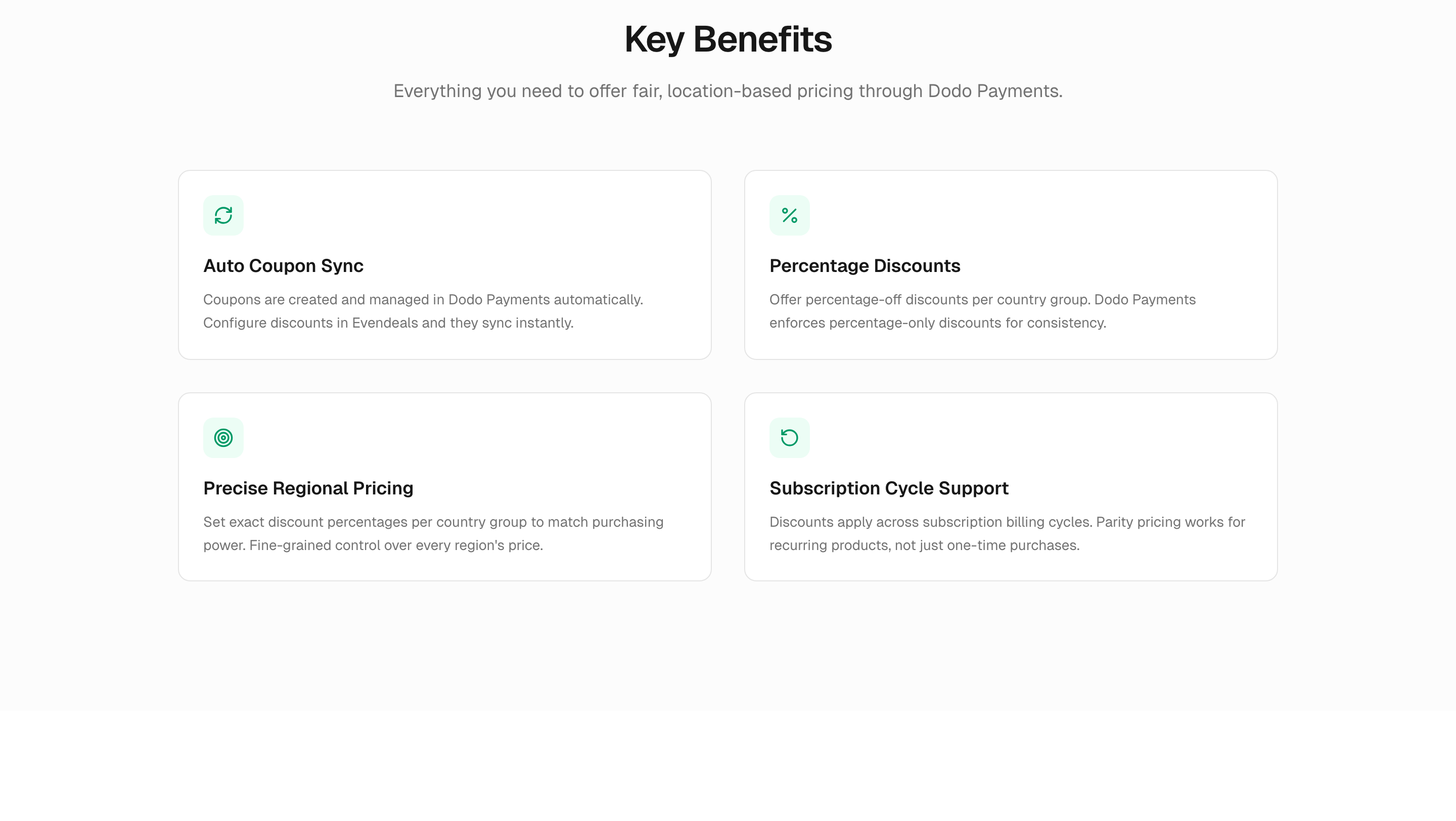
* **自动优惠券同步** — 优惠券在 Dodo Payments 中自动创建和管理
* **百分比折扣** — 提供国家组的百分比折扣
* **订阅支持** — 折扣适用于整个订阅计费周期
* **自动刷新规则** — 通过时间间隔、赎回次数或观看次数循环优惠券代码以防止滥用
Evendeals 创建的折扣码将自动显示在 Dodo Payments 仪表板中的 Sales → Discounts 下。
#### 主要功能
* **自动优惠券同步** — 优惠券在 Dodo Payments 中自动创建和管理
* **百分比折扣** — 提供国家组的百分比折扣
* **订阅支持** — 折扣适用于整个订阅计费周期
* **自动刷新规则** — 通过时间间隔、赎回次数或观看次数循环优惠券代码以防止滥用
Evendeals 创建的折扣码将自动显示在 Dodo Payments 仪表板中的 Sales → Discounts 下。
 #### 设置
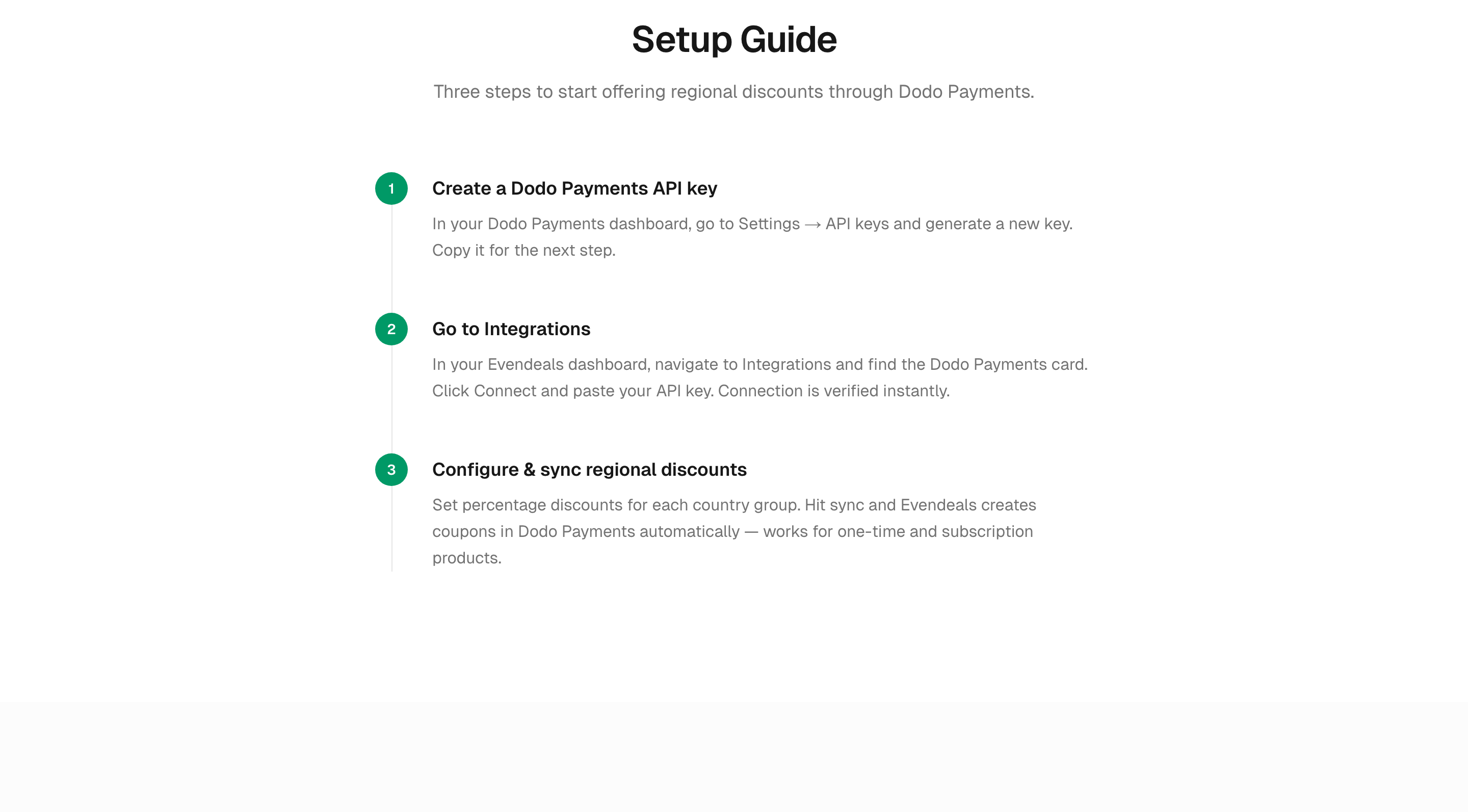
在 Dodo Payments 仪表板中,转到 **Developers → API Keys** 并生成一个新密钥。
在您的 [Evendeals 仪表板](https://www.evendeals.com/signin)中,导航到 **Integrations**,找到 Dodo Payments 卡片并粘贴您的 API 密钥。
为每个国家组设置百分比折扣并点击同步。Evendeals 会在 Dodo Payments 中自动创建优惠券。
同步后,打开您在 Dodo Payments 仪表板中的 **Sales → Discounts** 以确认生成的优惠券是否显示。每张优惠券都会带有可识别的 Evendeals 前缀。
#### 设置
在 Dodo Payments 仪表板中,转到 **Developers → API Keys** 并生成一个新密钥。
在您的 [Evendeals 仪表板](https://www.evendeals.com/signin)中,导航到 **Integrations**,找到 Dodo Payments 卡片并粘贴您的 API 密钥。
为每个国家组设置百分比折扣并点击同步。Evendeals 会在 Dodo Payments 中自动创建优惠券。
同步后,打开您在 Dodo Payments 仪表板中的 **Sales → Discounts** 以确认生成的优惠券是否显示。每张优惠券都会带有可识别的 Evendeals 前缀。
 ParityDeals 和 Evendeals 都能与 Dodo Payments 无缝协作,帮助您优化全球定价策略。欲了解更多详情,请访问 [ParityDeals 文档](https://www.paritydeals.com/docs/) 或 [Evendeals Dodo Payments 集成页面](https://www.evendeals.com/integrations/dodo-payments)。