> ## Documentation Index
> Fetch the complete documentation index at: https://docs.dodopayments.com/llms.txt
> Use this file to discover all available pages before exploring further.
# Notion 权益
> 当客户购买后,将 Notion 模板复制到他们的工作区。
Notion 权益功能会将您准备好的模板复制到付费客户的 Notion 工作区。客户通过 OAuth 授权,选择要复制模板的工作区,Dodo Payments 处理复制。
## 交付内容
* 提示客户通过 OAuth 连接他们的 Notion 工作区。
* 授权后,Dodo Payments 将已配置的模板复制到他们选择的工作区。
* 取消时,复制的模板仍会保留在客户的工作区(Notion 不支持远程删除)。授予标记为 `revoked` 以供记录保存。
常见用途包括付费 Notion 模板、生产力系统和操作系统/CRM 模板。
## 连接 Notion
在你的 Dodo Payments 仪表板中,进入 **Entitlements** 并点击 **+**。
选择 **Notion Template** 作为集成。如果 Notion 尚未连接,会提示你 **Connect Notion**。
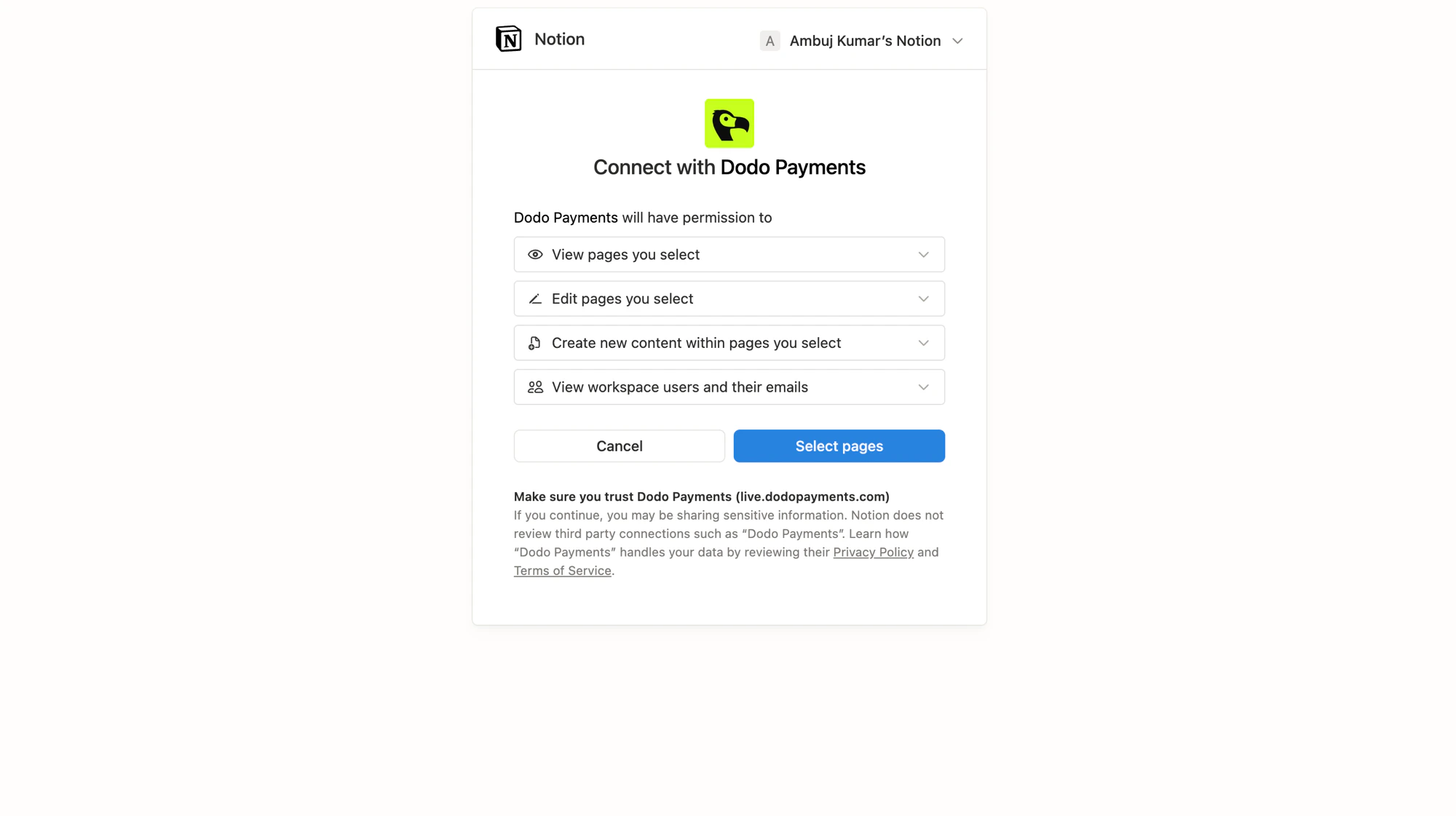
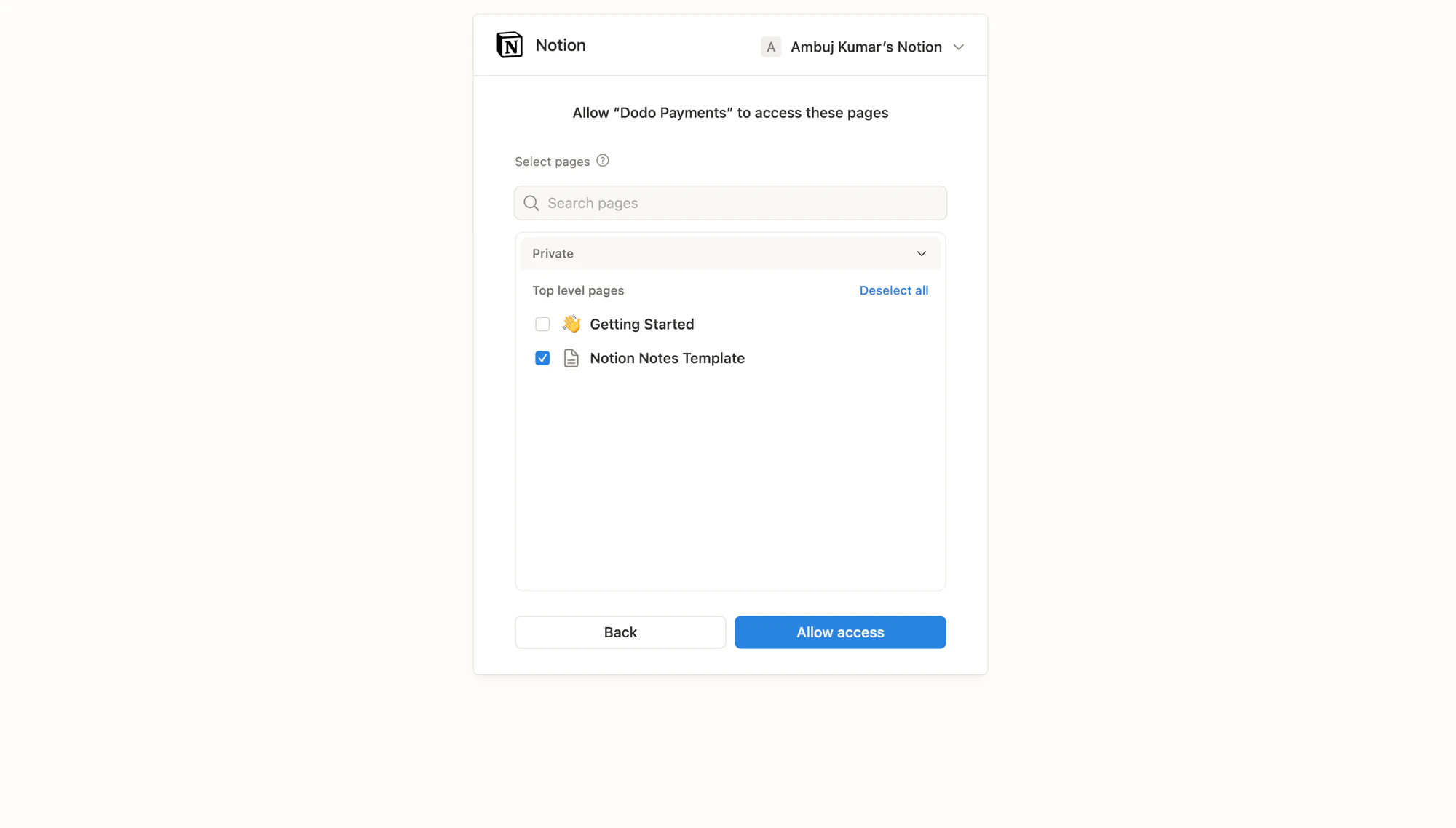
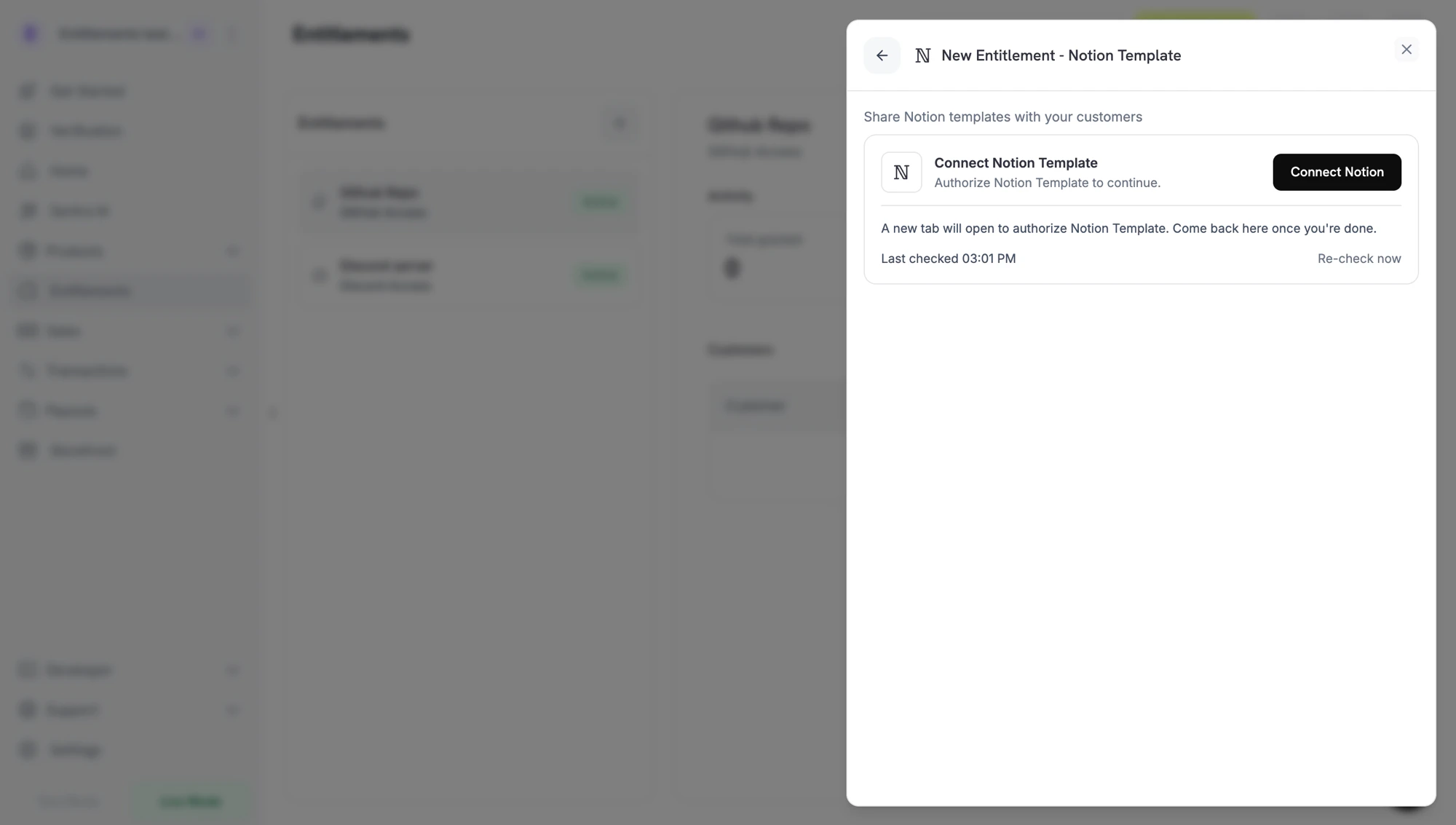 点击后将在新标签页中打开 Notion。登录拥有源模板的工作区,审核 Dodo Payments 请求的权限,然后选择可以读取和复制的页面(模板)。
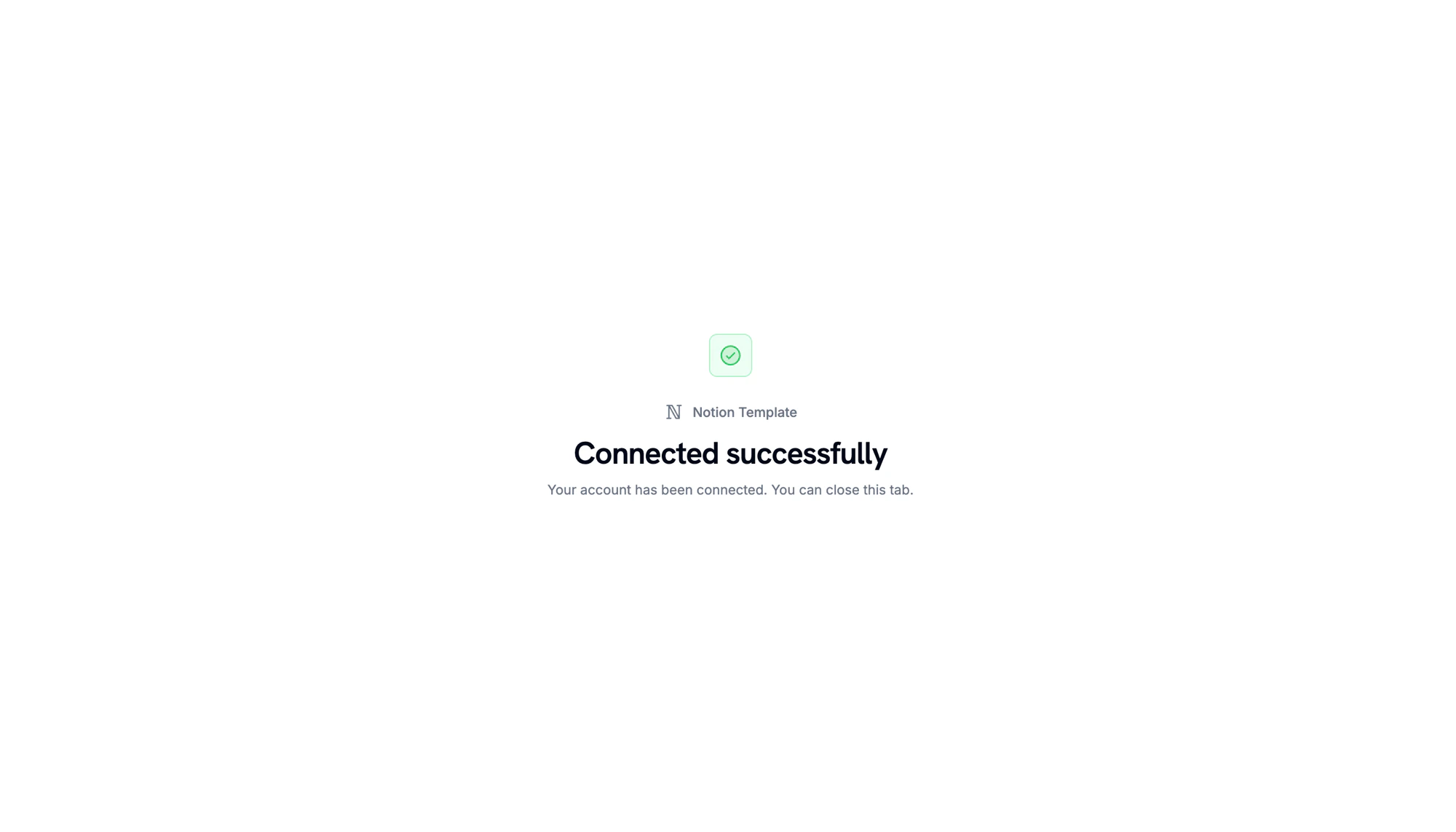
当 Notion 重定向回来时,你会看到工作区已连接的确认信息。
点击后将在新标签页中打开 Notion。登录拥有源模板的工作区,审核 Dodo Payments 请求的权限,然后选择可以读取和复制的页面(模板)。
当 Notion 重定向回来时,你会看到工作区已连接的确认信息。
 返回仪表板,从模板选择器中选择要复制的 **template**。只有在上一步中授权的页面会显示在这里。为权限赋予 **name** 并点击 **Create Entitlement**。
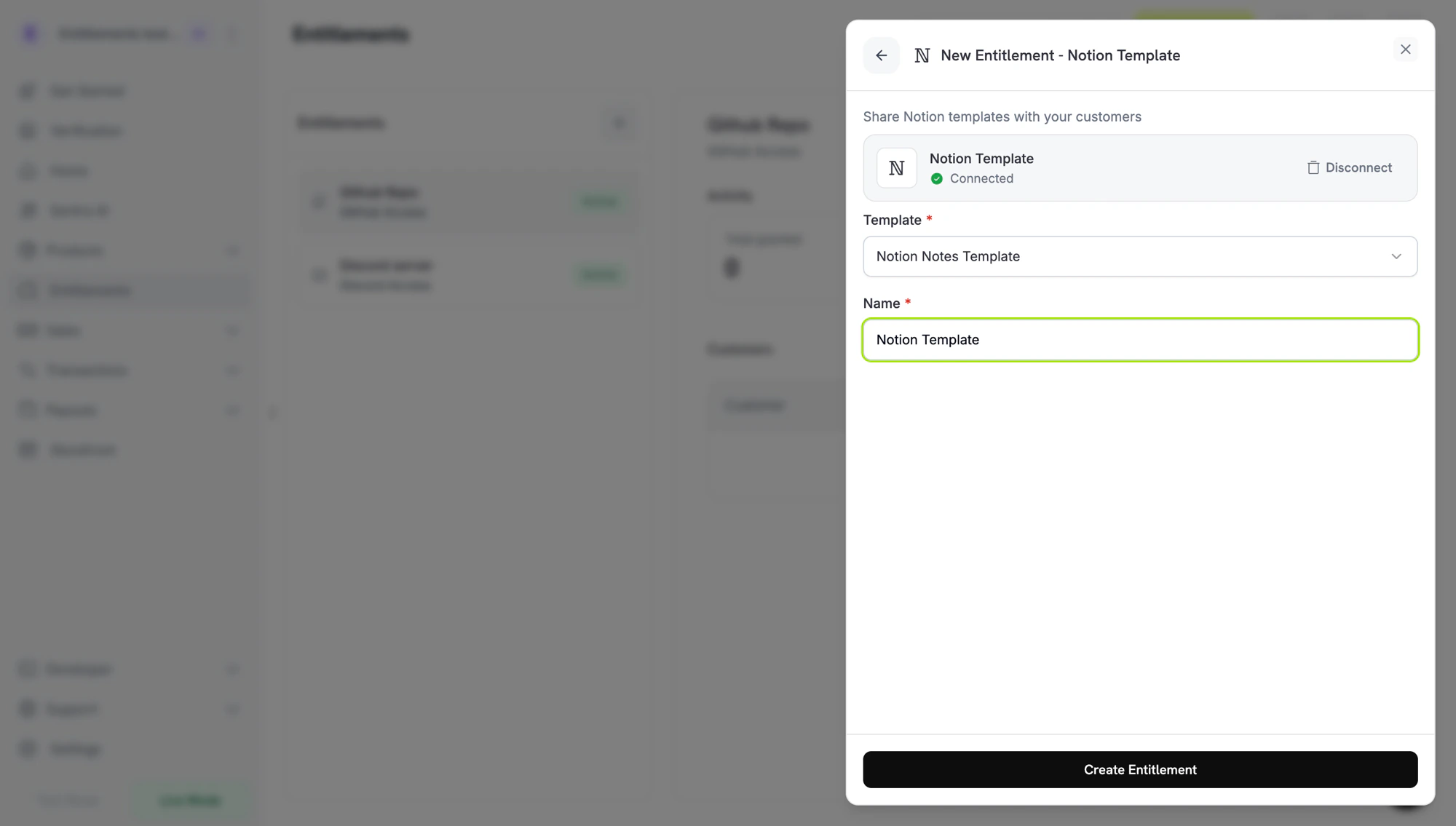 保存并附加到任何产品。
## 客户流程
1. 客户完成结账。
2. Dodo Payments 创建一个状态为 `pending` 的授予,带有一个让客户连接其工作区的 Notion `oauth_url`。
3. 客户通过其邮件或客户门户中的链接授权,并选择要复制模板的工作区。
4. Dodo Payments 复制模板。授予移动到 `delivered`。
5. 撤销时,授予标记为 `revoked`;复制的副本保留在客户的工作区中。
Notion 有意将复制的页面视为收件人的内容。Dodo Payments 无法在撤销时删除副本。
## 必需的配置
| Field | Required | Description |
| -------------------- | -------- | ---------------------------------------------------- |
| `notion_template_id` | Yes | The template ID. The dashboard picker fills this in. |
## 通过 API 创建
```typescript TypeScript theme={null} theme={null}
const entitlement = await client.entitlements.create({
name: 'Study Notes',
integration_type: 'notion',
integration_config: {
notion_template_id: 'tmpl_abc123',
},
});
```
```python Python theme={null} theme={null}
client.entitlements.create(
name="Study Notes",
integration_type="notion",
integration_config={"notion_template_id": "tmpl_abc123"},
)
```
```go Go theme={null} theme={null}
client.Entitlements.New(ctx, dodopayments.EntitlementNewParams{
Name: dodopayments.F("Study Notes"),
IntegrationType: dodopayments.F(dodopayments.EntitlementIntegrationTypeNotion),
IntegrationConfig: dodopayments.F[dodopayments.IntegrationConfigUnionParam](
dodopayments.IntegrationConfigNotionConfigParam{
NotionTemplateID: dodopayments.F("tmpl_abc123"),
},
),
})
```
## Webhooks
查看 [`entitlement_grant.*` webhook events](/developer-resources/webhooks/intents/entitlement-grant):
* `entitlement_grant.created` 包含 Notion `oauth_url`。
* `entitlement_grant.delivered` 当模板被复制时触发。
* `entitlement_grant.revoked` 在取消时触发;客户的副本保持不变。
## 故障排除
授予保持 `pending`,直到客户完成 Notion OAuth。重新发送交付电子邮件;OAuth 链接在一周后过期,之后您可以撤销并重新创建授予。
从 **Entitlements → Integrations → Notion** 重新连接 Notion 与拥有源模板的工作区。
Notion 不允许远程删除复制的页面。客户必须从他们自己的工作区删除副本。
保存并附加到任何产品。
## 客户流程
1. 客户完成结账。
2. Dodo Payments 创建一个状态为 `pending` 的授予,带有一个让客户连接其工作区的 Notion `oauth_url`。
3. 客户通过其邮件或客户门户中的链接授权,并选择要复制模板的工作区。
4. Dodo Payments 复制模板。授予移动到 `delivered`。
5. 撤销时,授予标记为 `revoked`;复制的副本保留在客户的工作区中。
Notion 有意将复制的页面视为收件人的内容。Dodo Payments 无法在撤销时删除副本。
## 必需的配置
| Field | Required | Description |
| -------------------- | -------- | ---------------------------------------------------- |
| `notion_template_id` | Yes | The template ID. The dashboard picker fills this in. |
## 通过 API 创建
```typescript TypeScript theme={null} theme={null}
const entitlement = await client.entitlements.create({
name: 'Study Notes',
integration_type: 'notion',
integration_config: {
notion_template_id: 'tmpl_abc123',
},
});
```
```python Python theme={null} theme={null}
client.entitlements.create(
name="Study Notes",
integration_type="notion",
integration_config={"notion_template_id": "tmpl_abc123"},
)
```
```go Go theme={null} theme={null}
client.Entitlements.New(ctx, dodopayments.EntitlementNewParams{
Name: dodopayments.F("Study Notes"),
IntegrationType: dodopayments.F(dodopayments.EntitlementIntegrationTypeNotion),
IntegrationConfig: dodopayments.F[dodopayments.IntegrationConfigUnionParam](
dodopayments.IntegrationConfigNotionConfigParam{
NotionTemplateID: dodopayments.F("tmpl_abc123"),
},
),
})
```
## Webhooks
查看 [`entitlement_grant.*` webhook events](/developer-resources/webhooks/intents/entitlement-grant):
* `entitlement_grant.created` 包含 Notion `oauth_url`。
* `entitlement_grant.delivered` 当模板被复制时触发。
* `entitlement_grant.revoked` 在取消时触发;客户的副本保持不变。
## 故障排除
授予保持 `pending`,直到客户完成 Notion OAuth。重新发送交付电子邮件;OAuth 链接在一周后过期,之后您可以撤销并重新创建授予。
从 **Entitlements → Integrations → Notion** 重新连接 Notion 与拥有源模板的工作区。
Notion 不允许远程删除复制的页面。客户必须从他们自己的工作区删除副本。