> ## Documentation Index
> Fetch the complete documentation index at: https://docs.dodopayments.com/llms.txt
> Use this file to discover all available pages before exploring further.
# 通信偏好设置
> 配置您和团队如何通过电子邮件、应用内和推送渠道接收有关付款、结算、退款、订阅和争议的重要通知。
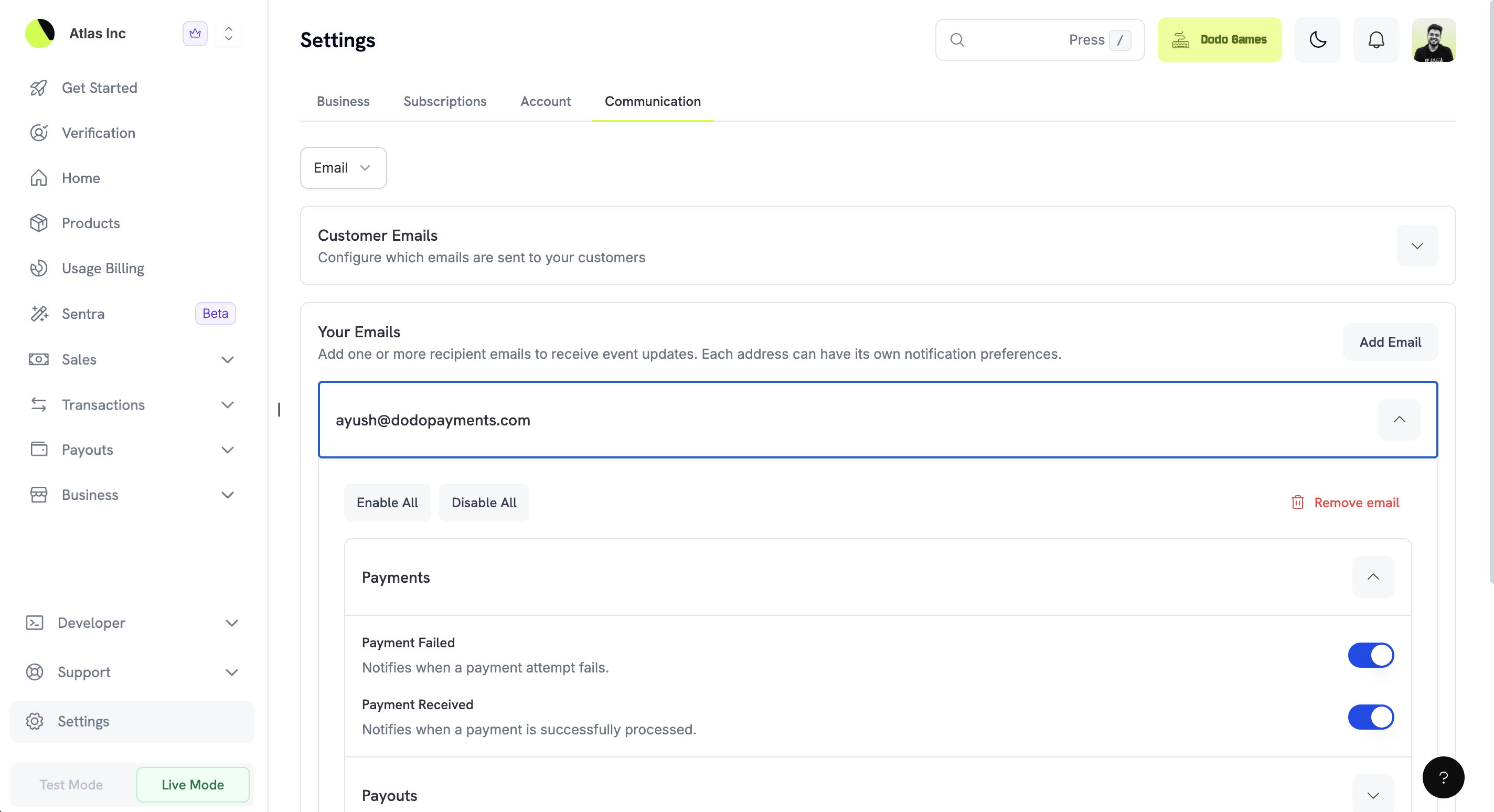 通信偏好设置让您在 Dodo Payments 帐户中完全掌控何时、如何接收重要事件通知。您可以为自己配置通知、添加多个团队电子邮件接收者并设置各自偏好,还可以在电子邮件、应用内和推送通知渠道之间选择。
## 访问通信偏好设置
要配置通信偏好设置:
1. 在 Dodo Payments 仪表板中导航至 **设置**
2. 点击 **通信** 选项卡
3. 使用下拉菜单在不同的通知渠道(电子邮件、应用内、推送通知)之间切换
## 通知渠道
Dodo Payments 支持三种通知渠道,每种都针对不同的使用场景。您可以独立配置每个渠道以匹配您的工作流程。
通信偏好设置让您在 Dodo Payments 帐户中完全掌控何时、如何接收重要事件通知。您可以为自己配置通知、添加多个团队电子邮件接收者并设置各自偏好,还可以在电子邮件、应用内和推送通知渠道之间选择。
## 访问通信偏好设置
要配置通信偏好设置:
1. 在 Dodo Payments 仪表板中导航至 **设置**
2. 点击 **通信** 选项卡
3. 使用下拉菜单在不同的通知渠道(电子邮件、应用内、推送通知)之间切换
## 通知渠道
Dodo Payments 支持三种通知渠道,每种都针对不同的使用场景。您可以独立配置每个渠道以匹配您的工作流程。
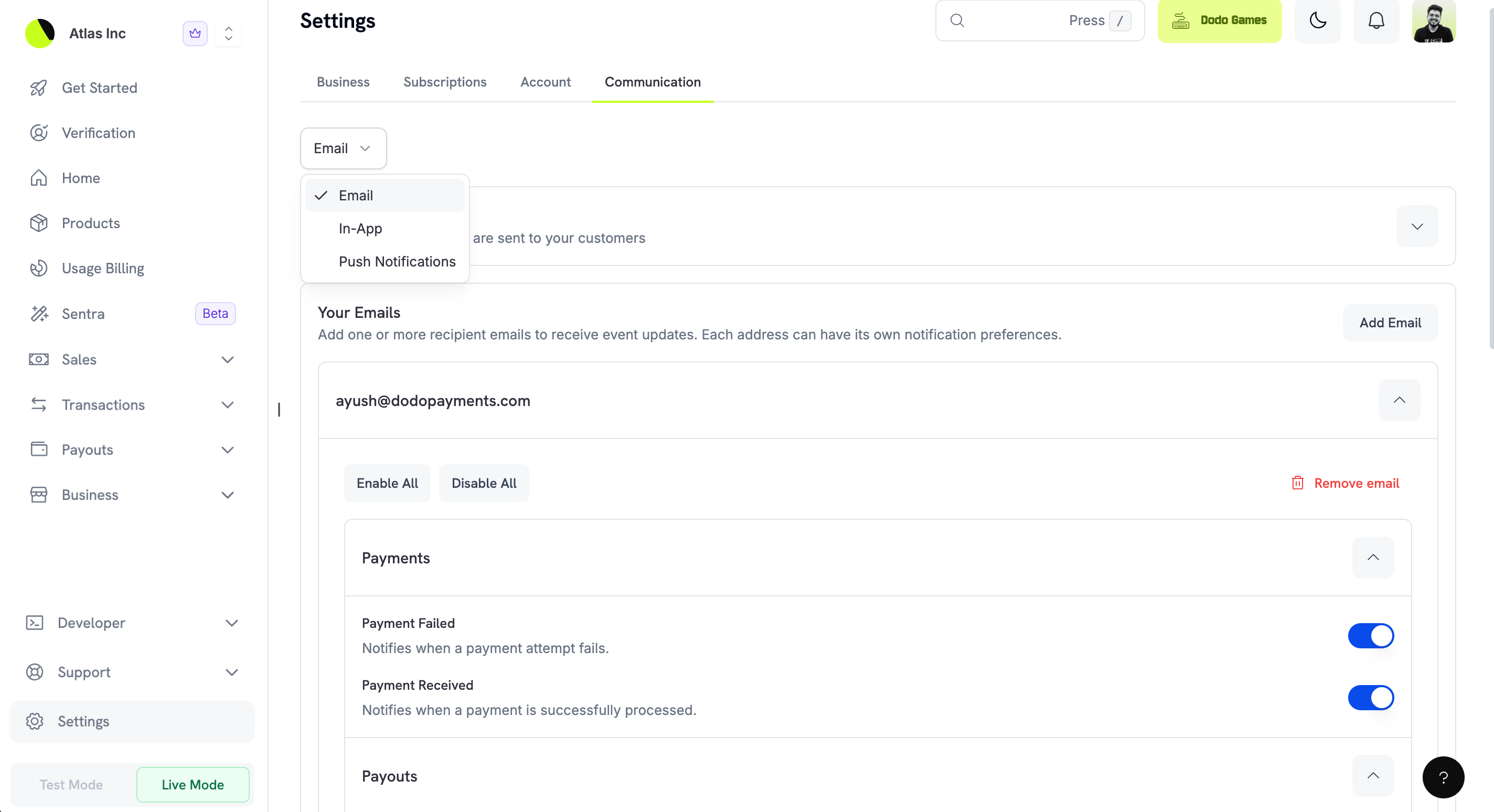 | Channel | Description | Best For |
| ---------------------- | -------------------- | ----------------- |
| **Email** | 通过电子邮件向一个或多个地址接收详细通知 | 适用于全面记录保存与团队分发 |
| **In-App** | 在仪表板通知中心直接查看通知 | 在仪表板中工作时获取快速更新 |
| **Push Notifications** | 在注册设备上获取即时移动提醒 | 在离开桌面时需要及时处理的重要提醒 |
### Email Notifications
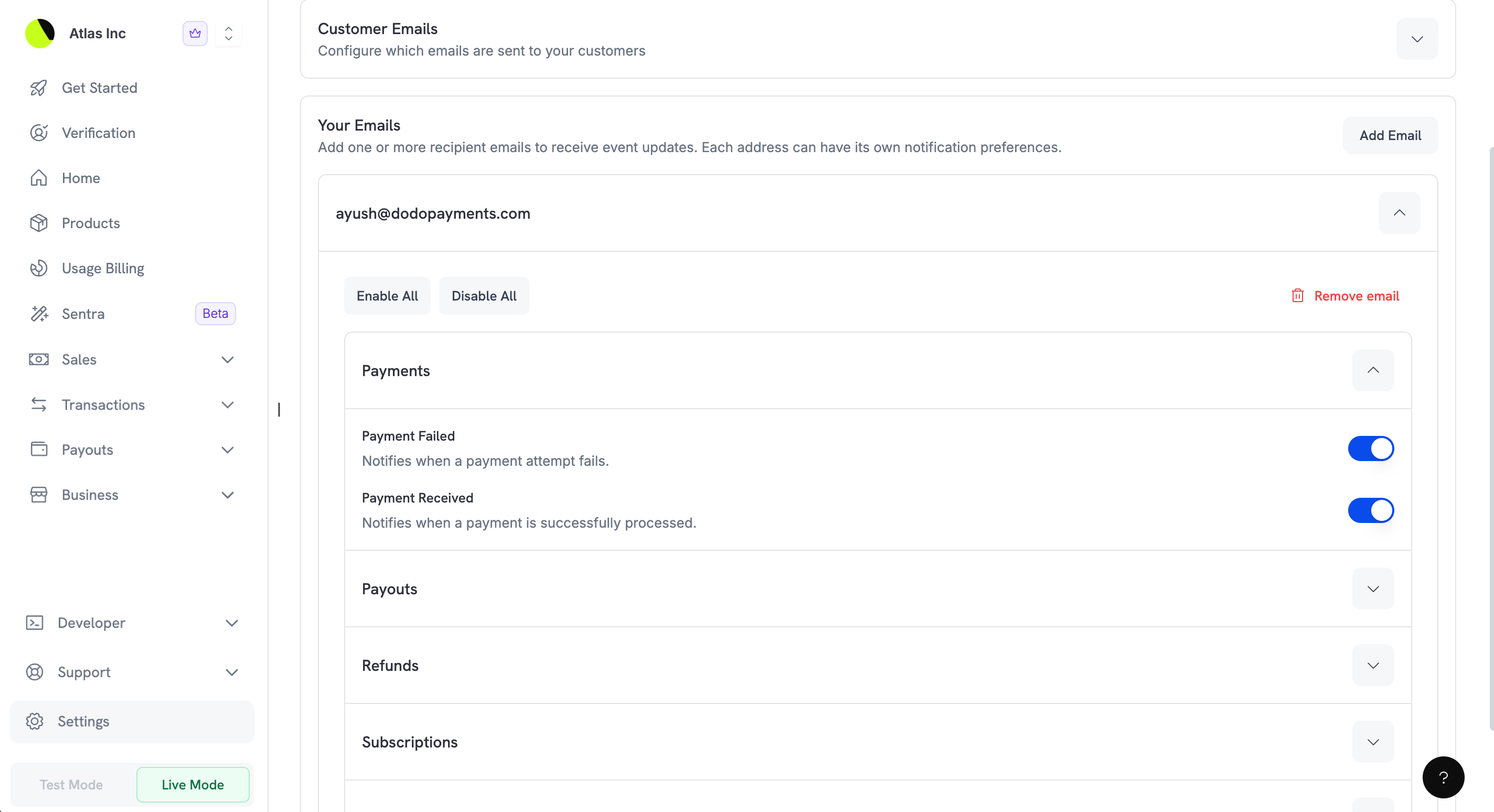
电子邮件是最灵活的通知渠道。您可以添加多个收件人邮箱,每个收件人还可以设置自己的通知偏好。这非常适合将特定通知路由到不同团队成员(例如财务团队接收结算通知,支持团队接收争议通知)。
| Channel | Description | Best For |
| ---------------------- | -------------------- | ----------------- |
| **Email** | 通过电子邮件向一个或多个地址接收详细通知 | 适用于全面记录保存与团队分发 |
| **In-App** | 在仪表板通知中心直接查看通知 | 在仪表板中工作时获取快速更新 |
| **Push Notifications** | 在注册设备上获取即时移动提醒 | 在离开桌面时需要及时处理的重要提醒 |
### Email Notifications
电子邮件是最灵活的通知渠道。您可以添加多个收件人邮箱,每个收件人还可以设置自己的通知偏好。这非常适合将特定通知路由到不同团队成员(例如财务团队接收结算通知,支持团队接收争议通知)。
 **主要功能:**
* 添加不限数量的电子邮件收件人
* 为每个收件人配置通知偏好
* 使用“全部启用”或“全部禁用”实现快速批量配置
* 团队成员变动时可移除电子邮件地址
### 应用内通知
应用内通知会在 Dodo Payments 仪表板的通知中心显示。它们非常适合在仪表板中主动工作时保持了解,而不会占用您的电子邮件收件箱。
**主要功能:**
* 添加不限数量的电子邮件收件人
* 为每个收件人配置通知偏好
* 使用“全部启用”或“全部禁用”实现快速批量配置
* 团队成员变动时可移除电子邮件地址
### 应用内通知
应用内通知会在 Dodo Payments 仪表板的通知中心显示。它们非常适合在仪表板中主动工作时保持了解,而不会占用您的电子邮件收件箱。
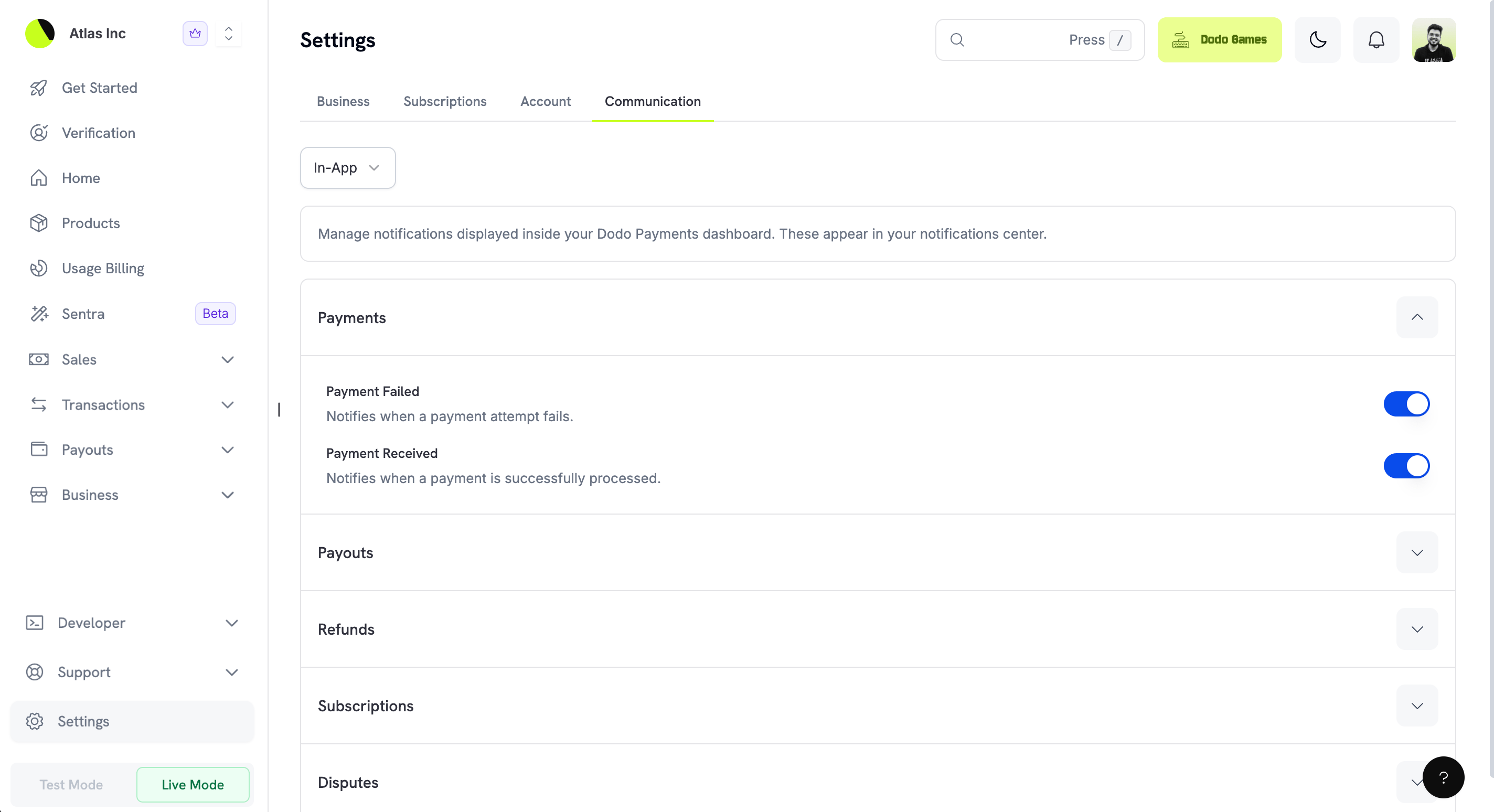 应用内通知实时显示,可通过点击仪表板标题栏中的铃铛图标访问。它们提供近期事件的简要摘要,并直接链接到相关交易或记录。
### 推送通知
推送通知会向您注册的设备发送即时移动提醒。该渠道适用于需要立即处理的关键事件,例如付款失败或新争议。
应用内通知实时显示,可通过点击仪表板标题栏中的铃铛图标访问。它们提供近期事件的简要摘要,并直接链接到相关交易或记录。
### 推送通知
推送通知会向您注册的设备发送即时移动提醒。该渠道适用于需要立即处理的关键事件,例如付款失败或新争议。
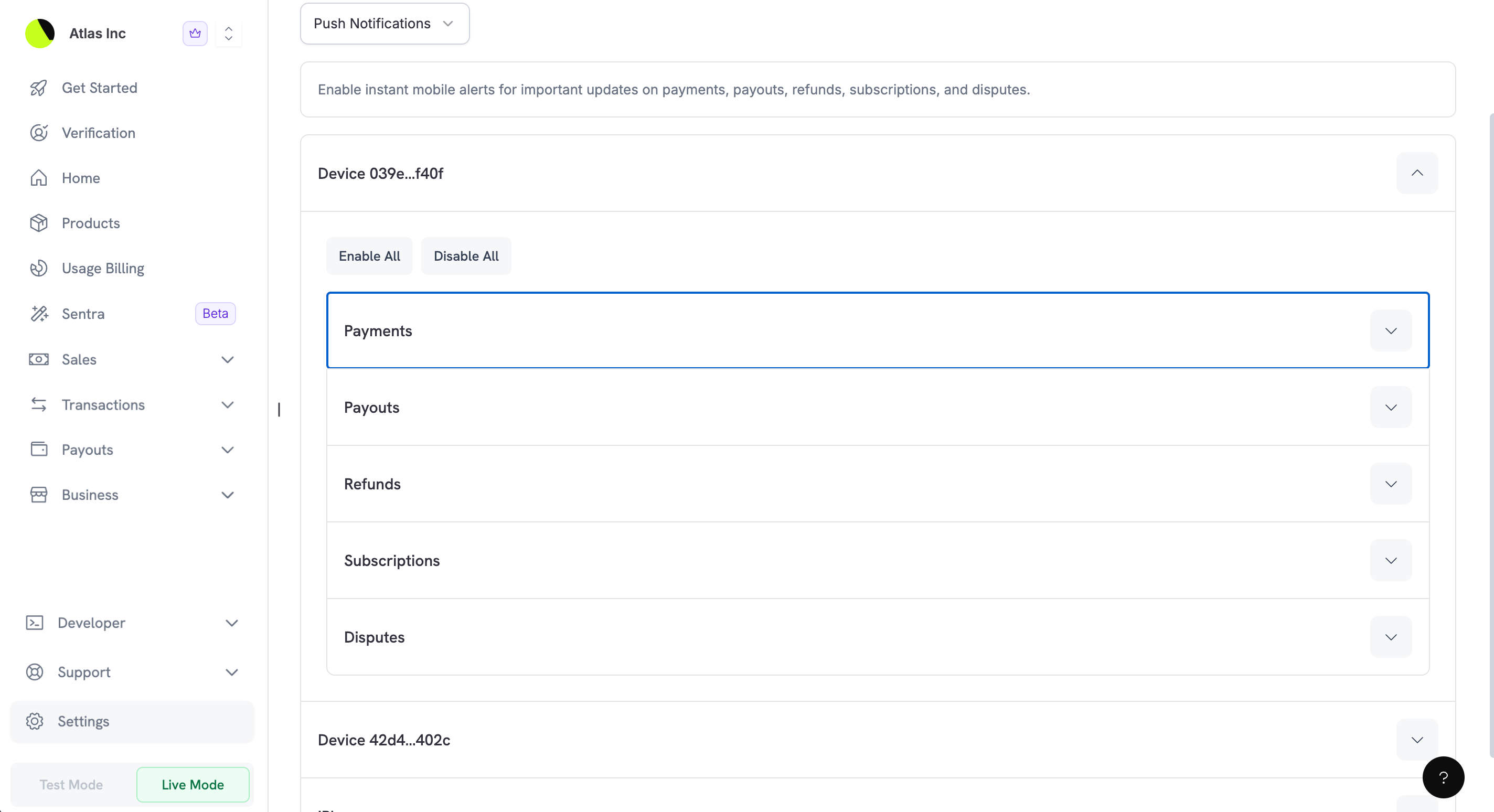 推送通知按设备组织,使您可以:
* 针对特定设备启用或禁用通知
* 配置每个设备触发推送通知的事件
* 管理多个设备(例如手机和平板)
Download the [Dodo Payments mobile app](/features/mobile-app) to receive push notifications on your iOS or Android device.
## 管理电子邮件收件人
电子邮件渠道允许您添加多个收件人地址,便于让整个团队了解相关事件。
### 添加新的电子邮件收件人
1. 在 **您的邮箱** 部分,点击 **添加电子邮件** 按钮
2. 在弹出的模态框中输入邮箱地址
3. 点击 **添加电子邮件** 以确认
推送通知按设备组织,使您可以:
* 针对特定设备启用或禁用通知
* 配置每个设备触发推送通知的事件
* 管理多个设备(例如手机和平板)
Download the [Dodo Payments mobile app](/features/mobile-app) to receive push notifications on your iOS or Android device.
## 管理电子邮件收件人
电子邮件渠道允许您添加多个收件人地址,便于让整个团队了解相关事件。
### 添加新的电子邮件收件人
1. 在 **您的邮箱** 部分,点击 **添加电子邮件** 按钮
2. 在弹出的模态框中输入邮箱地址
3. 点击 **添加电子邮件** 以确认
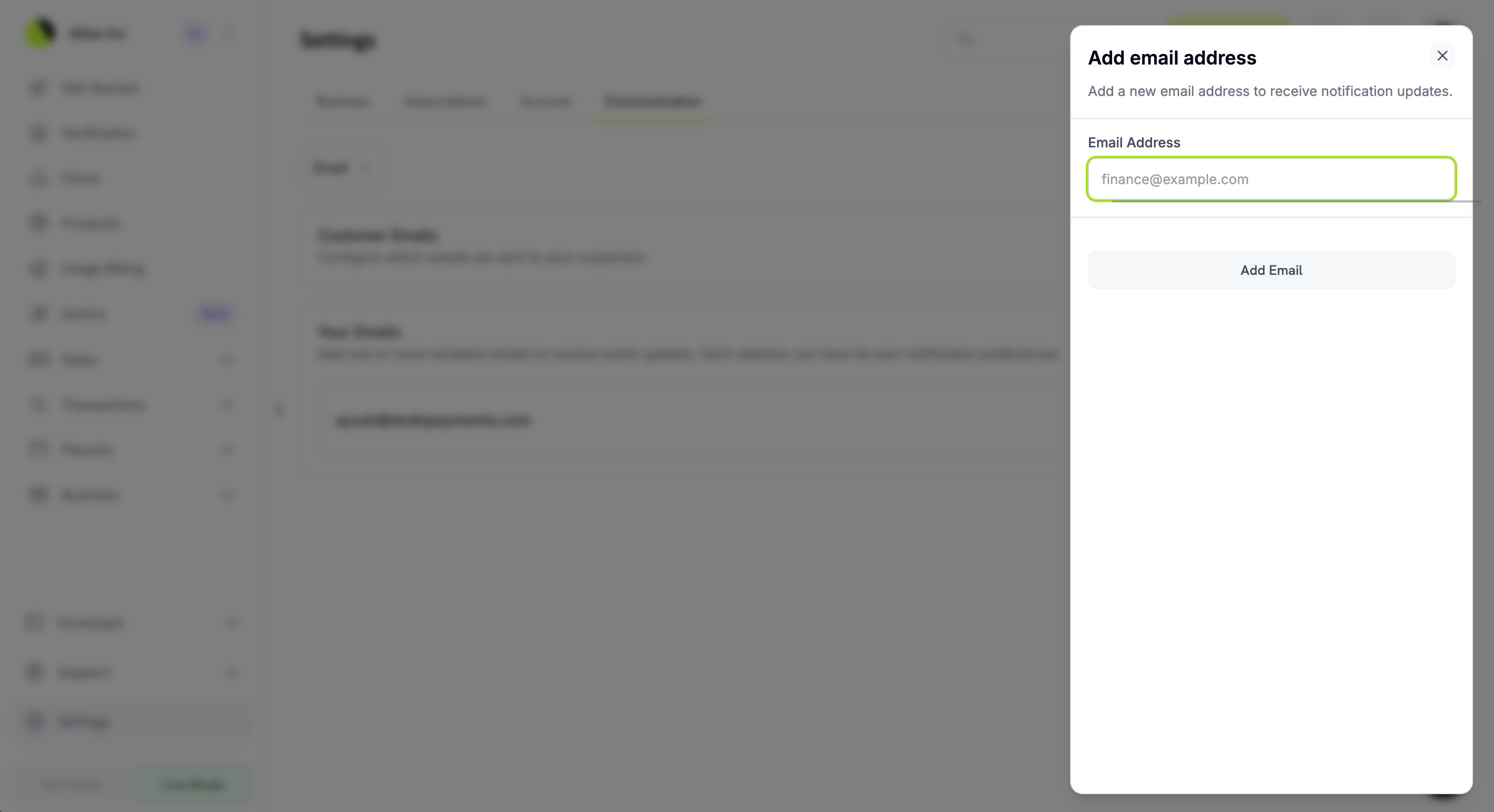 添加邮箱后,您可以立即配置该地址应接收哪些通知。
### 配置电子邮件偏好
1. 点击邮箱地址以展开其通知选项
2. 使用每个事件旁的切换开关启用或禁用通知
3. 更改会自动保存
**快捷操作:**
* **全部启用**:一键开启该邮箱地址的全部通知
* **全部禁用**:一键关闭该邮箱地址的全部通知
### 移除电子邮件收件人
要移除邮箱地址,请展开该邮箱条目并点击 **移除电子邮件** 按钮。此操作会立即停止向该地址发送所有通知。
## 您的通知事件
这些通知可确保您和团队及时掌握关键业务事件。每个类别都可以针对不同通知渠道单独配置。
### 付款
随时了解您产品的付款活动。
| Event | Description |
| -------------------- | ----------------------------------------------- |
| **Payment Failed** | 在付款尝试失败时发送通知。可能是由于余额不足、卡片被拒或其他支付问题。方便识别潜在的客户问题。 |
| **Payment Received** | 在付款成功处理时发送通知。确认客户已完成购买。 |
### 资金划拨
跟踪资金从 Dodo Payments 帐户转出到您的银行账户的情况。
添加邮箱后,您可以立即配置该地址应接收哪些通知。
### 配置电子邮件偏好
1. 点击邮箱地址以展开其通知选项
2. 使用每个事件旁的切换开关启用或禁用通知
3. 更改会自动保存
**快捷操作:**
* **全部启用**:一键开启该邮箱地址的全部通知
* **全部禁用**:一键关闭该邮箱地址的全部通知
### 移除电子邮件收件人
要移除邮箱地址,请展开该邮箱条目并点击 **移除电子邮件** 按钮。此操作会立即停止向该地址发送所有通知。
## 您的通知事件
这些通知可确保您和团队及时掌握关键业务事件。每个类别都可以针对不同通知渠道单独配置。
### 付款
随时了解您产品的付款活动。
| Event | Description |
| -------------------- | ----------------------------------------------- |
| **Payment Failed** | 在付款尝试失败时发送通知。可能是由于余额不足、卡片被拒或其他支付问题。方便识别潜在的客户问题。 |
| **Payment Received** | 在付款成功处理时发送通知。确认客户已完成购买。 |
### 资金划拨
跟踪资金从 Dodo Payments 帐户转出到您的银行账户的情况。
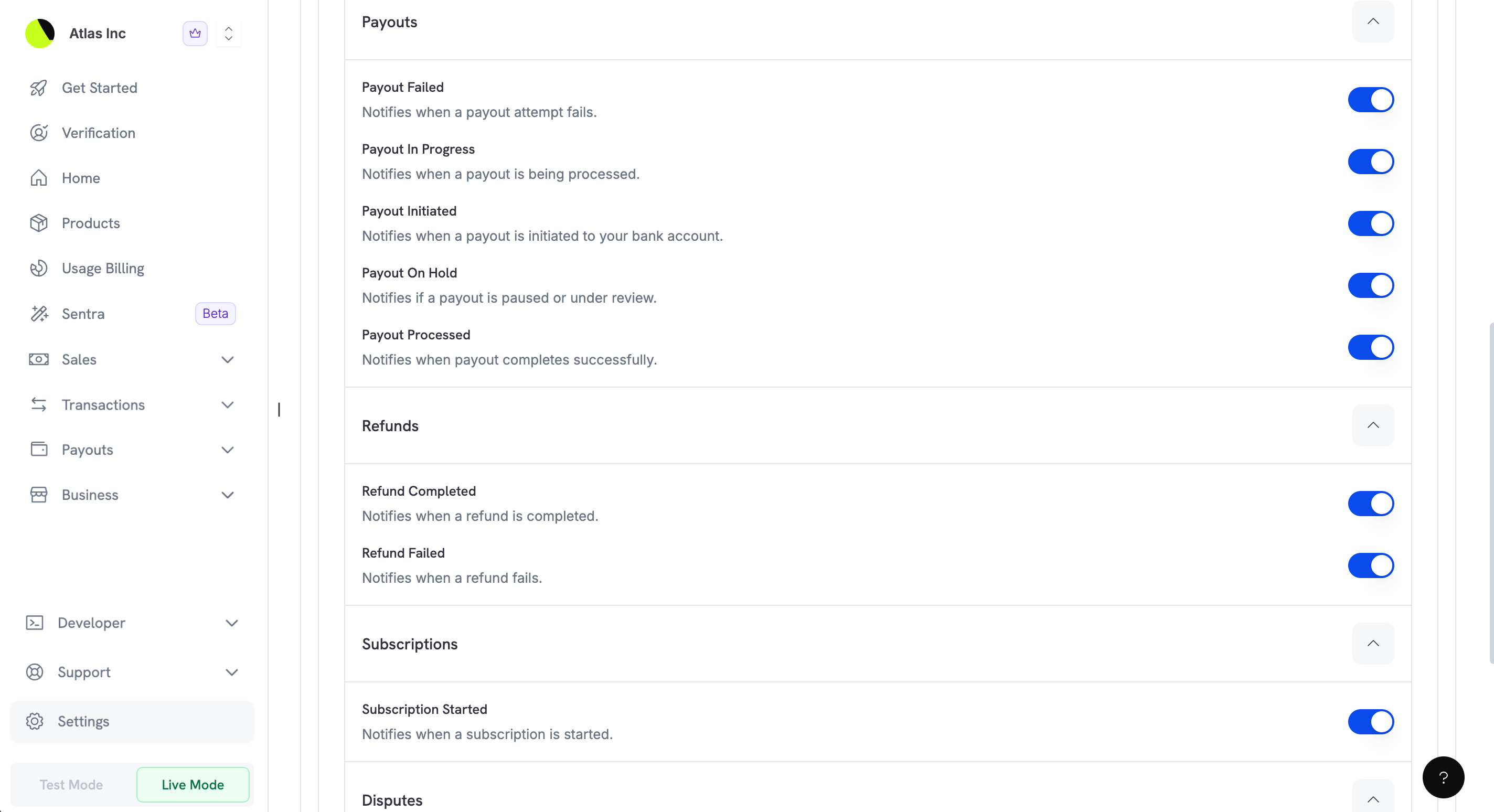 | Event | Description |
| ---------------------- | --------------------------------------- |
| **Payout Failed** | 在结算尝试失败时发送通知。这可能意味着您的银行账户信息存在问题,需要立即处理。 |
| **Payout In Progress** | 在结算正在处理时发送通知。资金正在发送至您的银行账户。 |
| **Payout Initiated** | 在结算发起时发送通知,标志着结算流程开始。 |
| **Payout On Hold** | 如果结算被暂停或审查,会发送通知。可能需要您提供额外信息或文件。 |
| **Payout Processed** | 在结算成功完成时发送通知。此时资金应已到达您的银行账户。 |
### 退款
监控交易中的退款活动。
| Event | Description |
| -------------------- | --------------------------- |
| **Refund Completed** | 在退款成功处理并将资金退回客户时发送通知。 |
| **Refund Failed** | 在退款处理失败时发送通知。可能需要人工干预以解决问题。 |
### 订阅
跟踪订阅生命周期事件。
| Event | Description |
| ------------------------ | --------------------------- |
| **Subscription Started** | 在新订阅创建并激活时发送通知。确认获得了新的定期客户。 |
### 争议
争议需要及时处理以保护您的业务。这些通知确保您不会错过争议的截止时间。
| Event | Description |
| ---------------------- | --------------------------------------- |
| **Payout Failed** | 在结算尝试失败时发送通知。这可能意味着您的银行账户信息存在问题,需要立即处理。 |
| **Payout In Progress** | 在结算正在处理时发送通知。资金正在发送至您的银行账户。 |
| **Payout Initiated** | 在结算发起时发送通知,标志着结算流程开始。 |
| **Payout On Hold** | 如果结算被暂停或审查,会发送通知。可能需要您提供额外信息或文件。 |
| **Payout Processed** | 在结算成功完成时发送通知。此时资金应已到达您的银行账户。 |
### 退款
监控交易中的退款活动。
| Event | Description |
| -------------------- | --------------------------- |
| **Refund Completed** | 在退款成功处理并将资金退回客户时发送通知。 |
| **Refund Failed** | 在退款处理失败时发送通知。可能需要人工干预以解决问题。 |
### 订阅
跟踪订阅生命周期事件。
| Event | Description |
| ------------------------ | --------------------------- |
| **Subscription Started** | 在新订阅创建并激活时发送通知。确认获得了新的定期客户。 |
### 争议
争议需要及时处理以保护您的业务。这些通知确保您不会错过争议的截止时间。
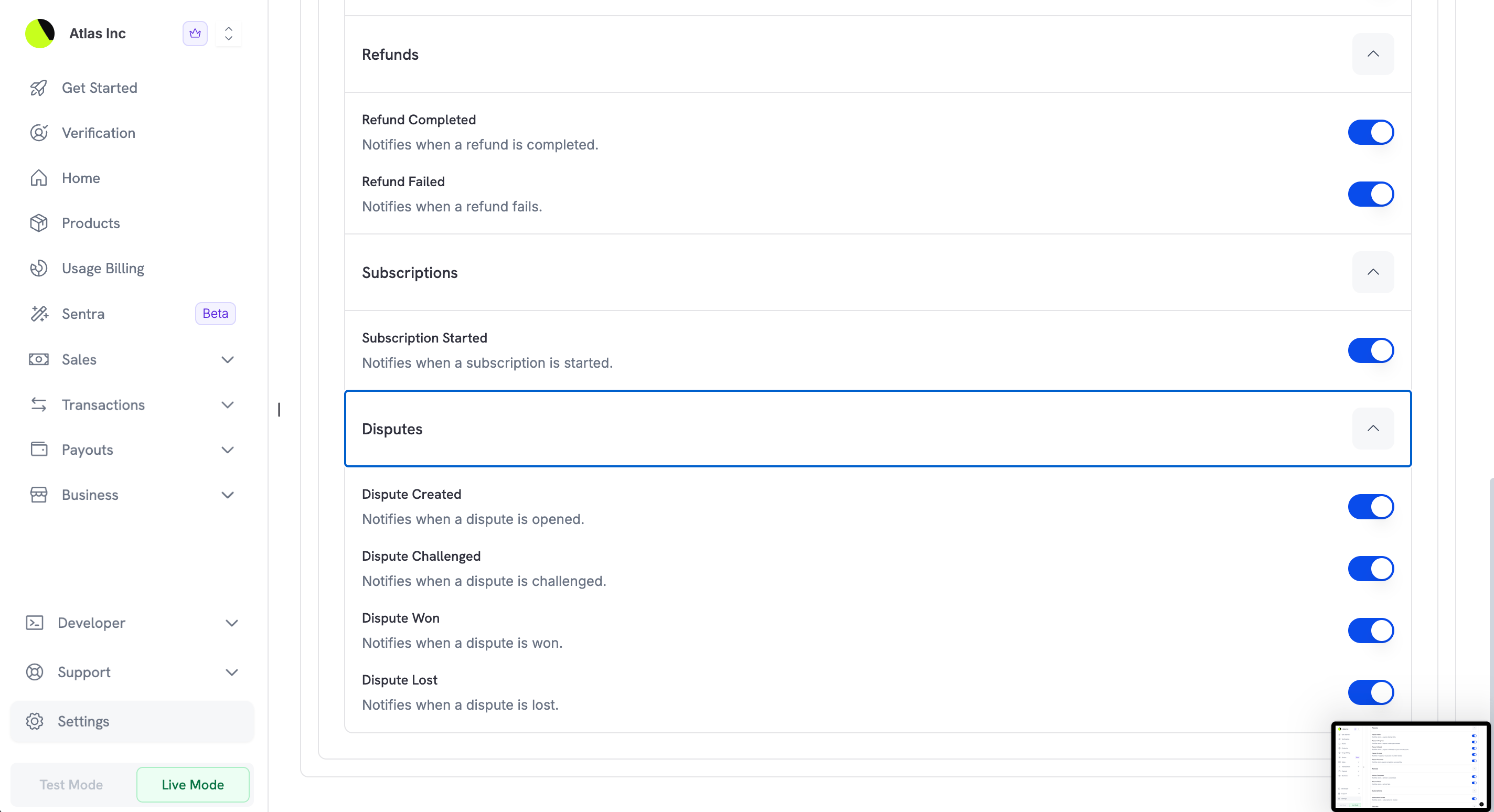 | Event | Description |
| ---------------------- | ------------------------------------- |
| **Dispute Created** | 在客户对某笔支付发起争议(退款纠纷)时发送通知。需要在截止时间前迅速回应。 |
| **Dispute Challenged** | 在您已回应的争议被再次挑战或升级时发送通知。此时争议仍在处理中。 |
| **Dispute Won** | 在争议判定对您有利时发送通知。款项会保留在您的账户中。 |
| **Dispute Lost** | 在争议判定对客户有利时发送通知。争议金额已经从您的账户中扣除。 |
Disputes have strict response deadlines. We strongly recommend keeping dispute notifications enabled to ensure you can respond in time.
## 客户邮件
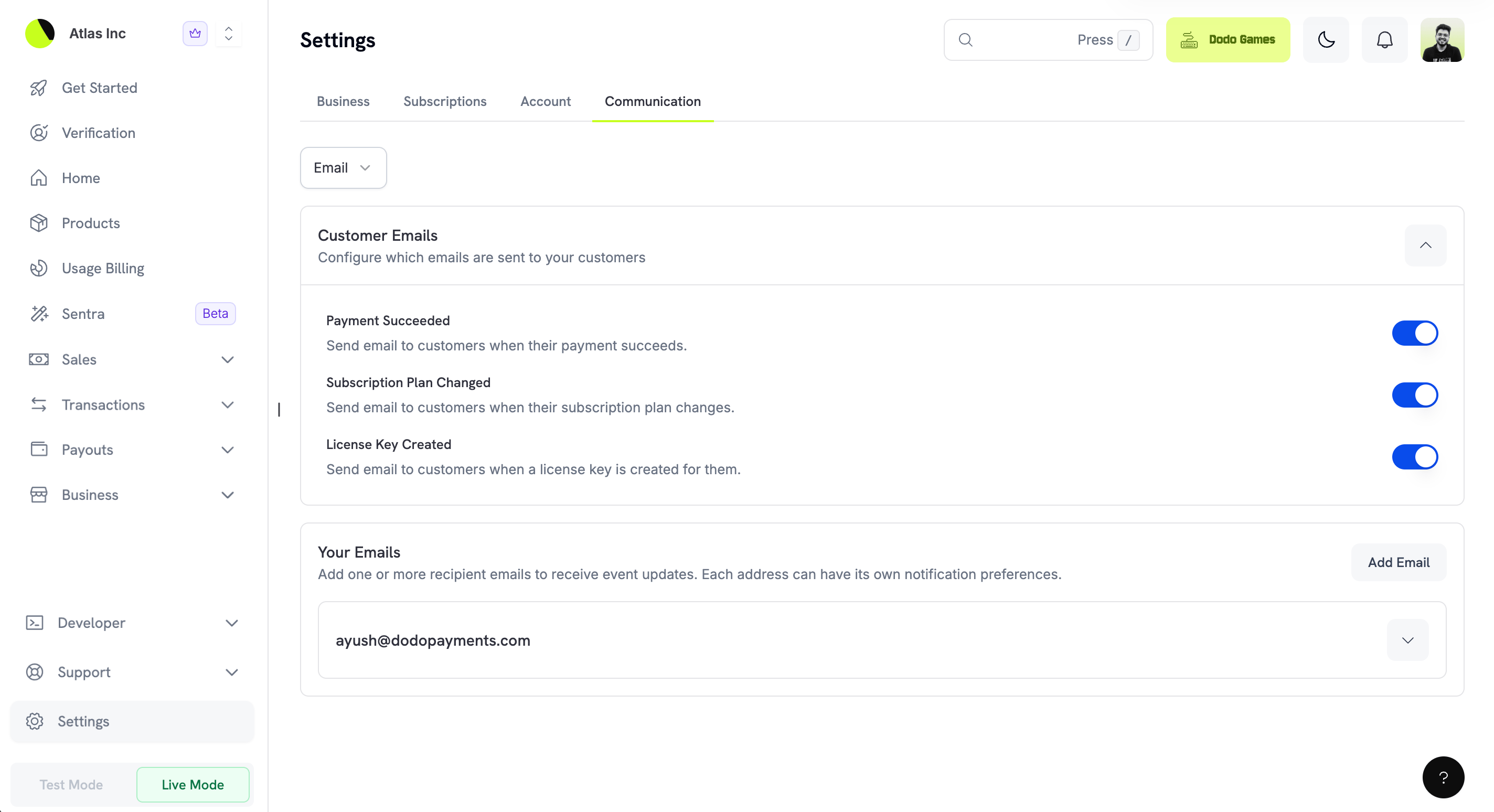
除了团队通知外,您还可以配置哪些事务性邮件会自动发送给客户。这些邮件由 Dodo Payments 代表您发送,帮助客户了解购买情况。
| Event | Description |
| ---------------------- | ------------------------------------- |
| **Dispute Created** | 在客户对某笔支付发起争议(退款纠纷)时发送通知。需要在截止时间前迅速回应。 |
| **Dispute Challenged** | 在您已回应的争议被再次挑战或升级时发送通知。此时争议仍在处理中。 |
| **Dispute Won** | 在争议判定对您有利时发送通知。款项会保留在您的账户中。 |
| **Dispute Lost** | 在争议判定对客户有利时发送通知。争议金额已经从您的账户中扣除。 |
Disputes have strict response deadlines. We strongly recommend keeping dispute notifications enabled to ensure you can respond in time.
## 客户邮件
除了团队通知外,您还可以配置哪些事务性邮件会自动发送给客户。这些邮件由 Dodo Payments 代表您发送,帮助客户了解购买情况。
 | Email | Description |
| ----------------------------- | -------------------------------------- |
| **Payment Succeeded** | 在客户付款成功处理后自动发送确认邮件,包含收据详情和订单信息。 |
| **Subscription Plan Changed** | 当客户的订阅计划发生变化(升级、降级或修改)时发送邮件,确认新的计划和价格。 |
| **License Key Created** | 在为客户的购买生成许可证密钥时发送邮件,包含许可证密钥和激活说明。 |
Customer emails are enabled by default to ensure a great customer experience. If you prefer to handle customer communication through your own systems (e.g., your own email service or CRM), you can disable specific emails here.
Customer emails are separate from the notification emails sent to your team. Disabling a customer email does not affect your team's notifications about the same event.
## 最佳实践
以下是有效配置通信偏好设置的一些建议:
1. **设置基于角色的电子邮件路由**:为不同通知类型添加不同团队邮箱。例如:
* `finance@yourcompany.com` for payout notifications
* `support@yourcompany.com` for dispute notifications
* `sales@yourcompany.com` for payment notifications
2. **在多个渠道中启用关键通知**:对于像争议这样的时效性事件,考虑在多个渠道(电子邮件 + 推送)中启用通知,以确保不会错过。
3. **定期审查偏好设置**:随着团队发展或调整,定期检查通知设置,以确保正确的人员接收合适的通知。
4. **保持客户邮件启用**:除非有明确理由禁用,否则保持客户邮件启用能提供更好的客户体验并减少支持咨询。
| Email | Description |
| ----------------------------- | -------------------------------------- |
| **Payment Succeeded** | 在客户付款成功处理后自动发送确认邮件,包含收据详情和订单信息。 |
| **Subscription Plan Changed** | 当客户的订阅计划发生变化(升级、降级或修改)时发送邮件,确认新的计划和价格。 |
| **License Key Created** | 在为客户的购买生成许可证密钥时发送邮件,包含许可证密钥和激活说明。 |
Customer emails are enabled by default to ensure a great customer experience. If you prefer to handle customer communication through your own systems (e.g., your own email service or CRM), you can disable specific emails here.
Customer emails are separate from the notification emails sent to your team. Disabling a customer email does not affect your team's notifications about the same event.
## 最佳实践
以下是有效配置通信偏好设置的一些建议:
1. **设置基于角色的电子邮件路由**:为不同通知类型添加不同团队邮箱。例如:
* `finance@yourcompany.com` for payout notifications
* `support@yourcompany.com` for dispute notifications
* `sales@yourcompany.com` for payment notifications
2. **在多个渠道中启用关键通知**:对于像争议这样的时效性事件,考虑在多个渠道(电子邮件 + 推送)中启用通知,以确保不会错过。
3. **定期审查偏好设置**:随着团队发展或调整,定期检查通知设置,以确保正确的人员接收合适的通知。
4. **保持客户邮件启用**:除非有明确理由禁用,否则保持客户邮件启用能提供更好的客户体验并减少支持咨询。