> ## Documentation Index
> Fetch the complete documentation index at: https://docs.dodopayments.com/llms.txt
> Use this file to discover all available pages before exploring further.
# ديسكورد
> أرسل إشعارات دودي بايمنتس في الوقت الفعلي إلى قنوات ديسكورد الخاصة بك.
## المقدمة
ابقِ فريقك على اطلاع حيث يتعاونون بالفعل. يوفر تكامل ديسكورد إشعارات الدفع والاشتراك والنزاع وغيرها من الأحداث المهمة مباشرة إلى أي قناة تختارها—دون الحاجة إلى الاستطلاعات أو لوحات المعلومات.
تفترض هذه الإرشادات أن لديك حق الوصول إلى قسم التكاملات في لوحة Dodo Payments.
## البدء
في لوحة تحكم Dodo Payments الخاصة بك، افتح Webhooks → + Add Endpoint وقم بتوسيع القائمة المنسدلة لكشف عمليات الدمج.
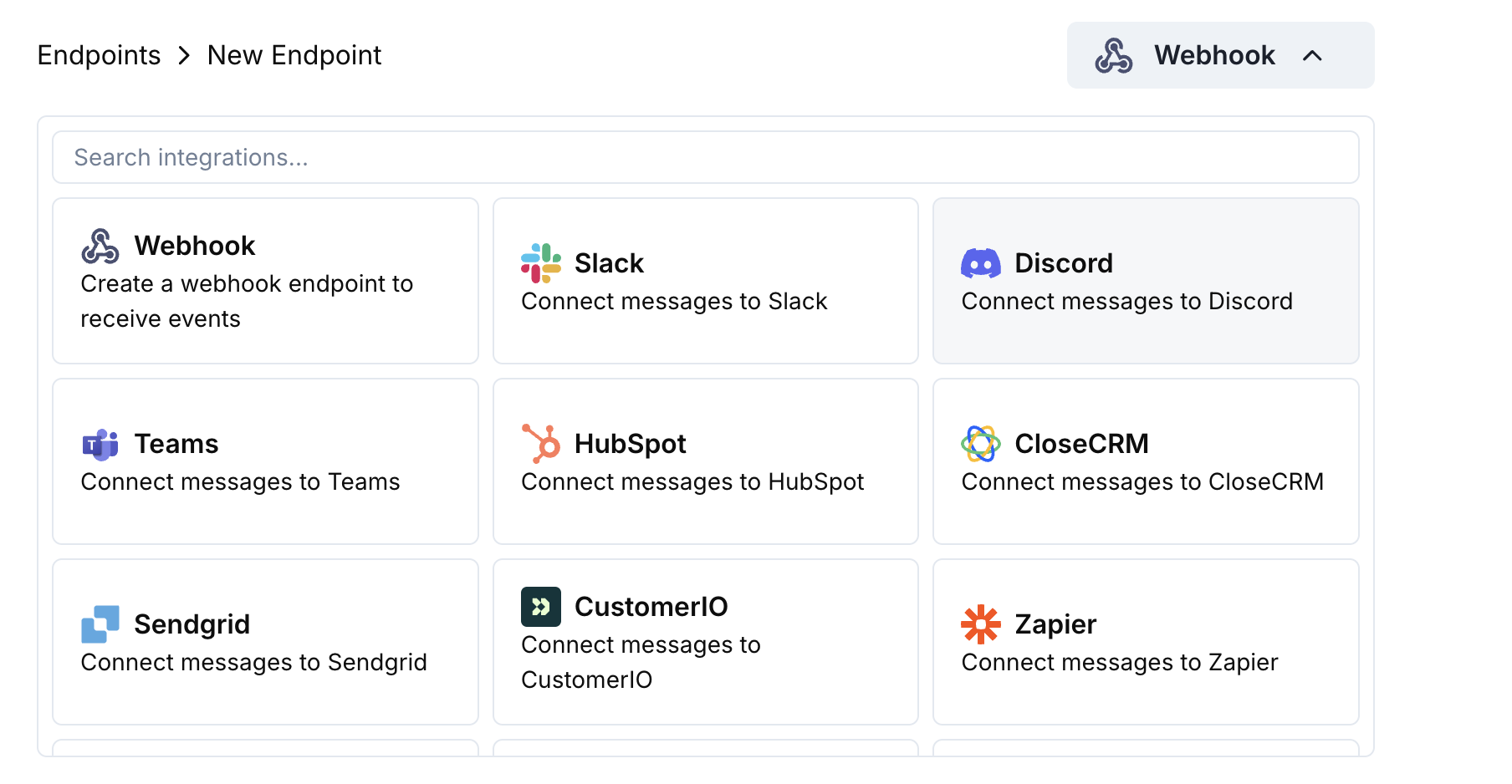 اختر بطاقة Discord ثم انقر على Connect your Discord workspace.
امنح الأذونات المطلوبة حتى يتمكن البوت من نشر الرسائل في القناة التي اخترتها.
خصّص مطابقة الحمولة → التضمين حسب احتياجاتك — أو ابدأ بالقوالب أدناه.
استخدم حمولات تجريبية لمعاينة التضمين، ثم اضغط Create.
🎉 ستستقبل قناتك في Discord الآن تحديثات Dodo Payments المباشرة.
## أمثلة على كود التحويل
### تضمين الدفع الأدنى
```javascript payment_embed.js icon="js" expandable theme={null}
function handler(webhook) {
if (webhook.eventType === "payment.succeeded") {
const p = webhook.payload.data;
webhook.payload = {
embeds: [{
title: "✅ Payment Successful",
description: `**Amount:** $${(p.total_amount / 100).toFixed(2)}\n**Customer:** ${p.customer.email}`,
color: 0x2ecc71 // green
}]
};
}
return webhook;
}
```
### أحداث الاشتراك
```javascript subscription_embed.js icon="js" expandable theme={null}
function handler(webhook) {
const s = webhook.payload.data;
switch (webhook.eventType) {
case "subscription.active":
webhook.payload = {
embeds: [{
title: "📄 Subscription Activated",
fields: [
{ name: "Customer", value: s.customer.email, inline: true },
{ name: "Product", value: s.product_id, inline: true },
{ name: "Next Billing", value: new Date(s.next_billing_date).toLocaleDateString(), inline: true }
],
color: 0x2ecc71
}]
};
break;
case "subscription.cancelled":
webhook.payload = {
embeds: [{
title: "⚠️ Subscription Cancelled",
fields: [
{ name: "Customer", value: s.customer.email, inline: true },
{ name: "Product", value: s.product_id, inline: true }
],
color: 0xf1c40f
}]
};
break;
}
return webhook;
}
```
### تنبيهات النزاع
```javascript dispute_embed.js icon="js" expandable theme={null}
function handler(webhook) {
if (webhook.eventType.startsWith("dispute.")) {
const d = webhook.payload.data;
webhook.payload = {
embeds: [{
title: d.dispute_status === "won" ? "🏆 Dispute Won" : d.dispute_status === "lost" ? "❌ Dispute Lost" : "🚨 Dispute Update",
fields: [
{ name: "Payment ID", value: d.payment_id, inline: true },
{ name: "Amount", value: `$${(d.amount / 100).toFixed(2)}`, inline: true },
{ name: "Status", value: d.dispute_status, inline: true }
],
color: d.dispute_status === "won" ? 0x2ecc71 : d.dispute_status === "lost" ? 0xe74c3c : 0xe67e22
}]
};
}
return webhook;
}
```
## نصائح
* يفضل استخدام التضمينات للتنسيق الغني والألوان.
* اجعل العناوين قصيرة؛ ضع التفاصيل في الحقول.
* استخدم ألوانًا بديهية: الأخضر (نجاح)، الأحمر (فشل)، البرتقالي (تحذيرات).
## استكشاف الأخطاء وإصلاحها
* تأكد من أن البوت لديه وصول إلى القناة.
* تحقق من أن التحويل يُرجع كائن JSON به `embeds`.
* تحقق من صحة كودك في المحرر – الأخطاء النحوية ستعيق التسليم.
* تأكد من أن أسماء الحقول تتطابق مع بنية حمولة الويب هوك.
اختر بطاقة Discord ثم انقر على Connect your Discord workspace.
امنح الأذونات المطلوبة حتى يتمكن البوت من نشر الرسائل في القناة التي اخترتها.
خصّص مطابقة الحمولة → التضمين حسب احتياجاتك — أو ابدأ بالقوالب أدناه.
استخدم حمولات تجريبية لمعاينة التضمين، ثم اضغط Create.
🎉 ستستقبل قناتك في Discord الآن تحديثات Dodo Payments المباشرة.
## أمثلة على كود التحويل
### تضمين الدفع الأدنى
```javascript payment_embed.js icon="js" expandable theme={null}
function handler(webhook) {
if (webhook.eventType === "payment.succeeded") {
const p = webhook.payload.data;
webhook.payload = {
embeds: [{
title: "✅ Payment Successful",
description: `**Amount:** $${(p.total_amount / 100).toFixed(2)}\n**Customer:** ${p.customer.email}`,
color: 0x2ecc71 // green
}]
};
}
return webhook;
}
```
### أحداث الاشتراك
```javascript subscription_embed.js icon="js" expandable theme={null}
function handler(webhook) {
const s = webhook.payload.data;
switch (webhook.eventType) {
case "subscription.active":
webhook.payload = {
embeds: [{
title: "📄 Subscription Activated",
fields: [
{ name: "Customer", value: s.customer.email, inline: true },
{ name: "Product", value: s.product_id, inline: true },
{ name: "Next Billing", value: new Date(s.next_billing_date).toLocaleDateString(), inline: true }
],
color: 0x2ecc71
}]
};
break;
case "subscription.cancelled":
webhook.payload = {
embeds: [{
title: "⚠️ Subscription Cancelled",
fields: [
{ name: "Customer", value: s.customer.email, inline: true },
{ name: "Product", value: s.product_id, inline: true }
],
color: 0xf1c40f
}]
};
break;
}
return webhook;
}
```
### تنبيهات النزاع
```javascript dispute_embed.js icon="js" expandable theme={null}
function handler(webhook) {
if (webhook.eventType.startsWith("dispute.")) {
const d = webhook.payload.data;
webhook.payload = {
embeds: [{
title: d.dispute_status === "won" ? "🏆 Dispute Won" : d.dispute_status === "lost" ? "❌ Dispute Lost" : "🚨 Dispute Update",
fields: [
{ name: "Payment ID", value: d.payment_id, inline: true },
{ name: "Amount", value: `$${(d.amount / 100).toFixed(2)}`, inline: true },
{ name: "Status", value: d.dispute_status, inline: true }
],
color: d.dispute_status === "won" ? 0x2ecc71 : d.dispute_status === "lost" ? 0xe74c3c : 0xe67e22
}]
};
}
return webhook;
}
```
## نصائح
* يفضل استخدام التضمينات للتنسيق الغني والألوان.
* اجعل العناوين قصيرة؛ ضع التفاصيل في الحقول.
* استخدم ألوانًا بديهية: الأخضر (نجاح)، الأحمر (فشل)، البرتقالي (تحذيرات).
## استكشاف الأخطاء وإصلاحها
* تأكد من أن البوت لديه وصول إلى القناة.
* تحقق من أن التحويل يُرجع كائن JSON به `embeds`.
* تحقق من صحة كودك في المحرر – الأخطاء النحوية ستعيق التسليم.
* تأكد من أن أسماء الحقول تتطابق مع بنية حمولة الويب هوك.